React-native-router-flux: navTransparent iOS has black border on bottom
Version
Tell us which versions you are using:
- react-native-router-flux v4.0.0-beta.21
- react-native v0.48.4
Expected behaviour
Not show border bottom when navTransparent={true} or be able to override borderBottomWidth or borderBottomColor with navigationBarStyle={{borderBottomWidth:0}} which has no effect
Actual behaviour
shows black border on bottom of transparent navbar
<Stack key="homeTab" headerMode="screen" >
    <Scene key="scene1" component={Scene1} title="" navBar={HomeNavBar} />
    <Scene key="scene2" component={Scene2} title="" navTransparent/>
</Stack>
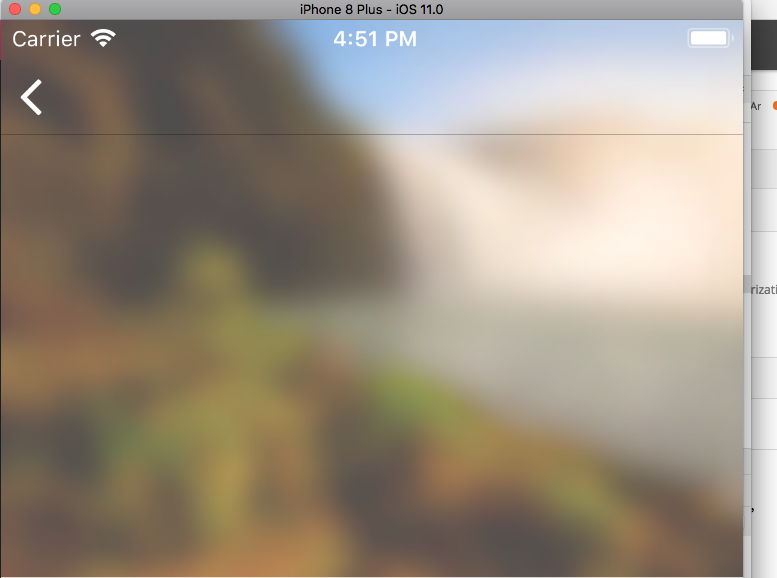
Steps to reproduce
For non-obvious bugs, please fork this component, modify Example project to reproduce your issue and include link here.
- Create a route with navTranparent set to true
- Navigate to route
 brycepavey
All 4 comments
+1 on this.
Edit
@brycepavey Achieved with navigationBarStyle bbw0
 luco
on 21 Nov 2017
luco
on 21 Nov 2017
You can see in src/navigationStore.js that navTransparent will use preset styling with elevation set 1, and will also disregard any other styling you might've passed with navigationBarStyle:
if (navTransparent) {
      res.headerStyle = { position: 'absolute', backgroundColor: 'transparent', zIndex: 100, top: 0, left: 0, right: 0,
        borderBottomWidth: 0, elevation: 1 };
    }
Use navigationBarStyle with elevation: 0 instead of navTransparent.
<Scene
  // your scene settings
  navigationBarStyle = {{
    position: 'absolute', backgroundColor: 'transparent', zIndex: 100, top: 0, left: 0, right: 0,
    borderBottomWidth: 0, elevation: 0
  }}
>
...
</Scene>
This fixed my issue with elevation shadow on Android, haven't tested on iOS.
 lighthugger
on 29 Nov 2017
lighthugger
on 29 Nov 2017
Added navTransparent to register screen for Example project, don't see black border with latest RNRF/react-navigation. Closing the issue.
 aksonov
on 4 Jan 2018
aksonov
on 4 Jan 2018
and how to set border when navTransparent is true? Now I dont's see border even with
borderBottomWidth: 1,
borderBottomColor: 'rgba(255, 255, 255, 0.3)',
 antonsivogrivov
on 13 Mar 2018
antonsivogrivov
on 13 Mar 2018
Related issues
 tonypeng
·
3Comments
tonypeng
·
3Comments
 llgoer
·
3Comments
llgoer
·
3Comments
 sylvainbaronnet
·
3Comments
sylvainbaronnet
·
3Comments
 booboothefool
·
3Comments
booboothefool
·
3Comments
 maphongba008
·
3Comments
maphongba008
·
3Comments
Most helpful comment
You can see in src/navigationStore.js that navTransparent will use preset styling with elevation set 1, and will also disregard any other styling you might've passed with navigationBarStyle:
Use navigationBarStyle with elevation: 0 instead of navTransparent.
This fixed my issue with elevation shadow on Android, haven't tested on iOS.