React-native-router-flux: Title not centered in navBar in Android with one of left/right icons
Version
Tell us which versions you are using:
- react-native-router-flux v4.0.0-beta.21
- react-native v0.47.1
Expected behaviour
Title appears correctly centered when neither left and right icons exists or when both of them exist
With just one of left or right icons at the same time title should appear centered
Actual behaviour
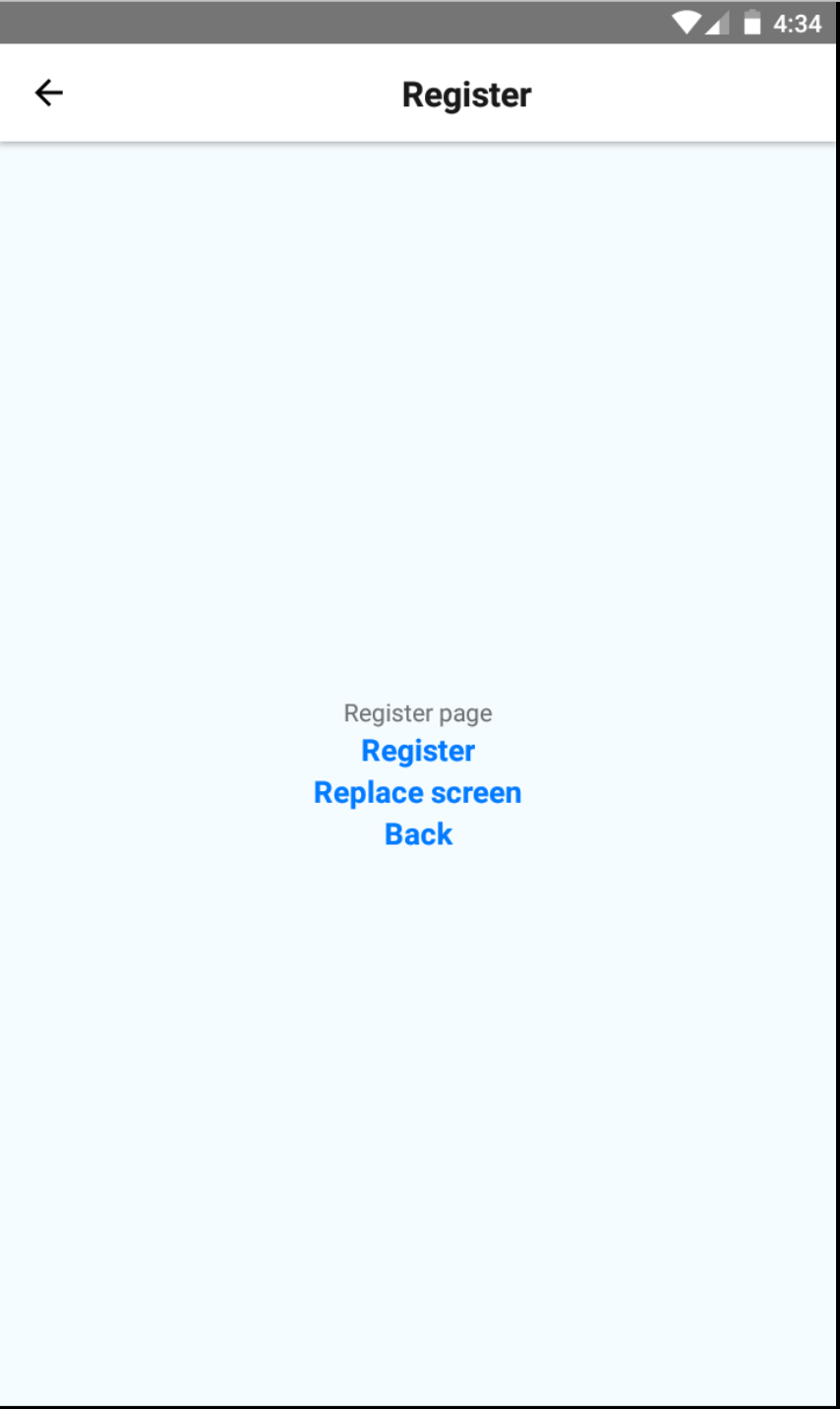
The title is not centered if only one of right and left icons exists at the same time.

 iuraya
All 24 comments
I encountered this issue as well. What I do is adding a placeholder for left button and right button on root Scene. When the child Scene has any left/right button, override the property.
renderPlaceholder = () => <View />
<Scene
     key="root"
     renderLeftButton={this.renderPlaceholder}
     renderRightButton={this.renderPlaceholder}
/ >
eg: child Scene
<Scene
     key="sub"
     title="sub"
     component={PageComponent}
     hideTabBar
     renderLeftButton={() => <BackButton />}
/>
 JessieYF
on 11 Oct 2017
JessieYF
on 11 Oct 2017
Please check latest master and PR #2491 (I've just merged it). Unfortunately I'm working on ios app only.
 aksonov
on 17 Oct 2017
aksonov
on 17 Oct 2017
@aksonov I can help you testing changes on android - just tag me in the PR and give me instructions and I can check it there. :+1:
 daviscabral
on 6 Dec 2017
daviscabral
on 6 Dec 2017
@daviscabral Could you check this ticket? :)
aksonov
on 6 Dec 2017
@aksonov it's still the same on android. Do I have to add any props to scene to get reflection or it should work automatically?
 sagark1510
on 18 Dec 2017
sagark1510
on 18 Dec 2017
Right, I see this bug and PR is welcome.
aksonov
on 5 Jan 2018
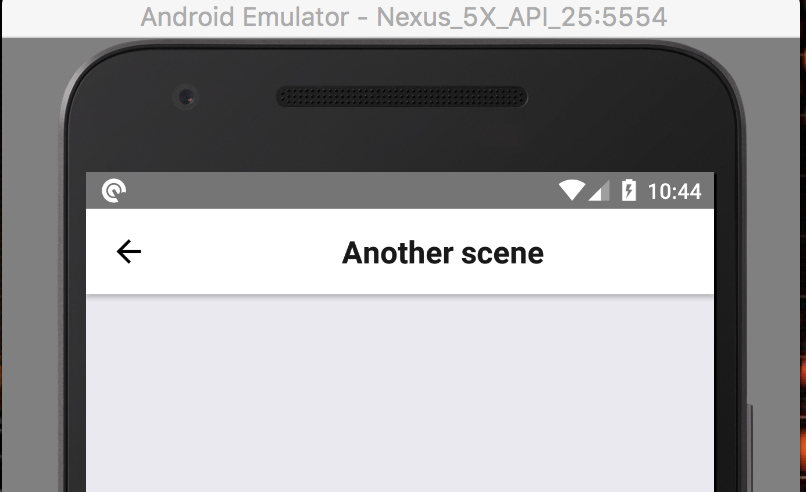
"react-native": "0.51.0",
"react-native-router-flux": "^4.0.0-beta.25",
 PiotrKujawa
on 5 Jan 2018
PiotrKujawa
on 5 Jan 2018
Will this be fixed?,I cant push the app to production without a fix.
 Albinzr
on 25 Jan 2018
Albinzr
on 25 Jan 2018
Sorry - I've been idle in the last few days but I am getting back now to check this. I'll get an update as soon as I get my simulator up and running here.
daviscabral
on 15 Feb 2018
@daviscabral any update?
 kamranyounis12
on 20 Feb 2018
kamranyounis12
on 20 Feb 2018
Issue is still present on master - going to investigate now to see if I am able to solve it.
daviscabral
on 23 Feb 2018
This issue is also present on React Native v. 0.54.2 with react-native-router-flux v. 4.0.0-beta.28.
 Gulci
on 15 Mar 2018
Gulci
on 15 Mar 2018
I am a bit busy lately and couldn't finish the PR that I've started. I'll check if later today I'll spare some time for it. Thank you.
daviscabral
on 8 Apr 2018
@davidcabral Is this going to get fixed?? Thank You
 acollazomayer
on 12 May 2018
acollazomayer
on 12 May 2018
On it - should have a PR in a few hours. I am in a company transition, things are just crazy lately.
daviscabral
on 12 May 2018
Sorry - took longer than I thought cause I was trying to fix the Example project that was not running - so I couldn't actually test and verify it properly.
daviscabral
on 14 May 2018
@daviscabral Thank you! I manage to solve the issue making a custom nav bar. However this is better! Thanks!! Good luck with the company transition!
acollazomayer
on 14 May 2018
Thank you. Glad to hear that.
daviscabral
on 14 May 2018
I'm still having this issues with react-native 0.55 and react-native-router-flux 4.0.0-beta.31 .
Was this fixed or should I follow @acollazomayer solution ?
 xbogdan
on 20 May 2018
xbogdan
on 20 May 2018
The solution written by @JessieYF works good
 massimopibiri
on 23 May 2018
massimopibiri
on 23 May 2018
Please try to reproduce it with Example project and latest version 4.0.0-beta.40. Feel free to open if the issue still exists
aksonov
on 8 Aug 2018
This issue still exists with RNRF v4.0.5. Im not able to open it, but I think that it have to be open.
 og24715
on 9 Oct 2018
og24715
on 9 Oct 2018
cc @daviscabral
aksonov
on 9 Oct 2018
Fixed on #3256.
This was possible because of react-navigation changes, when headerLayoutPreset support was added. Docs were also updated to reflect it.
Example.js file has an example of how to make it work, below the line where it happens:
<Stack key="customNavBar" hideTabBar headerLayoutPreset='center'>
Related issues
 sylvainbaronnet
·
3Comments
sylvainbaronnet
·
3Comments
 moaxaca
·
3Comments
moaxaca
·
3Comments
 vinayr
·
3Comments
vinayr
·
3Comments
 xnog
·
3Comments
xnog
·
3Comments
 GCour
·
3Comments
GCour
·
3Comments
Most helpful comment
This was possible because of react-navigation changes, when
headerLayoutPresetsupport was added. Docs were also updated to reflect it.Example.jsfile has an example of how to make it work, below the line where it happens: