React-native-reanimated: SnapTo works only on double click
Issue:
I am using the Notification Panel example for one of my projects. I am trying to snap the panel to the initial state when we click on the close button. This works when I double click the button but the single click is not triggering the action.
Code:
...other code
export default class App extends Component {
notif = React.createRef()
render() {
    return (
      <View style={styles.container}>
...other code
        <Interactable.View
            ref={this.notif}
            verticalOnly={true}
            snapPoints={[
              { y: 0, tension: 0, damping: 1 },
              { y: -Screen.height + 80 },
            ]}>
...other code
            <Button title="Close" onPress={() => this.notif.current.snapTo({index: 1})} ></Button>
       </Interactable.View>
     }
}
...other code

FYI-- I was doing double click during the last few seconds where the panel goes to correct snap.
Let me know if I am doing something wrong.
 cedricsandars
All 6 comments
I experience the same issue on the initial rendering of the panel only.
Step to reproduce
- Set verticalOnly={true}
- The first button click nothing happens
- The second button click it opens
I managed to fix it by removing the verticalOnly={true} property but now the panel can move on the x axis as well.
 wilau2
on 28 Nov 2019
wilau2
on 28 Nov 2019
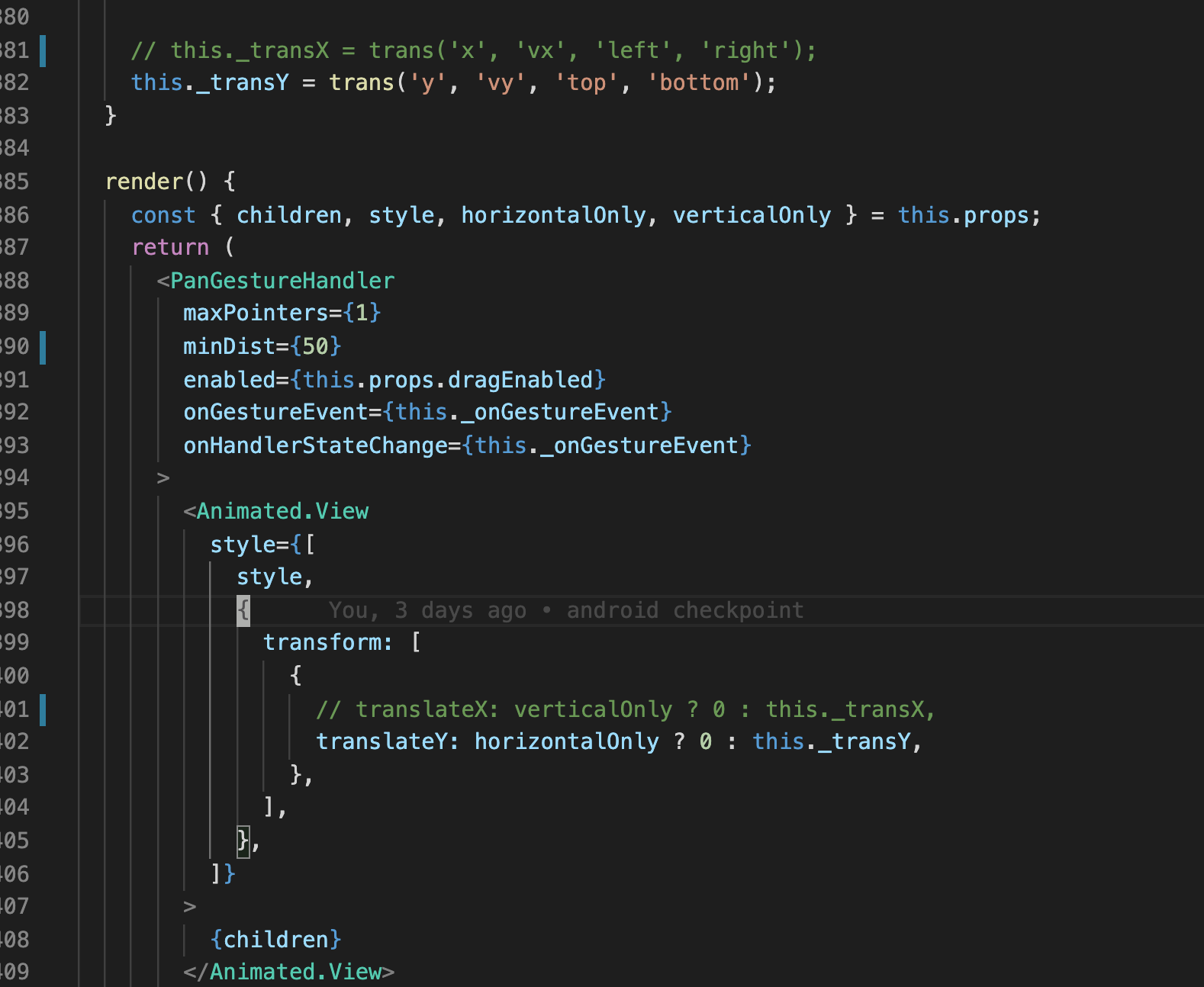
I hardcoded this:
wilau2
on 28 Nov 2019
Nevermind the real fix is this:

if you were using verticalOnly of horizontalOnly you would experience the multiple click needed on first render.
wilau2
on 29 Nov 2019
@wilau2 - The fix worked. Thanks a lot!!
cedricsandars
on 30 Nov 2019
@cedricsandars My fix was not the right fix, it just make the clock run all the time.
I found the right fix:
https://github.com/software-mansion/react-native-reanimated/issues/182#issuecomment-519632308
wilau2
on 2 Dec 2019
@wilau2 - Thanks for helping again. Love the way how open source community works to help others even without even expecting anything in return :)
cedricsandars
on 3 Dec 2019
Related issues
 dinhmai74
·
3Comments
dinhmai74
·
3Comments
 sa8ab
·
3Comments
sa8ab
·
3Comments
 bdrobinson
·
3Comments
bdrobinson
·
3Comments
 robertgonzales
·
3Comments
robertgonzales
·
3Comments
 alexfov
·
3Comments
alexfov
·
3Comments
Most helpful comment
@cedricsandars My fix was not the right fix, it just make the clock run all the time.
I found the right fix:
https://github.com/software-mansion/react-native-reanimated/issues/182#issuecomment-519632308