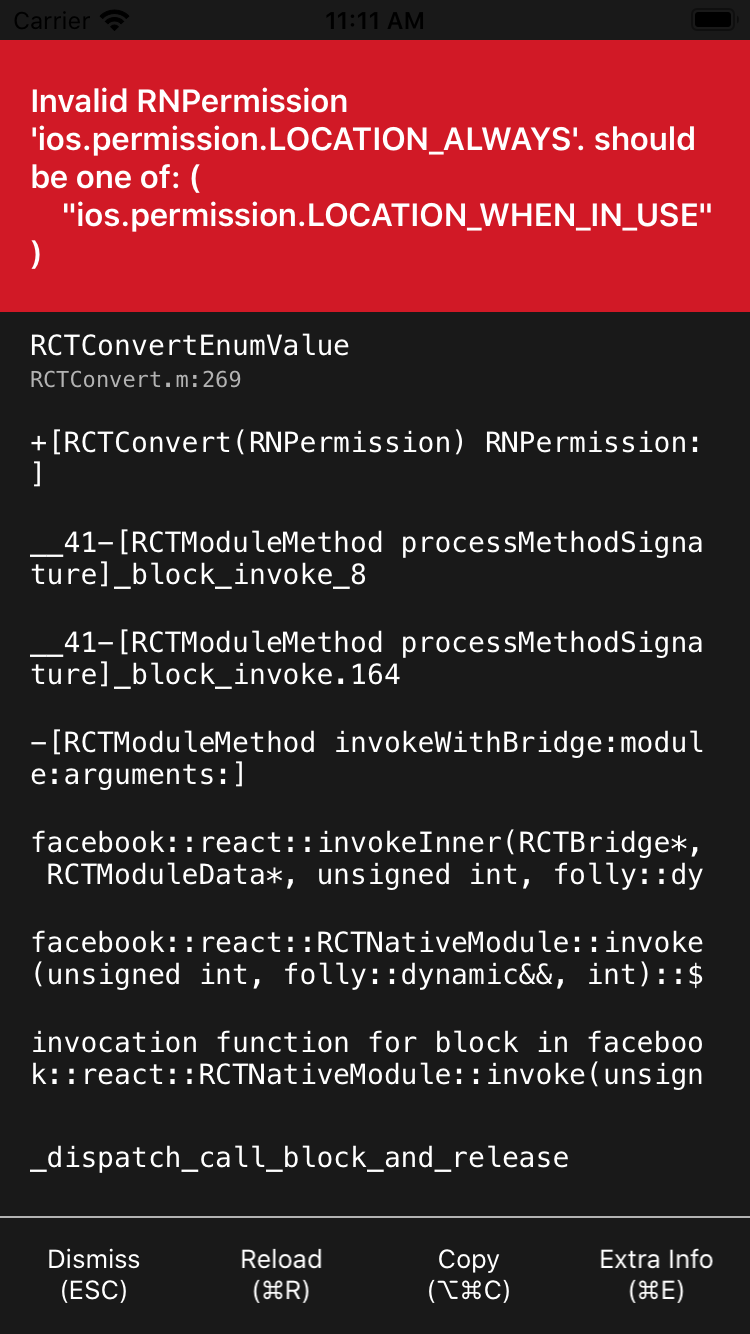
React-native-permissions: Invalid RNPermission 'ios.permission.LOCATION_ALWAYS' should be one of
Question
In my code I have
import { request, PERMISSIONS } from 'react-native-permissions';
// ...
const backgroundLocationPermission = Platform.select({
  ios: PERMISSIONS.IOS.LOCATION_ALWAYS,
  android: PERMISSIONS.ANDROID.ACCESS_BACKGROUND_LOCATION,
});
// ...
request(backgroundLocationPermission)
it gives me
Potentially related links (which didn't help to me):
https://github.com/react-native-community/react-native-permissions#%EF%B8%8F-if-you-encounter-the-error-invalid-rnpermission-x-should-be-one-of-
https://github.com/react-native-community/react-native-permissions/issues/326
Why? How to fix?
 vvscode
All 3 comments
@vvscode Please submit your Podfile.
 zoontek
on 23 Jan 2020
zoontek
on 23 Jan 2020
@zoontek sure
vvscode
on 23 Jan 2020
 permissions_path = '../node_modules/react-native-permissions/ios'
  pod 'RNPermissions', :path => "../node_modules/react-native-permissions/RNPermissions.podspec"
  pod 'Permission-LocationWhenInUse', :path => "#{permissions_path}/LocationWhenInUse.podspec"
As I though, you linked the wrong permission handler. If you ask for PERMISSIONS.IOS.LOCATION_ALWAYS, you need to link pod 'Permission-LocationAlways', :path => "#{permissions_path}/LocationAlways.podspec"
Then run pod install, clean your Xcode build, re-build: everything should be fine 😄
zoontek
on 23 Jan 2020
👎2
👍1
Was this page helpful?
0 / 5 - 0 ratings
Related issues
 viniciuszim
·
5Comments
viniciuszim
·
5Comments
 Nazort
·
5Comments
Nazort
·
5Comments
 TheEhsanSarshar
·
5Comments
TheEhsanSarshar
·
5Comments
 vishalTechnoFreek
·
4Comments
vishalTechnoFreek
·
4Comments
 altras
·
6Comments
altras
·
6Comments