React-native-paper: Style override for TextInput
Describe the feature
Passing down style props to the NativeTextInput component within TextInput. Something like inputStyles that would override the default styles.
Maybe put it at the end of the styles array here?
Motivation
I'd like to have full control and override styles if/when needed. For example, right now there isn't a feasible way to override the input text color or font weight when the input is disabled.
 dominictwlee
All 13 comments
@jbinda what do you think?
 ferrannp
on 13 Jun 2019
ferrannp
on 13 Jun 2019
- We already have a ticket reffers to set up TextInput colors (#688) so after I deal with that it should solve one request from @dominictwlee motivation
- We already implemented feature to set up font size, so we can can also make small adjustment to set up font weight.
I would be careful to give full control to override styles because of the label animation sitting there. After we deal with more flexible way to style colors we should be fine.
Is there anything else you would like to override @dominictwlee ?
 jbinda
on 24 Jun 2019
jbinda
on 24 Jun 2019
Yeah I think in the meantime that would do, I'll let you know if I find other use cases for style customization.
dominictwlee
on 26 Jun 2019
For the app I am working on I need some of my inputs to use the font monospace (for Android) and Courier New (for iOS). This should not affect the label, only the actual input itself. The suggestion of adding an inputStyle prop is a good one I think and would certainly work for me.
 davesag
on 13 Jul 2019
davesag
on 13 Jul 2019
It would be really useful to have control over the padding and/or height of the <TextInput />
 solshuffle
on 23 Jul 2019
solshuffle
on 23 Jul 2019
@solshuffle you can pass height to style to change TextInput height or dense prop to adjust size to dense mode according to material ui design guidelines
@davesag I will check what we can do and back with answer/solution
I have 2 PR almost done with the listed item I posted before. Will raise it soon
jbinda
on 25 Jul 2019
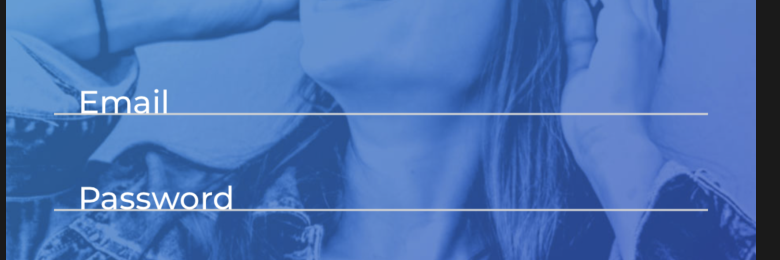
The dense prop doesn't seem to be working and if I try to adjust the height of the <TextInput />, the label text inside is not centred, even if I add textAlignVertical: 'center' or justifyContent: 'center'.
The padding would be really useful, for example in case we have a <TextInput /> with a transparent background, and we want to remove the horizontal padding.
Here is an example of what it looks like.
solshuffle
on 25 Jul 2019
Hi @solshuffle
Which version of react-native-paper are you using ? Because all of you wrote should be already implemented in 3.0 branch
There is also padding="none" prop that allows to remove horizontal padding as you mentioned.
Please check the below screen from the example app:

jbinda
on 31 Jul 2019
Thanks @jbinda
I just upgraded to "3.0.0-alpha.2" and that fixed the padding and dense issues.
The problem I am having now is that it doesn't recognise the fonts from the theme anymore.
I get this warning:
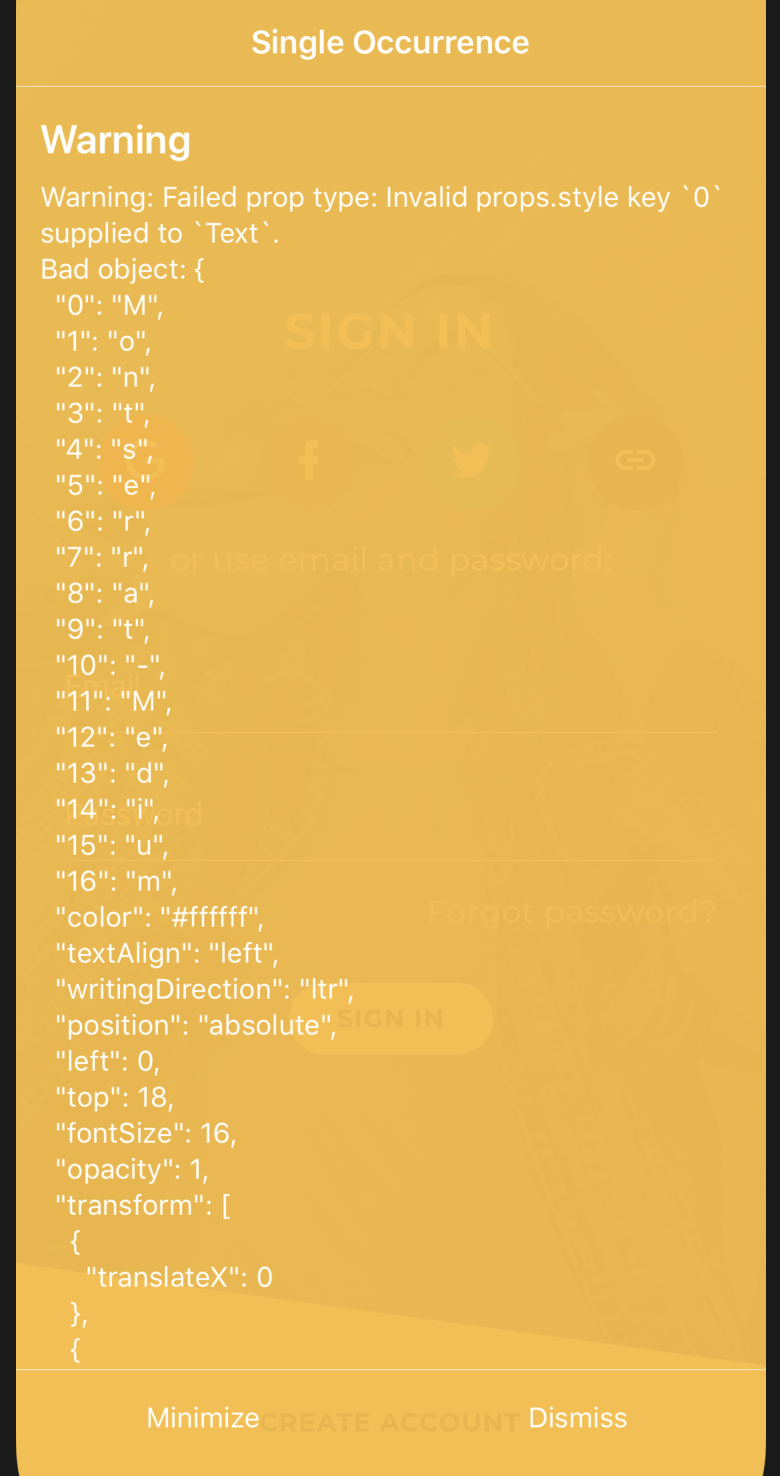
Here is the code in theme, it used to work with version "2.16", and show the intended "Montserrat-Medium", now it shows the default font.
import { DefaultTheme } from 'react-native-paper';

export default {
  ...DefaultTheme,
  dark: false,
  roundness: 3,
  fonts: {
    thin: 'Montserrat-Light',
    light: 'Montserrat-Medium',
    regular: 'Montserrat-Medium',
    medium: 'Montserrat-Bold',
  },
  colors: {
    ...
  },
};
@solshuffle please check the new definition of fonts: https://github.com/callstack/react-native-paper/blob/master/src/styles/fonts.tsx
Instead of passing a string you need to pass an object with fontFamily and fontWeight keys.
 jaulz
on 31 Jul 2019
jaulz
on 31 Jul 2019
Hi @solshuffle
Which version of react-native-paper are you using ? Because all of you wrote should be already implemented in 3.0 branch
There is also padding="none" prop that allows to remove horizontal padding as you mentioned.
Please check the below screen from the example app:
Does this prop work on version 2.16.0?
 miladmeidanshahi
on 23 Sep 2019
miladmeidanshahi
on 23 Sep 2019
Hello 👋, this issue has been open for more than 2 months with no activity on it. If the issue is still present in the latest version, please leave a comment within 7 days to keep it open, otherwise it will be closed automatically. If you found a solution on workaround for the issue, please comment here for others to find. If this issue is critical for you, please consider sending a pull request to fix the issue.
![github-actions[bot] picture](https://avatars.githubusercontent.com/in/15368?v=4&s=40) github-actions[bot]
on 14 Dec 2019
github-actions[bot]
on 14 Dec 2019
There is still no option to override the style for TextInput prop, I want to be able to set borderRadius, padding, specifying style on TextInput doesn't actually work as expected, unlike when using TextInput from React-Native.
 aprilmintacpineda
on 11 Sep 2020
aprilmintacpineda
on 11 Sep 2020
Related issues
 rolandjitsu
·
14Comments
rolandjitsu
·
14Comments
 stephpasquini
·
18Comments
stephpasquini
·
18Comments
 Trancever
·
107Comments
Trancever
·
107Comments
 smkhalsa
·
14Comments
smkhalsa
·
14Comments
 khaledBou
·
20Comments
khaledBou
·
20Comments
Most helpful comment
There is still no option to override the style for TextInput prop, I want to be able to set borderRadius, padding, specifying style on TextInput doesn't actually work as expected, unlike when using TextInput from React-Native.