React-native-paper: How to use icons other than Material Icon?
Current behaviour
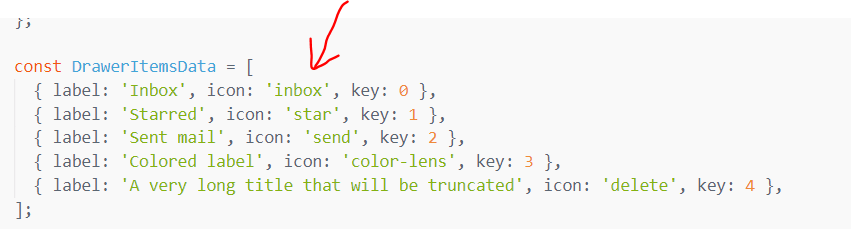
The documentation said that you are using react native vector icons library. But by default your library is referring to Material Icons. How may I use the other icons within react native vector icons such as in icons and Material Community Icons?? I'm trying to use this is App Drawer following your snack example code.
Expected behaviour
Now its not working to set the mode to other icons. I tried manually adding react native icons. But the colors and alignments is not matching other icons in the appdrawer.
Your Environment
| software | version
| --------------------- | -------
| react-native | Latest
| react-native-paper | Latest
| node | Latest
| npm or yarn | Latest
 ManigandanRaamanathan
All 8 comments
https://callstack.github.io/react-native-paper/icons.html
Use render function as described in docs.
 Trancever
on 16 Oct 2018
Trancever
on 16 Oct 2018
@Trancever Where is the option to define different icon pack? It is not mentioned in the documentation
ManigandanRaamanathan
on 16 Oct 2018
import Icon from 'react-native-vector-icons/FontAwesome';
icon={({ size, color }) => (
    <Icon name="rocket" size={size} color={color} />
  )}
import Icon from 'react-native-vector-icons/FontAwesome';
icon={({ size, color }) => (
    <Icon name="rocket" size={size} color={color} />
  )}
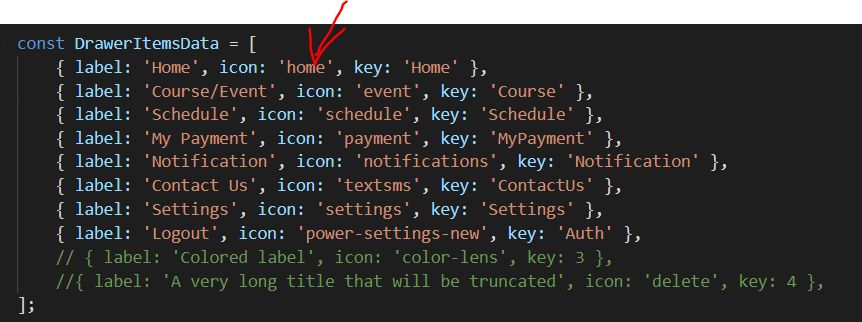
How do I add them in the array?
ManigandanRaamanathan
on 16 Oct 2018
Pass function instead of string.
{ label: 'Home', icon: ({ size, color }) => <Icon name="rocket" size={size} color={color} />, key: 'Home' }
Pass function instead of string.
Could you please provide the sample code. Im getting error when pass the give code as string
ManigandanRaamanathan
on 16 Oct 2018
Check comment above, and please read the docs more carefully.
Trancever
on 16 Oct 2018
Pass function instead of string.
{ label: 'Home', icon: ({ size, color }) => <Icon name="rocket" size={size} color={color} />, key: 'Home' }
Oop Thanks for the huge help. This code works fine now. Was in a rush. Thanks
ManigandanRaamanathan
on 16 Oct 2018
Related issues
 sm2017
·
4Comments
sm2017
·
4Comments
 zxccvvv
·
4Comments
zxccvvv
·
4Comments
 cassioseffrin
·
3Comments
cassioseffrin
·
3Comments
 ferrannp
·
4Comments
ferrannp
·
4Comments
 zachariahtimothy
·
3Comments
zachariahtimothy
·
3Comments
Most helpful comment
import Icon from 'react-native-vector-icons/FontAwesome';