React-native-paper: TextInput does not show the string from beginning
Current behaviour
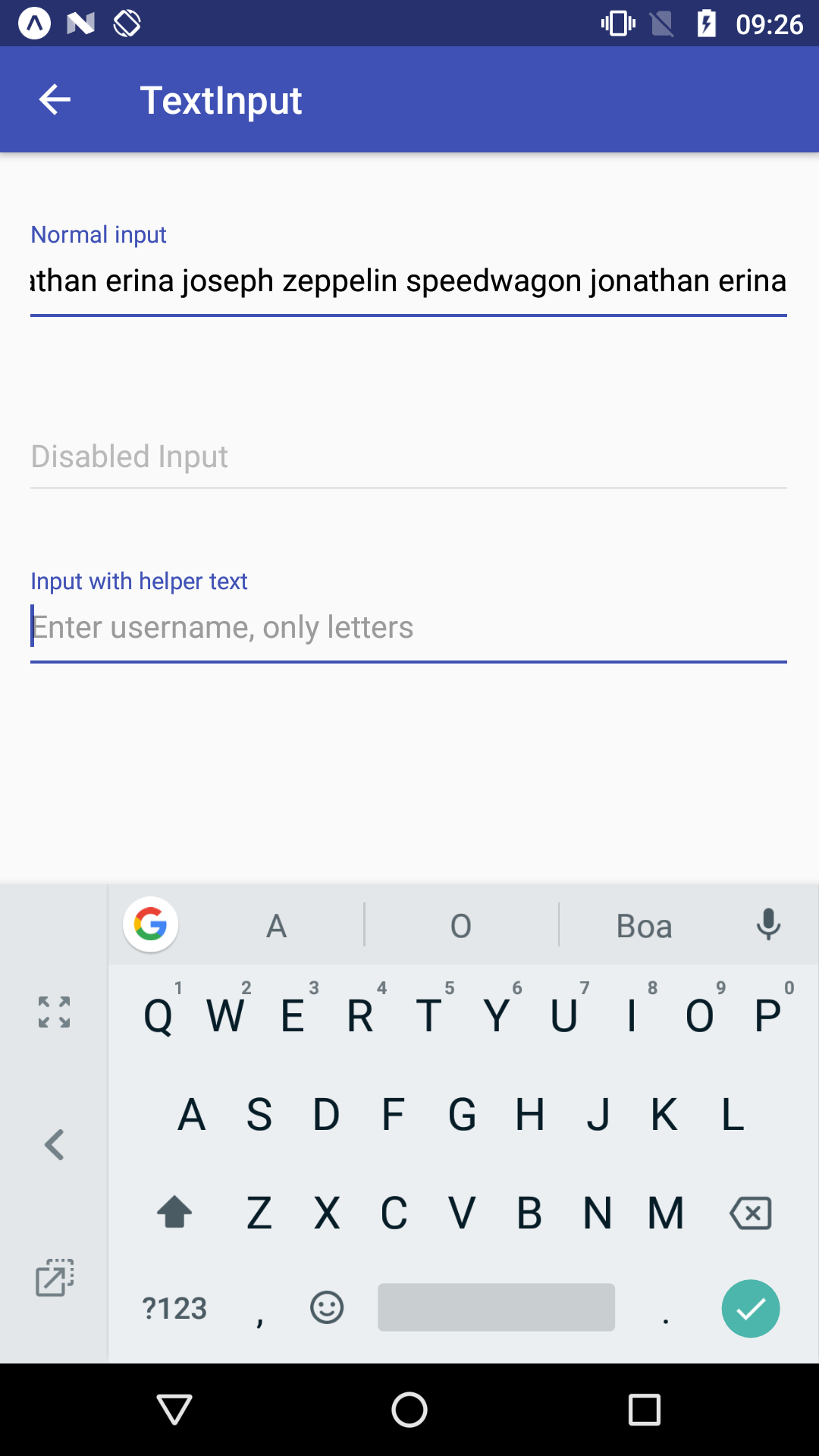
When the string is larger than the width of TextInput and the component is mounted or lose it's focus, the component does not display the string from the very beginning. Rather, the component starts displaying the string by the end.
Expected behaviour
When the component is mounted or lose it's focus, the component should display the string starting from left to right.
Code sample
Not needed as the screenshot was taken from the expo demo.
Screenshots
Example string: 'Jonathan erina joseph zeppelin speedwagon jonathan erina'. Note that when the component loses it's focus, the string keeps being displayed from right to left.
What have you tried
Checked if there's a prop to control such behavior, none was found.
Your Environment
| software | version
| --------------------- | -------
| android | 6.0
| react-native | 0.55.3
| react-native-paper | 1.10.4
| node | 8.10.0
| npm or yarn | 5.6.0
 knobandre
All 4 comments
@knobandre not sure if the team will add it to the library but I just created a pull request where you can see how you could possibly solve this issue.
 jaulz
on 20 Jul 2018
jaulz
on 20 Jul 2018
Hi @knobandre,
Could you point me to some official material design documentation that mentions this behaviour? I've tried to find some support for it, but couldn't find it. Google's web demo implements it, but it's not consistent with the prod apps (see screencap from Google Maps app below).
 .
.
 kpsroka
on 31 Jul 2018
kpsroka
on 31 Jul 2018
BTW I don't think google's demo actually implements this. This is how the input element works natively in browsers. However in native apps, the behaviour is different.
 satya164
on 31 Jul 2018
satya164
on 31 Jul 2018
Hi kpsroka,
I could not find any Material documentation about this behavior. After some discussion, some analysts in my team agreed that this would be the desired behavior for our application.
But since we don't have any Material docs to reinforce this behavior, we're gonna make use of the multiline prop to achieve a more acceptable behavior.
Thank you for your time, appreciate it.
knobandre
on 31 Jul 2018
Related issues
 alikazemkhanloo
·
4Comments
alikazemkhanloo
·
4Comments
 zxccvvv
·
4Comments
zxccvvv
·
4Comments
 makhataibar
·
4Comments
makhataibar
·
4Comments
 tonyxiao
·
3Comments
tonyxiao
·
3Comments
 sm2017
·
4Comments
sm2017
·
4Comments
Most helpful comment
@knobandre not sure if the team will add it to the library but I just created a pull request where you can see how you could possibly solve this issue.