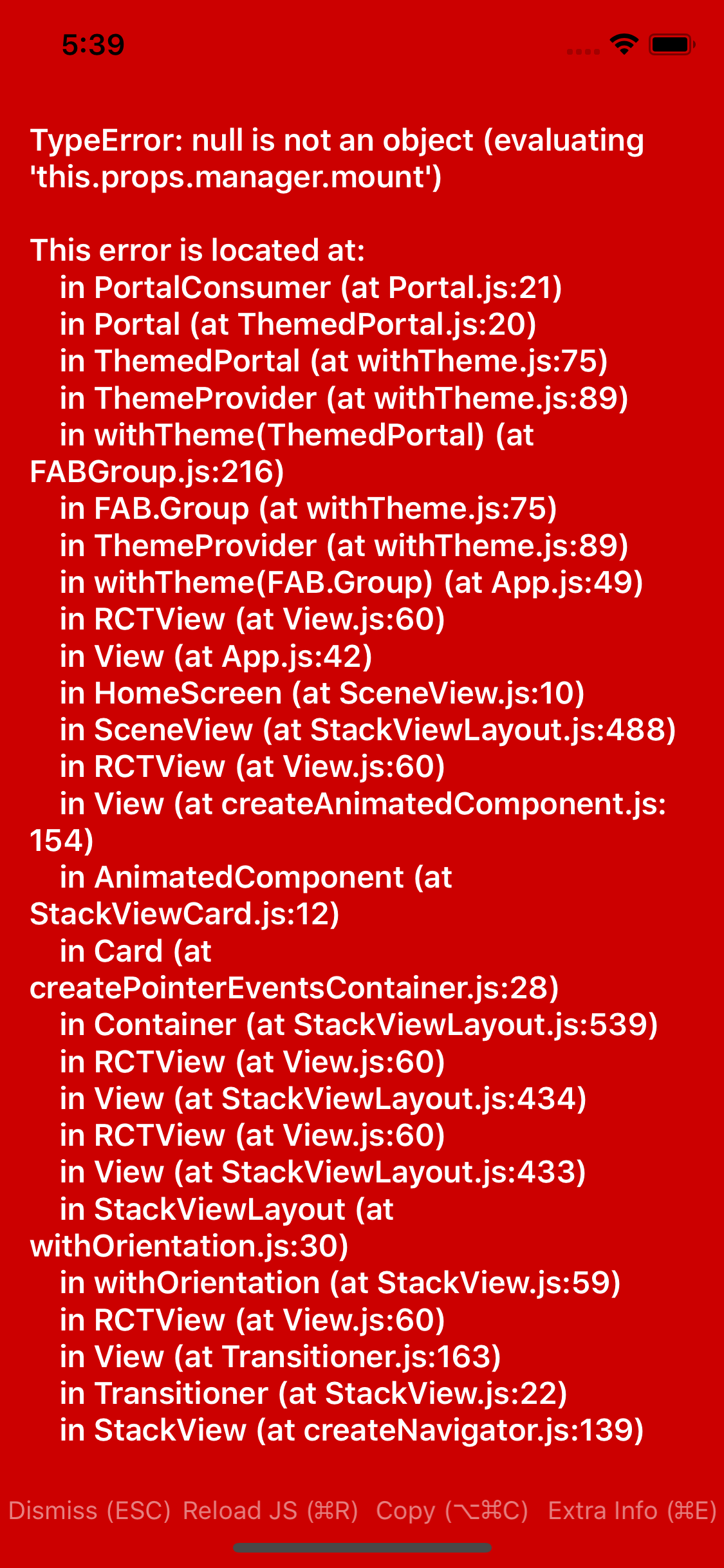
React-native-paper: Fab.Group not working (this.props.manager.mount)
Current behaviour
Expected behaviour
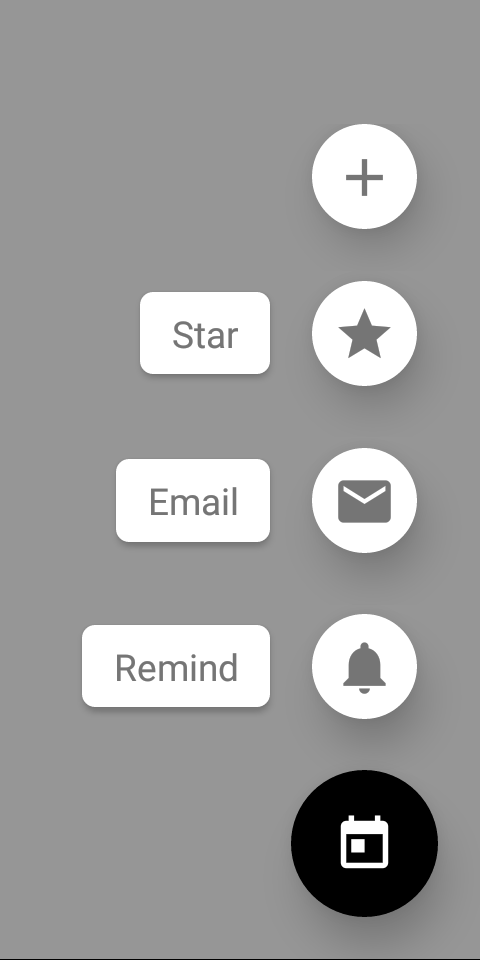
Code sample
I get example from there : #https://3071-71323749-gh.circle-artifacts.com/0/docs/fab-group.html | software | version <MapView
followsUserLocation={true}
showsMyLocationButton={true}
style={{ ...StyleSheet.absoluteFillObject }}
/>
<FAB.Group
open={this.state.open}
icon={this.state.open ? 'today' : 'add'}
actions={[
{ icon: 'add', onPress: () => { } },
{ icon: 'star', label: 'Star', onPress: () => { } },
{ icon: 'email', label: 'Email', onPress: () => { } },
{ icon: 'notifications', label: 'Remind', onPress: () => { } },
]}
onStateChange={({ open }) => this.setState({ open })}
onPress={() => {
if (this.state.open) {
}
}}
/>
</View>
Screenshots (if applicable)
What have you tried
Your Environment
| --------------------- | -------
| ios or android | ios 11
| react-native | expo 27
| react-native-paper | ^2.0.0-alpha.5
| node | 8.9.4
| npm or yarn | npm 6
 nazrdogan
All 18 comments
@nazrdogan Hey, did you wrap your root component with Provider component from Paper?
 Trancever
on 10 Jun 2018
Trancever
on 10 Jun 2018
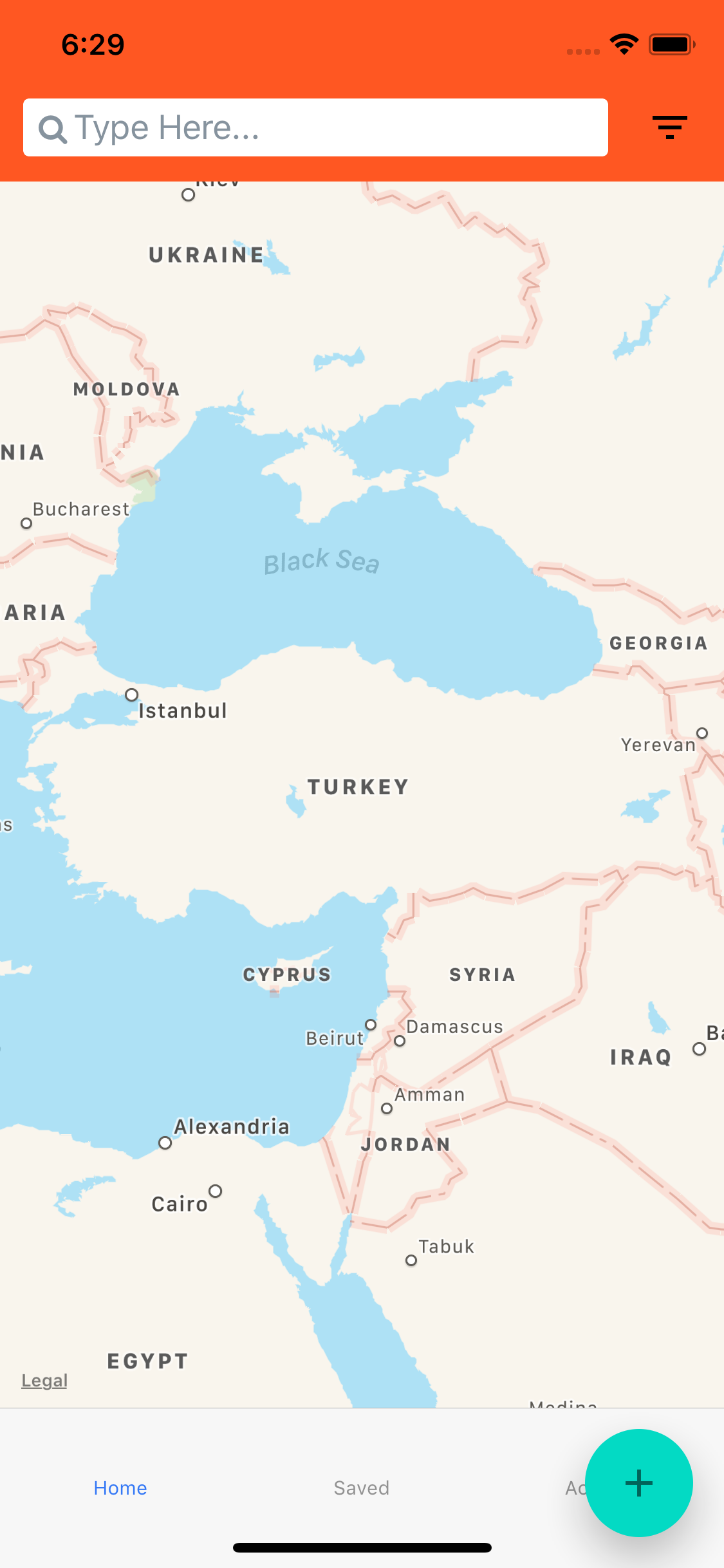
@Trancever . nope. Some component works well without Provider. but tried with Provider its working now. but Another issue I have :) I used tabnavigation.
its seems over tab nav. is there any trick for this ?
nazrdogan
on 10 Jun 2018
Yeah, some of the components work without Provider, but it's good pattern to use it all the time so you will not encounter such problems in future.
Regarding position of FAB button, I think there is no option to change it right now :/ @satya164 @lukewalczak Is there any way to change position?
Trancever
on 10 Jun 2018
Yeah, we need to support a style prop.
 satya164
on 10 Jun 2018
satya164
on 10 Jun 2018
For the TabNavigator, is there any workaround currently? I need to use this FABGroup in my current project. It is kind of urgent.
 YashGadle
on 12 Jun 2018
YashGadle
on 12 Jun 2018
There is no workaround but I opened PR that will make it possible to pass style prop to FABGroup - #419 . So once it's merged there will be option to change FABGroup position.
Trancever
on 12 Jun 2018
I published new releases with the change. Now you should be able set a bottom margin with the style prop.
satya164
on 12 Jun 2018
@satya164 How can reach latest docs ?
nazrdogan
on 12 Jun 2018
@nazrdogan check the link here: https://github.com/callstack/react-native-paper/pull/371
satya164
on 12 Jun 2018
@satya164 In your example expo app, the FABGroup is only present in the 'FAB Screen'. And it disappears when you navigate to the previous screen. But in my app, the FABGroup is only rendered on 1 of my screens but it persists on all of my screens. Am I missing something or do I need to handle this via state?
YashGadle
on 12 Jun 2018
@YashGadle since TabNavigator doesn't unmount a screen when you navigate away, you'll need to manage when the FAB Group is rendered by using focus listeners: https://reactnavigation.org/docs/en/navigation-prop.html#addlistener-subscribe-to-updates-to-navigation-lifecycle
satya164
on 12 Jun 2018
Thank you @satya164 !!
YashGadle
on 12 Jun 2018
Opened an issue to think about how we can do this automatically: https://github.com/callstack/react-native-paper/issues/420
satya164
on 12 Jun 2018
I tried to handle the FABGroup visibility using the Focus listeners provided by react-navigation, but it's not working properly. I have used 'willBlur' and 'willFocus' in my HomeScreen Tab to change the visibility of my FABG. I am also using context API for this to handle the state globally. (I have rendered my FABG in the HomeScreen Tab).
My structure is like this:-
const root = createStackNavigator({
tabs: TabNavigator with 5 screens
notabscreen1: screen1
notabscreen2: screen2
});
Now when I render my Home Screen Tab the FABG shows up, and when I navigate to notabscreen1, the FABG disappears, but after I come back to my HomeScreen Tab it won't work anymore. The focus listeners are not called.
YashGadle
on 13 Jun 2018
after I come back to my HomeScreen Tab it won't work anymore. The focus listeners are not called.
Seems like a bug in React Navigation. Please open an issue there.
satya164
on 13 Jun 2018
Focus listeners worked for me. I used willBlur and willFocus to render or not the FAB button.
 tkorakas
on 26 Jul 2018
tkorakas
on 26 Jul 2018
For the next users that come to this issue, this is how I workaround this issue with react-navigation
import React from 'react';
import { withNavigationFocus } from 'react-navigation';
const screen = ({ isFocused}) => (
    { isFocused && <FAB /> }
    // ... do awesome
);

export default withNavigationFocus(screen);
 thebergamo
on 8 Dec 2018
thebergamo
on 8 Dec 2018
Not rendering the FAB with the withNavigationFocus workaround is a problem when we navigate back, because it doesn't appear back instantly.
A little improvement from @thebergamo example is to use the visible prop instead of not rendering it at all.
import React from 'react';
import { withNavigationFocus } from 'react-navigation';

const screen = ({ isFocused }) => (
    <FAB visible={isFocused} />
    // ... do awesome
);

export default withNavigationFocus(screen);
Pros: You get a coming back animation
 RemyMachado
on 24 Mar 2019
RemyMachado
on 24 Mar 2019
Related issues
 sritharanpalani
·
4Comments
sritharanpalani
·
4Comments
 ButuzGOL
·
4Comments
ButuzGOL
·
4Comments
 zachariahtimothy
·
3Comments
zachariahtimothy
·
3Comments
 tonyxiao
·
3Comments
tonyxiao
·
3Comments
 yaronlevi
·
3Comments
yaronlevi
·
3Comments
Most helpful comment
@nazrdogan check the link here: https://github.com/callstack/react-native-paper/pull/371