React-native-paper: iOS Checkbox is invisible in unchecked state
Current behaviour
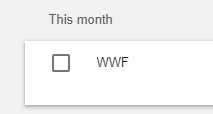
iOS Checkbox is invisible in unchecked state, so there's no affordance to show the user that it can be tapped
Expected behaviour
Expect it to have a border as the Android version does
Code sample / Screenshots
This can be seen in the docs: https://callstack.github.io/react-native-paper/checkbox.html
 philharton
All 6 comments
It's according to Material Design Guidelines: https://material.io/design/platform-guidance/cross-platform-adaptation.html#cross-platform-guidelines
 satya164
on 26 May 2018
satya164
on 26 May 2018
I can understand wanting to follow the official guidelines, but I think this makes less sense in practice because even in the example on that page, there are no affordances to show you what type of control you're about to tap, or even whether you can tap it.
It also seems to make less sense outside of a list. E.g., if you have a login screen with a "Keep me logged in" checkbox which is off by default, it would just look like a text label with no input.
philharton
on 26 May 2018
there are no affordances to show you what type of control you're about to tap, or even whether you can tap it
While that's true, we don't make the design decisions. We're just following guidelines. I'm not a fan of the guidelines regarding controls, but it's what it is. Regardless, checkbox and radios are extremely uncommon in iOS UI, I have only seen them used for multi-select UIs. Even the Apple HIG, there is no mention of these controls. On iOS, you should use Switch wherever possible.
if you have a login screen with a "Keep me logged in" checkbox which is off by default, it would just look like a text label with no input.
You should use a switch on iOS. Random image from the internet for reference:

satya164
on 26 May 2018
That's a good point about the rarity of these controls on iOS. Thanks for taking the time to respond :)
philharton
on 26 May 2018
Is there any way to overcome this behavior? I would like to use the same checkbox in iOS and Android to achieve a checkbox in a list item. Could we think about introducing a property native that is true by default? If false, it would render the animated version with a border (i.e. Android). Though, any workaround is welcome 👍
 jaulz
on 11 Jun 2018
jaulz
on 11 Jun 2018
You can use Checkbox.Android
 mtebele
on 23 Feb 2020
mtebele
on 23 Feb 2020
Related issues
satya164
·
4Comments
 ferrannp
·
4Comments
ferrannp
·
4Comments
 alikazemkhanloo
·
4Comments
alikazemkhanloo
·
4Comments
 ButuzGOL
·
4Comments
ButuzGOL
·
4Comments
 yaronlevi
·
3Comments
yaronlevi
·
3Comments
Most helpful comment
Is there any way to overcome this behavior? I would like to use the same checkbox in iOS and Android to achieve a checkbox in a list item. Could we think about introducing a property
nativethat is true by default? If false, it would render the animated version with a border (i.e. Android). Though, any workaround is welcome 👍