React-native-pager-view: Getting current page item info
Hi everyone,
I have a simple question:
In which event I can get current page item?
Here is the simpflied version of my code:
renderPage(item) {
        let tmpConnectionOpacity = 0.25
        let tmpInUseOpacity = 0.25
        return (
            <View key={item.id}>
            <TouchableOpacity>
                <Panel panelName={item.name} connectionOpacity={tmpConnectionOpacity} inUseOpacity={tmpInUseOpacity}  />
            </TouchableOpacity>
            </View>
        );
      }
<ViewPager style={inlineStyles.panelPages} onPageSelected={this.onPageSelected}  ref={(viewPager) => {this.viewPager = viewPager}}>
                {this.context.cloudData.panelList.map(panel => this.renderPage(panel))}
                </ViewPager>
I just want to get the current page item information. Such as key or index, so I will be able to process that information. OnPageSelected event doesn't meet my requirements.
Thx in advance.
 erdouzun
All 17 comments
onPageScroll props return the current page and its offset while the user scroll the ViewPager.
Store it in a state or a context if you need to use it in deeper children of ViewPager
 brunocrpontes
on 21 Oct 2019
brunocrpontes
on 21 Oct 2019
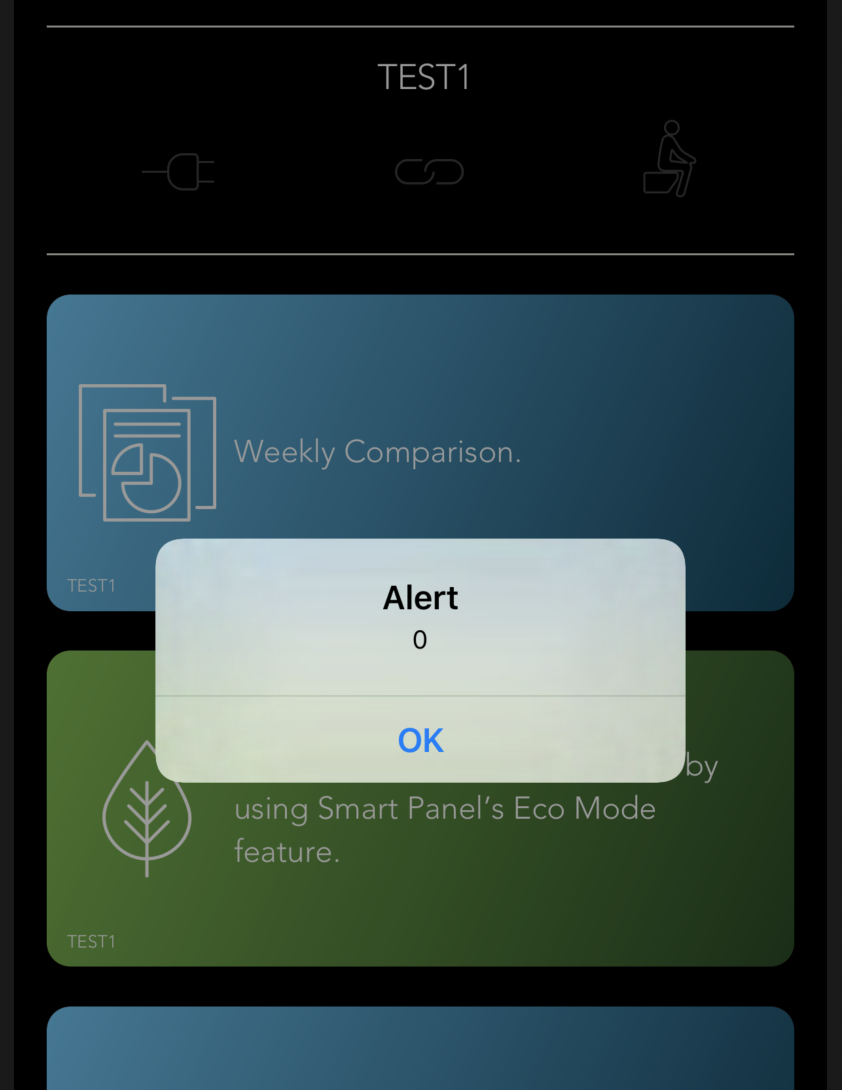
onPageSelected = (e) => {
alert(e.nativeEvent.position)
};
I try to show the current position. But it didn't give me what I wanted.
TEST1 - index 0
TEST2 - index 1
TEST3 - index 2
are my items. But the indexes that alerted are not the same with the keys.
erdouzun
on 21 Oct 2019
By the way,
onPageSelected and onPageScroll gives the same position values.
erdouzun
on 21 Oct 2019
Yes, it will give the same position. You don't have a way to access the current position directly from ViewPager component, you need to store it and change the value based on events like onPageScroll or onPageSelected.
function Component(props) {
//by default the initialPosition props is 0, set as initial value of currentPage too...
const [currentPage, setCurrentPage] = useState(0);
{... component code }
const onPageScroll = (event) => {
const {position} = event.nativeEvent;
if(position !== currentPosition) {
setCurrentPosition(position);
}
}
return (
<ViewPager onPageScroll={onPageScroll}>
... your pages
</ViewPager>
)
}
If you need the current position after render, just use currentPosition.
brunocrpontes
on 21 Oct 2019
I understand what you mean, but this is very difficult for a horizantally scrollable view pager.
I guess, I should get offset and position values together and try to detect which page is shown at that time. Am I right?
erdouzun
on 21 Oct 2019
I guess, I should get offset and position values together and try to detect which page is shown at that time. Am I right?
No, the position refers exactly to the current page are selected, offset are usual if you need some tracking to do some animation or an event with precision. If you just need the current index, position is enough.
brunocrpontes
on 21 Oct 2019
But I tried to explain with the screenshots, position doesn't give the right index.
I can't understand working logic of position :/
When I scrolled to TEST 3 page, it didn't alert.
When I scrolled to TEST 2 page, it alerted 2. But I expected 1 from it.
erdouzun
on 21 Oct 2019
@erdouzun have you checked out our example ? I think the answer is provided by @brunocrpontes . Can you provide a code ? Because it is hard to investigate, when example works fine but you code does not.
Thank you @brunocrpontes for trying to help @erdouzun
 troZee
on 22 Oct 2019
troZee
on 22 Oct 2019
Yes I checked it out times and times. It looks so simple but I cannot get the right index when I scroll my pages.
onPageSelected = (event) => {
const {position} = event.nativeEvent;
this.context.changeSelectedPanel(this.context.cloudData.panelList[position].name)
};
renderPage(item) {
let tmpConnectionOpacity = 0.25
let tmpInUseOpacity = 0.25
return (
<View key={item.id}>
<TouchableOpacity>
<Panel panelName={item.name} connectionOpacity={tmpConnectionOpacity} inUseOpacity={tmpInUseOpacity} />
</TouchableOpacity>
</View>
);
}
let panelView = <View/>
if(this.context.cloudData.panelList.length > 0)
{
panelView =
<ViewPager style={inlineStyles.panelPages} onPageSelected={this.onPageSelected} initialPage={0} ref={(viewPager) => {this.viewPager = viewPager}}>
{this.context.cloudData.panelList.map(panel => this.renderPage(panel))}
</ViewPager>
}
STYLE
panelPages:
{
height:StyleVars.windowHeight * 0.1304,
marginTop:StyleVars.windowHeight * 0.0299,
},
Page is rendered and it (pnPageSelected event) gives me the index 0 (OK.)
When I scrolled to 2nd item it gives me the index 0 (??)
When I scrolled to 3rd item it gives me nothing (??)
When I scrolled to 2nd item again it gives me index 2 (??)
erdouzun
on 22 Oct 2019
In your example;
you scroll the pages with button touch event. So you can easily set the position.
I try to detect the page position with the slider current movement. This is why my code doesn't work. I hope I explain myself clear.
erdouzun
on 23 Oct 2019
I guess the problem is about the defining the transitionStyle.
I added this and it worked
transitionStyle="scroll"
Thanks for your help.
erdouzun
on 23 Oct 2019
Hey @erdouzun, transitionStyle is "scroll" by default. In curl mode onPageScroll does not work. I am still working on it.
troZee
on 23 Oct 2019
I'm sorry if I mislead you.
I changed also the ref defining. Maybe the first problem of my code was that.
It was like that:
ref={(viewPager) => {this.viewPager = viewPager}}
And then I changed to:
ref={this.viewPager}
You are right transtionStyle="scroll" is default.
erdouzun
on 23 Oct 2019
This how you can do it:
onPageScroll = ({nativeEvent}) => {
        this.setState({
            activeStep: nativeEvent.position
        });
}
then pass the prev function to the ViewPager component
<ViewPager

onPageScroll={this.onPageScroll}
>
.............
</ViewPager>
 mustapha-ghlissi
on 26 Nov 2019
mustapha-ghlissi
on 26 Nov 2019
This how you can do it:
onPageScroll = ({nativeEvent}) => {
        this.setState({
            activeStep: nativeEvent.position
        });
}
then pass the prev function to the ViewPager component
<ViewPager

onPageScroll={this.onPageScroll}
>
.............
</ViewPager>
Save my life 🎿✅✅✅✅✅✅✅✅✅✅✅✅✅✅✅✅✅✅✅✅✅✅✅
 HVHMobileDeveloper
on 1 Jun 2020
HVHMobileDeveloper
on 1 Jun 2020
This how you can do it:
onPageScroll = ({nativeEvent}) => {
        this.setState({
            activeStep: nativeEvent.position
        });
}
then pass the prev function to the ViewPager component
<ViewPager

onPageScroll={this.onPageScroll}
>
.............
</ViewPager>
You saved me a lot
 itechsuite
on 12 Aug 2021
itechsuite
on 12 Aug 2021
This worked
itechsuite
on 12 Aug 2021
Related issues
 KingAmo
·
9Comments
KingAmo
·
9Comments
 stefan-girlich
·
9Comments
stefan-girlich
·
9Comments
 supermaverickws
·
8Comments
supermaverickws
·
8Comments
 nnajiabraham
·
6Comments
nnajiabraham
·
6Comments
 panda0603
·
5Comments
panda0603
·
5Comments
Most helpful comment
This how you can do it:
then pass the prev function to the ViewPager component