React-native-orientation: Orientation.lockToPortrait() not locking view
Hey,
i do want to lock certain views to portrait mode, but when calling
Orientation.lockToPortrait();
in any of the methods, it does not lock at all, landscape mode still changes view behaviour
i tried:
componentWillMount()
componentDidMount()
Any suggestions on that?
( the xcode Project allows "Portrait", "Landscape Left", "Landscape Right" , since i do have some views that i want to allow in landscape)
Best,
Patrick
 patricktresp
All 34 comments
I'm having the same issue. For now I'm using this ugly work-around:
Orientation.addOrientationListener(() => Orientation.lockToPortrait());
 ardalann
on 4 Jan 2017
ardalann
on 4 Jan 2017
I have the same issue, Orientation.lockToPortrait() not locking at componentDidMount().
Orientation.addOrientationListener(() => Orientation.lockToPortrait()); is a bit weird as it did rotate the screen then rotate it back to Landscape, not an ideal solution.
UPDATE:
After following the Configuration section to modify the AppDelegate.m, the Orientation.lockToPortrait() starts working now. I am on React-Native 0.39. All good.
 mickeyjc
on 7 Jan 2017
mickeyjc
on 7 Jan 2017
@mickeyjc I have the same issue on android. Orientation.lockToPortrait() not working at componentDidMount(), and throw a error :undefined is not an object(evaluating ‘Orientation.lockToportrait’)
How do I modify the Configuration in android?
 44326334
on 12 Jan 2017
44326334
on 12 Jan 2017
Follow the Android part of the Configuration section on the project README.md, it mentions to add extra two lines to the MainActivity.java, and implement the onConfigurationChanged method.
mickeyjc
on 12 Jan 2017
@mickeyjc thanks your reponse . It could running that I make a mistake for no import a few pakerage on MainActivity.java
now,it is still the same error, but when I use the demo of ..\node_modules\react-native-orientation\demo\index.android.js running , throw the same error above.
In addition, after project import is normal, nothing write down, I guess the ‘Orientation.lockToportrait’ was wrong.
44326334
on 12 Jan 2017
I now got it running on ios. i somehow missed the "configure" section in this. sorry about that.
patricktresp
on 13 Jan 2017
Yes!!!! I am not getting in IOS, but fixed in android.
 lavarajallu
on 15 Feb 2017
lavarajallu
on 15 Feb 2017
I followed the linking and configuring steps but I couldn't get it to work on iOS (didn't test in Android).
When I use toLockPortrait() or toLockLandscape() the screen starts at correct orientation, but if I rotate the device or cmd+left/cmd+right in the simulator the orientation changes, it's not really being locked.
Any suggestions?
 soutot
on 21 Mar 2017
soutot
on 21 Mar 2017
I was just playing with this, it appears if you add any listeners with:
Orientation.addOrientationListener
It unlocks all the orientations
 schlaegerz
on 29 Mar 2017
schlaegerz
on 29 Mar 2017
I still couldn't get it to work. I created this repo to show a simple example of my situation: https://github.com/soutot/react-native-orientation-test
Any suggestions?
Thanks in advance
soutot
on 29 Mar 2017
this method call in componentWillMount
On Mar 29, 2017 11:13 PM, "Tiago Souto" notifications@github.com wrote:
I still couldn't get it to work. I created this repo to show a simple
example of my situation: https://github.com/soutot/
react-native-orientation-testAny suggestions?
Thanks in advance
—
You are receiving this because you commented.
Reply to this email directly, view it on GitHub
https://github.com/yamill/react-native-orientation/issues/136#issuecomment-290167080,
or mute the thread
https://github.com/notifications/unsubscribe-auth/ATmTnNOX93F7arpOI3PIXwrJPB3u4VLlks5rqpg1gaJpZM4LaX-N
.
lavarajallu
on 29 Mar 2017
@lavarajallu I changed it, but it's still not locking
soutot
on 29 Mar 2017
I will give on some code after 10hrs okay
On Mar 29, 2017 11:26 PM, "Tiago Souto" notifications@github.com wrote:
@lavarajallu https://github.com/lavarajallu I changed it, but it's
still not locking—
You are receiving this because you were mentioned.
Reply to this email directly, view it on GitHub
https://github.com/yamill/react-native-orientation/issues/136#issuecomment-290170874,
or mute the thread
https://github.com/notifications/unsubscribe-auth/ATmTnA4Gur1rRJF22xDDR0miiwje4wVJks5rqps_gaJpZM4LaX-N
.
lavarajallu
on 29 Mar 2017
Dear Tiago Souto,
var Orientation = require('react-native-orientation');
- follow this when you want change or lock to portrait*
componentWillMount(){ if(this.props.sportName == 'Pro Football'){
Orientation.lockToLandscape(); this.setState({ HEIGHT:375,
WIDTH:667 }) } else{ Orientation.lockToPortrait();
} } _orientationDidChange(orientation) { if (orientation ==
'LANDSCAPE') { //do something with landscape layout } else {
Orientation.lockToLandscape(); } }onBack(){
Orientation.lockToPortrait(); this.setState({ open:false
}) }
On Wed, Mar 29, 2017 at 11:29 PM, ALLU LAVARAJU lavarajallu@gmail.com
wrote:
I will give on some code after 10hrs okay
On Mar 29, 2017 11:26 PM, "Tiago Souto" notifications@github.com wrote:
@lavarajallu https://github.com/lavarajallu I changed it, but it's
still not locking—
You are receiving this because you were mentioned.
Reply to this email directly, view it on GitHub
https://github.com/yamill/react-native-orientation/issues/136#issuecomment-290170874,
or mute the thread
https://github.com/notifications/unsubscribe-auth/ATmTnA4Gur1rRJF22xDDR0miiwje4wVJks5rqps_gaJpZM4LaX-N
.
lavarajallu
on 30 Mar 2017
@lavarajallu I really appreciate your effort. I tried to run the following code and still getting the same scenario: the screen loads as landscape but when I rotate it (cmd + left), the whole content turns to portrait view.
componentWillMount() {
        Orientation.lockToLandscape();
    }

    _orientationDidChange(orientation) {
        if (orientation == 'LANDSCAPE') {
            Orientation.lockToLandscape();
        }
    } onBack() {
        Orientation.lockToPortrait();
    }

    render() {
        return(
            <View style={{ flex: 1, justifyContent: 'center', alignItems: 'center'}}>
                <Text>This is my content</Text>
            </View>
        );
    }
My package.json:
{
  "name": "teste",
  "version": "0.0.1",
  "private": true,
  "scripts": {
    "start": "node node_modules/react-native/local-cli/cli.js start",
    "test": "jest"
  },
  "dependencies": {
    "react": "~15.4.1",
    "react-native": "^0.42.3",
    "react-native-orientation": "^1.17.0"
  },
  "devDependencies": {
    "babel-jest": "19.0.0",
    "babel-preset-react-native": "1.9.1",
    "jest": "19.0.2",
    "react-test-renderer": "~15.4.1"
  },
  "jest": {
    "preset": "react-native"
  }
}
I also tried with RN 39, no success.
Here's the demo:
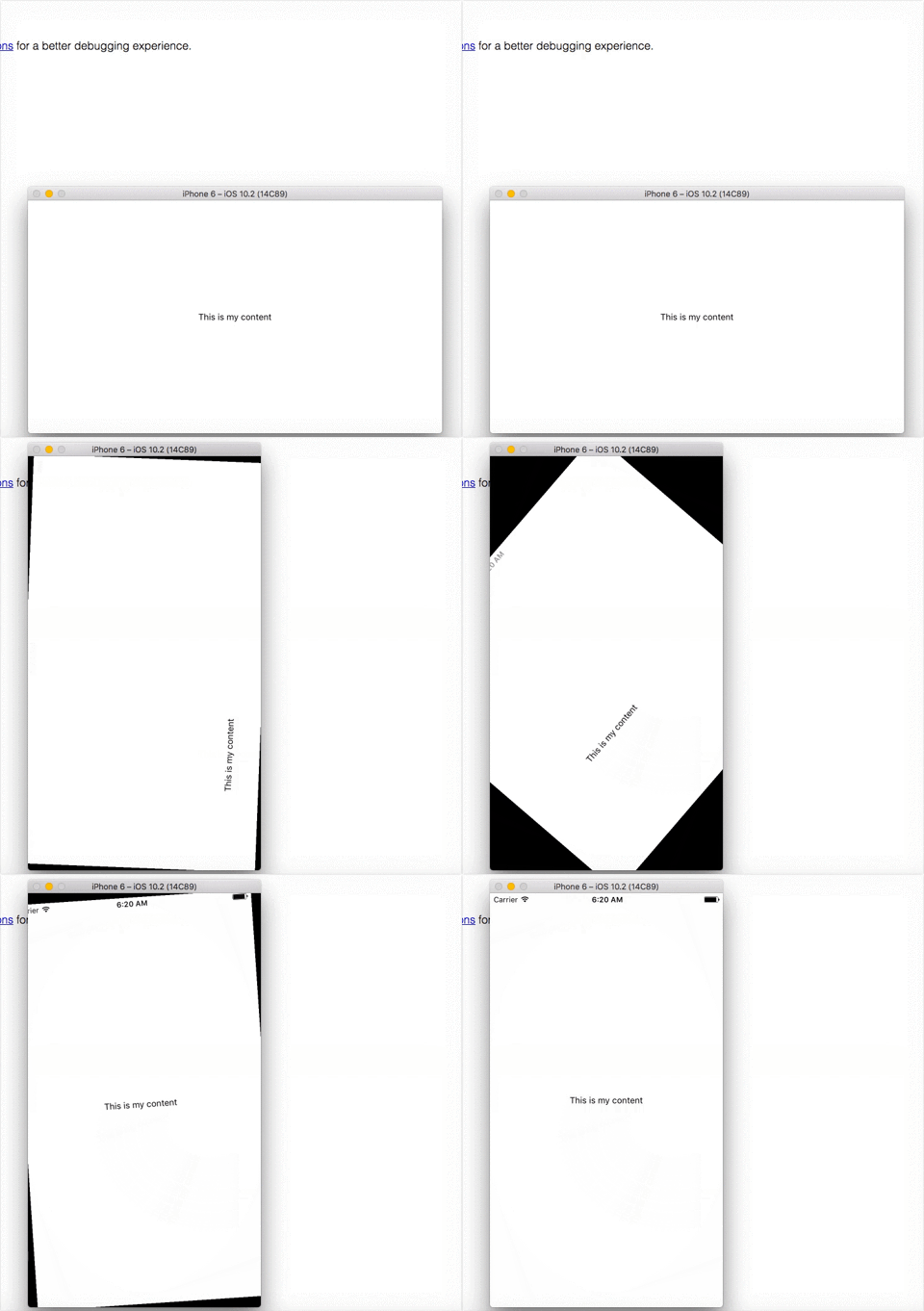
Would you mind trying to run the code from my repo? I still don't know why it doesn't work. I even tried to create new blank projects to check if I followed the correct setup steps.
https://github.com/soutot/react-native-orientation-test
Thanks in advance
soutot
on 30 Mar 2017
Hey,
Thank you everyone for the help! After an observation of @ibussieres I found that there was an error of RCTBridgeModule.h' file not found
I replaced the import to this #import <React/RCTBridgeModule.h> in my node_modules/react-native-orientation/iOS/Orientation.h and it seems to be working now!
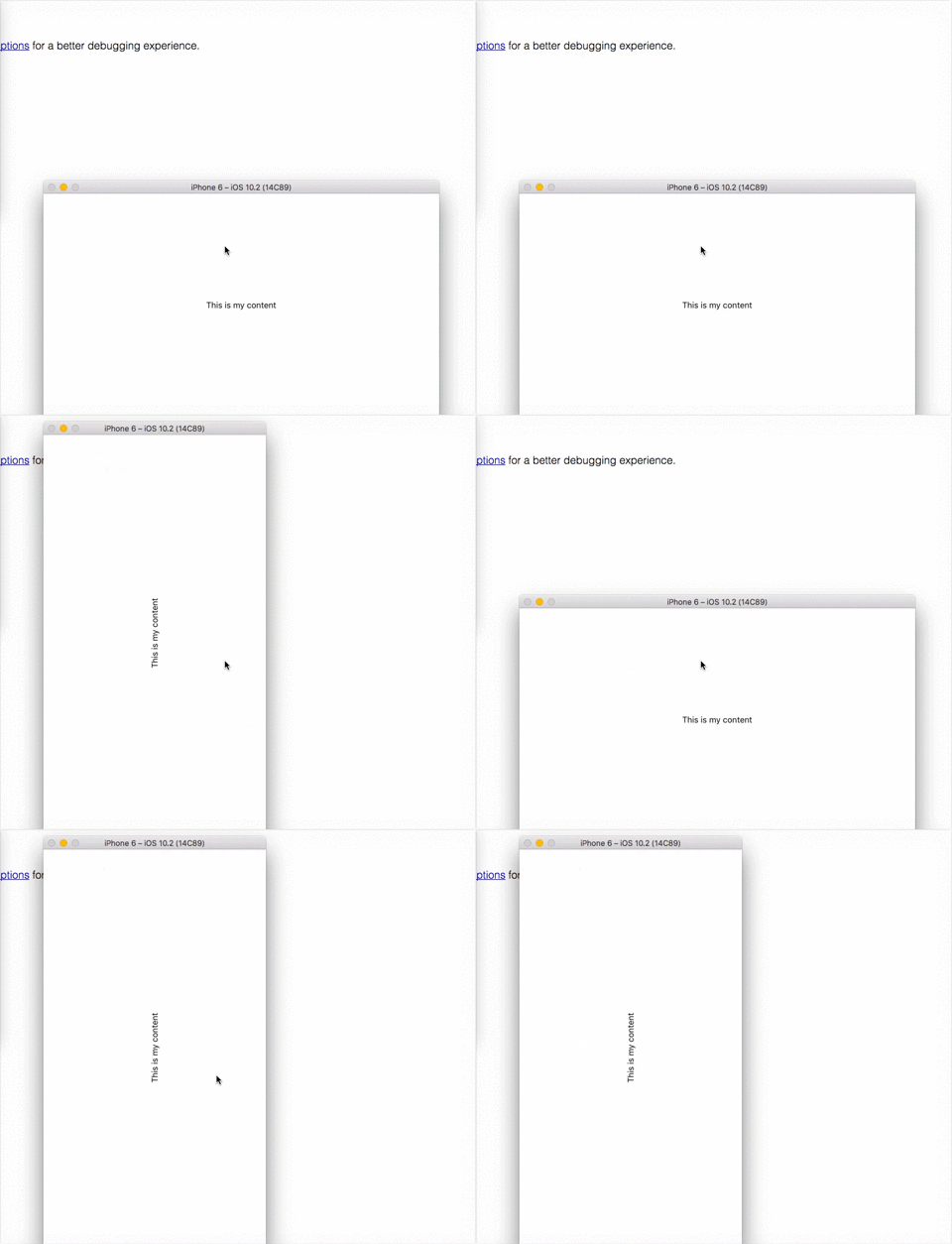
Thank you very much!
soutot
on 30 Mar 2017
Glad you got it working. You, should close the issue. Cheers !
 ibussieres
on 30 Mar 2017
ibussieres
on 30 Mar 2017
@soutot Is this still working for you? I want to actually lock to Portrait Orientation.lockToPortrait() but it's still allowing to go landscape. Is this scenario doing the same for you? If not, how did you get it to work?
Thanks!
 larryranches
on 4 Apr 2017
larryranches
on 4 Apr 2017
@larryranches Yes, it's working fine here. After npm install I opened this file node_modules/react-native-orientation/iOS/Orientation.h and replaced the import to #import <React/RCTBridgeModule.h> since it's the new syntax of RN. After this it worked perfectly here.
I created a repo with a simple example. Try cloning it and check if it works for you. If you have any issue, I'll try to help!
https://github.com/soutot/react-native-orientation-test
soutot
on 5 Apr 2017
for me, after these fixes Orientation.lockToLandscape() works fine, but Orientation.lockToPortrait() still is not working...
 timCF
on 7 Apr 2017
timCF
on 7 Apr 2017
@timCF that's odd. If landscape works portrait should works as well. I guess it might be something regarding your setup.
Try cloning my repo and setting up the lib. Check if it works for you.
soutot
on 7 Apr 2017
@soutot
Thank you for your solution! It works for me!
 danilvalov
on 15 Apr 2017
danilvalov
on 15 Apr 2017
Closing this for now as it works as expected
 andrerfneves
on 6 Jul 2017
andrerfneves
on 6 Jul 2017
My imports in Orientation.h look like:
#import <Foundation/Foundation.h>
#import <UIKit/UIKit.h>
#if __has_include(<React/RCTBridgeModule.h>)
#import <React/RCTBridgeModule.h>
#else
#import "RCTBridgeModule.h"
#endif
and it's still not working on IOS, but on Android is working well. Any suggestions? Thanks a lot!
SOLVED!
 kf729ik
on 13 Dec 2017
kf729ik
on 13 Dec 2017
@soutot I try your solution but the problem still exist
 callmejm
on 12 Jan 2018
callmejm
on 12 Jan 2018
@JayricMok can you try running this sample, please? https://github.com/soutot/react-native-orientation-test
After the changes mentioned on readme it worked as expected.
Make sure to have done the following:
- Replace #import Orientation.h to #import "../../node_modules/react-native-orientation/iOS/RCTOrientation/Orientation.h" in AppDelegate.m
- Replace #import RCTBridgeModule.h to #import
in your node_modules/react-native-orientation/iOS/Orientation.h
Also, make sure you have followed all steps given here:
https://github.com/yamill/react-native-orientation#linking-native-dependencies
https://github.com/yamill/react-native-orientation#configuration
Let me know if it helps
soutot
on 17 Jan 2018
Thanks a lot for this @soutot!
@JayricMok if there are any outstanding issues after testing @soutot's solution out that is related to this topic, let's create a new issue and move discussion there. This one has been closed a while now.
andrerfneves
on 17 Jan 2018
Problem still exist for me too
 oriharel
on 25 Jan 2018
oriharel
on 25 Jan 2018
@kf729ik
in else block , i still import #import
I think the if condition may be something wrong ....
It works for me now.
#import <Foundation/Foundation.h>
#import <UIKit/UIKit.h>
#if __has_include(<React/RCTBridgeModule.h>)
#import <React/RCTBridgeModule.h>
#else
#import <React/RCTBridgeModule.h>
#endif
 supermanxiacheng
on 30 Jan 2018
supermanxiacheng
on 30 Jan 2018
@mickeyjc Thank you!
 hto
on 14 Jan 2019
hto
on 14 Jan 2019
Update your environment, it seemed like it fixed itself in a later version of RN for me. Before the update this also worked: "Orientation.addOrientationListener(() => Orientation.lockToPortrait());"
 dutchwebs
on 23 Mar 2019
dutchwebs
on 23 Mar 2019
hey there, I have tried all the solutions mentioned, as I have encountered the same road blocks too, but none have helped me.
The project begins to compile but it ends up complaining further about missing files and can't get the library to build as part of the whole project, just to support orientations.
Error is: React/RCTDefines.h file not found when building RCTOrientation.
Also, I have included ReactNative via a pod, is that a bad way of including it?
any other tips?
 grantd77
on 28 Aug 2019
grantd77
on 28 Aug 2019
Still Orientation.lockToPortrait is not working. Any suggestions?
 Sheleya
on 28 Apr 2020
Sheleya
on 28 Apr 2020
Make sure you have installed Pods
cd ios && pod install
Use:
Orientation.lockToLandscape()
Orientation.lockToPortrait()
In AppDelegate.m
write before @end
- (UIInterfaceOrientationMask)application:(UIApplication *)application supportedInterfaceOrientationsForWindow:(UIWindow ``*)window {
while ([[UIDevice currentDevice] isGeneratingDeviceOrientationNotifications]) {
[[UIDevice currentDevice] endGeneratingDeviceOrientationNotifications];
}
return [Orientation getOrientation];
}
 HaseemUlHaq
on 28 Aug 2020
HaseemUlHaq
on 28 Aug 2020
Related issues
 abartolo
·
6Comments
abartolo
·
6Comments
 robbiemoore
·
3Comments
44326334
·
8Comments
robbiemoore
·
3Comments
44326334
·
8Comments
 sahas-
·
7Comments
sahas-
·
7Comments
 magicspon
·
7Comments
magicspon
·
7Comments
Most helpful comment
Hey,
Thank you everyone for the help! After an observation of @ibussieres I found that there was an error of
RCTBridgeModule.h' file not foundI replaced the import to this
#import <React/RCTBridgeModule.h>in mynode_modules/react-native-orientation/iOS/Orientation.hand it seems to be working now!Thank you very much!