React-native-onesignal: IOS Rich notifications (media) not working
Hello, I don't find the way to display media files (images) on ios notifications. On Android works fine. Maybe this feature has not been implemented yet? I'm working with an Iphone 5s IOS 11.1.1
 oscarjg
All 23 comments
@oscarjg The iOS implementation of this SDK supports rich media notifications on iOS 10+ devices.
https://documentation.onesignal.com/docs/rich-media
See the below troubleshooting guide if you are seeing issues with them.
https://documentation.onesignal.com/docs/troubleshooting-ios
 jkasten2
on 13 Nov 2017
jkasten2
on 13 Nov 2017
@jkasten2 I've check every troubleshooting point but everything seems right for me. I've followed and double checked every step described on readme. One the other hand I tried with native IOS sdk (https://github.com/OneSignal/OneSignal-iOS-SDK) running the ObjectiveCExample example code and it's works as expected (media is displayed) and I tried with the example from this repo (RNOneSignal) and it's not working for me.
The react-native-onesignal version installed is 3.0.7
Any suggestion?
oscarjg
on 13 Nov 2017
@oscarjg You can use the native iOS instructions steps 1 and 2 to setup the OneSignalNotificationServiceExtension in your react native project.
https://documentation.onesignal.com/docs/ios-sdk-setup
However omit adding pod 'OneSignal', '>= 2.5.2', '< 3.0' to your main target since the OneSignal react native SDK includes it's own for this. Instead just use the following on step 2.4.
target 'OneSignalNotificationServiceExtension' do
pod 'OneSignal', '>= 2.5.2', '< 3.0'
end
@jkasten2 is working now! I think readme file should be updated with this note.
Thanks for all!
oscarjg
on 14 Nov 2017
@oscarjg Good to hear! I added a documentation tag and will leave this issue open to make note that the readme should be updated with this.
Thanks.
jkasten2
on 15 Nov 2017
Hello
I was basically running into the same trouble. SDK-Native Version is running, react-native implementation is not showing rich media. I followed the the steps for iOS Native instructions but what i am missing is step 1.5 Open NotificationService.m, this file is not existing after creation of the service extension. I tried to add them manually but so far no success...
@oscarjg: could you help me out here? how have you managed to get it working? thanks.
workaround:
Add Notification Service using SWIFT creates the needed NotificationService.swift file which can then be altered according to the documentation. Build is successful and Rich Media Push notification is enabled.
 madymaxion
on 25 Nov 2017
madymaxion
on 25 Nov 2017
Hello @madymaxion
The steps are:
- Go to IOS SDK Setup and follow step 1
- In step 1.3, make sure the product name is OneSignalNotificationServiceExtension and the language selected is Objective C (maybe works with swift too but I was selected Objective C)
- In step 1.5 click on Objective C tab and go under /ios/OneSignalNotificationServiceExtension folder. The file NotificationService.m should be there.
- Follow the step 2
- Important! In the step 2.4 set only the last one target
target 'OneSignalNotificationServiceExtension' do pod 'OneSignal', '>= 2.5.2', '< 3.0' end - The last step must be 2.7, after that go to this repo readme and follow the ios install steps
The last important thing you should have in mind is that ios media must be use https protocol although you can set Allow Arbitrary Loads under App Transport Security Settings inside info.plist. https://stackoverflow.com/a/33562114
I hope I've helped you.
oscarjg
on 26 Nov 2017
Hi @oscarjg
It works :) I installed a clean project from scratch again and this time files were at the right location. Both ways are working ObjectiveC and Swift. As you mentioned Files should be loaded via HTTPS.
Important to mention, is that the pod-target of the notification has to be inside the projects pod-target:
target 'OneSignalReactC' do
target 'OneSignalNotificationServiceExtension' do
pod 'OneSignal', '>= 2.5.2', '< 3.0'
end
end
Thanks for the help. I support to add a few lines to the documentation.
madymaxion
on 27 Nov 2017
How are you guys sending the push notifications with media? Followed the steps above and sent a jpg via OneSignal web GUI and am receiving a push notification but without the thumbnail. I know link to the image is being sent because OneSignal shows this:
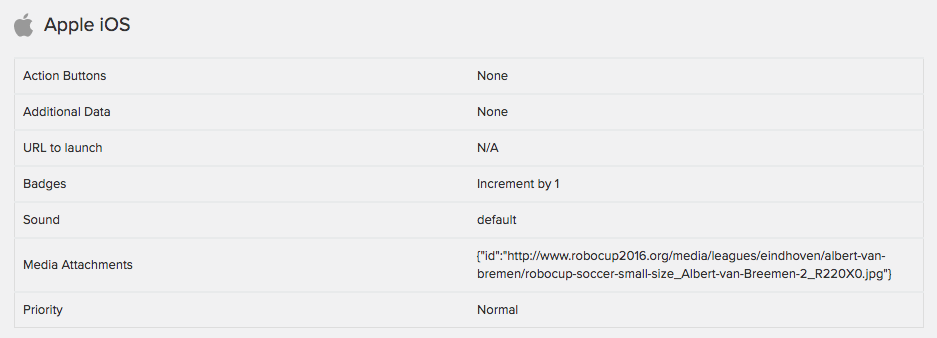 . Any ideas?
 edwardh5
on 3 Jan 2018
edwardh5
on 3 Jan 2018
Hi @NedYork
Try to send an image with https protocol. On IOS that's a requirement (you can avoid it adding some parameters to plist.info) but by default https is mandatory. If this doesn't works, you can doble check all the steps starting again if is needed (I had to do)
Hope this helps
oscarjg
on 3 Jan 2018
Forgot about the HTTPS protocol. That was exactly it! Thanks!
edwardh5
on 3 Jan 2018
It not working for me I tried everything which is mentioned in this issue thread. Here is my screenshot of the message sent:
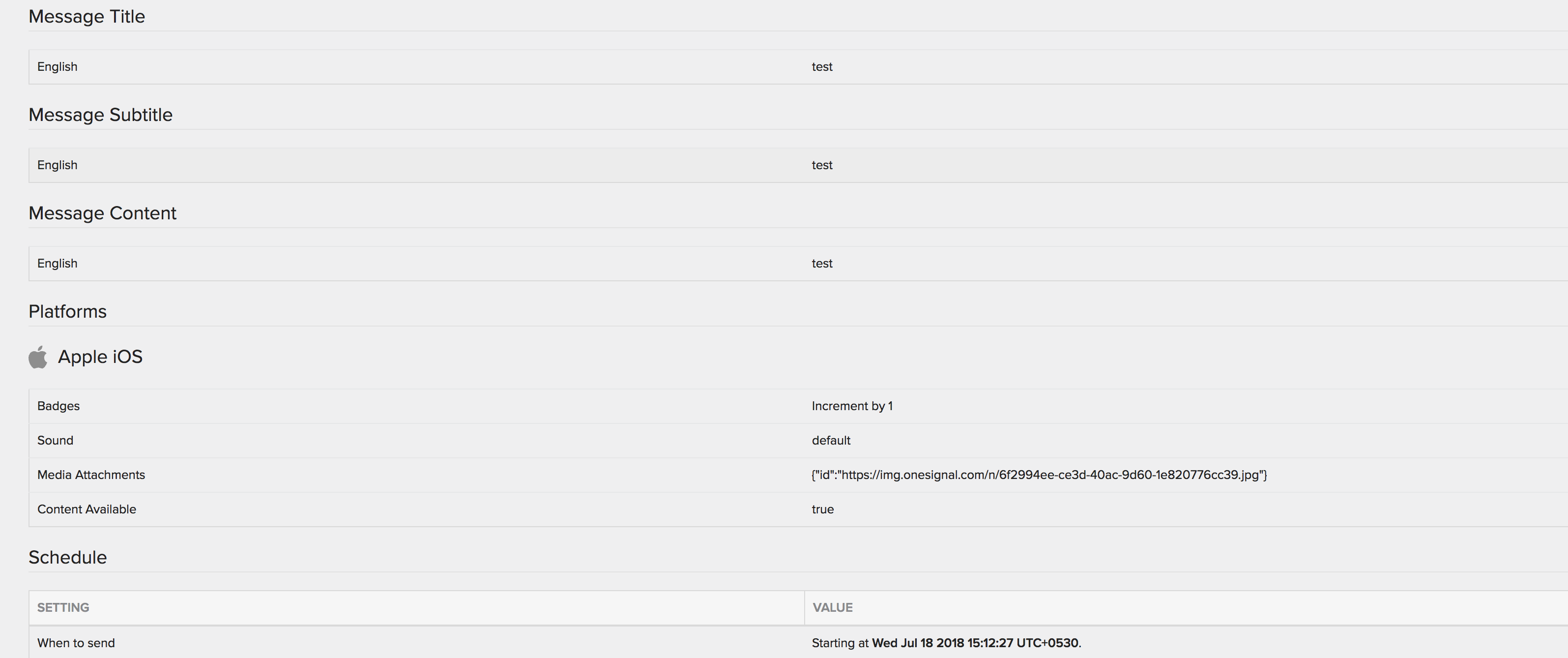
The problem is that I don't get the thumbnail nor do I get the image, I am able to see the title, subtitle and message.
 zeeshanjan82
on 18 Jul 2018
zeeshanjan82
on 18 Jul 2018
Really appreciate @oscarjg helping on this issue, but am I to understand that the only way to get rich notifications (with thumbnail) to work is to do RN+CocoaPods? When I tried to install the CocoaPods (we've already used link) I get this other error, which is solved by _not_ using CocoaPods -- so I'm in this infinite loop of not getting anything to work. Is it not possible to get the rich notifs to work without CocoaPods on this RN library?
Thus far I've created the OneSignalNotificationServiceExtension and set up App Groups. We can get the title/content to send but no thumbnails. I've been through this list several times, we are sending HTTPS URLs, is there any other advice for this out here?
One other thought is maybe the images are not the meeting the _minimum_ size requirements and that's why they're not going through? We're getting PNs with the title/content like I said, but no thumbnail -- thanks for your help in advance!
 SaraChicaD
on 27 Mar 2019
SaraChicaD
on 27 Mar 2019
@SaraChicaD it shouldn’t matter if you use Cocoapods or use Xcode subprojects (using react native link) but these are mutually exclusive options.
If you attach buttons to the push notification this also uses the NSE so try it and let me know if the buttons show up when you force-press the Notification.
If you are using Cocoapods, please share your podfile
 Nightsd01
on 27 Mar 2019
Nightsd01
on 27 Mar 2019
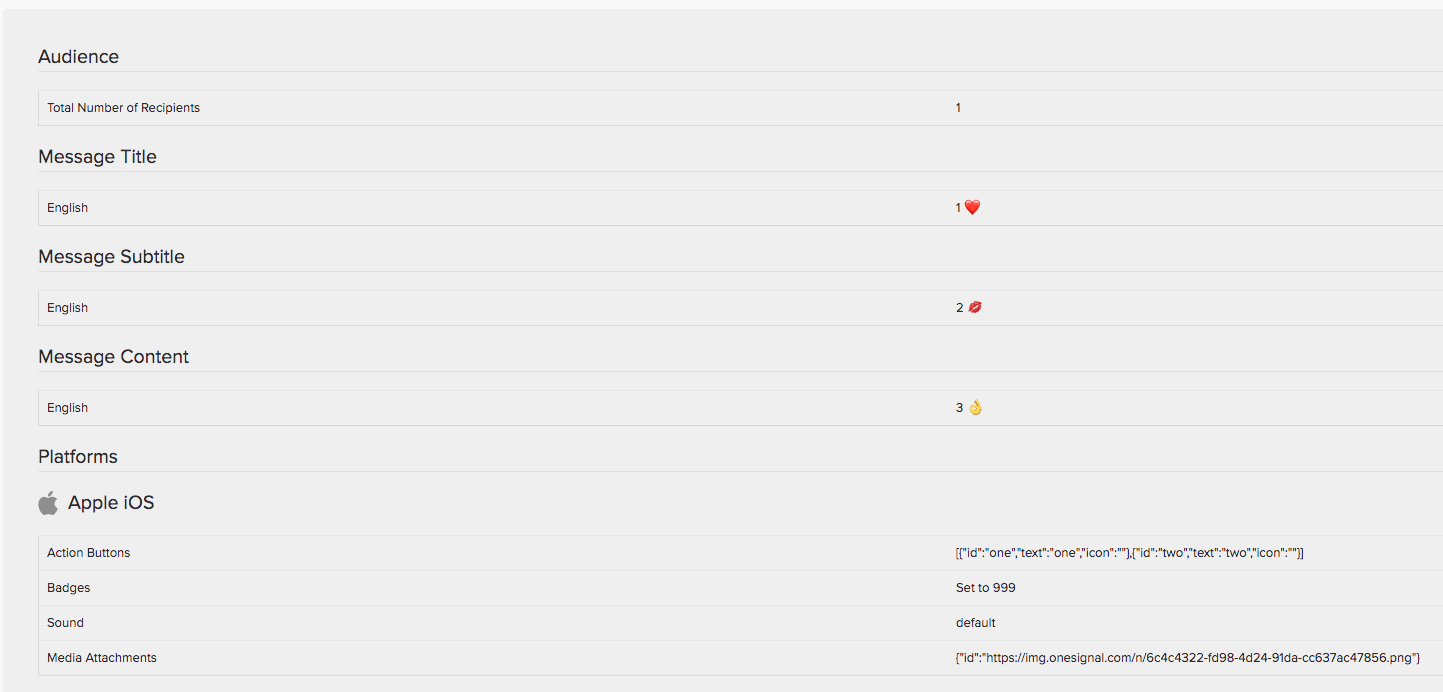
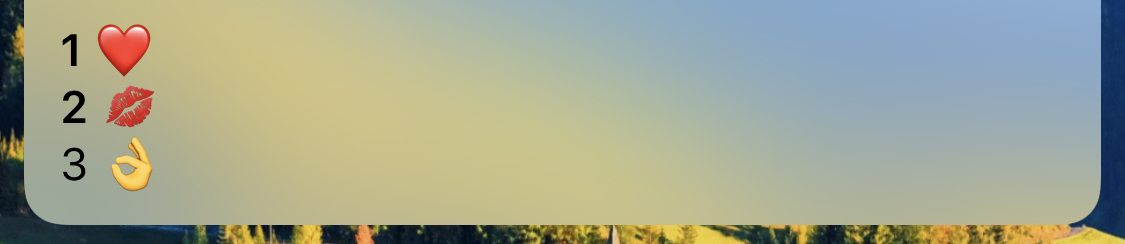
Hi, @Nightsd01! Seems like I have same issue.
Onesignal was linked without Cocoapods.
Badge count is working correctly but there is no any action button or media for iOS (iPhone X, iOS 12.1.4)
 indapublic
on 2 May 2019
indapublic
on 2 May 2019
@indapublic have you followed all instructions on the setup guide especially concerning the Notifications Service Extension?
Also keep in mind action buttons only appear if you pull down on the notification (or force press on a 6S or higher)
Nightsd01
on 2 May 2019
hey @indapublic & @Nightsd01 my problem ended up being that only _some_ of the URLs I was sending didn't end in .png or .jpg.
SaraChicaD
on 2 May 2019
@Nightsd01 Double checked. Cannot find anything I missed. Yes, I know about action buttons appearing.
@SaraChicaD Yes, but I'm using OneSignal website with image uploading so my url has HTTPS and correct extension (you can see it on my screenshot)
indapublic
on 3 May 2019
@indapublic if you test in iOS 11 or iOS 10 does the same issue still occur?
In short, this means that either the Notification Service Extension is not getting launched or our SDK isn’t getting invoked from it. Can you try mutating the title (ie. Add “[NSE]”) to the beginning of the push notification title in NotificationService.m and let me know if that shows up when you receive the notification.
Nightsd01
on 3 May 2019
Unfortunately I don't have any device except iOS 12 at the moment.
There is no any change in push title I received.
indapublic
on 3 May 2019
@indapublic that would indicate that the extension isn’t even getting launched. That’s beyond our SDK. What is the deployment target for your Extension service? You can find it in the project settings (make sure to select the extension service and NOT the main app target)
Nightsd01
on 3 May 2019
@Nightsd01, 10.0. I fixed it after first checking
I will try create app with onesignal from scratch. Probably I missed something
indapublic
on 3 May 2019
@Nightsd01 I am also having the same issue as @indapublic .
Rich notifications and not working on ios 12.1.2 and above. Its working perfectly on ios 10 and 11.
OneSignal sdk in not getting launched. Getting following error in console
Could not start an extension session: error=Error Domain=NSCocoaErrorDomain Code=4097
 sdubeyEpic
on 21 May 2019
sdubeyEpic
on 21 May 2019
Related issues
 cfmitrah
·
4Comments
cfmitrah
·
4Comments
 rfmejia
·
3Comments
rfmejia
·
3Comments
 furkancelik
·
4Comments
furkancelik
·
4Comments
 mtt87
·
3Comments
mtt87
·
3Comments
 carloscuesta
·
4Comments
carloscuesta
·
4Comments
Most helpful comment
Hello @madymaxion
The steps are:
target 'OneSignalNotificationServiceExtension' do pod 'OneSignal', '>= 2.5.2', '< 3.0' endThe last important thing you should have in mind is that ios media must be use https protocol although you can set Allow Arbitrary Loads under App Transport Security Settings inside info.plist. https://stackoverflow.com/a/33562114
I hope I've helped you.