React-native-navigation: TopBar buttons not rendered when waitForRender is set to true on iOS
Issue Description
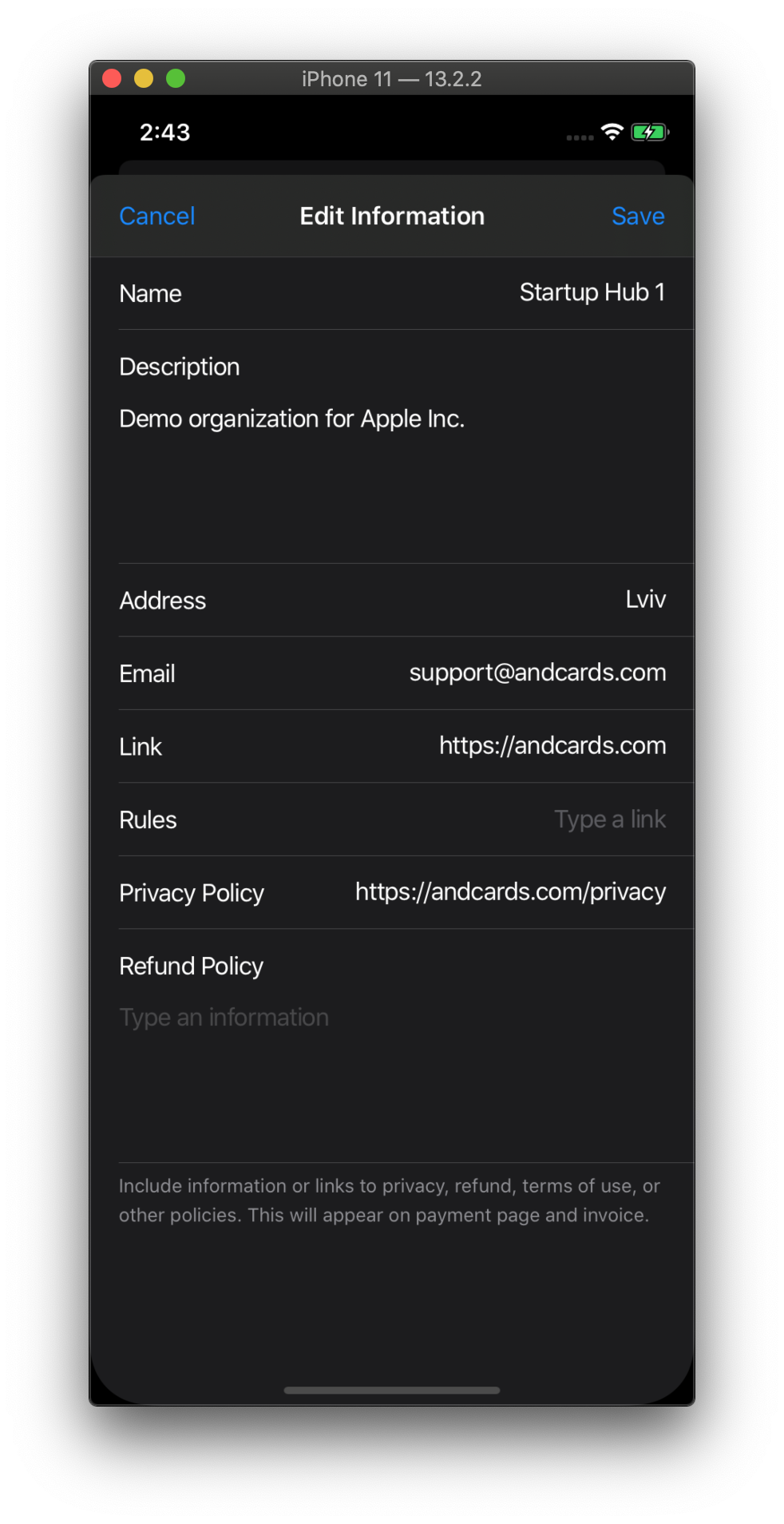
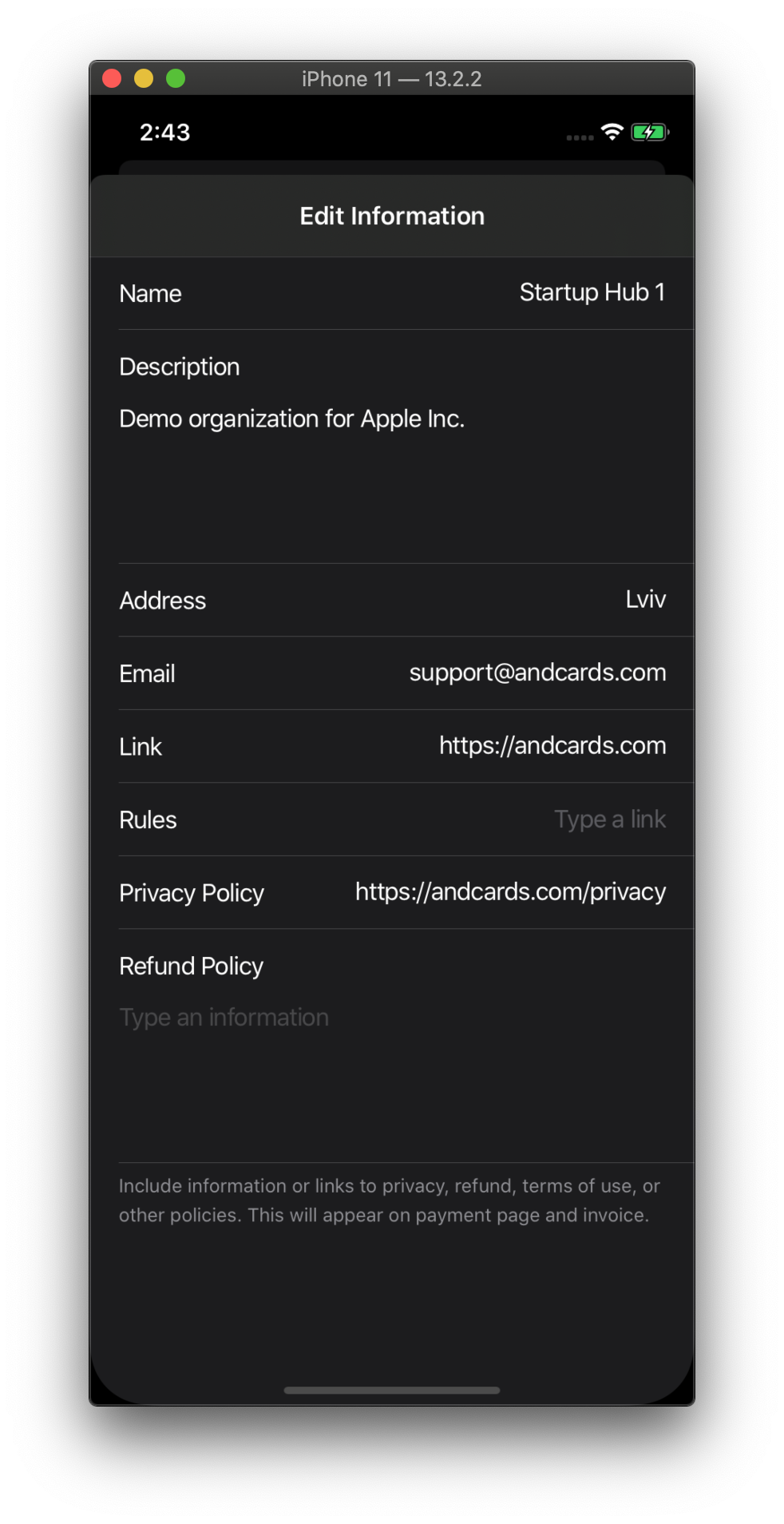
Seems like mergeOptions does not work well with waitForRender: true.
Without showModal: { waitForRender: true }
With showModal: { waitForRender: true }
Steps to Reproduce / Code Snippets / Screenshots
- Set default options:
Navigation.setDefaultOptions({
    animations: {
      push: {
        waitForRender: true,
      },
    },
  });
- Open any modal page with top bar buttons added by
mergeOptions.
Environment
- React Native Navigation version: 6.3.2
- React Native version: 0.61.5
- Platform(s) (iOS, Android, or both?): iOS
- Device info (Simulator/Device? OS version? Debug/Release?): Simulator, 13.2.2
 rosskhanas
All 18 comments
Seems like wrapping Navigation.mergeOptions into requestAnimationFrame can be used as a workaround.
requestAnimationFrame(() => {
  requestAnimationFrame(() => {
    Navigation.mergeOptions({ ... })
  });
});
_Edit:_
It helps, but not always. Sometimes it needs more delay 😢
rosskhanas
on 29 Mar 2020
i have the same issue and it seems i should wait before doing mergeOptions
 nimerfarahty
on 27 Apr 2020
nimerfarahty
on 27 Apr 2020
This issue has been automatically marked as stale because it has not had recent activity. It will be closed if no further activity occurs.
If you believe the issue is still relevant, please test on the latest version and report back. Thank you for your contributions.
![stale[bot] picture](https://avatars.githubusercontent.com/in/1724?v=4&s=40) stale[bot]
on 29 May 2020
stale[bot]
on 29 May 2020
Not stale.
rosskhanas
on 29 May 2020
This issue has been automatically marked as stale because it has not had recent activity. It will be closed if no further activity occurs.
If you believe the issue is still relevant, please test on the latest version and report back. Thank you for your contributions.
stale[bot]
on 28 Jun 2020
The issue has been closed for inactivity.
stale[bot]
on 5 Jul 2020
@rosskhanas Where are you calling mergeOptions from? Could you please provide some more code on how to reproduce this with the playground app?
 danilobuerger
on 20 Oct 2020
danilobuerger
on 20 Oct 2020
@danilobuerger thank you for looking at this.
So I have a function which opens the modal:
modalOpen({
    name: "suite.ModalOrganizationInformationUpdate",
    options: {
      topBar: {
        leftButtons: [
          {
            id: NAVBAR_BUTTON_INFORMATION_MAIN_UPDATE_CANCEL,
            text: "Cancel",
          },
        ],
        rightButtons: [
          {
            enabled: false,
            id: NAVBAR_BUTTON_INFORMATION_MAIN_UPDATE_SAVE,
            text: "Save",
          },
        ],
        title: {
          text: "Edit Information",
        },
      },
    },
    passProps: {
      pageClose: modalClose,
      topBarButtonLeftIconAndroid,
      topBarButtonLeftTextClose,
      topBarButtonRightIconSaveAndroid,
      topBarButtonRightTextSave,
      ...args,
    },
  });
Then in the ModalOrganizationInformationUpdate I have a componentDidMount method implemented:
componentDidMount() {
    Navigation.events().bindComponent(this);
    BackHandler.addEventListener("hardwareBackPress", this.onHardwareBackPress);
    const { componentId } = this.props;
    Navigation.mergeOptions(componentId, {
      topBar: {
        rightButtons: [
          {
            enabled: true,
            id: NAVBAR_BUTTON_INFORMATION_MAIN_UPDATE_SAVE,
            text: "Save",
          },
        ],
      },
    });
  }
So I just open the page with a Save button disabled, then I set the enabled: true but it is still disabled.
rosskhanas
on 20 Oct 2020
Is there a reason you are doing this via Navigation.mergeOptions instead of static options?
danilobuerger
on 20 Oct 2020
I just simplified the existing code to provide a simpler example. In a full implementation, there is extra validation(like if the user has permission to edit the page or if all required fields are filled) that is stored in a local state. I guess it is not possible to use state values in static options... Am I right?
rosskhanas
on 20 Oct 2020
Afaik only props are passed.
danilobuerger
on 20 Oct 2020
@rosskhanas You can execute whatever logic you want in static options, there's an example in the docs.
But regardless this should be fixed. Thanks for looking into this @danilobuerger 🙇
 guyca
on 20 Oct 2020
guyca
on 20 Oct 2020
@rosskhanas could you please try with #6702 . Does that solve all your issues?
danilobuerger
on 20 Oct 2020
@rosskhanas could you please try with #6702 . Does that solve all your issues?
Could be I messed up and failed to apply changes correctly, but I got a build error:

rosskhanas
on 20 Oct 2020
Doesn't really say much... don't forget to run pod install after applying the patch and optionally to clean the build dir with xcode.
danilobuerger
on 20 Oct 2020

@danilobuerger is this helpful?
rosskhanas
on 20 Oct 2020
It looks like you applied the patch onto an older version? The patch will probably only work on the current master.
danilobuerger
on 20 Oct 2020
@danilobuerger I tried again, seems like your PR fixes the bug! 🥳
rosskhanas
on 21 Oct 2020
Related issues
 kiroukou
·
3Comments
kiroukou
·
3Comments
 bdrobinson
·
3Comments
bdrobinson
·
3Comments
 viper4595
·
3Comments
viper4595
·
3Comments
 swingywc
·
3Comments
swingywc
·
3Comments
 birkir
·
3Comments
birkir
·
3Comments