React-native-navigation: [V6] Unable to resolve module './adapters/SharedElement'
Issue Description
Install version 6.0.0+ of RNN. Run on IOS and the error should appear.
Steps to Reproduce / Code Snippets / Screenshots
- Install RNN
- Run IOS App
Error:

Environment
- React Native Navigation version: 6.1.0
- React Native version: 0.61.5
- Platform(s) (iOS, Android, or both?): IOS
- Device info (Simulator/Device? OS version? Debug/Release?): Simulator IOS 13.3
 TylerNRobertson
All 5 comments
hmm this file was indeed deleted in v6. Are you using the old shared element api? if not, try resetting cache when running the packager: npm run start -- --reset-cache
 guyca
on 6 Mar 2020
guyca
on 6 Mar 2020
@guyca I have another issue when I click the SharedElement demo it crashes.
- clone the repo
- install deps
- yarn start
- open xcode run in ios emulator
- click Options -> click Shared Element
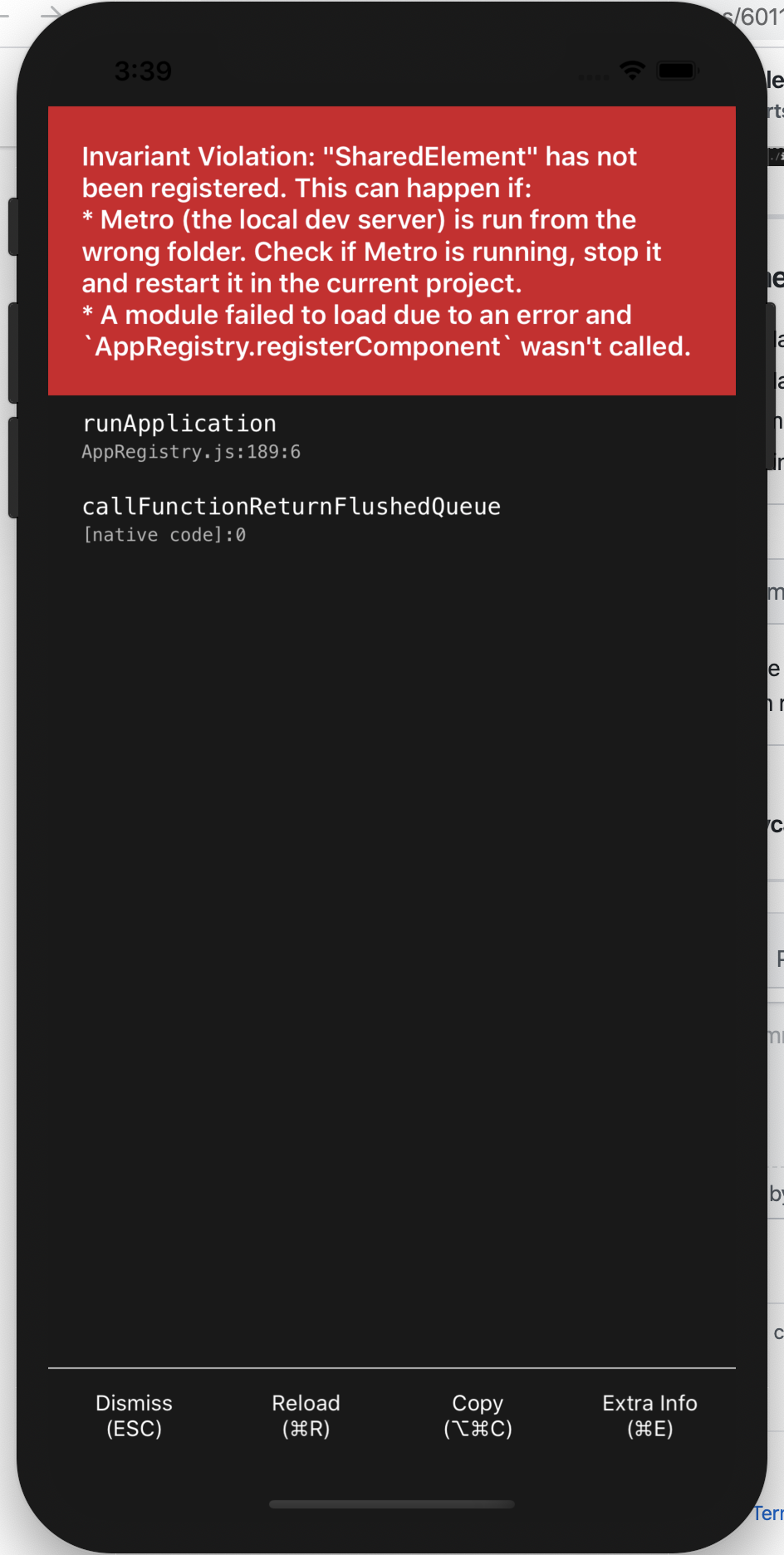
 bang88
on 7 Mar 2020
bang88
on 7 Mar 2020
@bang88 @TylerNRobertson I wasn't able to reproduce this on a fresh clone. This leads me to think it's a caching issue. Please try starting the packager with watchman watch-del-all && npm run start -- --reset-cache.
guyca
on 7 Mar 2020
@guyca you were right caching issue. Thanks!
TylerNRobertson
on 9 Mar 2020
Came here after hitting the same issue on an RNN upgrade effort to v6. Can confirm that these steps to restart and clear package manager resolved the issue:
Please try starting the packager with watchman watch-del-all && npm run start -- --reset-cache
 chuttam
on 9 Mar 2020
chuttam
on 9 Mar 2020
Related issues
 swingywc
·
3Comments
swingywc
·
3Comments
 EliSadaka
·
3Comments
EliSadaka
·
3Comments
 yayanartha
·
3Comments
yayanartha
·
3Comments
 nbolender
·
3Comments
nbolender
·
3Comments
 edcs
·
3Comments
edcs
·
3Comments
Most helpful comment
Came here after hitting the same issue on an RNN upgrade effort to v6. Can confirm that these steps to restart and clear package manager resolved the issue: