React-native-navigation: Application has not been registered.
Issue Description
When starting app on android phone i get following error:
Application Virosample has not been registered.
Steps to Reproduce / Code Snippets / Screenshots
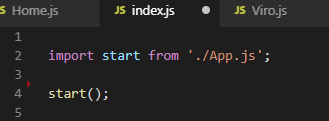

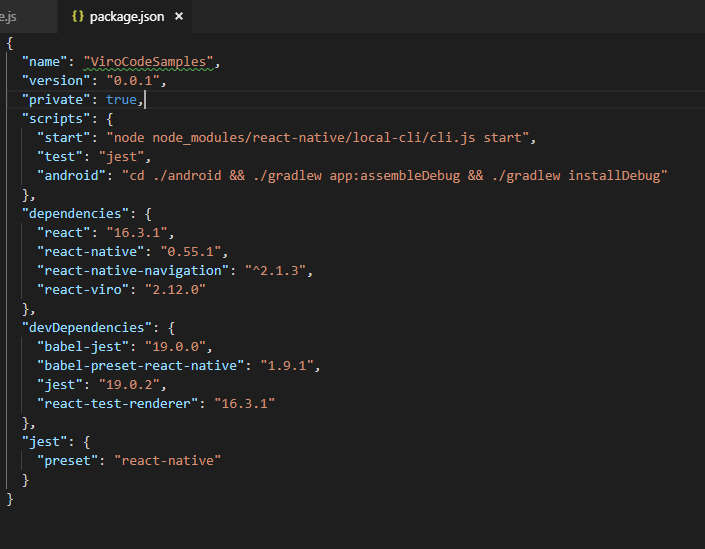
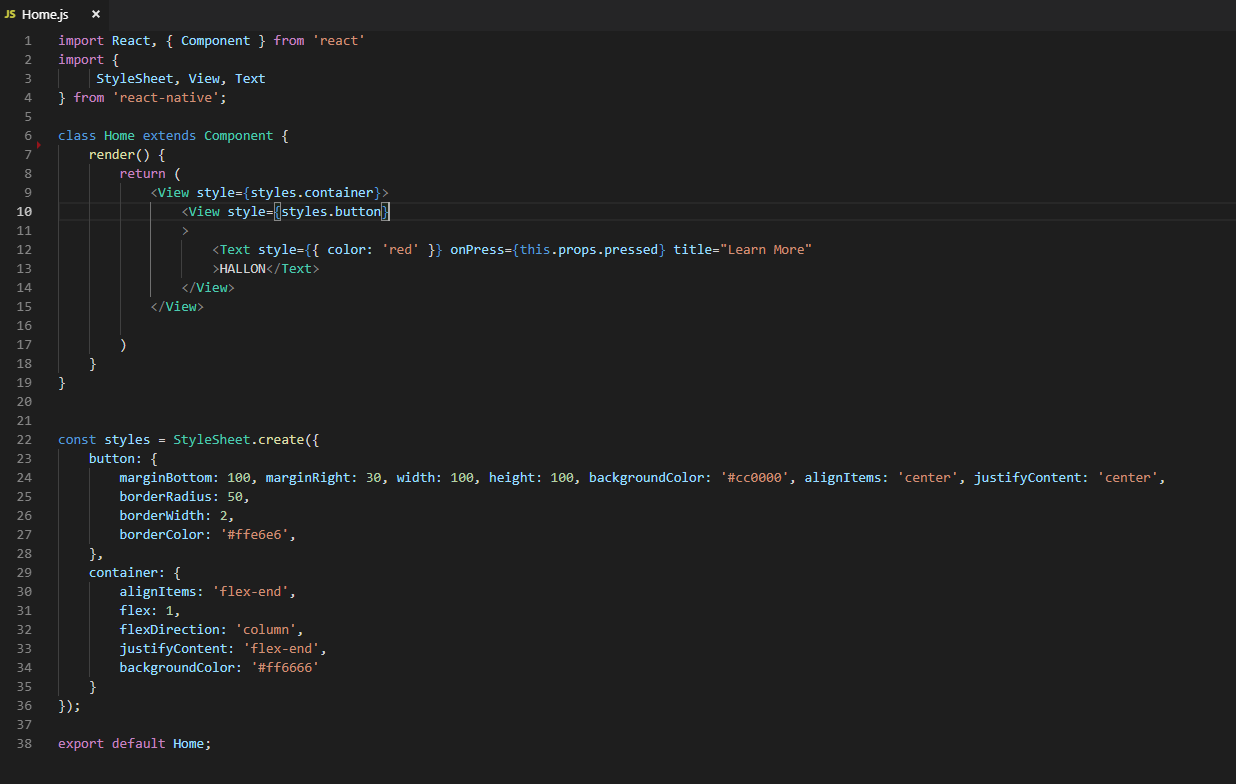
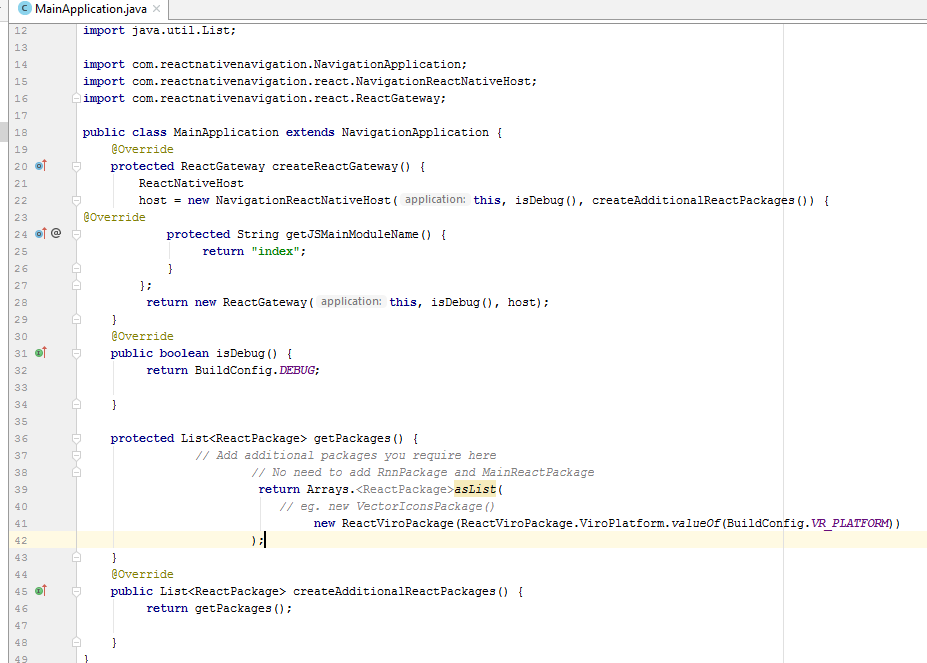
Environment
- React Native Navigation version: "react-native-navigation": "^2.1.3",
- React Native version: "react-native": "0.55.1",
- Platform(s) (iOS, Android, or both?): Only testing android
- Device info (Simulator/Device? OS version? Debug/Release?): Using Viro media testbed app on my android phone to run the app.
 hannehanen
All 17 comments
hannehanen
on 5 Dec 2018
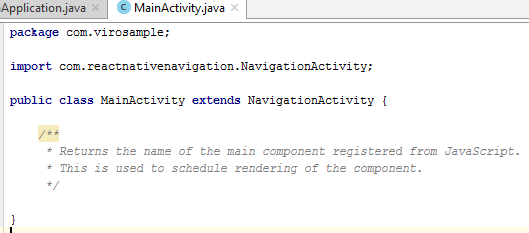
@hannehanen Did you manage to fix your issue? Your code looks correct other than index.js not being saved :P
 ItsNoHax
on 6 Dec 2018
ItsNoHax
on 6 Dec 2018
@talBebchuk , @hannehanen any solution ???
 dev-ahmad
on 6 Dec 2018
dev-ahmad
on 6 Dec 2018
Not resolved =/
hannehanen
on 6 Dec 2018
@hannehanen thank you ,
@DanielZlotin @guyca @yogevbd @gran33 help please !
dev-ahmad
on 6 Dec 2018
Are you able to build the android project successfully?
 dbishai
on 7 Dec 2018
dbishai
on 7 Dec 2018

hannehanen
on 7 Dec 2018
I had success using Gradle v3.1.4 and following everything else in the installation guide. Maybe try downgrading Gradle?
dbishai
on 7 Dec 2018
APP.gradle here:
apply plugin: "com.android.application"
import com.android.build.OutputFile
/**
- The react.gradle file registers a task for each build variant (e.g. bundleDebugJsAndAssets
- and bundleReleaseJsAndAssets).
- These basically call
react-native bundlewith the correct arguments during the Android build - cycle. By default, bundleDebugJsAndAssets is skipped, as in debug/dev mode we prefer to load the
- bundle directly from the development server. Below you can see all the possible configurations
- and their defaults. If you decide to add a configuration block, make sure to add it before the
apply from: "../../node_modules/react-native/react.gradle"line.
*- project.ext.react = [
- // the name of the generated asset file containing your JS bundle
- bundleAssetName: "index.android.bundle",
* - // the entry file for bundle generation
- entryFile: "index.android.js",
* - // whether to bundle JS and assets in debug mode
- bundleInDebug: false,
* - // whether to bundle JS and assets in release mode
- bundleInRelease: true,
* - // whether to bundle JS and assets in another build variant (if configured).
- // See http://tools.android.com/tech-docs/new-build-system/user-guide#TOC-Build-Variants
- // The configuration property can be in the following formats
- // 'bundleIn${productFlavor}${buildType}'
- // 'bundleIn${buildType}'
- // bundleInFreeDebug: true,
- // bundleInPaidRelease: true,
- // bundleInBeta: true,
* - // whether to disable dev mode in custom build variants (by default only disabled in release)
- // for example: to disable dev mode in the staging build type (if configured)
- devDisabledInStaging: true,
- // The configuration property can be in the following formats
- // 'devDisabledIn${productFlavor}${buildType}'
- // 'devDisabledIn${buildType}'
* - // the root of your project, i.e. where "package.json" lives
- root: "../../",
* - // where to put the JS bundle asset in debug mode
- jsBundleDirDebug: "$buildDir/intermediates/assets/debug",
* - // where to put the JS bundle asset in release mode
- jsBundleDirRelease: "$buildDir/intermediates/assets/release",
* - // where to put drawable resources / React Native assets, e.g. the ones you use via
- // require('./image.png')), in debug mode
- resourcesDirDebug: "$buildDir/intermediates/res/merged/debug",
* - // where to put drawable resources / React Native assets, e.g. the ones you use via
- // require('./image.png')), in release mode
- resourcesDirRelease: "$buildDir/intermediates/res/merged/release",
* - // by default the gradle tasks are skipped if none of the JS files or assets change; this means
- // that we don't look at files in android/ or ios/ to determine whether the tasks are up to
- // date; if you have any other folders that you want to ignore for performance reasons (gradle
- // indexes the entire tree), add them here. Alternatively, if you have JS files in android/
- // for example, you might want to remove it from here.
- inputExcludes: ["android/", "ios/"],
* - // override which node gets called and with what additional arguments
- nodeExecutableAndArgs: ["node"],
* - // supply additional arguments to the packager
- extraPackagerArgs: []
- ]
*/
project.ext.react = [
entryFile: "index.js"
]
apply from: "../../node_modules/react-native/react.gradle"
/**
- Set this to true to create two separate APKs instead of one:
- An APK that only works on ARM devices
- An APK that only works on x86 devices
- The advantage is the size of the APK is reduced by about 4MB.
- Upload all the APKs to the Play Store and people will download
- the correct one based on the CPU architecture of their device.
*/
def enableSeparateBuildPerCPUArchitecture = false
/**
- Run Proguard to shrink the Java bytecode in release builds.
*/
def enableProguardInReleaseBuilds = false
android {
compileSdkVersion 26
buildToolsVersion "28.0.3"
defaultConfig {
    applicationId "com.virosample"
    minSdkVersion 23
    targetSdkVersion 26
    missingDimensionStrategy "RNN.reactNativeVersion", "reactNative51"
    multiDexEnabled true
    versionCode 1
    versionName "1.0"
    ndk {
        abiFilters "armeabi-v7a", "x86"
    }
}
    compileOptions {
            sourceCompatibility JavaVersion.VERSION_1_8
            targetCompatibility JavaVersion.VERSION_1_8
        }
splits {
    abi {
        reset()
        enable enableSeparateBuildPerCPUArchitecture
        universalApk false  // If true, also generate a universal APK
        include "armeabi-v7a", "x86"
    }
}
flavorDimensions "Patrik"
productFlavors {
    ar {
        resValue 'string', 'app_name', 'ViroSample-ar'
        buildConfigField 'String', 'VR_PLATFORM', '"GVR"' //default to GVR
    }
    gvr {
        resValue 'string', 'app_name', 'ViroSample-gvr'
        buildConfigField 'String', 'VR_PLATFORM', '"GVR"'
    }
    ovr {
        resValue 'string', 'app_name', 'ViroSample-ovr'
        applicationIdSuffix '.ovr'
        buildConfigField 'String', 'VR_PLATFORM', '"OVR_MOBILE"'
    }
}
buildTypes {
    release {
        minifyEnabled enableProguardInReleaseBuilds
        proguardFiles getDefaultProguardFile("proguard-android.txt"), "proguard-rules.pro"
    }
}
// applicationVariants are e.g. debug, release
applicationVariants.all { variant ->
    variant.outputs.each { output ->
        // For each separate APK per architecture, set a unique version code as described here:
        // http://tools.android.com/tech-docs/new-build-system/user-guide/apk-splits
        def versionCodes = ["armeabi-v7a":1, "x86":2]
        def abi = output.getFilter(OutputFile.ABI)
        if (abi != null) {  // null for the universal-debug, universal-release variants
            output.versionCodeOverride =
                    versionCodes.get(abi) * 1048576 + defaultConfig.versionCode
        }
    }
}
}
dependencies {
implementation fileTree(dir: "libs", include: ["*.jar"])
implementation "com.android.support:appcompat-v7:${rootProject.ext.supportLibVersion}"
implementation "com.facebook.react:react-native:+" // From node_modules
implementation project(':react-native-navigation')
api project(':arcore_client') // remove this if AR not required
api project(':gvr_common')
api project(path: ':viro_renderer')
api project(path: ':react_viro')
api 'com.google.android.exoplayer:exoplayer:2.7.1'
api 'com.google.protobuf.nano:protobuf-javanano:3.0.0-alpha-7'
api 'com.amazonaws:aws-android-sdk-core:2.2.+'
api 'com.amazonaws:aws-android-sdk-ddb:2.2.+'
api 'com.amazonaws:aws-android-sdk-ddb-mapper:2.2.+'
api 'com.amazonaws:aws-android-sdk-cognito:2.2.+'
api 'com.amazonaws:aws-android-sdk-cognitoidentityprovider:2.2.+'
}
// Run this once to be able to run the application with BUCK
// puts all compile dependencies into folder libs for BUCK to use
task copyDownloadableDepsToLibs(type: Copy) {
from configurations.compile
into 'libs'
}
hannehanen
on 7 Dec 2018
Project gradle:
// Top-level build file where you can add configuration options common to all sub-projects/modules.
buildscript {
repositories {
jcenter()
mavenLocal()
mavenCentral()
google()
}
dependencies {
classpath 'com.android.tools.build:gradle:3.2.1'
    // NOTE: Do not place your application dependencies here; they belong
    // in the individual module build.gradle files
}
}
allprojects {
repositories {
google()
mavenCentral()
mavenLocal()
maven {
url "$rootDir/../node_modules/react-native/android"
}
jcenter()
maven { url 'https://jitpack.io' }
}
ext {
        buildToolsVersion = "27.0.3"

       minSdkVersion = 19
    compileSdkVersion = 26
    targetSdkVersion = 26
    supportLibVersion = "26.1.0"
}
}
hannehanen
on 7 Dec 2018
I had success using Gradle v3.1.4 and following everything else in the installation guide. Maybe try downgrading Gradle?
ok, i might try that in next couple of days.
hannehanen
on 7 Dec 2018
My project is working fine with this solution: https://stackoverflow.com/questions/50683866/application-has-not-been-registered-react-native-navigation-v2?answertab=votes#tab-top
 BunlongOung
on 26 Dec 2018
BunlongOung
on 26 Dec 2018
This issue has been automatically marked as stale because it has not had recent activity. It will be closed if no further activity occurs.
If you believe the issue is still relevant, please test on the latest Detox and report back. Thank you for your contributions.
![stale[bot] picture](https://avatars.githubusercontent.com/in/1724?v=4&s=40) stale[bot]
on 26 Jan 2019
stale[bot]
on 26 Jan 2019
Any updates on this issue? For me still happening.
 JoseFMP
on 27 Jan 2019
JoseFMP
on 27 Jan 2019
Happening here also.
 dooleyb1
on 5 Feb 2019
dooleyb1
on 5 Feb 2019
We use the issue tracker exclusively for bug reports and feature requests. This issue appears to be a general usage or support question. Instead, please ask a question on Stack Overflow with the react-native-navigation tag.
![support[bot] picture](https://avatars.githubusercontent.com/in/6408?v=4&s=40) support[bot]
on 6 Feb 2019
support[bot]
on 6 Feb 2019
Previous solution worked fine for me.
 arialblack14
on 12 May 2019
arialblack14
on 12 May 2019
Related issues
 no23reason
·
3Comments
no23reason
·
3Comments
 tmaly1980
·
3Comments
tmaly1980
·
3Comments
 nbolender
·
3Comments
nbolender
·
3Comments
 EliSadaka
·
3Comments
EliSadaka
·
3Comments
 bdrobinson
·
3Comments
bdrobinson
·
3Comments
Most helpful comment
My project is working fine with this solution: https://stackoverflow.com/questions/50683866/application-has-not-been-registered-react-native-navigation-v2?answertab=votes#tab-top