React-native-navigation: [RNN2] Component ID already exists
Issue Description
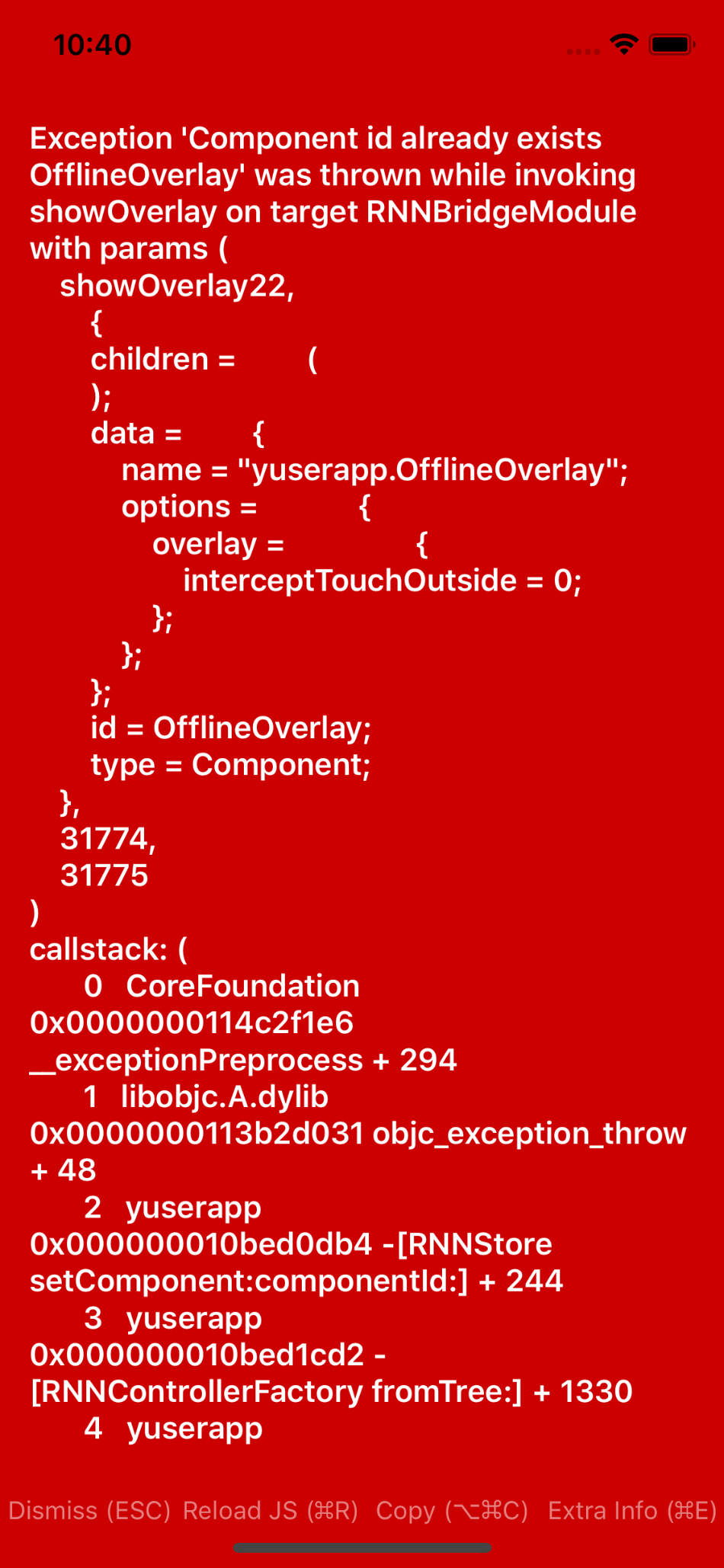
When showing an overlay with a predefined ID we intermittently get the error "... component id already exists ..." (see attachment).
Steps to Reproduce / Code Snippets / Screenshots
Call an overlay like so:
//detects if user is connected to internet
NetInfo.isConnected.addEventListener('connectionChange', (connected) => {
    if (connected) {
        Navigation.dismissOverlay("OfflineOverlay").catch(error => console.log(error.message));
    } else {
        Navigation.showOverlay({
            component: {
                id: "OfflineOverlay",
                name: "app.OfflineOverlay",
                options: {
                    overlay: {
                        interceptTouchOutside: false
                    }
                }
            },
        });
    }
    this.isConnected = connected;
});
And intermittently the app will crash and we'll get the error seen in the attachment.
Environment
- React Native Navigation version: 0.55.4
- React Native version: 2.0.2513
- Platform(s) (iOS, Android, or both?): iOS
- Device info (Simulator/Device? OS version? Debug/Release?): iPhone 6/simulator
 pribeh
All 2 comments
I think you are experiencing a race in your code. Try to async await on showOverlay and dismissOverly.
 yogevbd
on 6 Sep 2018
yogevbd
on 6 Sep 2018
👍3
I believe that resolved the issue. Thank you @yogevbd !
NetInfo.isConnected.addEventListener('connectionChange', async (connected) => {
    if (connected && !this.isConnected) {
        await Navigation.dismissOverlay("OfflineOverlay").catch(error => console.log(error.message));
        this.isConnected = connected;
    } else if (!connected && this.isConnected){
        Navigation.showOverlay({
            component: {
                id: "OfflineOverlay",
                name: "yuserapp.OfflineOverlay",
                options: {
                    overlay: {
                        interceptTouchOutside: false
                    }
                }
            },
        });
        this.isConnected = connected;
    }
});
👍1
Was this page helpful?
0 / 5 - 0 ratings
Related issues
 yayanartha
·
3Comments
yayanartha
·
3Comments
 ghost
·
3Comments
ghost
·
3Comments
 Chipped1
·
3Comments
Chipped1
·
3Comments
 bdrobinson
·
3Comments
bdrobinson
·
3Comments
 switchtrue
·
3Comments
switchtrue
·
3Comments
Most helpful comment
I think you are experiencing a race in your code. Try to async await on
showOverlayanddismissOverly.