React-native-navigation: [Android]: Tab Bar color not working
Issue Description
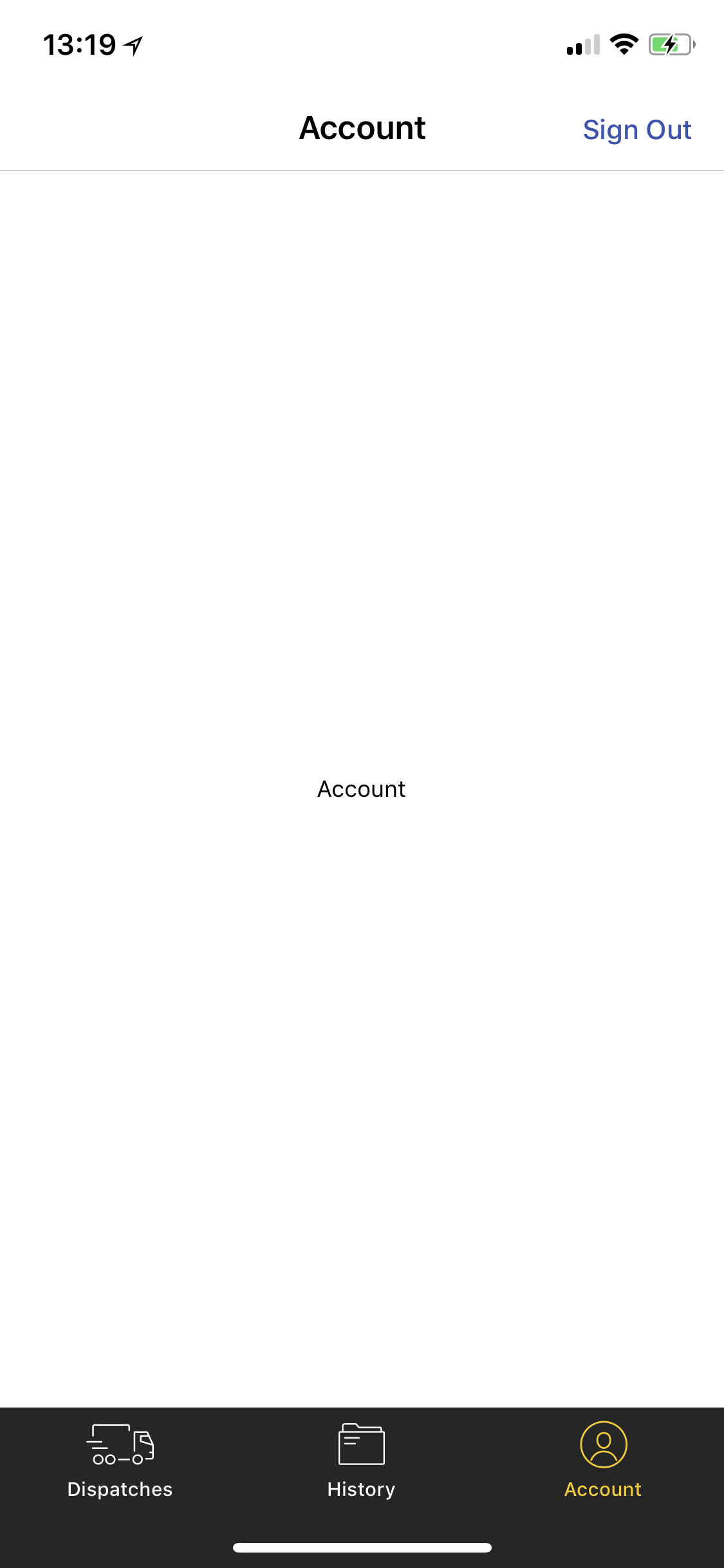
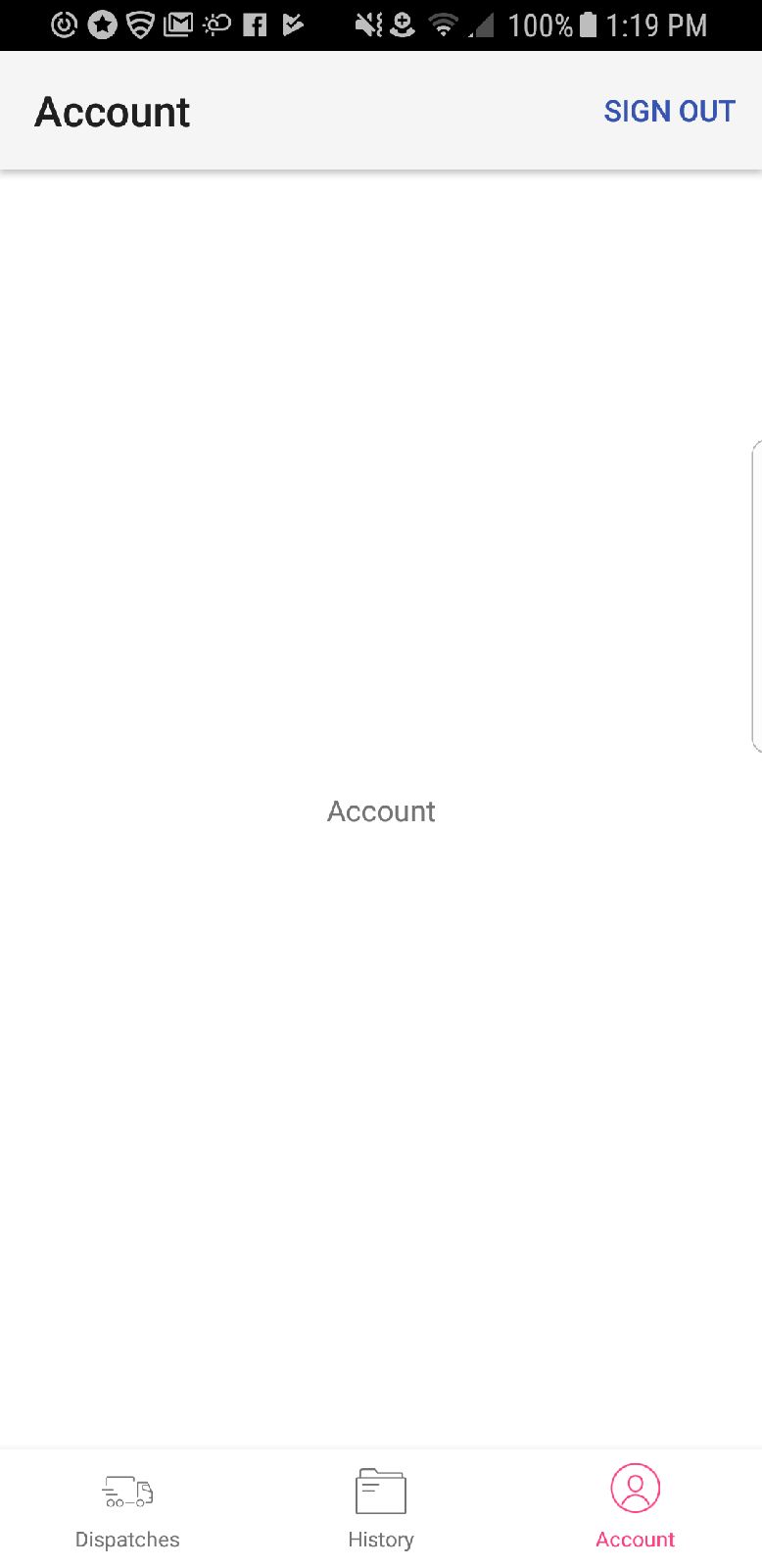
Styling the tab bar does not work on Android even though the docs state these should work cross platform, which leads me to believe there is something missing in my code.
Steps to Reproduce / Code Snippets / Screenshots
export const Colors = {
  Yellow: '#f7ca02',
  ButtonGrey: '#cdcdcd',
  White: '#ffffff',
  Black: '#000000',
  Blue: '#3755b0'
}
  Navigation.startTabBasedApp({
    animationType: 'fade',
    tabs: [
      {
        screen: Screens.Dispatches,
        icon: Icons.TabBar.Dispatches,
        label: 'Dispatches',
        title: 'Dispatches'
      },
      {
        screen: Screens.History,
        icon: Icons.TabBar.History,
        label: 'History',
        title: 'History'
      },
      {
        screen: Screens.Account,
        icon: Icons.TabBar.Account,
        label: 'Account',
        title: 'Account'
      }
    ],
    tabsStyle: {
      tabBarLabelColor: Colors.White,
      tabBarButtonColor: Colors.White,
      tabBarSelectedLabelColor: Colors.Yellow,
      tabBarSelectedButtonColor: Colors.Yellow,
      tabBarBackgroundColor: Colors.Black
    }
  })
iOS:
Android:
Environment
- React Native Navigation version: 1.1.458
- React Native version: 0.55
- Platform(s) (iOS, Android, or both?): Both
- Device info (Simulator/Device? OS version? Debug/Release?): iPhone X vs Samsung Galaxy S7 Edge (both real devices)
 luskin
All 2 comments
Due to historical reasons, BottomTabs style on Android should be declared in appStyle
https://wix.github.io/react-native-navigation/#/styling-the-tab-bar
 guyca
on 16 May 2018
guyca
on 16 May 2018
❤1
😄1
👍1
Due to historical reasons,
BottomTabsstyle on Android should be declared inappStyle
https://wix.github.io/react-native-navigation/#/styling-the-tab-bar
Thank you very much. it is working in android correctly
 chengguo0719
on 27 Jan 2020
chengguo0719
on 27 Jan 2020
Was this page helpful?
0 / 5 - 0 ratings
Related issues
 tmaly1980
·
3Comments
tmaly1980
·
3Comments
 birkir
·
3Comments
birkir
·
3Comments
 viper4595
·
3Comments
viper4595
·
3Comments
 nbolender
·
3Comments
nbolender
·
3Comments
 zhanguangao
·
3Comments
zhanguangao
·
3Comments
Most helpful comment
Due to historical reasons,
BottomTabsstyle on Android should be declared inappStylehttps://wix.github.io/react-native-navigation/#/styling-the-tab-bar