React-native-mapbox-gl: [iOS/Android] Customize attribution position
Hi,
The attribution is positioned on the bottom left on Android and positioned on the bottom right on iOS. It is a little detail, but I put some buttons over my map and they interfere with that inconsistent behavior.
Thanks!
 karlguillotte
All 6 comments
fair enough I'll look into seeing how much control the Android SDK gives us with that icon
 nitaliano
on 17 Jan 2018
nitaliano
on 17 Jan 2018
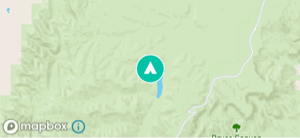
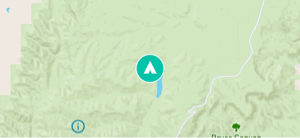
I also noticed that when logoEnabled={false} on MapView, the attribution icon does not adjust to the corner.
Default:
logoEnabled={false}:
react-native-mapbox-gl v6.1.0
Android v8.0.0
 derekblank
on 6 Mar 2018
derekblank
on 6 Mar 2018
@nitaliano Sorry to bother you, wondering if you have had a chance to look at this? Thanks.
karlguillotte
on 9 Aug 2018
I've taken a look through the docs and it looks as though this could be controlled using setAttributionMargins .
A new method can be created in the java which can then be triggered in the JS using _runNativeCommand, similar to the way that getPointInView() is set up.
Assuming the attribution is currently controlled by it's margins (may be incorrect) then we would have full control of the attribute positioning from within React Native.
 Foosballfan
on 7 Dec 2018
Foosballfan
on 7 Dec 2018
Same issue here, would love to be able to update attribution positioning as our design renders it untappable. Anyone managed to move it?
 VinzGhyz
on 18 Mar 2019
VinzGhyz
on 18 Mar 2019
Hey,
happy to accept PRs for this.
A potential solution: Completely disable watermarks on the native side and render these (using correct assets and specs provided by Mapbox) as RN views. That will allow us more control and easier cross-platform maintenance.
 kristfal
on 18 Mar 2019
kristfal
on 18 Mar 2019
Related issues
 vyankat70war
·
3Comments
vyankat70war
·
3Comments
 madroneropaulo
·
4Comments
madroneropaulo
·
4Comments
 lernerbot
·
3Comments
lernerbot
·
3Comments
 Amalp
·
3Comments
kristfal
·
3Comments
Amalp
·
3Comments
kristfal
·
3Comments
Most helpful comment
I also noticed that when
logoEnabled={false}onMapView, the attribution icon does not adjust to the corner.Default:

logoEnabled={false}:react-native-mapbox-gl v6.1.0
Android v8.0.0