React-native-mapbox-gl: undefined is not an object (evaluation 'MapboxGL.UserTrackingModes')
src/components/map/index.tsx
    1 import Mapbox from "@mapbox/react-native-mapbox-gl";
    2 import * as React from "react";
    3 import { StyleSheet, Text, View } from "react-native";
    4
    5 Mapbox.setAccessToken("XXX");
    7
package.json
"@mapbox/react-native-mapbox-gl": "^6.0.0",
I've been trying to debug where the bug is. When I remove line 5 in map/index.tsx, everything works. Well, it does not crash at least.
stack trace from React Native
undefined is not an object (evaluating 'MapboxGL.UserTrackingModes')
<unknown>
    MapView.js:217:31
loadModuleImplementation
    require.js:191:12
guardedLoadModule
    require.js:138:36
_require
    require.js:118:20
<unknown>
    index.js:6
loadModuleImplementation
    require.js:191:12
guardedLoadModule
    require.js:138:36
_require
    require.js:118:20
<unknown>
    index.js:3:41
loadModuleImplementation
    require.js:191:12
guardedLoadModule
    require.js:138:36
_require
    require.js:118:20
<unknown>
    SkademeldingStart.js:13:22
loadModuleImplementation
    require.js:191:12
guardedLoadModule
    require.js:138:36
_require
    require.js:118:20
<unknown>
    AppNavigator.js:7:36
loadModuleImplementation
    require.js:191:12
guardedLoadModule
    require.js:138:36
_require
    require.js:118:20
<unknown>
    App.js:7:31
loadModuleImplementation
    require.js:191:12
guardedLoadModule
    require.js:138:36
_require
    require.js:118:20
<unknown>
    index.js:9:22
loadModuleImplementation
    require.js:191:12
guardedLoadModule
    require.js:138:36
_require
    require.js:118:20
<unknown>
    index.js:1
loadModuleImplementation
    require.js:191:12
guardedLoadModule
    require.js:131:45
_require
    require.js:118:20
global code
 stabenfeldt
All 13 comments
Have you linked react-native-mapbox-gl in your android and ios app https://github.com/mapbox/react-native-mapbox-gl#installation-guides?
 nitaliano
on 24 Nov 2017
nitaliano
on 24 Nov 2017
Embarrassing to admit, but I missed that part of the installation guide.
As a non Android developer, it was a bit hard to see that you were referring to files in the guide. I've made an attempt of making that clearer. Please see PR #806
stabenfeldt
on 27 Nov 2017
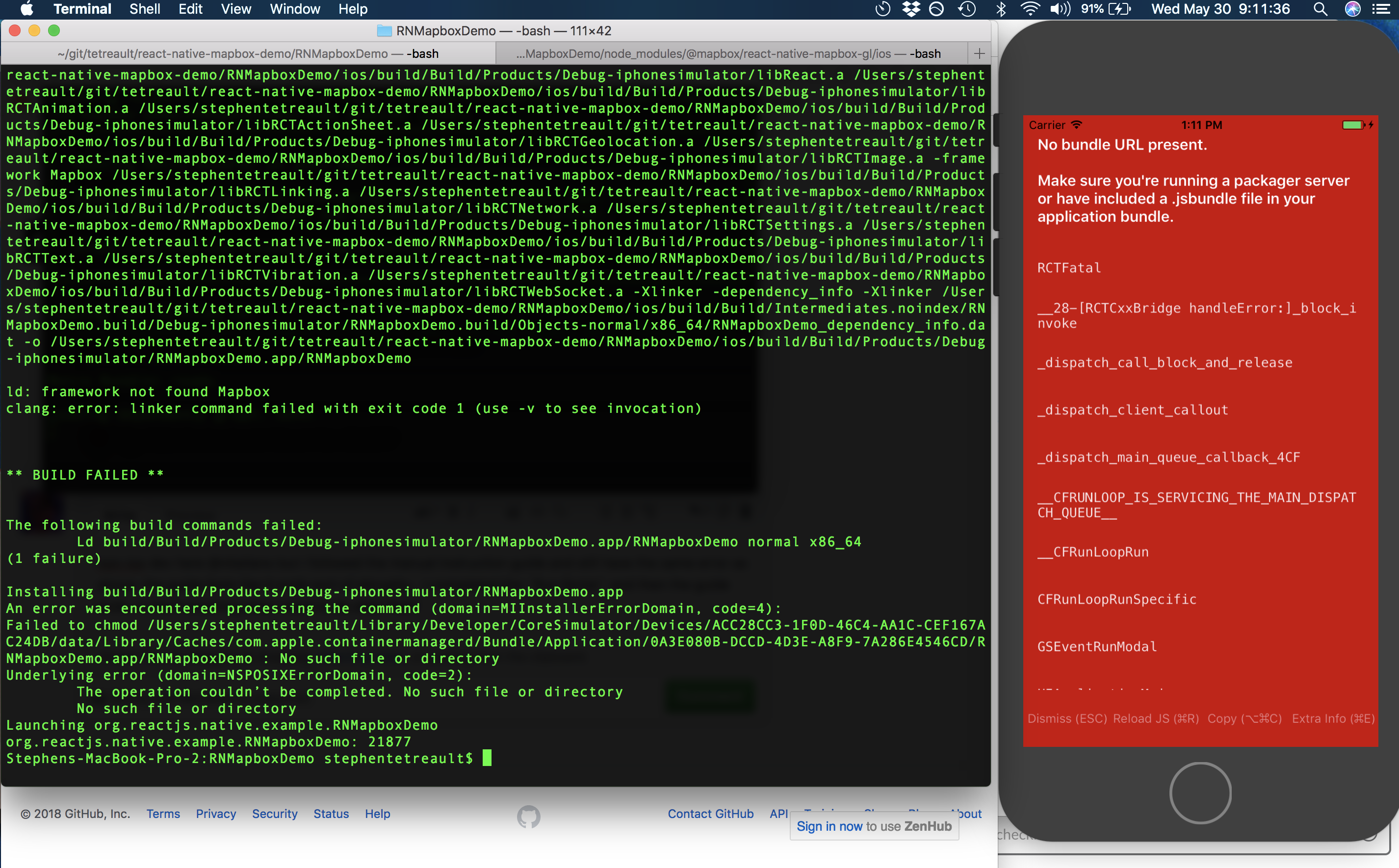
non-ios dev here (also new to RN) @nitaliano @stabenfeldt but i followed the manual instruction guide and am getting a new error i'm unsure of. the guide feels like it ends sort of abruptly... I completed the Run Script and then the guide ends. Is there anything else I need to do after that? this is what shows up after i attempt to run react-native run-ios.
 tetreault
on 30 May 2018
tetreault
on 30 May 2018
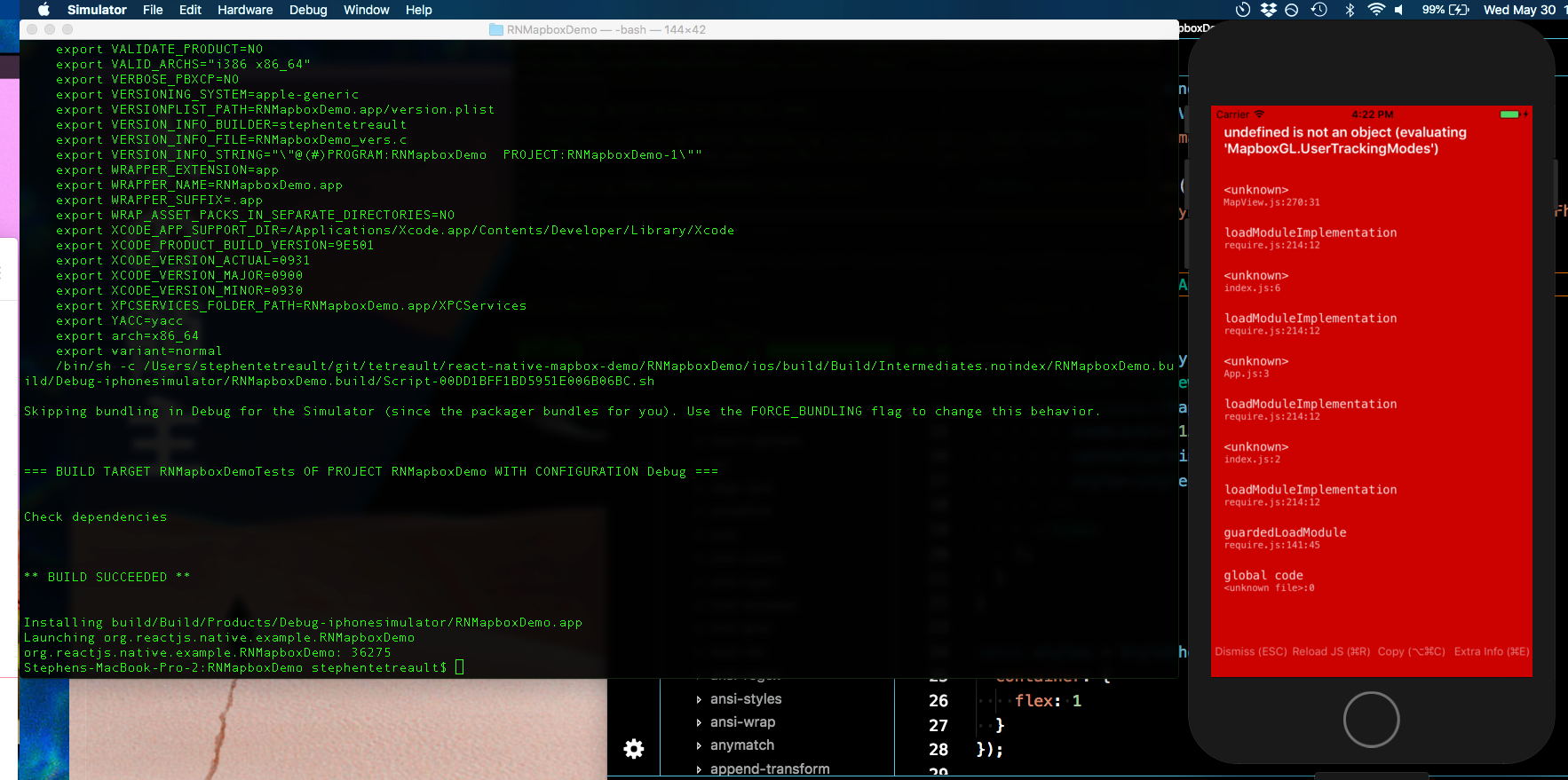
Just wanted to update i did a completely clean new project with react-native init and installed mapbox and did the Cocoapods set up this time instead of the manual way i tried last time. I see the exact same error still :(
How can i go about troubleshoot this? Any help is greatly appreciated.
tetreault
on 30 May 2018
ignore the above! such a stupid mistake... to anyone reading this: after you do the cocoapods installation method, make sure you rebuild the project. The instructions specify it, but my brain is clearly having a tough day today!
tetreault
on 30 May 2018
@tetreault I've get the same error also after running react-native run-ios, how would you solve it?
 jsina
on 2 Jun 2018
jsina
on 2 Jun 2018
@jsina my mistake was pretty simple - after installing the RN Mapbox module with cocoapods I just simply needed to open up the project in xcode and run Cmd + B to build the project. Then it functions when i run react-native run-ios
tetreault
on 2 Jun 2018
@tetreault how did you skip building in debug? My build keeps failing due to permission errors, c compiler failures, etc. If I ran a separate bundler using npm start, shouldn't that be sufficient?
 williamdarkocode
on 20 Aug 2018
williamdarkocode
on 20 Aug 2018
@williamdarkocode sorry i haven’t messed with this in a while and just know what happened to work in my case. i do have a barebones integration repo for this thought feel free to check it out - hopefully it’s some help! https://github.com/tetreault/react-native-mapbox-demo
tetreault
on 20 Aug 2018
Thnaks, hopefully it helps. @tetreault. And can you show me what your mapbox custom style url looks like? does it appear black or blank on the app?
williamdarkocode
on 20 Aug 2018
anyone keep getting "the undefined is not an object (evaluation 'MapboxGL.UserTrackingModes')" on ios? How did you fix it?
williamdarkocode
on 20 Aug 2018
That was what myself and the OP of the thread was getting @williamdarkocode and at least for both of us, the issue was related to incomplete/incorrect installation steps. For me, after doing the cocoapods installation the way I resolved it was in my prior comment:
my mistake was pretty simple - after installing the RN Mapbox module with cocoapods I just simply needed to open up the project in xcode and run Cmd + B to build the project. Then it functions when i run react-native run-ios
Other related closed issues in this repo point to that as well like this one for example: https://github.com/mapbox/react-native-mapbox-gl/issues/843
tetreault
on 20 Aug 2018
I have the same problem.
Is there a clear answer how to fix this step by step for newbies?
 jt3k
on 16 Dec 2018
jt3k
on 16 Dec 2018
Related issues
 yaduc
·
3Comments
yaduc
·
3Comments
 EwanValentine
·
3Comments
EwanValentine
·
3Comments
 kristfal
·
3Comments
kristfal
·
3Comments
 alexisohayon
·
4Comments
alexisohayon
·
4Comments
 lucasbento
·
3Comments
lucasbento
·
3Comments
Most helpful comment
Have you linked react-native-mapbox-gl in your android and ios app https://github.com/mapbox/react-native-mapbox-gl#installation-guides?