React-native-mapbox-gl: [QUESTION] Callout without PointAnnotation
Hey guys,
thanks for this great library. I just switched over from react-native-maps.
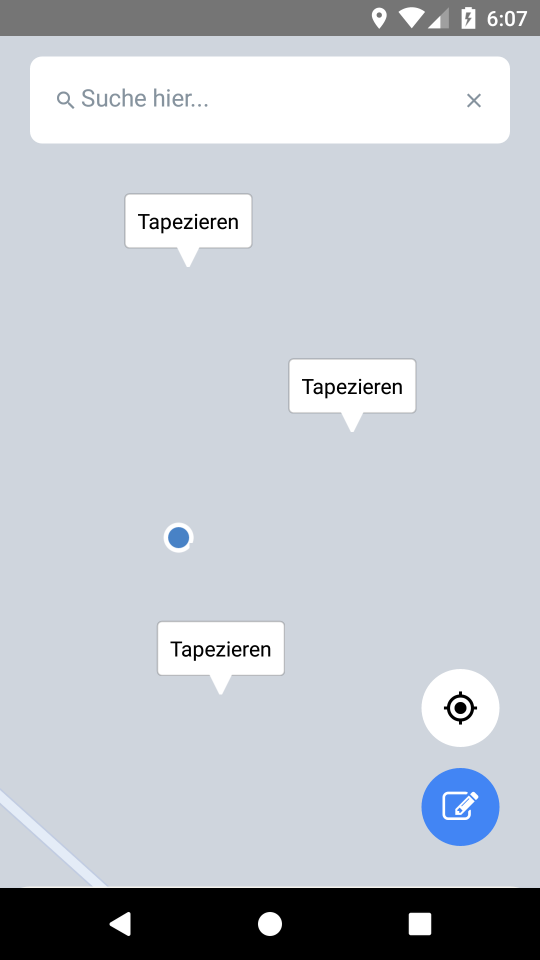
I would like to have Callouts (e.g. labels) on my map without PointAnnotations. Is this possible?
I already tried to make the PointAnnotation invisible with opacity and visibility stuff but it didn't work.
Thanks!
 kaynz
kaynz
All 10 comments
Depending on what you need it to look like you can achieve something like this with a SymbolLayer. Would you be able to post a screen of what it would look like?
 nitaliano
on 17 Nov 2017
nitaliano
on 17 Nov 2017
@nitaliano
kaynz
on 17 Nov 2017
I checked out your examples but couldn't figure out how to achieve this. It doesn't seem to be possible to set a text per feature in SymbolLayer, right?
kaynz
on 17 Nov 2017
You can your styles have access to your feature properties
Let's say you have this feature collection, you can see each feature has a property name
{
  "type": "FeatureCollection",
  "features": [
    {
      "type": "Feature",
      "properties": {
        "name": "Test 1"
      },
      "geometry": {
        "type": "Point",
        "coordinates": [
          -118.828125,
          37.16031654673677
        ]
      }
    },
    {
      "type": "Feature",
      "properties": {
        "name": "Test 2"
      },
      "geometry": {
        "type": "Point",
        "coordinates": [
          -124.8046875,
          33.43144133557529
        ]
      }
    },
    {
      "type": "Feature",
      "properties": {
        "name": "Test 3"
      },
      "geometry": {
        "type": "Point",
        "coordinates": [
          -128.32031249999997,
          51.83577752045248
        ]
      }
    }
  ]
}
and for the style you can access that property by using a token string
const styles = MapboxGL.StyleSheet.create({
   textSymbol: {
      textField: '{name}'
   }
})
Thanks. Is it possible to register onPress events for the symbols in the spacesource?
kaynz
on 19 Nov 2017
Follow this example - https://github.com/mapbox/react-native-mapbox-gl/blob/master/example/src/components/QueryAtPoint.js#L44
You can query the features rendered on the map with a point or bbox. I'll be releasing a PR this week that adds support for an onPress on a ShapeSource, so I'll query under the hood for the user
nitaliano
on 20 Nov 2017
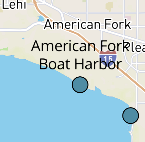
This got me as far as adding text labels to the map:
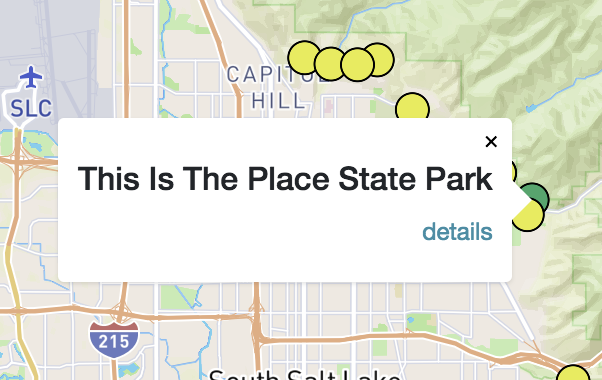
But what about adding the callout box underneath the text? Can I add anything more than text to the box like a button or an entire component? I'm looking to build something like this:
 stdavis
on 26 Mar 2018
stdavis
on 26 Mar 2018
@nitaliano Any ideas?
stdavis
on 29 Mar 2018
@stdavis Did you managed to add anything more than text?
 edenkras
on 21 Apr 2019
edenkras
on 21 Apr 2019
No. We decided to just navigate to a different view when the point is pressed rather than showing a popup.
stdavis
on 22 Apr 2019
Related issues
 lernerbot
·
3Comments
lernerbot
·
3Comments
 glennverschooren
·
4Comments
glennverschooren
·
4Comments
 alexisohayon
·
4Comments
alexisohayon
·
4Comments
 VentsislavDinev
·
3Comments
VentsislavDinev
·
3Comments
 vyankat70war
·
3Comments
vyankat70war
·
3Comments
Most helpful comment
This got me as far as adding text labels to the map:

But what about adding the callout box underneath the text? Can I add anything more than text to the box like a button or an entire component? I'm looking to build something like this:
