React-native-keyboard-aware-scroll-view: Keyboard issue after upgrading to react-native 0.59.0
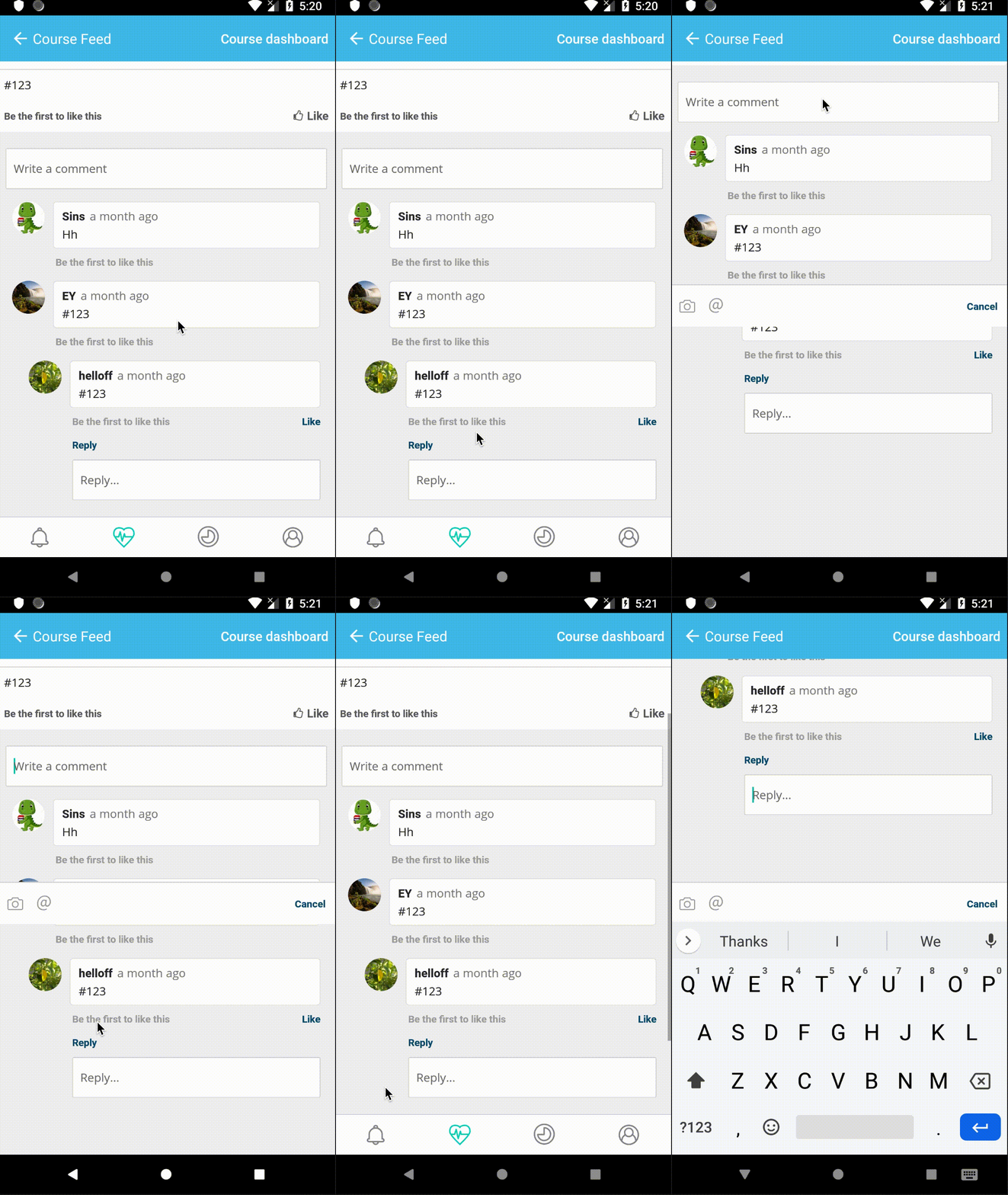
If the flatlist has very small padding at the bottom, the keyboard shows up and closes immediately. It works normally if the flatlist has enough padding (not sure about the exact value). I'm using the latest version which is 0.8.0
Code snippet:
        <KeyboardAwareFlatList
          data={commentList.toJS()}
          renderItem={this.renderItems}
          keyExtractor={this.keyExtractor}
          ListHeaderComponent={this.renderHeader}
          ListEmptyComponent={() => {
            return (
              !metaPostDetails.get('loading') && (
                <View style={styles.emptyContainer}>
                  <Text style={styles.emptyText}>Be the first to comment</Text>
                </View>
              )
            );
          }}
          ListFooterComponent={() => {
            return metaPostDetails.get('loading') ? (
              <View style={styles.loading}>
                <ActivityIndicator size="small" color={colours.loadingGrey} />
              </View>
            ) : (
              <View style={styles.footer} />
            );
          }}
          onEndReached={this.props.onActionLoadMoreComment}
          onEndReachedThreshold={Platform.OS === 'ios' ? 0 : 0.001}
          innerRef={this.onFlatListRef}
          enableOnAndroid
          extraScrollHeight={80}
          enableResetScrollToCoords={false}
          contentContainerStyle={styles.scrollView}
        />
 JayLavaX
All 2 comments
Set removeClippedSubviews={false} fixed the issue
JayLavaX
on 25 Apr 2019
👍8
🚀1
Set
removeClippedSubviews={false}fixed the issue
Thank you very much!
The keyboard auto dismiss issue also appear on Android when FlatList in KeyboardAvoidingView, I have spend hours on this problem. Add removeClippedSubviews={false} to FlatList fix this.
 chunge66
on 21 Jun 2019
chunge66
on 21 Jun 2019
👍2
Was this page helpful?
0 / 5 - 0 ratings
Related issues
 json469
·
3Comments
json469
·
3Comments
 clfristoe
·
4Comments
clfristoe
·
4Comments
 EdwardDrapkin
·
4Comments
EdwardDrapkin
·
4Comments
 KevRyan2
·
4Comments
KevRyan2
·
4Comments
 RBrNx
·
4Comments
RBrNx
·
4Comments
Most helpful comment
Set
removeClippedSubviews={false}fixed the issue