React-native-image-crop-picker: Could not resolve all dependencies for configuration ':app:_debugApk'
Version
Tell us which versions you are using:
- react-native-image-crop-picker v0.20.3
- react-native v0.55.4
Platform
I have followed these steps 【https://github.com/ivpusic/react-native-image-crop-picker#android】 to install package,but run-android failed ,i have set everything that the guidance tells me
and can not find method to fix this,please help me to resolve this ,thanks a lot!
@ivpusic
- Android
Crash on running react-native run-android or ./gradlew clean
when i run-android ,it crash on this error:
> Could not resolve all dependencies for configuration ':app:_debugApk'.
   > A problem occurred configuring project ':react-native-image-crop-picker'.
      > Could not resolve all dependencies for configuration ':react-native-image-crop-picker:_debugPublishCopy'.
         > Could not find com.android.support:appcompat-v7:27.1.0.
           Searched in the following locations:
               file:/E:/android/android-sdk/extras/android/m2repository/com/android/support/appcompat-v7/27.1.0/appcompat-v7-27.1.0.pom
               file:/E:/android/android-sdk/extras/android/m2repository/com/android/support/appcompat-v7/27.1.0/appcompat-v7-27.1.0.jar
               file:/E:/development/WWW/react-native-demo/myApp/android/sdk-manager/com/android/support/appcompat-v7/27.1.0/appcompat-v7-27.1.0.jar
           Required by:
               myApp:react-native-image-crop-picker:unspecified > com.facebook.react:react-native:0.55.4
         > Could not find com.android.support:appcompat-v7:27.1.0.
           Searched in the following locations:
               file:/E:/android/android-sdk/extras/android/m2repository/com/android/support/appcompat-v7/27.1.0/appcompat-v7-27.1.0.pom
               file:/E:/android/android-sdk/extras/android/m2repository/com/android/support/appcompat-v7/27.1.0/appcompat-v7-27.1.0.jar
               file:/E:/development/WWW/react-native-demo/myApp/android/sdk-manager/com/android/support/appcompat-v7/27.1.0/appcompat-v7-27.1.0.jar
           Required by:
               myApp:react-native-image-crop-picker:unspecified > com.github.yalantis:ucrop:2.2.2-native

* Try:
Run with --stacktrace option to get the stack trace. Run with --info or --debug option to get more log output.
Actual behaviour
Build Failed
This is my config:
1.android/build.gradle
rootProject.name = 'myApp'
include ':react-native-image-crop-picker'
project(':react-native-image-crop-picker').projectDir = new File(rootProject.projectDir, '../node_modules/react-native-image-crop-picker/android')
include ':react-native-qqsdk'
project(':react-native-qqsdk').projectDir = new File(rootProject.projectDir, '../node_modules/react-native-qqsdk/android')
include ':RCTWeChat'
project(':RCTWeChat').projectDir = new File(rootProject.projectDir, '../node_modules/react-native-wechat/android')
include ':react-native-fs'
project(':react-native-fs').projectDir = new File(rootProject.projectDir, '../node_modules/react-native-fs/android')
include ':app'
2.android/app/build.gradle
android {
    compileSdkVersion 27
    buildToolsVersion "27.0.3"
    defaultConfig {
    .............................
        minSdkVersion 16
        targetSdkVersion 27
        versionCode 1
        multiDexEnabled true
        versionName "1.0.0"
        vectorDrawables.useSupportLibrary = true
        ndk {
            abiFilters "armeabi-v7a", "x86"
        }
    }
   ...........................
dependencies {
    compile project(':react-native-image-crop-picker')
    compile project(':react-native-qqsdk')
    compile project(':RCTWeChat')
    compile project(':react-native-fs')
    compile fileTree(dir: "libs", include: ["*.jar"])
    compile "com.android.support:appcompat-v7:23.0.1"
    compile ("com.facebook.react:react-native:0.55.4") { force = true }
}
.................
3.build.gradle
// Top-level build file where you can add configuration options common to all sub-projects/modules.

buildscript {
    repositories {
        jcenter()
    }
    dependencies {
        classpath 'com.android.tools.build:gradle:2.2.3'

        // NOTE: Do not place your application dependencies here; they belong
        // in the individual module build.gradle files
    }
}

allprojects {
    repositories {
        mavenLocal()
        jcenter()
        maven {
            // All of React Native (JS, Obj-C sources, Android binaries) is installed from npm
            url "$rootDir/../node_modules/react-native/android"
        }
         // jitpack repo is necessary to fetch ucrop dependency
        maven { url "https://jitpack.io" }
    }
}
Attachments
// stacktrace or any other useful debug info
Love react-native-image-crop-picker? Please consider supporting our collective:
👉 https://opencollective.com/react-native-image-crop-picker/donate
 chenzhenquan
All 8 comments
Looks like the updated library requires ucrop v 2.2.2 which depends on appcompat-v7 version 27.1.0. But by default, react native project uses appcompat-v7 version 23.0.1. This will cause version conflict.
 leethree
on 23 May 2018
leethree
on 23 May 2018
so how can i fix this @leethree ?
to update my android-sdk version or change my android/app/build.gradle:
android {
    compileSdkVersion 27
    buildToolsVersion "27.0.3"
    defaultConfig {
    .............................
        minSdkVersion 16
        targetSdkVersion 27
        versionCode 1
        multiDexEnabled true
        versionName "1.0.0"
        vectorDrawables.useSupportLibrary = true
        ndk {
            abiFilters "armeabi-v7a", "x86"
        }
    }
   ...........................
dependencies {
    compile project(':react-native-image-crop-picker')
    compile project(':react-native-qqsdk')
    compile project(':RCTWeChat')
    compile project(':react-native-fs')
    compile fileTree(dir: "libs", include: ["*.jar"])
    compile "com.android.support:appcompat-v7:27.0.1" //i have changed this line,but it didn't work
    compile ("com.facebook.react:react-native:0.55.4") { force = true }
}
.................
chenzhenquan
on 24 May 2018
@chenzhenquan I think for now you can downgrade react-native-image-crop-picker. Edit your package.json and use older version.
"dependencies": {
  "react-native-image-crop-picker": "0.20.1",
}
@chenzhenquan add maven { url 'https://maven.google.com' } to android/build.gradle file to allprojects > repositories section. I updated readme file so you can find info about this there as well now. Tnx for reporting this.
 ivpusic
on 24 May 2018
ivpusic
on 24 May 2018
Downgrading to 0.20.1 was the only thing that worked for me @leethree @ivpusic. Updated repositories and other info in README would not build
 unfrgivn
on 10 Jun 2018
unfrgivn
on 10 Jun 2018
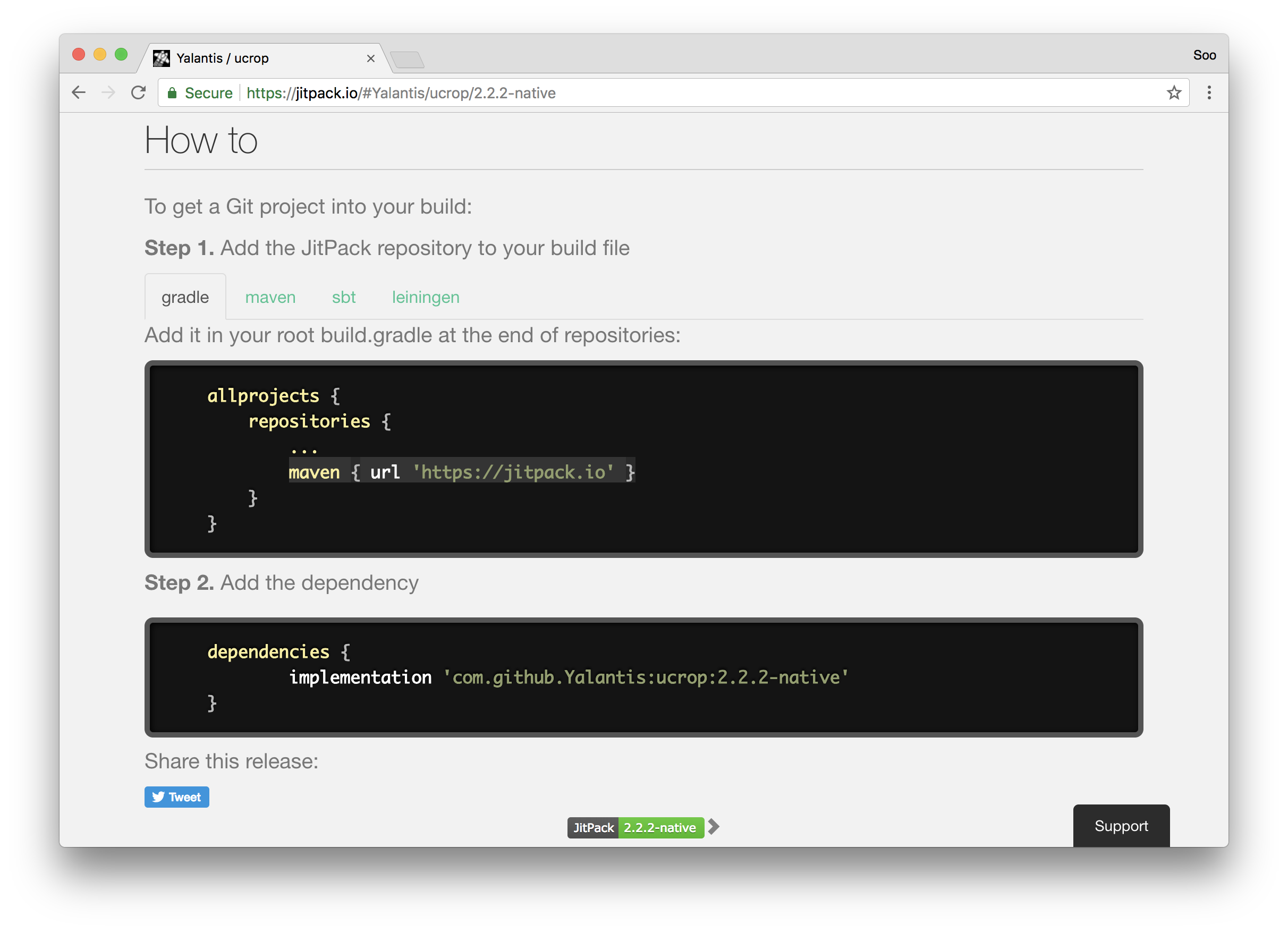
Ahhaha, after hours of digging, i found it. The only way to make 2.2.2-native works is by adding
maven { url 'https://jitpack.io' }into the Magic~
 sooxt98
on 14 Jun 2018
sooxt98
on 14 Jun 2018
thanks @sooxiaotong it really saved my day
works for me
 Solomon198
on 16 Jun 2018
Solomon198
on 16 Jun 2018
@sooxiaotong It didn't worked for me :(
 AnjuBaby694
on 27 Jun 2018
AnjuBaby694
on 27 Jun 2018
Related issues
 co-de
·
3Comments
co-de
·
3Comments
 phantom1299
·
3Comments
phantom1299
·
3Comments
 Phenek
·
3Comments
Phenek
·
3Comments
 zhangjunhou
·
3Comments
zhangjunhou
·
3Comments
 pavsidhu
·
3Comments
pavsidhu
·
3Comments
Most helpful comment