React-native-google-places-autocomplete: Bug Report
Describe the bug
I'm using this component inside a modal view, it can search, display the results but the onPress event is not firing when I press any of the results, I have been looking for solutions on google but it appears none are working for me
Reproduction - (required - issue will be closed without this)
I think my implementation is pretty basic, the component is able to search but when i tap on any of the results the listview closes but the onpress function is not called.
Note that Screen is just a SafeAreaView that wraps all my apps screens, I tried removing it from the component and it's still not working
Please provide a FULLY REPRODUCIBLE example.
Click to expand!
```javascript
import React from "react";
import { Modal, View } from "react-native";
import { GooglePlacesAutocomplete } from "react-native-google-places-autocomplete";
import Button from "./Button";
import Screen from "./Screen";
type Props = {
isVisible: boolean;
onClose: () => void;
countryCode?: string;
};
const AddressAutocompleteModal: React.FC
isVisible,
onClose,
countryCode = ""
}) => {
return (
onPress={(res) => {
console.log("pressed", res);
}}
query={{
key: "abcd",
language: "en",
components: countryCode ? country:${countryCode} : undefined
}}
enablePoweredByContainer={false}
/>
);
};
export default AddressAutocompleteModal;
```
_Please remember to remove you google API key from the code you provide here_
Additional context
- Library Version: 2.1.1
React Native Version: 0.63.2
[X] iOS
- [ ] Android
- [ ] Web
If you are using expo please indicate here:
- [X] I am using expo
I am using managed expo (SDK 39, the latest)
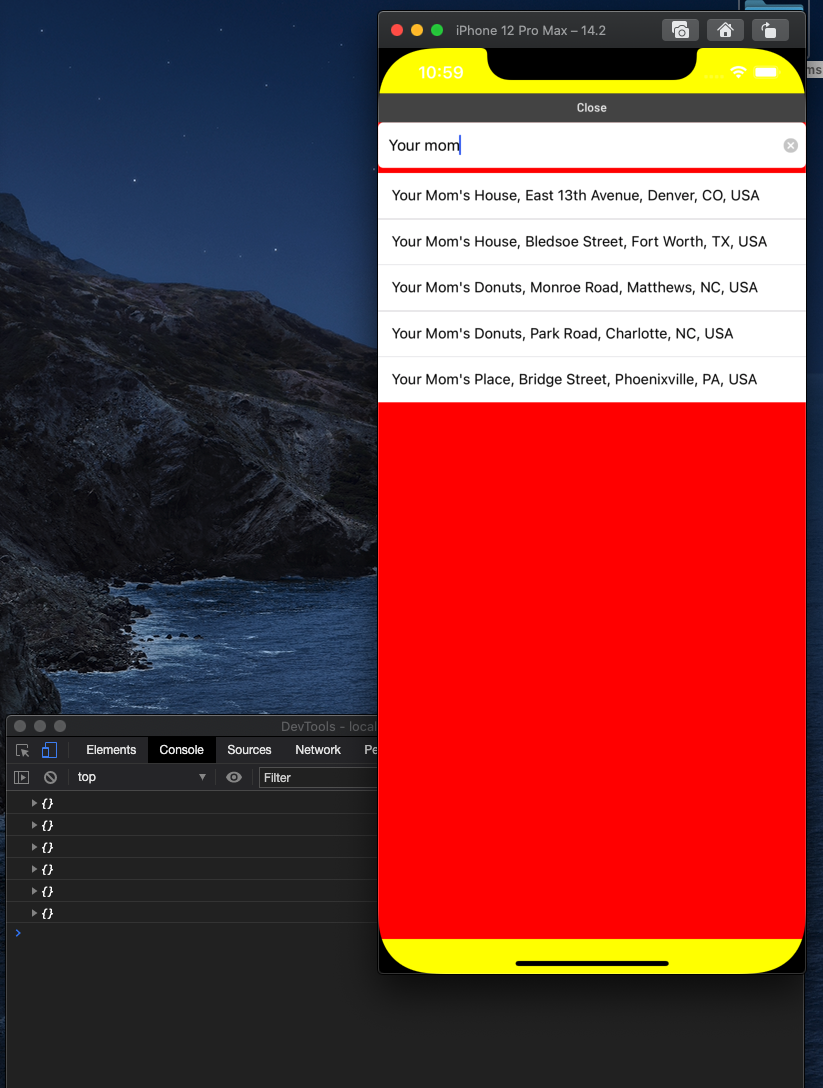
screenshot of the ios simulator and the javascript console with no logs :(
 rainst
All 4 comments
Also having the same issue with onPress not firing while wrapped in a Modal.
 ErnestGrey
on 14 Dec 2020
ErnestGrey
on 14 Dec 2020
Also having the same issue with
onPressnot firing while wrapped in aModal.
Actually found my issue. I was using a third party component that wrapped my <GooglePlacesAutocomplete> component and didn't realize it inherited from a ScrollView. Setting keyboardShouldPersistTaps="always" on that third party component did the trick.
I don't know what's in your Screen component but if there is a parent scroll view anywhere in the hierarchy make sure that prop is set.
ErnestGrey
on 14 Dec 2020
Hi thanks for pointing that out..
Eventually I wrote my own component to do the query, so going back now to check what was wrong after 3 weeks of commits doesn't make sense.. :)
I'm closing this issue
rainst
on 21 Dec 2020
@ErnestGrey Thanks!, had the same issue when using the component inside a Modal or a react-native-elements Overlay wrapped in a scrollview, setting the keyboardShouldPersistTaps="always" prop did the trick
 komod0
on 21 Jan 2021
komod0
on 21 Jan 2021
Related issues
 aymkin
·
4Comments
aymkin
·
4Comments
 frankfaustino
·
4Comments
frankfaustino
·
4Comments
 DennisMuchiri
·
4Comments
DennisMuchiri
·
4Comments
 tgreco
·
3Comments
tgreco
·
3Comments
 sohel-tech
·
3Comments
sohel-tech
·
3Comments
Most helpful comment
Actually found my issue. I was using a third party component that wrapped my
<GooglePlacesAutocomplete>component and didn't realize it inherited from aScrollView. SettingkeyboardShouldPersistTaps="always"on that third party component did the trick.I don't know what's in your
Screencomponent but if there is a parent scroll view anywhere in the hierarchy make sure that prop is set.