React-native-google-places-autocomplete: Current location list issue
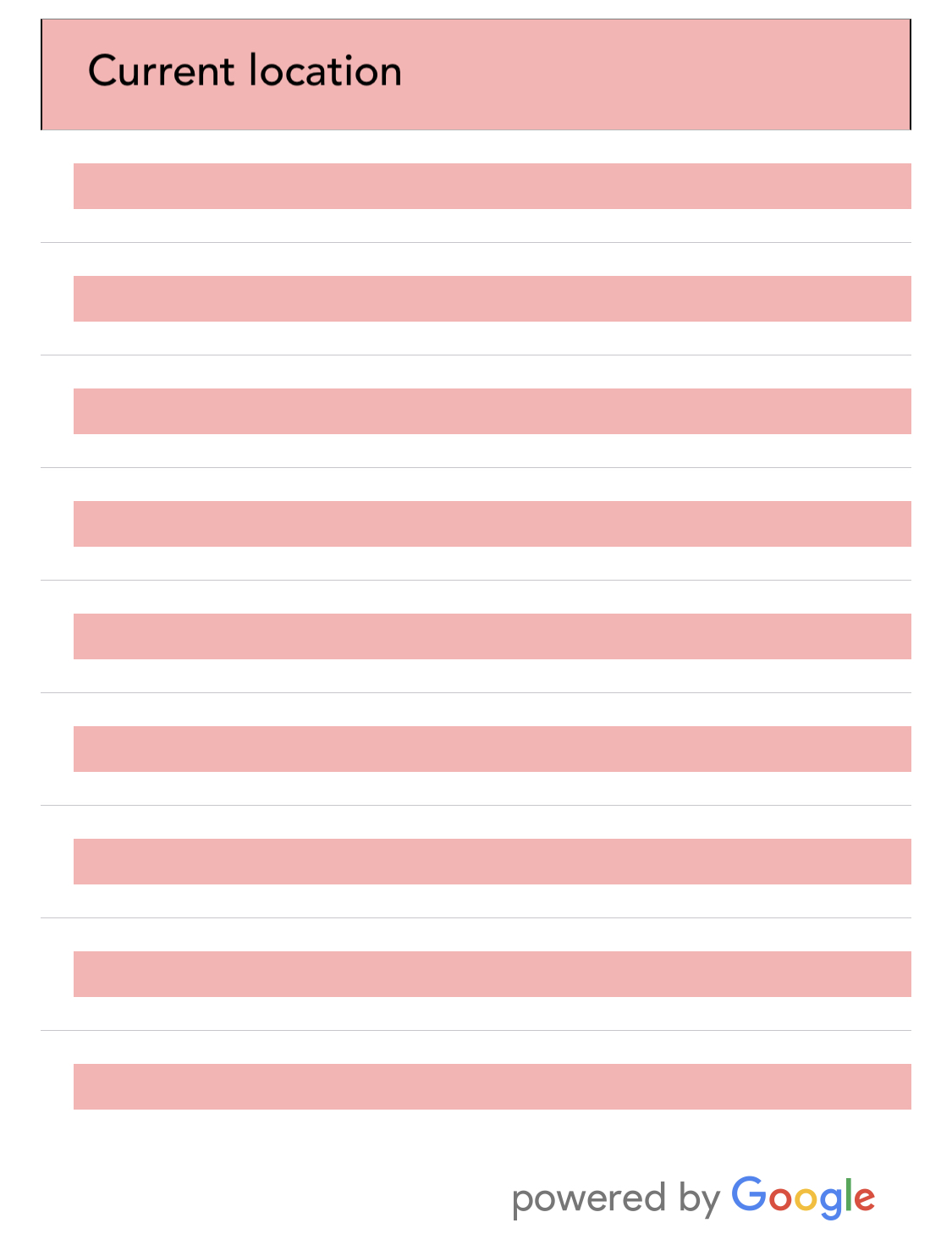
Can someone please help in identify where I am going wrong. The current location is getting picked up but the list is not getting shown properly.

`
minLength={2} // minimum length of text to search
autoFocus={false}
returnKeyType={'search'} // Can be left out for default return key https://facebook.github.io/react-native/docs/textinput.html#returnkeytype
listViewDisplayed='auto' // true/false/undefined
fetchDetails={true}
renderDescription={row => row.description || row.vicinity} // custom description render
onPress={(data, details = null) => { // 'details' is provided when fetchDetails = true
console.log(data, details);
}}
getDefaultValue={() => ''}
query={{
// available options: https://developers.google.com/places/web-service/autocomplete
key: '',
language: 'en', // language of the results
types: 'geocode', // default: 'geocode'
components: 'country:au',
}}
  styles={{
    textInputContainer: {
      width: '100%',
      backgroundColor: 'rgba(0,0,0,0)',
      borderLeftWidth: 0.5,
      borderRightWidth: 0.5,

    },
    textInput: {
      fontFamily: "AvenirMedium",
      fontSize: 17,
      color: "#000",
      backgroundColor: 'rgba(0,0,0,0)',

    },
    description: {
      fontWeight: 'bold'
    },
    predefinedPlacesDescription: {
      color: '#1faadb'
    }
  }}

  currentLocation={true} // Will add a 'Current location' button at the top of the predefined places list
  currentLocationLabel="Current location"
  nearbyPlacesAPI={'GoogleReverseGeocoding'} // Which API to use: GoogleReverseGeocoding or GooglePlacesSearch
  GoogleReverseGeocodingQuery={{
    // available options for GoogleReverseGeocoding API : https://developers.google.com/maps/documentation/geocoding/intro
    key: '',
    language: 'en',
  }}
/>
`
 adarshperumal
All 11 comments
Where you able to get this to work?
 reinvanimschoot
on 9 Oct 2018
reinvanimschoot
on 9 Oct 2018
Hi @reinvanimschoot , Not yet. Would you be able to help please. Thanks
adarshperumal
on 9 Oct 2018
I was able to solve this by changing the styles of the description. I think for some reason the default text color is white, hence why you don't see any places but the rows are there.
reinvanimschoot
on 9 Oct 2018
Thanks very much @reinvanimschoot. I'll make the changes and check
adarshperumal
on 9 Oct 2018
Hi @reinvanimschoot , I tried setting the font color and also tried to change the background color just in case but looks like it is not getting populated. Can you please help.
adarshperumal
on 10 Oct 2018
I had a similar issue. On my end the list did get populated, but looked exactly like yours. The issue was the render details property didnt work. You have:
renderDescription={row => row.description || row.vicinity} // custom description render
i had:
renderDescription={row => row.description }
Removing the render description fixed the issue for me. Havent played around to get it to work with the renderDescription property yet.
However, the current location now renders names of places, but i want it to show addresses, and i cant get it to cooporate with that..
 sazo2300
on 31 Oct 2018
sazo2300
on 31 Oct 2018
Hi @sazo2300 , Thanks a lot. That seemed to have solved the issue. My code retrieves the address now. Please let me know if you need any help with retrieving specific address. Thanks.
adarshperumal
on 2 Nov 2018
Hi @sazo2300, I know I am a bit late but may help future users.
If you need to render adresses and not places you have to use :
nearbyPlacesAPI={'GoogleReverseGeocoding'}
instead of
nearbyPlacesAPI={'GooglePlacesSearch'}
 Gorbus
on 21 May 2019
Gorbus
on 21 May 2019
Hii, Its not a issue, see the renderDescription props
renderDescription={row => row.description || row.formatted_address || row.name}
 jituumaria
on 19 Jun 2020
jituumaria
on 19 Jun 2020
Can someone please help in identify where I am going wrong. The current location is getting picked up but the list is not getting shown properly.
<GooglePlacesAutocomplete
placeholder='Deliver To'
minLength={2} // minimum length of text to search
autoFocus={false}
returnKeyType={'search'} // Can be left out for default return key https://facebook.github.io/react-native/docs/textinput.html#returnkeytype
listViewDisplayed='auto' // true/false/undefined
fetchDetails={true}
renderDescription={row => row.description || row.formatted_address || row.name}
onPress={(data, details = null) => { // 'details' is provided when fetchDetails = true
console.log(data, details);
}}
getDefaultValue={() => ''}
query={{
// available options: https://developers.google.com/places/web-service/autocomplete
key: '',
language: 'en', // language of the results
types: 'geocode', // default: 'geocode'
components: 'country:au',
}}

  styles={{
    textInputContainer: {
      width: '100%',
      backgroundColor: 'rgba(0,0,0,0)',
      borderLeftWidth: 0.5,
      borderRightWidth: 0.5,

    },
    textInput: {
      fontFamily: "AvenirMedium",
      fontSize: 17,
      color: "#000",
      backgroundColor: 'rgba(0,0,0,0)',

    },
    description: {
      fontWeight: 'bold'
    },
    predefinedPlacesDescription: {
      color: '#1faadb'
    }
  }}

  currentLocation={true} // Will add a 'Current location' button at the top of the predefined places list
  currentLocationLabel="Current location"
  nearbyPlacesAPI={'GoogleReverseGeocoding'} // Which API to use: GoogleReverseGeocoding or GooglePlacesSearch
  GoogleReverseGeocodingQuery={{
    // available options for GoogleReverseGeocoding API : https://developers.google.com/maps/documentation/geocoding/intro
    key: '',
    language: 'en',
  }}
/>
@jituumaria using the code you provided, it was working fine for me. Can you open a new issue (using the "usage help" template)?
In case this is just an issue with your key, you can add this to the props to surface those errors.
onFail={(message) => console.log(message)}
 bell-steven
on 19 Jun 2020
bell-steven
on 19 Jun 2020
Related issues
 mbelgrader
·
4Comments
mbelgrader
·
4Comments
 DennisMuchiri
·
4Comments
DennisMuchiri
·
4Comments
 macs03
·
3Comments
macs03
·
3Comments
 RajanPN
·
3Comments
RajanPN
·
3Comments
 yasirdev
·
3Comments
yasirdev
·
3Comments
Most helpful comment
I had a similar issue. On my end the list did get populated, but looked exactly like yours. The issue was the render details property didnt work. You have:
renderDescription={row => row.description || row.vicinity} // custom description render
i had:
renderDescription={row => row.description }
Removing the render description fixed the issue for me. Havent played around to get it to work with the renderDescription property yet.
However, the current location now renders names of places, but i want it to show addresses, and i cant get it to cooporate with that..