React-native-gifted-chat: InputToolbar rises up to the top when user types
I'm using a ejected app (ios) from expo.
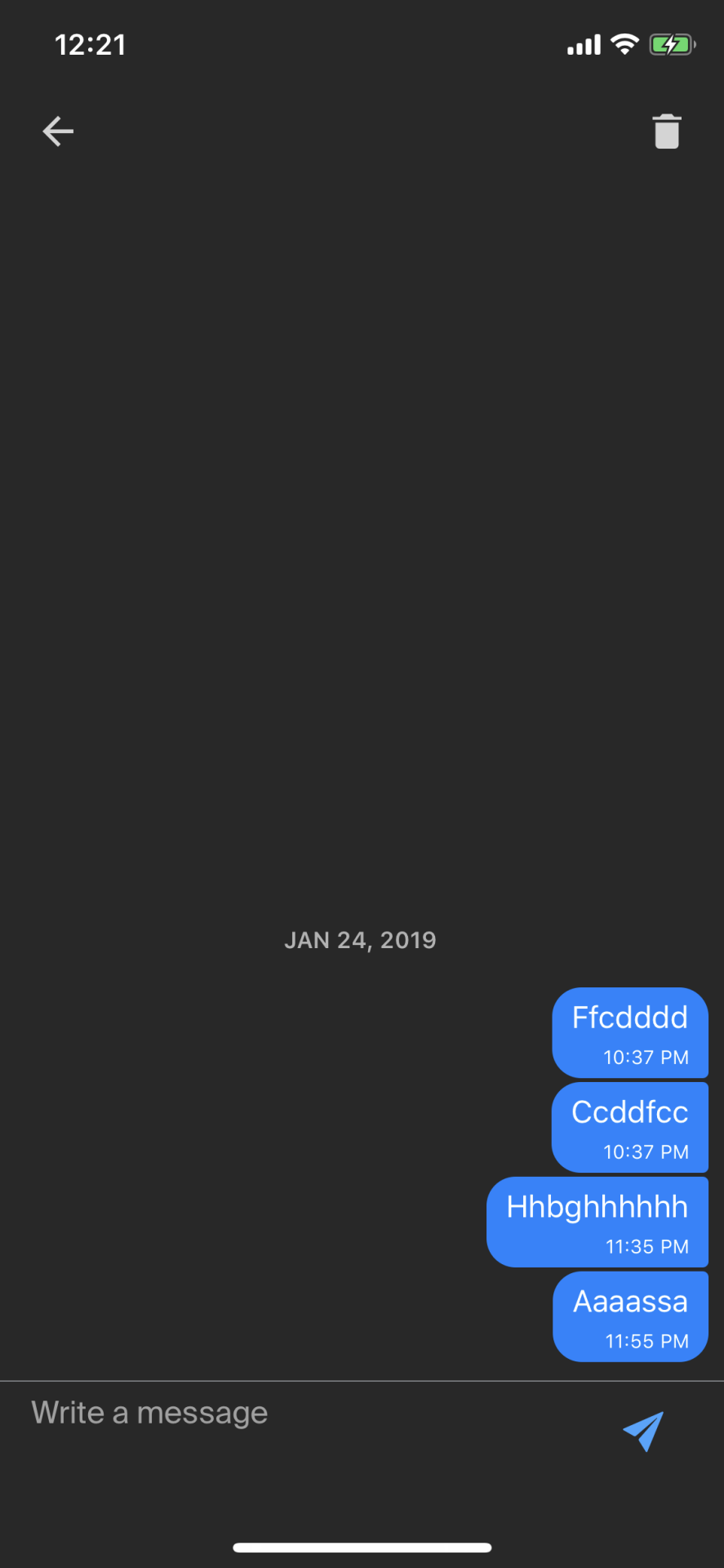
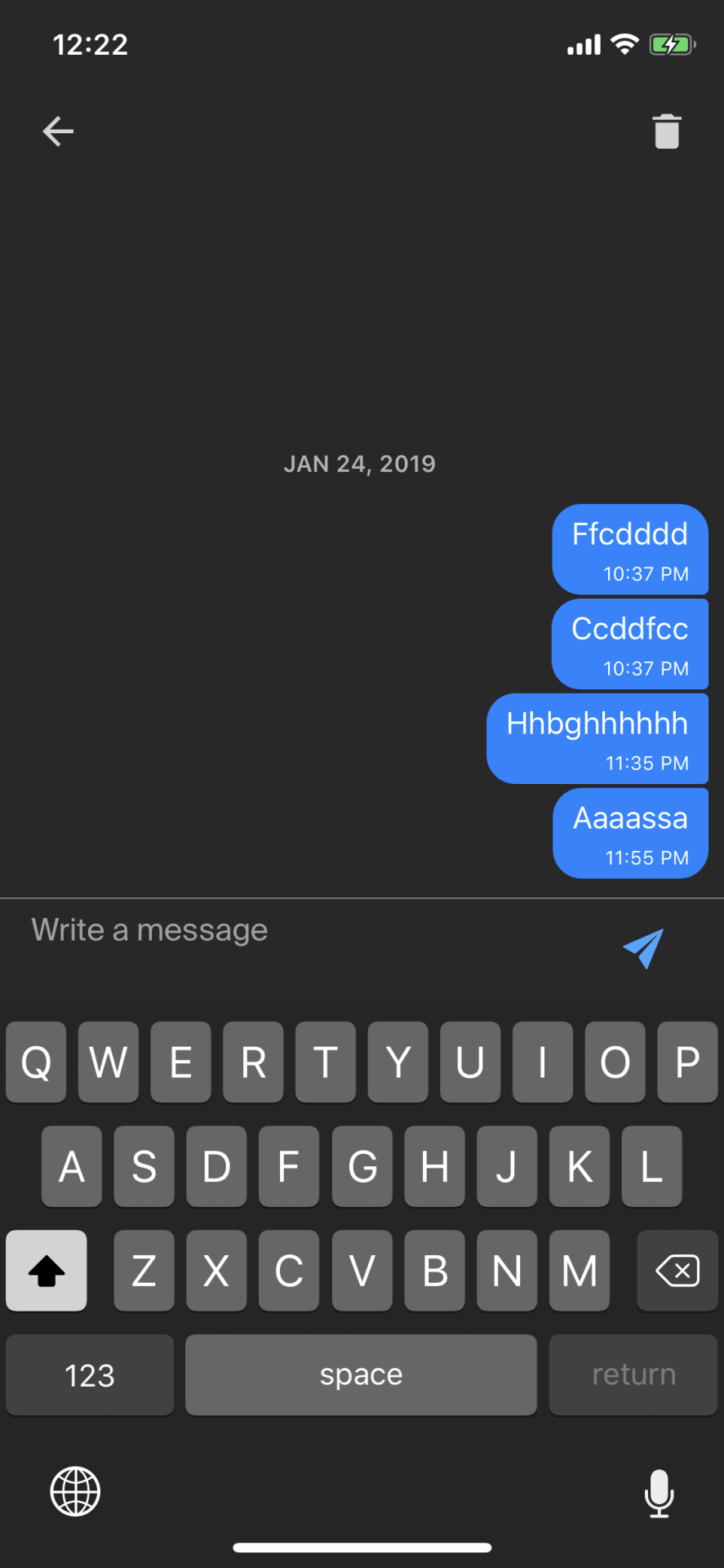
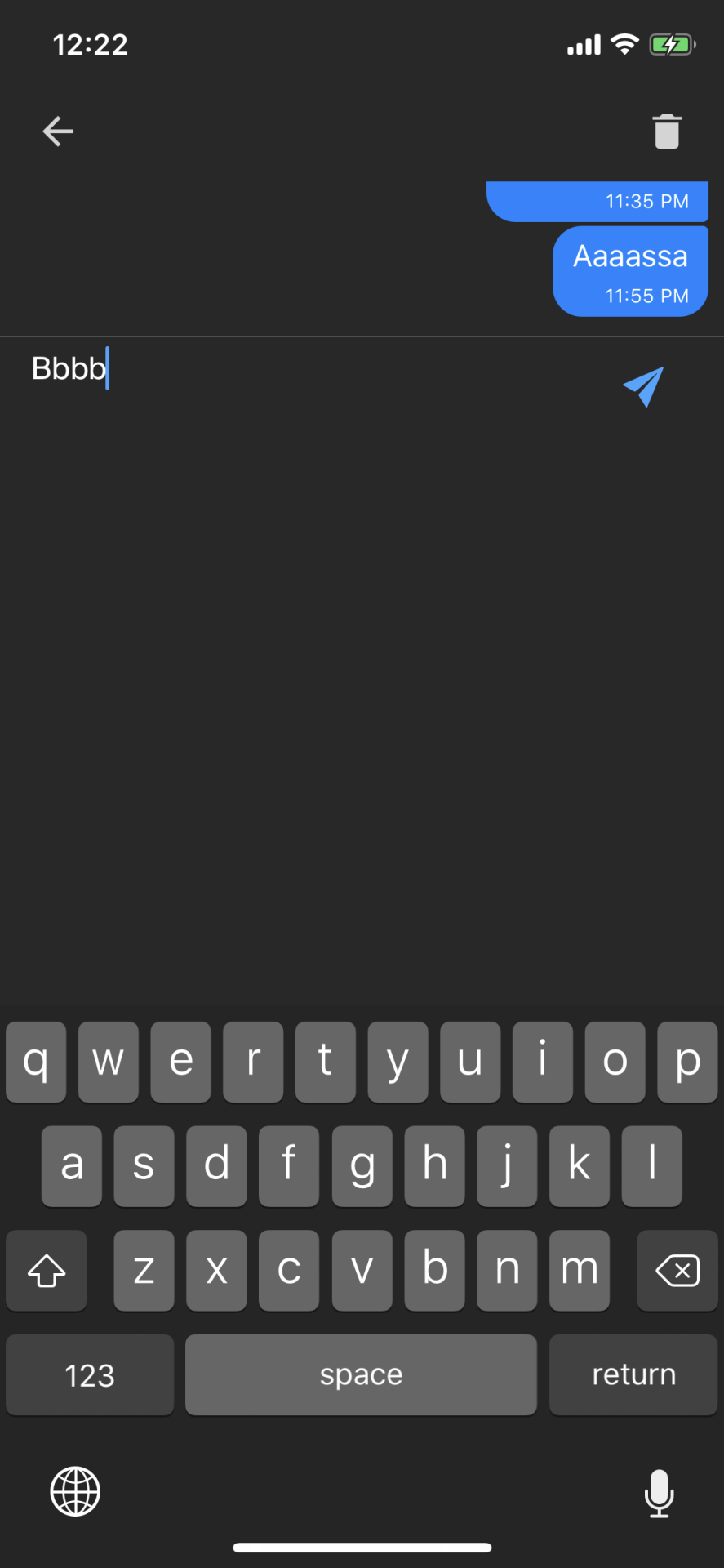
Everything was fine before I tested in ios. If I touched the input text, keyboard showed, I typed a letter then the input text jumps to the top.
Does anyone know about this issue?
here's my code.
<View style={{ flex: 1 }} >
                <GiftedChat
                    minInputToolbarHeight={56}
                    textInputProps={{
                        style: {
                            width: '86%',
                            height: 56,
                            fontSize: 16,
                            color: "white",
                            paddingTop: 6,
                            paddingLeft: 16,
                            paddingRight: 16
                        }
                    }}
                    renderSend={this.renderSend}
                    renderInputToolbar={this.renderInputToolbar}
                >
                <KeyboardSpacer />
</View>

renderSend(props) {
    return (
        <Send {...props} >
            <View style={{
                marginBottom: 14
            }}>
                <Ionicons name='ios-send' color={Theme.color.selection} size={28} />
            </View>
        </Send>
    );
}

renderInputToolbar(props) {
    return <InputToolbar {...props} containerStyle={{
        backgroundColor: Theme.color.background,
        borderTopColor: Theme.color.textInput
    }} />
}
Additional Information
. React Native + Expo -> eject
. working fine in android, only in ios this issue occurred
. latest version of react-native-gifted-chat
 nubeble
All 15 comments
Can you please test on v0.7.1 and let us know if it's still the case?
 xcarpentier
on 26 Jan 2019
xcarpentier
on 26 Jan 2019
I tried with v0.7.1. But still same.
I found out the KeyboardSpacer component cause this issue. So, have to find more solution for this.
If I remove
nubeble
on 27 Jan 2019
Ok, please let us know ;)
xcarpentier
on 28 Jan 2019
I am experiencing the same symptoms as Nubeble. When I open the keyboard, everything disappears (moves out of place), but pops back into place after typing on the keyboard.
If I use KeyboardSpacer, it starts in-place, then jumps too high after typing.
Some height-setting step or something in GiftedChat is not firing until after the keyboard is touched. There are multiple people in all of these inputToolbar threads who have this issue, which isn't solved by just moving something up or down.
 NicWickman
on 23 Feb 2019
NicWickman
on 23 Feb 2019
Im also facing the same issue. If you are using "react-native-keyboard-manager", then disable it in this view,
componentDidMount() {
    KeyboardManager.setEnable(false);
    KeyboardManager.setEnableAutoToolbar(false);
 }
 infaz
on 7 Mar 2019
infaz
on 7 Mar 2019
+1 @xcarpentier
Same issue here. Only for iOS. Expo App.
Had issue with android also, but doing below fixed it.
<KeyboardAvoidingView behavior="padding" style={{flex:1}}>
    <App/>
</KeyboardAvoidingView>
This might be causing issues with iOS due to differences in result of behavior prop on iOS and Android - Check out this link
 ishannaktode
on 23 Mar 2019
ishannaktode
on 23 Mar 2019
Since I use KeyboardAvoidingView, I fixed this issue by editing GiftedChat.js in the getKeyboardHeight() function at line 174, replacing
if (Platform.OS === 'android' && !this.props.forceGetKeyboardHeight) {
with
if (!this.props.forceGetKeyboardHeight) {
so that the function will return 0 for both ios and android.
 projectpublius
on 3 Apr 2019
projectpublius
on 3 Apr 2019
This issue has been automatically marked as stale because it has not had recent activity. It will be closed if no further activity occurs. Thank you for your contributions.
![stale[bot] picture](https://avatars.githubusercontent.com/in/1724?v=4&s=40) stale[bot]
on 2 Jun 2019
stale[bot]
on 2 Jun 2019
Since I use KeyboardAvoidingView, I fixed this issue by editing GiftedChat.js in the
getKeyboardHeight()function at line 174, replacing
if (Platform.OS === 'android' && !this.props.forceGetKeyboardHeight) {
with
if (!this.props.forceGetKeyboardHeight) {
so that the function will return 0 for both ios and android.
Should consider checking whether KeyboardAvoidingView is used to determine the keyboard height at that line?
 wangdicoder
on 10 Jul 2019
wangdicoder
on 10 Jul 2019
Does someone have a solution for it ? (In the case where we don't want to modify source files, because it's not a permanent fix, "node_modules" files are generated each time ...)
@projectpublius
 ManuEpi
on 2 Jan 2020
ManuEpi
on 2 Jan 2020
+1
ManuEpi
on 4 Jan 2020
I was able to fix it by setting isKeyboardInternallyHandled={false} on the GiftedChat component.
 jamonholmgren
on 1 Apr 2020
jamonholmgren
on 1 Apr 2020
Facing same issue
 usamamoinakhter
on 10 Apr 2020
usamamoinakhter
on 10 Apr 2020
any solution? permanent?
 rentedpanda
on 6 Sep 2020
rentedpanda
on 6 Sep 2020
It doesn't happen on all android versions.
I see it on Android 10.
On Android 8 it works fine.
 socialcode-rob1
on 28 Sep 2020
socialcode-rob1
on 28 Sep 2020
Related issues
 jasonwcfan
·
3Comments
jasonwcfan
·
3Comments
 inceptivetech
·
3Comments
inceptivetech
·
3Comments
 emilkarl
·
3Comments
emilkarl
·
3Comments
 luisfuertes
·
3Comments
luisfuertes
·
3Comments
 xcxooxl
·
3Comments
xcxooxl
·
3Comments
Most helpful comment
Im also facing the same issue. If you are using "react-native-keyboard-manager", then disable it in this view,