React-native-gifted-chat: GiftedChat can't call setState on an unmount component
Issue Description
Hi,
I made a chat screen and if i unmount the component, then come back on chat screen and click on giftedChat textInput i got a warning because i can't call setState on unmounted component
If someone know why i got this and have any solution, i'll take it.
Thank
Steps to Reproduce / Code Snippets
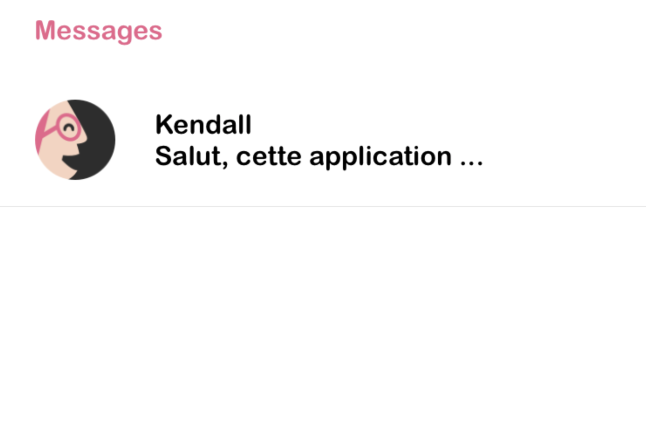
1/ This is my screen to select chat, i click on Kendall
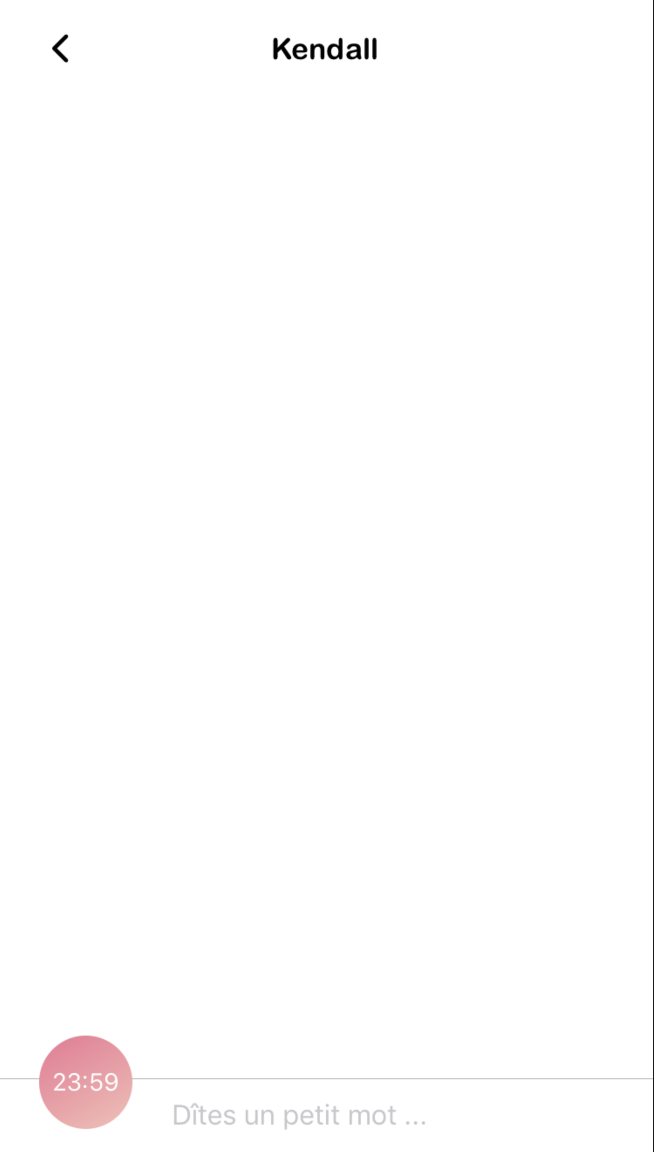
2/ On Kendall chat i close the chat the arrow on the top so component unmount
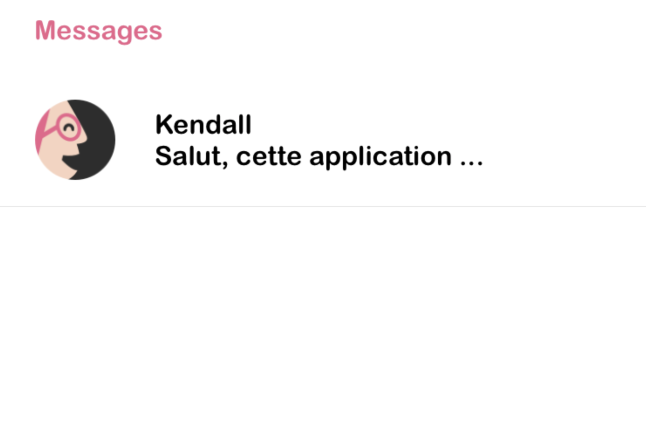
3/ I click again on Kendall chat
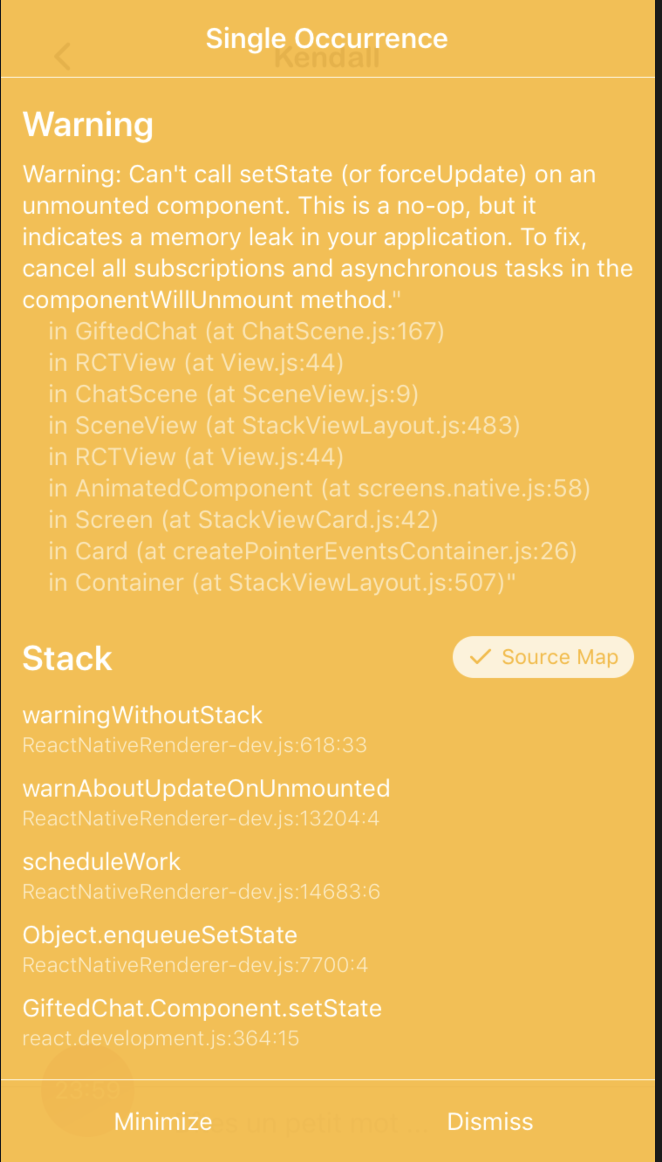
4/ Then if i click on the giftedChat textInput at the bottom, i go this

 MamyChow
All 18 comments
That's a exactly same issue on me.
 nubeble
on 12 Jan 2019
nubeble
on 12 Jan 2019
Hi,
Sorry about that...
Can you please copy and paste here the code of ChatScene.js (around line 167 or more if possible?)
Thanks ;)
 xcarpentier
on 14 Jan 2019
xcarpentier
on 14 Jan 2019
Hi @xcarpentier ,
I found that i have the warning if the message props is an empty array but i don't know why it throw a warning.
This is a part of my code:
class ChatScene extends Component {
renderComposer (props) {
return <Composer {...props} textInputStyle={{marginLeft: diago * 0.13}} />
}
render() {
console.log(this.state.tabNumber)
return (
<View style={{flex: 1, backgroundColor:'white'}}>
<TouchableOpacity onPress={() => this.props.navigation.goBack()} style={{width: diago * 0.032, height: diago * 0.032, zIndex: 1, position: 'absolute', top: diago * 0.026, left: diago * 0.03,alignItems: 'center'}}>
<Icon name = 'ios-arrow-back' type = 'ionicon' size = {diago * 0.032} containerStyle={{ width: (width)*(0.075), height: (height)*(0.04)}}/>
</TouchableOpacity>
<View style={{height: diago * 0.06, alignItems: 'center', flexDirection: 'column'}}>
<Text style={styles.sceneTitle}>{this.props.navigation.state.params.profile.first_name}</Text>
</View>
<GiftedChat
messages={this.state.messages}
user={{_id: this.state.user.uid}}
onSend={this.onSend}
renderAvatar={null}
renderComposer={this.renderComposer}
placeholder="Dîtes un petit mot ..."
/>
<ImageBackground
style={{height:diago * 0.07, width:diago * 0.07, position:"absolute", borderRadius: (diago * 0.07)/2, bottom: diago * 0.02, left: diago * 0.03,justifyContent:'center', alignItems:'center'}}
imageStyle={{ borderRadius: (diago * 0.07)/2 }}
source={require('../config/Images/font.png')}
>
<Text style={{color:'white'}}>{this.state.time.h < 10 ? "0"+this.state.time.h : this.state.time.h}:{this.state.time.m < 10 ? "0"+this.state.time.m : this.state.time.m}</Text>
</ImageBackground>
</View>
}
That's a exactly same issue on me.
 litufu
on 14 Jan 2019
litufu
on 14 Jan 2019
This is exactly expected behavior.
If you are making an async request to get messages and call setState when screen component becomes unmounted, you see this message. This is only warning.
You can prefer to use redux to store your messages and avoid this warning. Alternatively, you can check if screen is mounted before you call setState.
 evertonco
on 16 Jan 2019
evertonco
on 16 Jan 2019
I'm having this same issue and I really do think it's a bug in GiftedChat. I commented out my only setState call, and it still happens. Again, it's when you mount GiftedChat, unmount it, mount it again and then touch the text input. It only happens like 20% of the time though.
Also, I couldn't get it to happen in version 0.4.3.
 iwikal
on 23 Jan 2019
iwikal
on 23 Jan 2019
Further investigation reveals that it consistently happens when the messages prop is an empty array the first time. So you mount <GiftedChat messages={[]} />, unmount, mount it again (with or without messages this time, it doesn't matter), and touch the text input to produce the error.
iwikal
on 24 Jan 2019
Can you please upgrade to 0.7.2. I change some keyboard listener and maybe that fix it.
Please let me know.
xcarpentier
on 28 Jan 2019
Nope, still happens.
iwikal
on 5 Feb 2019
@xcarpentier, I upgraded to 0.7.2 and warning still happens
MamyChow
on 5 Feb 2019
ok, thanks.
Will investigate when having more time but maybe look at @evertonco proposition : https://github.com/FaridSafi/react-native-gifted-chat/issues/1079#issuecomment-454851547
xcarpentier
on 5 Feb 2019
Until then, a workaround is to just never have an empty messages array. I decided to show a default "No messages yet" system message.
iwikal
on 5 Feb 2019
Same issue using RN 0.57.5, GiftedChat 0.7.2
 shide1989
on 12 Feb 2019
shide1989
on 12 Feb 2019
Hi @shide1989
Can you copy the full warning stack trace here? Maybe I can figure out where is it...
xcarpentier
on 12 Feb 2019
I did some search and apparently this is isn't linked to GiftedChat.
The error speaks for itself, you cannot set a state on a unmounted component, which means that this i triggered when (for example in my case) i had firebase triggering a setState inside an unmounted component.
This happens when you have for example inside your chat component :
componentDidMount = async () => {
Firebase.shared.collection.doc(firebaseId)
.onSnapshot(doc => {
//some code...
this.setState({messages})
})
}
Whenever the component is unmounted, the Firebase.shared shared component/instance is still active and calls a setState inside an unmounted component
I think many of us followed a Medium blog post or other site's tutorial but didn't implement firebase correctly, so in my opinion this issue should stay closed
shide1989
on 13 Feb 2019
Guys, this happens. I spent like the entire day thinking it was my fault but it wasn't, i realized it's gifted chat and found this. It seems that is happening whenever Gifted is rendered for the first time, so it only happens once. Anyone knows how to fix it? I'm using version 0.9.11.
 msqar
on 3 Sep 2019
msqar
on 3 Sep 2019
@shide1989 No, i'm not using Firebase, i have my own backend. And i'm not setting anything on my ChatScreen, because everything is being handled through Redux.
In my case, i'm passing the data to gifted-chat component like this:
messages={this.props.chatMessages}
extraData={this.props}
this.props.chatMessages is the redux that is being set in a different screen, hence, it isn't setState. It shouldn't collide with any screen update flow. Unless, gifted-chat inside it's doing something with my messages.
Any ideas?
@xcarpentier this is my stacktrace
ExceptionsManager.js:94 Warning: Can't perform a React state update on an unmounted component. This is a no-op, but it indicates a memory leak in your application. To fix, cancel all subscriptions and asynchronous tasks in the componentWillUnmount method.
in ToastContainer (at connectStyle.js:392)
in Styled(ToastContainer) (at Root.js:16)
in RCTView (at View.js:35)
in View (at Root.js:14)
in Root (at connectStyle.js:392)
in Styled(Root) (at AuthView.js:329)
in AuthView (created by ConnectFunction)
in ConnectFunction (at ComponentWrapper.js:29)
in WrappedComponent (at ComponentWrapper.js:45)
in Provider (at ComponentWrapper.js:44)
in ReduxWrapper (at renderApplication.js:40)
in RCTView (at View.js:35)
in View (at AppContainer.js:98)
in RCTView (at View.js:35)
in View (at AppContainer.js:115)
in AppContainer (at renderApplication.js:39)
msqar
on 3 Sep 2019
same
 huyhai
on 29 Jul 2020
huyhai
on 29 Jul 2020
Related issues
 maharjanaman
·
3Comments
maharjanaman
·
3Comments
 iamdurui
·
3Comments
iamdurui
·
3Comments
 inceptivetech
·
3Comments
inceptivetech
·
3Comments
 cerberusv2px
·
3Comments
cerberusv2px
·
3Comments
 arayaryoma
·
3Comments
arayaryoma
·
3Comments
Most helpful comment
@shide1989 No, i'm not using Firebase, i have my own backend. And i'm not setting anything on my ChatScreen, because everything is being handled through Redux.
In my case, i'm passing the data to gifted-chat component like this:
this.props.chatMessages is the redux that is being set in a different screen, hence, it isn't setState. It shouldn't collide with any screen update flow. Unless, gifted-chat inside it's doing something with my messages.
Any ideas?
@xcarpentier this is my stacktrace
ExceptionsManager.js:94 Warning: Can't perform a React state update on an unmounted component. This is a no-op, but it indicates a memory leak in your application. To fix, cancel all subscriptions and asynchronous tasks in the componentWillUnmount method.
in ToastContainer (at connectStyle.js:392)
in Styled(ToastContainer) (at Root.js:16)
in RCTView (at View.js:35)
in View (at Root.js:14)
in Root (at connectStyle.js:392)
in Styled(Root) (at AuthView.js:329)
in AuthView (created by ConnectFunction)
in ConnectFunction (at ComponentWrapper.js:29)
in WrappedComponent (at ComponentWrapper.js:45)
in Provider (at ComponentWrapper.js:44)
in ReduxWrapper (at renderApplication.js:40)
in RCTView (at View.js:35)
in View (at AppContainer.js:98)
in RCTView (at View.js:35)
in View (at AppContainer.js:115)
in AppContainer (at renderApplication.js:39)