React-native-gifted-chat: Inline images in message?
Issue Description
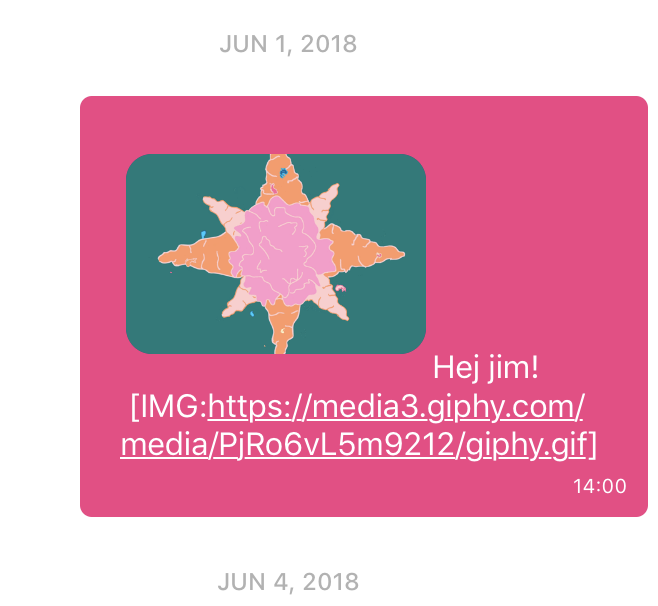
Trying to get inline images in messages to work. Adding a separate pattern and renderText function. But they end up in the same line as the text. I would like them to be on separate lines and split the text.
It also never replaces all occurrences of my pattern, just the first one?
Steps to Reproduce / Code Snippets
renderImage = (matchingString, matches) => (
  <View
    style={{
      paddingVertical: 10,
    }}
  >
    <MessageImage currentMessage={{ image: matches[1] }} />
  </View>
);

render() {
  return (
    <SafeAreaView style={styles.screen}>
      <GiftedChat
        parsePatterns={() => [
          {
            pattern: /\[IMG:(.+?)\]/gi,
            style: {},
            onPress: () => {},
            renderText: this.renderImage,
          },
        ]}
      />
    </SafeAreaView>
  );
}
Additional Information
- Nodejs version: v8.9.4
- React version: 16.3.1
- React Native version: 0.55.4
- react-native-gifted-chat version: ^0.4.3
- Platform(s) (iOS, Android, or both?): iOS
 emilkarl
All 6 comments
Solved in this pr https://github.com/FaridSafi/react-native-gifted-chat/pull/892, if you use Markdown, that is.
 ewal
on 7 Jun 2018
ewal
on 7 Jun 2018
Hi, I am using react-native-gifted-chat and i wanted to know, how to restrict the user to input any phone number or email address in chat ??
In My second scenario, I want to replace my chated phone number or email with *** so that the end user cant see the shared number or email for the privacy reason.
PLEASE HELP I AM NEW WITH THIS LIBRARY
 AkAyush
on 11 Jun 2018
AkAyush
on 11 Jun 2018
@AkAyush, your question is not related to the current issue. Please direct your question in a new issue. However, you'll find your solution here: https://github.com/taskrabbit/react-native-parsed-text
ewal
on 11 Jun 2018
I agree with @ewal @AkAyush . This is a separate question but you might be able to do something like this...
render() {
  const renderPhone = (matchingString, matches) => (<Text>*********</Text>);
  return (
    <GiftedChat
      parsePatterns={() => [
        {
          pattern: 'phone',
          renderText: renderPhone,
        },
      ]}
    />
  );
}
Thank You so much @emilkarl, it's working 👍
AkAyush
on 11 Jun 2018
This issue has been automatically marked as stale because it has not had recent activity. It will be closed if no further activity occurs. Thank you for your contributions.
![stale[bot] picture](https://avatars.githubusercontent.com/in/1724?v=4&s=40) stale[bot]
on 12 Feb 2019
stale[bot]
on 12 Feb 2019
Related issues
 tafelito
·
3Comments
tafelito
·
3Comments
 arayaryoma
·
3Comments
arayaryoma
·
3Comments
 radvc
·
3Comments
radvc
·
3Comments
 SytzeAndr
·
3Comments
SytzeAndr
·
3Comments
 inceptivetech
·
3Comments
inceptivetech
·
3Comments