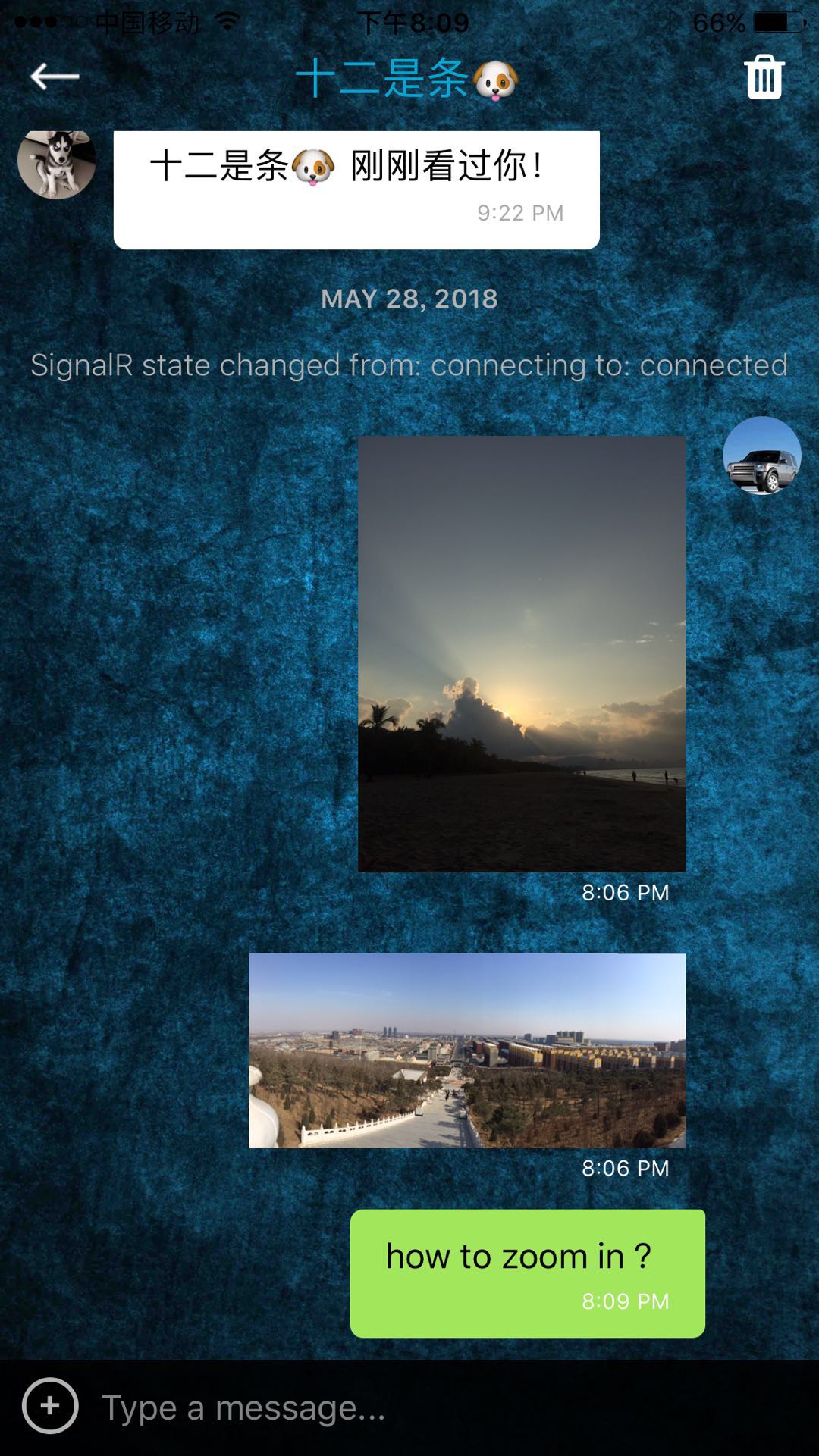
React-native-gifted-chat: ImageMessage:how to zoom in and click image to close lightbox ?
Issue Description
how to customize the ImageMessage to zoom in and click image itself to close the lightbox?
thank you so much !
Steps to Reproduce / Code Snippets
Expected Results
[FILL THIS OUT]
Additional Information
- Nodejs version: v8.2.1
- React version: 16.0.0
- React Native version: 0.50.3
- react-native-gifted-chat version: ^0.4.3
- Platform(s) (iOS, Android, or both?): iOS
 12343954
All 12 comments
Any updates on this?
 loyoliteabid
on 30 Jul 2018
loyoliteabid
on 30 Jul 2018
How to zoom photo in msgs?
 pradeep351
on 30 Jul 2018
pradeep351
on 30 Jul 2018
One workaround is use 'react-native-image-zoom-viewer'.
import React, { Component } from 'react';
import {
  Image,
  TouchableOpacity,
  Modal,
} from 'react-native';
import { GiftedChat } from 'react-native-gifted-chat';
import ImageViewer from 'react-native-image-zoom-viewer';

class Chat extends Component {

  openImageViewer(images)  {
    // set state of showImageViewer === true
    // set state of imageUrls === images
  }

  renderMessageImage(props) {
    const images = [{
      // Simplest usage.
      url: props.currentMessage.image,
      // You can pass props to <Image />.
      props: {
        // headers: ...
      }
    }, {
      props: {
        // Or you can set source directory.
        source: require('../background.png')
      }
    }];
    return(
      <TouchableOpacity onPress={() => props.imageProps.openImageViewer(images)}>
        <Image
          source={{ uri: props.currentMessage.image }}
          style = {styles.image}
        />
      </TouchableOpacity>
    );
  }

  render() {
    return (
      <GiftedChat
        renderMessageImage={this.renderMessageImage}
        imageProps={{openImageViewer: this.openImageViewer}}
      />
      <Modal
        visible={this.state.showImageViewer}
        transparent={true}
      >
        <ImageViewer
          imageUrls={this.state.imageUrls}
        />
      </Modal>
    );
  }
}

const styles = {
  image: {
    width: 150,
    height: 100,
    borderRadius: 13,
    margin: 3,
    resizeMode: 'cover',
  },
};
@pradeep351, I meant {...otherProps} as the other required props for <GiftedChat />. That was confusing so now I have edited my code.
loyoliteabid
on 2 Aug 2018
@loyoliteabid Thanks for sharing the code. It's working now.
pradeep351
on 2 Aug 2018
This issue has been automatically marked as stale because it has not had recent activity. It will be closed if no further activity occurs. Thank you for your contributions.
![stale[bot] picture](https://avatars.githubusercontent.com/in/1724?v=4&s=40) stale[bot]
on 12 Feb 2019
stale[bot]
on 12 Feb 2019
@12343954 Can u please provide your code snippet for sending images in chat please!!!
 SaiKiran322
on 19 Feb 2019
SaiKiran322
on 19 Feb 2019
@loyoliteabid thank you very much ! your code looks good !
12343954
on 19 Feb 2019
@SaiKiran322 post images , use axios.post({}) or fetch(post) with 'Content-Type': 'multipart/form-data' and FormData
import ImagePicker from 'react-native-image-picker';
...
let postData = new FormData();

// k store a image {image, filename, type} after 'ImagePicker' select a image
postData.append(`file`, {
    uri: k.image,
    name: k.filename,
    type: mime.lookup(k.filename),
});

// console.log(postData)

postData.append('userid', this.user._id);
postData.append('group', this.groupID);

axios.post(WebAPI.url.chat.PostImage,
    postData,
    {
        headers: { 'Content-Type': 'multipart/form-data', },
    }
).then(response => {
    // console.log(response.data)
    // upload succeed , server end will return a remote image {url, width, height} in 'data' field
    // you can calculate with {width, height} to show horizontal or vertical thumb view
    const { return_code, msg, data } = response.data;
    if (return_code) {
        if (this.isSignalRconnected) {

            // upload succeed , i call my signalr service to sending a message with the remote image url on real-time
            //you can use other chat services
            this.proxy.invoke('send', this.user._id, this.user.name, JSON.stringify(data[0]),  ChatMessageType.IMAGE, null, true, null);

        }

        // upload succeed , add it to local message queue to show out
        this.addLocalMessage(JSON.stringify(data[0]), ChatMessageType.IMAGE);

    }
}).catch(error => {
    console.log('line:690: MessageScreen - onSend - PostImage', error)
})
@12343954 im done with the back end part .i want to know how to load that images in gifted chat using that messageImage function .
SaiKiran322
on 19 Feb 2019
@SaiKiran322
simple way is using the ’react-native-gifted-chat‘ example code
or using @loyoliteabid his code
renderMessageImage = (props) => {
    let image = props.currentMessage;
    let v_width, v_height, max_height = 500;

    if (typeof (props.currentMessage) === 'string') {
        image = JSON.parse(props.currentMessage);
    }

    let rate = image.width / image.height;
    if (image.width >= image.height) {  //w:200,h:100, rate:2
        v_width = 200;
        v_height = v_width / rate
    } else {
        v_height = 200;
        v_width = v_height * rate;
    }

    return (
        <MessageImage
            {...props}
            imageStyle={{ borderRadius: 0, height: v_height, width: v_width, backgroundColor: 'black' }}
            imageProps={{ defaultSource: require('../../Images/bg_image.jpg') }}
        />)
}

render(){
        <GiftedChat
            renderMessageImage={this.renderMessageImage} />
}
This issue has been automatically marked as stale because it has not had recent activity. It will be closed if no further activity occurs. Thank you for your contributions.
stale[bot]
on 20 Apr 2019
Related issues
 yazhengwang
·
3Comments
yazhengwang
·
3Comments
 radvc
·
3Comments
radvc
·
3Comments
 luisar
·
3Comments
luisar
·
3Comments
 Hayko1994
·
3Comments
Hayko1994
·
3Comments
 xcxooxl
·
3Comments
xcxooxl
·
3Comments
Most helpful comment
One workaround is use 'react-native-image-zoom-viewer'.