React-native-gifted-chat: Keyboard blocking over text input - iOS
Issue Description
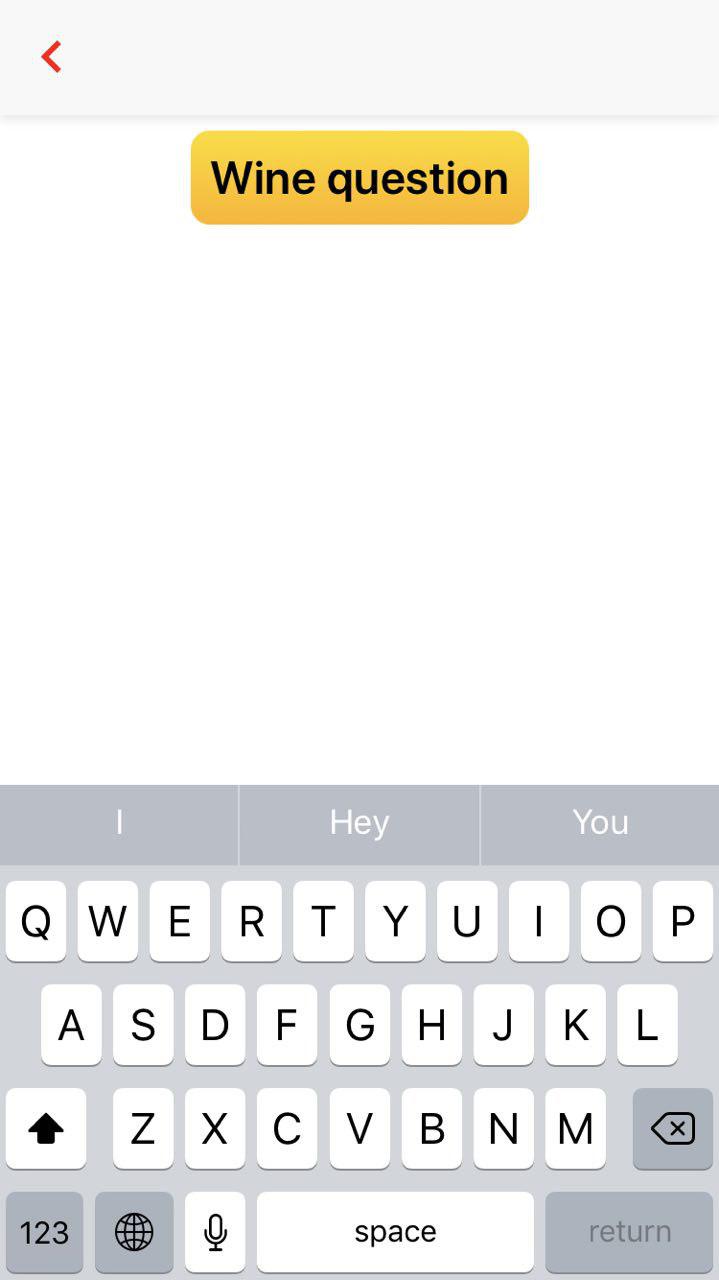
I am using the gifted chat library to send a message, however, when the keyboard is displayed the TextInput is hidden.
Steps to Reproduce / Code Snippets
Inside the render method
: question ?
                        <View>
                            <ChatBox text={question.text} textStyle={{fontSize: this.state.customFontSize}} />
                            <View>
                                {actionMenuContent}
                            </View>
                        </View>
createActionMenu() {
        if (this.state.isAnswering) {
            return (
                <View style={styles.answeringView}>
                    <GiftedChat
                        placeholder={'Type an answer...'}
                        text={this.state.answerText}
                        onInputTextChanged={txt => this.setState({ answerText: txt })}
                        onSend={this.answerQuestion.bind(this)}
                        textStyle={{color:'red', fontSize: 22}}
                    />
                </View>
            )
answeringView: {
        flex: 1,
        height: 45,
        marginTop: 500,
        flexDirection: 'row',
        justifyContent: 'center',
        paddingHorizontal: 10,
        paddingVertical: 3,
        backgroundColor: '#EEE',
    },

Expected Results
The TextInput should be displayed on top of the keyboard. I have been dealing with this for quite some time now. Any help would be appreciative. Thanks.
 abedinski
All 6 comments
I same
 yoonzm
on 7 Mar 2018
yoonzm
on 7 Mar 2018
So..
You using KeyboardAvoidingView.
IOS was added earlier
 isthaison
on 13 Apr 2018
isthaison
on 13 Apr 2018
did you find a solution?
@yoonzm @isthaison @hakuj
 selfeky
on 6 May 2018
selfeky
on 6 May 2018
I'm looking for a solution for this too, if anybody knows one.
 fbartho
on 22 Aug 2018
fbartho
on 22 Aug 2018
I could fix this by setting a negative bottomOffset- prop for GiftedChat on iOS. Looks like a hacky workaround, but seems to do it's job...
<GiftedChat bottomOffset={-40} />
 c-goettert
on 3 Sep 2018
c-goettert
on 3 Sep 2018
This issue has been automatically marked as stale because it has not had recent activity. It will be closed if no further activity occurs. Thank you for your contributions.
![stale[bot] picture](https://avatars.githubusercontent.com/in/1724?v=4&s=40) stale[bot]
on 12 Feb 2019
stale[bot]
on 12 Feb 2019
Related issues
 arayaryoma
·
3Comments
arayaryoma
·
3Comments
 pentarex
·
3Comments
pentarex
·
3Comments
 emilkarl
·
3Comments
emilkarl
·
3Comments
 luisar
·
3Comments
luisar
·
3Comments
 maharjanaman
·
3Comments
maharjanaman
·
3Comments
Most helpful comment
I could fix this by setting a negative
bottomOffset- prop for GiftedChat on iOS. Looks like a hacky workaround, but seems to do it's job...