React-native-gifted-chat: Keyboard issue
When the user opens the app first time or when app is no longer in background or running, keyboard handling is fine but When user opens the application from background, keyboard hides the text input.
both in android and iOS , how can this be handled?
@kfiroo any idea?
 vidhyalakshmirbt
All 25 comments
Please, complete the issue guideline in order to help you.
Thanks!
 brunocascio
on 14 Oct 2017
brunocascio
on 14 Oct 2017
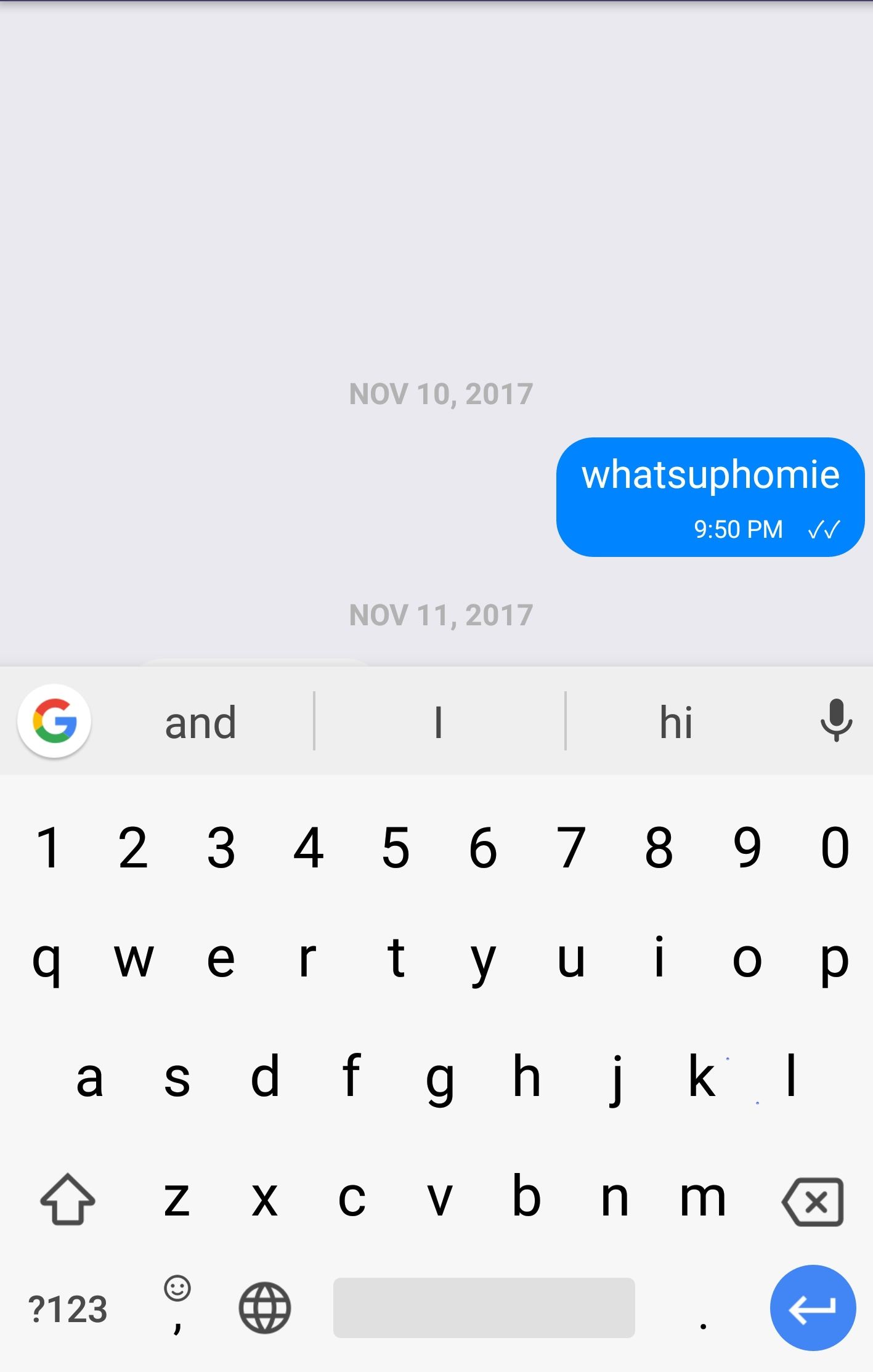
I get the same thing on Android - the keyboard hides the text input when the text input is clicked
 pulpdood
on 12 Nov 2017
pulpdood
on 12 Nov 2017
If someone solved this? Please, post your solution
 6axter82
on 29 Jan 2018
6axter82
on 29 Jan 2018
Try davista123's solution here: https://github.com/FaridSafi/react-native-gifted-chat/issues/578
Worked for me although my problem was a little different
pulpdood
on 29 Jan 2018
@pulpdood neither #578 or #680 helped me. no changes for iOS
6axter82
on 29 Jan 2018
Hello @6axter82,
To be able to reproduce, can you please fill those informations?
And the share your code too?
Thanks
Nodejs version: [FILL THIS OUT]
React version: [FILL THIS OUT]
React Native version: [FILL THIS OUT]
react-native-gifted-chat version: [FILL THIS OUT]
Platform(s) (iOS, Android, or both?): [FILL THIS OUT]
 xcarpentier
on 29 Jan 2018
xcarpentier
on 29 Jan 2018
@xcarpentier
Nodejs version: v6.9.0
React version: 16.2.0
React Native version: 0.52.0
react-native-gifted-chat version: ^0.3.0
Platform(s) (iOS, Android, or both?): using both, but only iOS is broken
The behaviour: tapping input area toggles the keyboard on iOS and the text area swipes together with the keyboard. At the end of swipe, the text area and the whole chat view behind the keyboard jumps to the initial position at the bottom, the keyboard remains shown on the screen. now, typing any character but 'space' brings the textinput to the top of the keyboard. and sending works as expected. look the gif i attached:

6axter82
on 29 Jan 2018
Which kind of customizations did you have?
xcarpentier
on 29 Jan 2018
@xcarpentier, why do you think it is smth with customisation? The android version works just as expected with this customisation,..
<GiftedChat
text={this.state.text}
style={{flex: 1}}
messages={this.state.sortedEvents}
onSend={(messages) => this._onMessageSend(messages)}
onInputTextChanged={(text) => this._checkForMentions(text)}
textInputProps={{}}
dateFormat={strings.dateFormat}
timeFormat={strings.timeFormat}
placeholder={strings.placeholder}
locale={strings.getLanguage()}
showUserAvatar={true}
renderAvatarOnTop={false}
renderBubble={this.renderBubble}
renderSystemMessage={this.renderSystemMessage}
renderChatFooter={this.renderChatFooter}
keyboardShouldPersistTaps='never'
user={{
_id: user.id,
name: user.firstName,
avatar: user.hasProfilePicture ? user.avatarUrl : null
}}
/>
Just to be able to reproduce...
xcarpentier
on 29 Jan 2018
@xcarpentier if you need more info for reproducing the bug, please let me know
6axter82
on 29 Jan 2018
@davista123 thanks for your input but your proposal doesn't fix it, on Android it got even worse. Also I need a fix for an iOS
6axter82
on 30 Jan 2018
@xcarpentier and @davista123 I have done my own fix, check it and give me some response if it is a candidate for the release. This fixes for me the iOS version, as my Android did work properly without any change.
The magic number 45 I have taken from scanning some tickets in the web. I can't find the source but someone suggested to use this value for the inputtext bar height.
Added the following to the code:
componentWillMount() {
    if (Platform.OS === 'ios') {
        this.keyboardDidShowListener = Keyboard.addListener('keyboardDidShow',
                      this._keyboardDidShow);
        this.keyboardDidHideListener = Keyboard.addListener('keyboardDidHide',
                      this._keyboardDidHide);
    }
}

_keyboardDidShow = (e) => {
    let keyboardHeight = e.endCoordinates.height;
    this.setState({
        minInputToolbarHeight: keyboardHeight + 45,
    });
}

_keyboardDidHide = () => {
    this.setState({
        minInputToolbarHeight: 45,
    });
}

componentWillUnmount() {
    if (Platform.OS === 'ios') {
        this.keyboardDidShowListener.remove();
        this.keyboardDidHideListener.remove();
    }
}

render() {
    let platformConf = Platform.OS === 'ios' ? {
        minInputToolbarHeight: this.state.minInputToolbarHeight,
        bottomOffset: 0,
    } : {};
    return (
        <GiftedChat
            text={this.state.text}
            style={{flex: 1}}
            messages={this.state.sortedEvents}
            onSend={(messages) => this._onMessageSend(messages)}
            onInputTextChanged={(text) => this._checkForMentions(text)}
            textInputProps={{}}
            dateFormat={strings.dateFormat}
            timeFormat={strings.timeFormat}
            placeholder={strings.placeholder}
            locale={strings.getLanguage()}
            showUserAvatar={true}
            renderAvatarOnTop={false}
            renderBubble={this.renderBubble}
            renderSystemMessage={this.renderSystemMessage}
            renderChatFooter={this.renderChatFooter}
            keyboardShouldPersistTaps='never'
            {...platformConf}
            user={{
                _id: user.id,
                name: user.firstName,
                avatar: user.hasProfilePicture ? user.avatarUrl : null
            }}/>
    );
}
use yarn add react-native-keyboard-spacer or npm install react-native-keyboard-spacer.
 Osama92
on 7 Jan 2019
Osama92
on 7 Jan 2019
@Osama92 For me react-native-keyboard-spacer just adds a keyboard size gap between the chat and the keyboard.
 tapz
on 16 Jan 2019
tapz
on 16 Jan 2019
I am facing the same issue but only in android, I think IOS issue has been resolved with the latest react updates. I never faced this issue in IOS. Facing only in android so any one having the solution in android? please help!
 14bscsskazmi
on 5 Mar 2019
14bscsskazmi
on 5 Mar 2019
This issue has been automatically marked as stale because it has not had recent activity. It will be closed if no further activity occurs. Thank you for your contributions.
![stale[bot] picture](https://avatars.githubusercontent.com/in/1724?v=4&s=40) stale[bot]
on 4 May 2019
stale[bot]
on 4 May 2019
` render() { }` Add KeyboardAvoidingView after GiftedChat
return
        messages={this.state.messages}
        onSend={messages => this.onSend(messages)}
        user={{
          _id: 1,
        }}
          ></GiftedChat>

        <KeyboardAvoidingView behavior={'padding'}/>
    </View>
 siddh1004
on 4 Jun 2019
siddh1004
on 4 Jun 2019
any updates on this?
 adamsolomon1986
on 27 Oct 2019
adamsolomon1986
on 27 Oct 2019
Seems to be an issue for Expo and Android. Issue described here: https://stackoverflow.com/questions/58606815/issue-with-gifted-chat-the-messages-jump-up-the-screen-on-text-input
I haven't been able to come up with a fix thus far.
Edit: Fixed it by removing forceGetKeyboardHeight
 mkhoussid
on 29 Oct 2019
mkhoussid
on 29 Oct 2019
I would like to leave the solution that I created since this issue was a real pain for me. I tried all combinations of KeyboardAvoidingView with all different kinds of props, the forceGetKeyboardHeight and anything else I could find on the internet. Nothing worked.
Here was my solution:
const [paddingBottom, setPaddingBottom] = useState(0)

useEffect(() => {
  if (Platform.OS !== 'android' || __DEV__) {
    return
  }

  const keyboardShowListener = Keyboard.addListener(keyboardDidShow', event => {
    setPaddingBottom(event.endCoordinates.height + Constants.statusBarHeight)
  })

  const keyboardHideListener = Keyboard.addListener('keyboardDidHide', () => {
    setPaddingBottom(0)
  })

  return () => {
    keyboardShowListener.remove()
    keyboardHideListener.remove()
  }
}, [])
Then wrap up your GiftedChat view with the padding
<View style={{flex: 1, paddingBottom}}>
  <GiftedChat ...
This was the only way I could fix my issue.
I'm using Expo, React Navigation, React Native Paper BottomNavigation
 zholmes1
on 29 Jul 2020
zholmes1
on 29 Jul 2020
Same issue here
 hugoh59
on 28 Oct 2020
hugoh59
on 28 Oct 2020
Hi,
Same issue
Any solution?
Thanks
 akhilsanker
on 2 Nov 2020
akhilsanker
on 2 Nov 2020
I am facing the same issue but only in android.
 ilaven
on 7 Dec 2020
ilaven
on 7 Dec 2020
I had same issue. It turns out I had flexGrow: 1 on the input which was causing the problem for me.
 woodcockjosh
on 29 Dec 2020
woodcockjosh
on 29 Dec 2020
Related issues
 luisfuertes
·
3Comments
luisfuertes
·
3Comments
 luisar
·
3Comments
luisar
·
3Comments
 emilkarl
·
3Comments
emilkarl
·
3Comments
 jasonwcfan
·
3Comments
jasonwcfan
·
3Comments
 xcxooxl
·
3Comments
xcxooxl
·
3Comments
Most helpful comment
@xcarpentier and @davista123 I have done my own fix, check it and give me some response if it is a candidate for the release. This fixes for me the iOS version, as my Android did work properly without any change.
The magic number 45 I have taken from scanning some tickets in the web. I can't find the source but someone suggested to use this value for the inputtext bar height.
Added the following to the code: