React-native-gesture-handler: Error: React/RCTEventDispatcher.h not found in iOS
Following the instruction via:
- yarn react-native-gesture-handler
- react-native link react-native-gesture-handler
Then I compiled my Xcode project and got an issue:
Error: React/RCTEventDispatcher.h not found

My environment is:
"react": "16.3.2",
"react-native": "0.55.3",
"react-native-gesture-handler": "^1.0.0",
By the way, is there a pod that I can use for Cocoapod in iOS?
 ikzjfr0
All 24 comments
@ikzjfr0, Did you try 'Product->Clean' in Xcode and then build again?
 osdnk
on 20 May 2018
osdnk
on 20 May 2018
@osdnk yes plus deleting whole folder of Xcode/DerivedData and reboot my Macbook
ikzjfr0
on 20 May 2018
The error is removed after I changed from #import <React/RCTEventDispatcher.h> to #import "RCTEventDispatcher.h".
However, I don't think it's a good way to do this since I also need to changes hundreds of files from <React/xxxx.h> to "xxxx.h"
Ideally, i think, it's better to use cocoapod way, rather than react-native link
ikzjfr0
on 20 May 2018
Seems we supports cocoapod since i can find out this: https://github.com/kmagiera/react-native-gesture-handler/blob/master/ios/RNGestureHandler.podspec
I tried to include following in podfile but got an error after pod install:
pod 'RNGestureHandler', :path => '../node_modules/react-native-gesture-handler'
ikzjfr0
on 21 May 2018
@ikzjfr0
I cannot manage to reproduce your issue.
I made a new project react-native init, then: yarn add react-native-gesture-handler and: react-native link react-native-gesture-handler and find it workable.
I also did change versions of react and RN to be exactly same as yours and build again the project and everything seems to be fine. Would you like to give me the link to repository with sample to project that shows your problem? Would you mind adding version of Xcode you use?
osdnk
on 21 May 2018
@ikzjfr0
Maybe this solves your issue?
osdnk
on 22 May 2018
@ikzjfr0 I published 1.0.1 that includes #186
Do you mind trying that to see if it fixes your problem? If so we would like to close this issue.
 kmagiera
on 22 May 2018
kmagiera
on 22 May 2018
I still failed to use react-native link react-native-gesture-handler and got the same error as above. However, I managed to use cocoapod: pod 'RNGestureHandler', :path => '../node_modules/react-native-gesture-handler/ios, hope this is another right way to do that.
Moreover, i come to another issue (somebody else feedback this too) : https://github.com/react-native-community/react-native-tab-view/issues/408. I guess this could be potentially related to above issue too. react-native-tab-view is using react-native-gesture-handler as native drive.
ikzjfr0
on 22 May 2018
As it's the only issue describing such a problem and we cannot reproduce it, we consider it's related to https://github.com/react-native-community/react-native-tab-view/issues/408.
If you still face the problem and haven't found a proper workaround, please reopen the issue
osdnk
on 30 May 2018
Still getting this issue. Did any one solve this?
 itaydressler
on 18 Dec 2018
itaydressler
on 18 Dec 2018
Could you please try remove your Xcode cache and npm cache as well?
osdnk
on 18 Dec 2018
If you are using react-link to link your dependencies:
1/ open your ios Podfile and delete all yout linked dependencies: pod 'xxxxxxx', :path => '../node_modules/xxxxx'
2/ Close Xcode
3/ In your /ios folder run "pod update"
4/ In your project source run "react-native link"
5/ Open Xcode and Clean Build Folder from Xcode Menu -> Product
6/ Run your application from Xcode
7/ Link manually the dependency "react-native-gesture-handler" into your Xcode Project following steps in documentation: https://facebook.github.io/react-native/docs/linking-libraries-ios
8/ Now run your application from Xcode, you should be fine.
 hichamnaimi
on 28 Dec 2018
hichamnaimi
on 28 Dec 2018
@hichamnaimi We can't use this solution as Sentry runs a blocking command program when running react-native link :/
@osdnk Same problem here, clearing every cache I could never resolved my issue.
Though replacing all #import <React/XXX> by #import "XXX" resolves building issues, it is in any way a solution as these files are always suppressed and redownloaded.
There seems to be an issue with how RNGestureHandler access React libraries that others don't have.
Would it be related to the old version of React (0.11.0) added and referenced in Podfile.lock by RNGestureHandler ?
In Podfile.lock
  - React (0.11.0):
    - React/Core (= 0.11.0)
  - React/Core (0.11.0)
  - RNGestureHandler (1.0.12):
    - React
I know little about Swift/Objective-C and Xcode. I've also cleaned Xcode project and rebuild multiple times and this doesn't do anything.
I tried linking RNGestureHandler manually instead of using react-native link react-native-gesture-handler did not work for me.
EDIT : Issue resolved, you also have to remove references added in the Podfile.lock. I thought manipulating Podfile.lock by hand would screw the podfile with the checksum.
 TomBerriot
on 10 Jan 2019
TomBerriot
on 10 Jan 2019
@hichamnaimi at which point should we add back our pods?
 cworsley4
on 18 Jan 2019
cworsley4
on 18 Jan 2019
@TomBerriot I have same Podfile.lock, how to resolved it?
 HelloJack0
on 22 Feb 2019
HelloJack0
on 22 Feb 2019
I try all thing but still not resolved it please help me.
 RONAKDHOLARIYA
on 20 May 2019
RONAKDHOLARIYA
on 20 May 2019
Have the same problem with RN 0.59.9
 AndreyPatseiko
on 11 Jun 2019
AndreyPatseiko
on 11 Jun 2019
I faced the same issue and have been able to resolve it.
1) Right click your App project in XCode and select "Add files to
2) Then Right click your RNGestureHandler.xcodeproj and select "Add files to RNGestureHander.xcodeproj" and browse to node_modules/react-native/React/ and select React.xcodeproj
Now do a clean in XCode and Build the app. You should now also be able to launch the app using react-native run-ios.
Cheers!
 shyam-unnithan
on 7 Jul 2019
shyam-unnithan
on 7 Jul 2019
I faced the same issue and have been able to resolve it.
- Right click your App project in XCode and select "Add files to ". Browse to the node_modules/react-native-gesture-handler/ios and Select RNGestureHandler.xcodeproj and click add
- Then Right click your RNGestureHandler.xcodeproj and select "Add files to RNGestureHander.xcodeproj" and browse to node_modules/react-native/React/ and select React.xcodeproj
Now do a clean in XCode and Build the app. You should now also be able to launch the app using react-native run-ios.
Cheers!
@shyam-unnithan Thanks, step 2 solved the issue!
 hchev001
on 8 Jul 2019
hchev001
on 8 Jul 2019
Okay, here's my conundrum (I have installed all the latest versions of react-native and the herein defined dependencies). Firstly, I started from the top of this thread and worked my way down trying all suggestions and the result is, my Android works perfectly! However iOS doesn't.
I've followed the steps outlined by @shyam-unnithan, then:
- When I run
react-native run-iosI get the following error in the terminal:
error React Native CLI uses auto linking for native dependencies, but the following modules are linked manually: - react-native-gesture-handler (to unlink run: "react-native unlink react-native-gesture-handler")
and the build fails:
'React/RCTEventDispatcher.h' file not found #import <React/RCTEventDispatcher.h>
- When I run
react-native unlink react-native-gesture-handler, I noticed that it removes what I did re; @shyam-unnithan in Xcode and if I then attempt to runreact-native run-iosagain, I get the following in the iOS simulator:
null is not an object (evaluating '_RNGestureHandlerModule.default.Direction')
- I also noticed in Xcode, under Product>Scheme>Edit Scheme: Build (in left column), React is showing as (Missing) in the Targets view. I attempt to add it by clicking the plus, but it doesn't show up in the Target List drop down which is also why I can't build it in Xcode as the build fails. I've tried initializing many new react-native projects and the result is the same due to using React-Navigation and it's dependency React Native Gesture Handler...
 douglascavanaugh
on 13 Jul 2019
douglascavanaugh
on 13 Jul 2019
@douglascavanaugh Have you added use_native_modules! in your Podfile and run pod install after?
 dsznajder
on 13 Jul 2019
dsznajder
on 13 Jul 2019
No, but it was already there when I did run pod install:

And here's the rest of the Podfile:
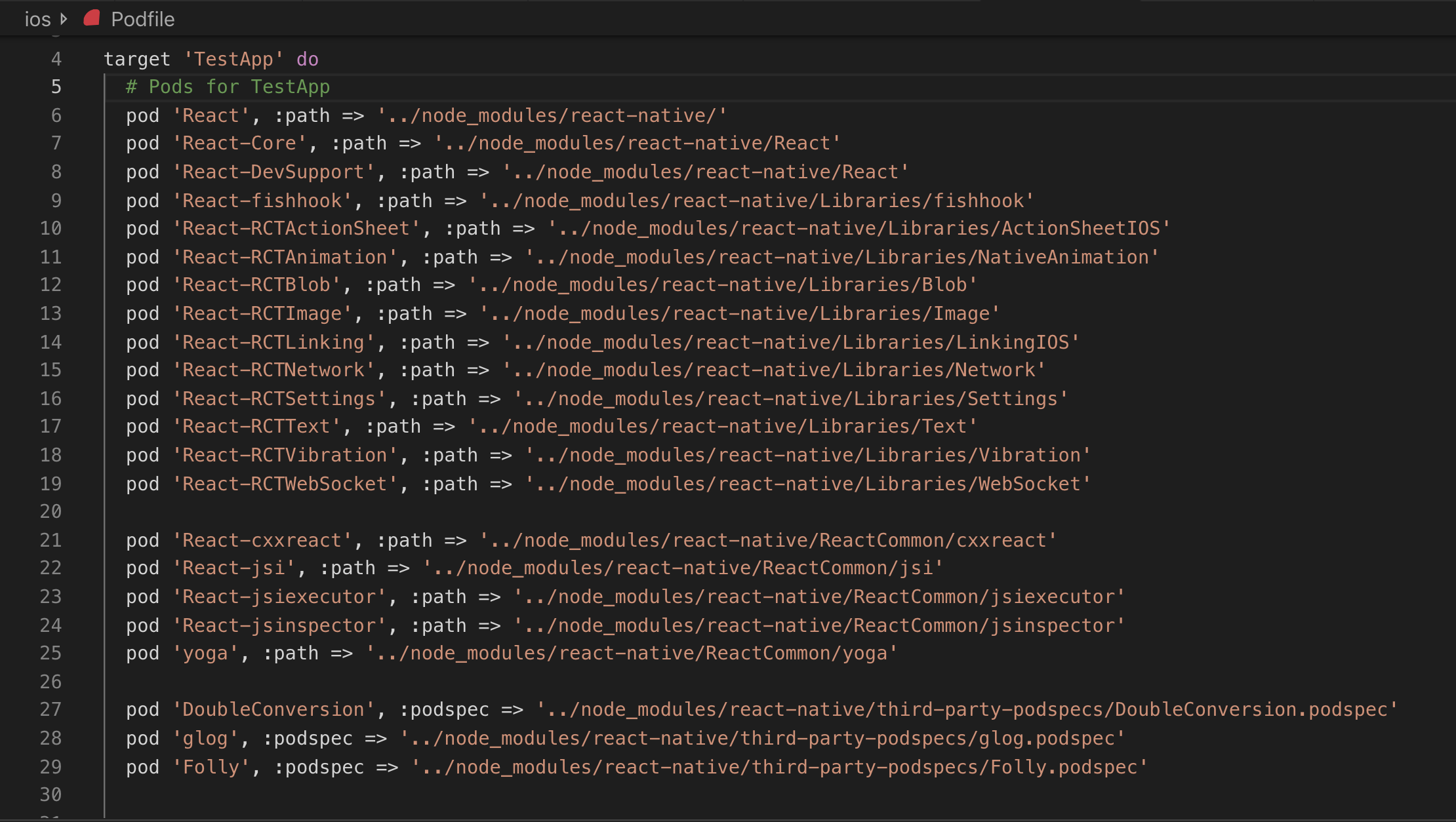
douglascavanaugh
on 14 Jul 2019
@osdnk yes plus deleting whole folder of Xcode/DerivedData and reboot my Macbook
I faced the same issue and have been able to resolve it.
- Right click your App project in XCode and select "Add files to ". Browse to the node_modules/react-native-gesture-handler/ios and Select RNGestureHandler.xcodeproj and click add
- Then Right click your RNGestureHandler.xcodeproj and select "Add files to RNGestureHander.xcodeproj" and browse to node_modules/react-native/React/ and select React.xcodeproj
Now do a clean in XCode and Build the app. You should now also be able to launch the app using react-native run-ios.
Cheers!
Hi,
I have the same issue. Should I add RNGestureHandler.xcodeproj to Library Folder ?
 denizbas92
on 8 Jan 2020
denizbas92
on 8 Jan 2020
@osdnk yes plus deleting whole folder of Xcode/DerivedData and reboot my Macbook
I faced the same issue and have been able to resolve it.
- Right click your App project in XCode and select "Add files to ". Browse to the node_modules/react-native-gesture-handler/ios and Select RNGestureHandler.xcodeproj and click add
- Then Right click your RNGestureHandler.xcodeproj and select "Add files to RNGestureHander.xcodeproj" and browse to node_modules/react-native/React/ and select React.xcodeproj
Now do a clean in XCode and Build the app. You should now also be able to launch the app using react-native run-ios.
Cheers!Hi,
I have the same issue. Should I add RNGestureHandler.xcodeproj to Library Folder ?
Follow step 1.
shyam-unnithan
on 9 Jan 2020
Related issues
 radex
·
3Comments
radex
·
3Comments
 tallen11
·
3Comments
tallen11
·
3Comments
 alexthebake
·
3Comments
alexthebake
·
3Comments
 rt2zz
·
4Comments
rt2zz
·
4Comments
 brentvatne
·
5Comments
brentvatne
·
5Comments
Most helpful comment
If you are using react-link to link your dependencies:
1/ open your ios Podfile and delete all yout linked dependencies: pod 'xxxxxxx', :path => '../node_modules/xxxxx'
2/ Close Xcode
3/ In your /ios folder run "pod update"
4/ In your project source run "react-native link"
5/ Open Xcode and Clean Build Folder from Xcode Menu -> Product
6/ Run your application from Xcode
7/ Link manually the dependency "react-native-gesture-handler" into your Xcode Project following steps in documentation: https://facebook.github.io/react-native/docs/linking-libraries-ios
8/ Now run your application from Xcode, you should be fine.