React-native-geolocation-service: drifting current location
i have used this module to get user's current location when user moves using watch position and get current position,
i m getting different location every time while the device not moving and it is on flat surface. watch position automatically calls and location difference is very big,
in a below screenshot marker is current location on starting then the user location randomly jumps i have draw the polyline to easily recognise the issue
anyone have face this type of issue ?
you can check the below code, if i have done something wrong , let me know.
i have attached screenshots and video link below
https://drive.google.com/open?id=1stXmQC-LRwNTv7e2pUMfkvif9u1IQQCw
======Code=======
Geolocation.watchPosition((position) => {
console.log('watch Location --> ', position)
console.log('coords', coords)
location.push(coords)
     // console.log('=============Location Changed')
     this.setState(state => (
       this.state.latitude = position.coords.latitude,
       this.state.longitude = position.coords.longitude,
       this.state.polyline = [...this.state.polyline, coords],
       state))
 },
   (error) => console.log('Location Error', error),
   {
     enableHighAccuracy: false,
     //distanceFilter: 1,
     //timeout: 20000,
     //maximumAge: 100,
     interval: 2000,
     fastestInterval: 2000
   }
 )
======Screenshots=======
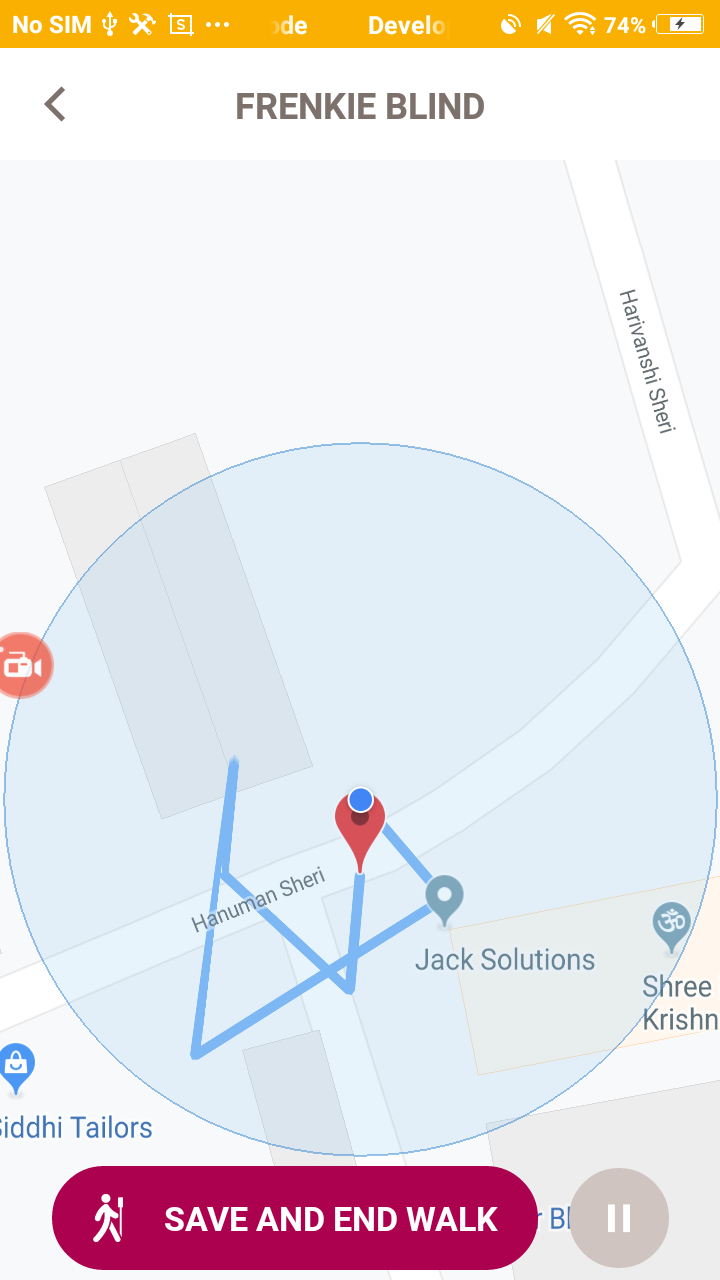
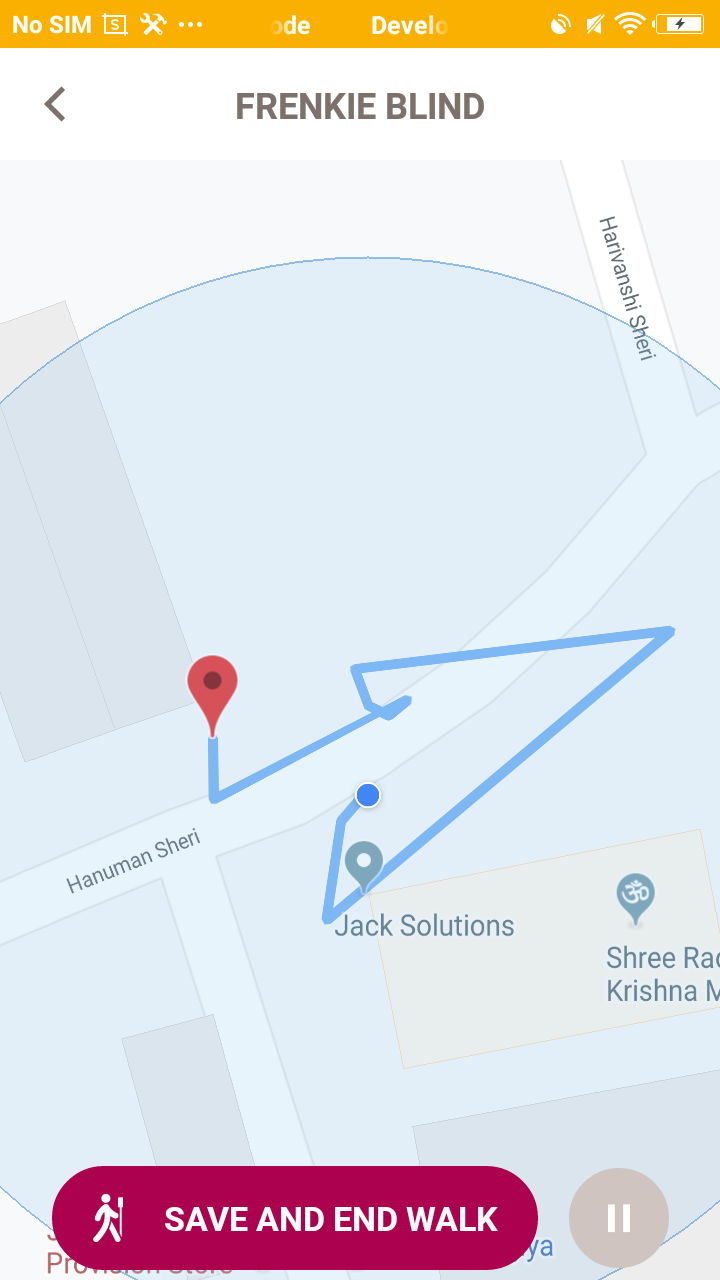
 Nishit-Chauhan
All 7 comments
i m also facing the same kind of automatically location bounce issue
 shahhenil1994
on 13 Jul 2019
shahhenil1994
on 13 Jul 2019
yes it's showing improper location ..stuck on it .. HELPPPP
 ydv0121
on 13 Jul 2019
ydv0121
on 13 Jul 2019
i am also facing same issue please help
 kaushik038
on 13 Jul 2019
kaushik038
on 13 Jul 2019
GPS is not super accurate. You could check for a difference in location and decide if you want to use that information or not. Like a conditional.. "if diff is bigger than, skip setting marker on map"
 oakis
on 14 Jul 2019
oakis
on 14 Jul 2019
GPS is not super accurate. You could check for a difference in location and decide if you want to use that information or not. Like a conditional.. "if diff is bigger than, skip setting marker on map"
I think the condition could be done by using distanceFilter option. Correct?
 iamacoderguy
on 26 Feb 2020
iamacoderguy
on 26 Feb 2020
GPS is not super accurate. You could check for a difference in location and decide if you want to use that information or not. Like a conditional.. "if diff is bigger than, skip setting marker on map"
I think the condition could be done by using distanceFilter option. Correct?
I think that distanceFilter will just ignore updates if they don't meet the required moving distance. That might be what OP wants tho.
oakis
on 26 Feb 2020
Like @iamacoderguy & @oakis said, you can prevent location bounces by setting distanceFilter. Closing this for now, feel free to open new issue if problem persists.
 Agontuk
on 16 Apr 2020
Agontuk
on 16 Apr 2020
Related issues
 Chepkeitany
·
7Comments
Chepkeitany
·
7Comments
 lingxiao-Zhu
·
3Comments
lingxiao-Zhu
·
3Comments
 chungweileong94
·
5Comments
chungweileong94
·
5Comments
 blumendorf
·
11Comments
Agontuk
·
5Comments
blumendorf
·
11Comments
Agontuk
·
5Comments
Most helpful comment
i am also facing same issue please help