React-native-fbsdk: Exception '-[FBSDKLoginManager logInWithPermissions:fromViewController:handler:]: unrecognized selector sent to instance 0x60000339d400' was thrown while invoking logInWithPermissions on target FBLoginManager
🐛 Bug Report
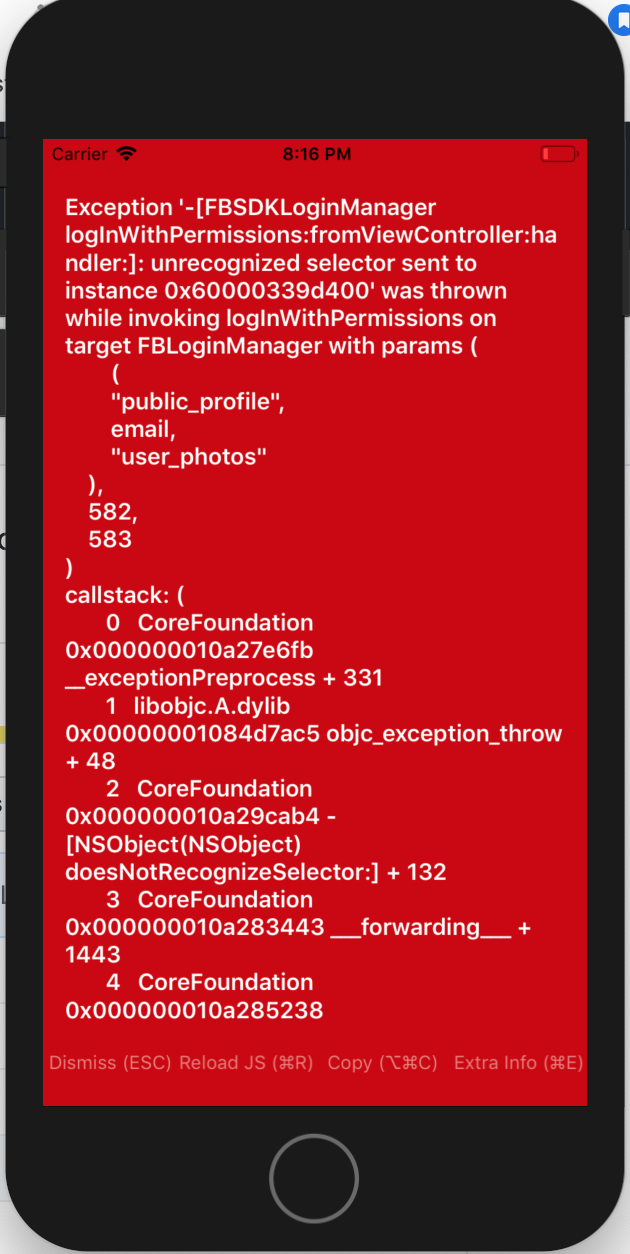
iOS Only issue (Android is working as expected)
2019-07-03 20:16:46.619829+0530 be*alf[68913:8236624] Exception '-[FBSDKLoginManager logInWithPermissions:fromViewController:handler:]: unrecognized selector sent to instance 0x60000339d400' was thrown while invoking logInWithPermissions on target FBLoginManager with params (
(
"public_profile",
email,
"user_photos"
),
582,
583
)
callstack: (
0 CoreFoundation 0x000000010a27e6fb __exceptionPreprocess + 331
1 libobjc.A.dylib 0x00000001084d7ac5 objc_exception_throw + 48
2 CoreFoundation 0x000000010a29cab4 -[NSObject(NSObject) doesNotRecognizeSelector:] + 132
3 CoreFoundation 0x000000010a283443 ___forwarding___ + 1443
4 CoreFoundation 0x000000010a285238 _CF_forwarding_prep_0 + 120
5 betterhalf 0x0000000106bc1a9d -[RCTFBSDKLoginManager logInWithPermissions:resolver:rejecter:] + 269
6 CoreFoundation 0x000000010a2854cc __invoking___ + 140
7 CoreFoundation 0x000000010a282a45 -[NSInvocation invoke] + 325
8 CoreFoundation 0x000000010a282e96 -[NSInvocation invokeWithTarget:] + 54
9 betterhalf 0x0000000106767bba -[RCTModuleMethod invokeWithBridge:module:arguments:] + 2810
10 betterhalf 0x0000000106819d36 _ZN8facebook5reactL11invokeInnerEP9RCTBridgeP13RCTModuleDatajRKN5folly7dynamicE + 790
11 betterhalf 0x0000000106819843 _ZZN8facebook5react15RCTNativeModule6invokeEjON5folly7dynamicEiENK3$_0clEv + 131
12 betterhalf 0x00000001068197b9 ___ZN8facebook5react15RCTNativeModule6invokeEjON5folly7dynamicEi_block_invoke + 25
13 libdispatch.dylib 0x000000010ed07d7f _dispatch_call_block_and_release + 12
14 libdispatch.dylib 0x000000010ed08db5 _dispatch_client_callout + 8
15 libdispatch.dylib 0x000000010ed16080 _dispatch_main_queue_callback_4CF + 1540
16 CoreFoundation 0x000000010a1e58a9 __CFRUNLOOP_IS_SERVICING_THE_MAIN_DISPATCH_QUEUE__ + 9
17 CoreFoundation 0x000000010a1dff56 __CFRunLoopRun + 2310
18 CoreFoundation 0x000000010a1df302 CFRunLoopRunSpecific + 626
19 GraphicsServices 0x000000011250e2fe GSEventRunModal + 65
20 UIKitCore 0x0000000116bfcba2 UIApplicationMain + 140
21 betterhalf 0x00000001065121d0 main + 112
22 libdyld.dylib 0x000000010ed7d541 start + 1
)
To Reproduce
1). Updated react-native-fbsdk from v0.8.0 to v0.10.1
2). Download FacebookSDK v5.0 into ~/Documents/FacebookSDK
3). Link iOS SDKs (FBSDKCoreKit.framework, FBSDKShareKit.framework, FBSDKLoginKit.framework) manually by Drag and Drop into Myproject/Framework
4). Make sure libRCTFBSDK.a is added into Linked Framework and Libraries.
5). Application is building perfectly but when LoginManager.logInWithPermissions(['public_profile', 'email', 'user_photos']) get called above error shows up.
Expected Behavior
The browser should open for the user to enter facebook credentials.
Environment
React Native Environment Info:
System:
OS: macOS 10.14.5
CPU: x64 Intel(R) Core(TM) i7-4770HQ CPU @ 2.20GHz
Memory: 816.10 MB / 16.00 GB
Shell: 3.2.57 - /bin/bash
Binaries:
Node: 10.15.3 - ~/.nvm/versions/node/v10.15.3/bin/node
Yarn: 1.9.4 - /usr/local/bin/yarn
npm: 6.4.1 - ~/.nvm/versions/node/v10.15.3/bin/npm
Watchman: 4.9.0 - /usr/local/bin/watchman
SDKs:
iOS SDK:
Platforms: iOS 12.2, macOS 10.14, tvOS 12.2, watchOS 5.2
Android SDK:
Build Tools: 23.0.1, 25.0.0, 25.0.2, 26.0.2, 27.0.0, 27.0.3, 28.0.2, 28.0.3
API Levels: 23, 25, 26, 27, 28
IDEs:
Android Studio: 3.4 AI-183.5429.30.34.5452501
Xcode: 10.2.1/10E1001 - /usr/bin/xcodebuild
npmPackages:
react: 16.3.1 => 16.3.1
react-native: 0.57.0 => 0.57.0
 joypatel04
All 6 comments
@janicduplessis can you please help me to solve this issue.
joypatel04
on 3 Jul 2019
Closing this issue since I resolve it. I found duplicate frameworks into my project with an older version.
joypatel04
on 5 Jul 2019
I also met the same issue when i upgrade react-native-fbsdk to 0.10.1
In my case, it not because of the duplicate frameworks.
I spent whole day to figure out that the issue is from the legacy way to link the FacebookSDK to Xcode project. Because now react-native-fbsdk use FacebookSDK >= 5.0, with this version of FacebookSDK, it force to use Cocoapods to install the SDK. See the link from Facebook says that how to upgrade SDK from 4 to 5. In our case is "If your app integrates with the Facebook SDK manually, please switch to CocoaPods by following our Getting Started Guide". Follow their tutorial, but I did some thing different, I add:
pod 'FBSDKCoreKit'
pod 'FBSDKLoginKit'
pod 'FBSDKShareKit'
in Podfile, then run pod install.
I didn't change AppDelegate.m, because it's already done when we use old version 4.
In Xcode (I use 10.1), you can remove /Documents/FacebookSDK path from Build Settings->Framework Search paths of your RN project and RCTFBSDK project. In build phases->link library with Libraries, remove old FBSDK framework reference. You also need to link libFBSDKShareKit.a, libFBSDKCoreKit.a and libFBSDKLoginKit.a in Link library with Libraries. There is the link I followed. Make sure you have libRCTFBSDK.a, libFBSDKShareKit.a, libFBSDKCoreKit.a and libFBSDKLoginKit.a in your project linked libraries list before building the project.
Hope this tutorial can help someone.
 gdc0411
on 11 Jul 2019
gdc0411
on 11 Jul 2019
@joypatel04 Can you elaborate on your fix?
I have the exact same error and I followed the same steps you outlined to reproduce the error (upgrading to 0.10.1 - download the SDK - drag/drop frameworks - build perfectly - crash as you described)
I don't see where the duplicate frameworks would exist or how to find them as you describe.
Did you use a podfile?
 bernhardt1
on 25 Jul 2019
bernhardt1
on 25 Jul 2019
@gdc0411
Thanks for the guide.
One extra thing I had to do was
- add RCTFBSDK to Libraries
- delete Frameworks from RCTFBSDK.xcodeproj
- add libRCTFBSDK.a to Link Binary With Libraries
bernhardt1
on 30 Jul 2019
@bernhardt1 Sorry for late response.
Looks like the issue is already resolved. The one thing i learn here is that always try to log the version of SDK from the native side and it actually helps to understand, if the correct SDK has integrated or not.
joypatel04
on 1 Aug 2019
Related issues
 akash-rajput
·
4Comments
akash-rajput
·
4Comments
 santilorenzo
·
3Comments
santilorenzo
·
3Comments
 coryb08
·
4Comments
coryb08
·
4Comments
 emroot
·
5Comments
emroot
·
5Comments
 notlose
·
5Comments
notlose
·
5Comments
Most helpful comment
I also met the same issue when i upgrade react-native-fbsdk to 0.10.1
In my case, it not because of the duplicate frameworks.
I spent whole day to figure out that the issue is from the legacy way to link the FacebookSDK to Xcode project. Because now react-native-fbsdk use FacebookSDK >= 5.0, with this version of FacebookSDK, it force to use Cocoapods to install the SDK. See the link from Facebook says that how to upgrade SDK from 4 to 5. In our case is "If your app integrates with the Facebook SDK manually, please switch to CocoaPods by following our Getting Started Guide". Follow their tutorial, but I did some thing different, I add:
pod 'FBSDKCoreKit'
pod 'FBSDKLoginKit'
pod 'FBSDKShareKit'
in Podfile, then run pod install.
I didn't change AppDelegate.m, because it's already done when we use old version 4.
In Xcode (I use 10.1), you can remove /Documents/FacebookSDK path from Build Settings->Framework Search paths of your RN project and RCTFBSDK project. In build phases->link library with Libraries, remove old FBSDK framework reference. You also need to link libFBSDKShareKit.a, libFBSDKCoreKit.a and libFBSDKLoginKit.a in Link library with Libraries. There is the link I followed. Make sure you have libRCTFBSDK.a, libFBSDKShareKit.a, libFBSDKCoreKit.a and libFBSDKLoginKit.a in your project linked libraries list before building the project.
Hope this tutorial can help someone.