React-native-fast-image: Add progress image loading spinner / ActivityIndicator.
Please add the feature of the Progress Image . in the upcoming release if possible . Sometime we need to show the Activity indicator or progressBar . even though if we use Fast Image .
 GeekRishabh
All 25 comments
may reference: https://github.com/kfiroo/react-native-cached-image
 wangshijun
on 18 Jun 2017
wangshijun
on 18 Jun 2017
At the moment this is more of a lower level library. Currently you can detect when loading is done with onLoad so it isn't too difficult to wrap this component in a component that will show a loading spinner.
If this was included it would need to be something like LoadingIndicatorComponent so that it could be customized. I'm not a fan of howActivityIndicator looks but if you wanted to use it you could then use:
<FastImage {...otherProps} LoadingIndicatorComponent={ActivityIndicator} />
 DylanVann
on 20 Jun 2017
DylanVann
on 20 Jun 2017
Really needs this function, eg we have a image 2M, we should display the progress bar like @GeekRishabh said. and i also need fast Image too, at this moment i can't combine Fast Image with https://github.com/oblador/react-native-image-progress, could you have a look ,that would be awesome to support this feature
Thanks
 bang88
on 21 Jun 2017
bang88
on 21 Jun 2017
+1
 dioxide
on 25 Jun 2017
dioxide
on 25 Jun 2017
Ok I'll add it later tonight. 👍
DylanVann
on 25 Jun 2017
Ping @DylanVann , are you planning support these features this week, we have an app using your library and will be publish to app store next week. if have these feature builtin will be more good to our clients.
I am very sorry to say that but its important for us ,thanks again.
bang88
on 27 Jun 2017
@bang88 Unfortunately it's more difficult than I thought. Glide doesn't expose an easy way to get progress events. I'm looking into how it can be done but idk when I'll have a new release with this in it.
If you want indeterminate progress that would be easy to implement as is.
DylanVann
on 28 Jun 2017
@DylanVann If you have a new version please ping me.
Thanks
bang88
on 28 Jun 2017
Hey, I've added custom image component support to react-native-image-progress in the latest version, so you can at least use it with indeterminate progress and if the onProgress callback is implemented, it should work out of the box.
 oblador
on 3 Jul 2017
oblador
on 3 Jul 2017
@oblador Thank you.
bang88
on 4 Jul 2017
Now FastImage keeps showing the progress indicator when using as custom image component in react-native-image-progress. How can this be fixed?
 ragnorc
on 4 Jul 2017
ragnorc
on 4 Jul 2017
@ragnorc Any solutions?
 srameshr
on 15 Jul 2017
srameshr
on 15 Jul 2017
✨ New version with progress, give it a try and let me know if you have any issues! ✨
_Sorry it took so long, android was tricky._
DylanVann
on 27 Jul 2017
Well done, will try it later.
bang88
on 27 Jul 2017
It has the same callbacks as React Native's Image, so it should work with react-native-image-progress. Fingers crossed.
DylanVann
on 27 Jul 2017
I have the following code but not seeing the indicator={ProgressCircle}
<Swiper
                    cards={selectedPhotos}
                    renderCard={(image) => {
                        return (
                            <FastImage
                                style={{width: 300, height: 300}}
                                source={{
                                    uri: 'https://s3-ap-southeast-2.amazonaws.com/ccapp-compressed-images/' + image.filename,
                                    priority: FastImage.priority.normal,
                                }}
                                indicator={ProgressCircle}
                                resizeMode={FastImage.resizeMode.contain}
                            />

                        )
                    }}
                    cardIndex={0}
                    backgroundColor={'#FFF'}>
                </Swiper>
Am I doing something wrong
 AlmogRnD
on 1 Aug 2017
AlmogRnD
on 1 Aug 2017
@AlmogRnD I didn't add any functionality for displaying an indicator, only for reporting events.
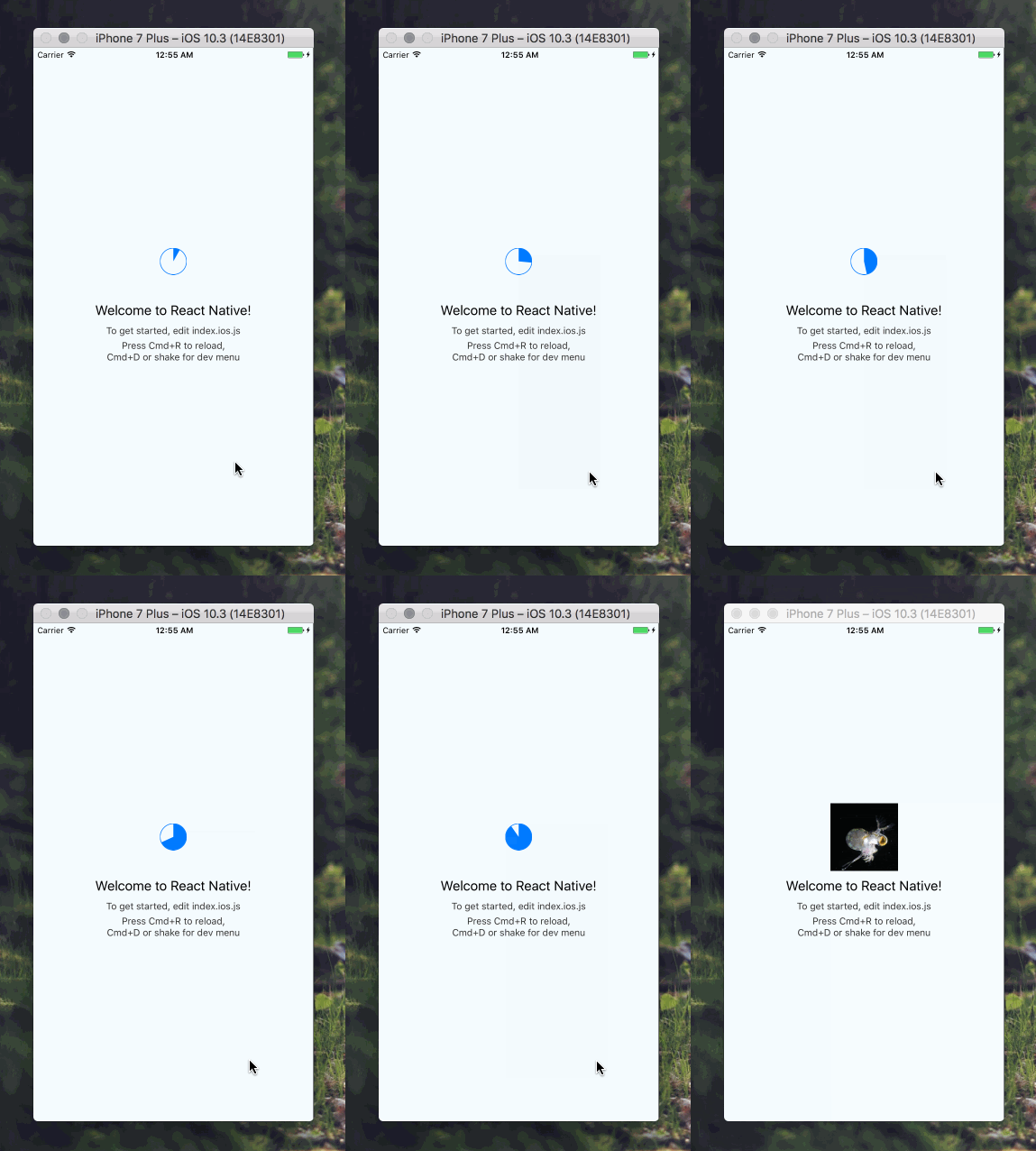
@oblador has a module that will wrap FastImage with a view that shows progress based on those events. Its looks like:
// react-native-progress exports views that show progress.
import * as Progress from 'react-native-progress';
// That's this module.
import FastImage from 'react-native-fast-image';
// react-native-image-progress is a bridge between the image component,
// or react-native-fast-image, and the progress views in react-native-progress.
// Or you can use it to render a custom progress indicator.
import { createImageProgress } from 'react-native-image-progress';
// Wrap FastImage with react-native-image-progress.
const Image = createImageProgress(FastImage);

// In your component.
<Image
  source={{ uri: 'https://cdn-images-1.medium.com/max/1600/1*-CY5bU4OqiJRox7G00sftw.gif' }}
  style={{ width: 100, height: 100 }}
  indicator={Progress.Pie}
/>
I just tested it, works nicely.
DylanVann
on 8 Aug 2017
@DylanVann thanks I have it working I'm getting some wired issue opening a different ticket for it
AlmogRnD
on 8 Aug 2017
Looks like this is still an issue.
In case of already loaded image it infinitely keeps showing indicator on image. Any idea how to fix it?
 bitshadow
on 29 Dec 2017
bitshadow
on 29 Dec 2017
@bitshadow Same problem
 Amurmurmur
on 20 Feb 2018
Amurmurmur
on 20 Feb 2018
@DylanVann Seems like its an issue with the fast-image
I've tested with the standard Image component that comes with React-Native and there weren't any issues :/
Amurmurmur
on 20 Feb 2018
Hello there, onProgress callback in not working on android. Any idea for that ??
 kashsbd
on 16 Nov 2018
kashsbd
on 16 Nov 2018
Same problem
 jhoanborges
on 9 Jan 2020
jhoanborges
on 9 Jan 2020
onProgress callback in not working on android @DylanVann
 henr
on 5 Jun 2020
henr
on 5 Jun 2020
remove this in android/build.gradle then ok.
project.ext {
excludeAppGlideModule = true
}
@jhoanborges @kashsbd
henr
on 5 Jun 2020
Related issues
 skleest
·
3Comments
skleest
·
3Comments
 bhuvin25
·
3Comments
bhuvin25
·
3Comments
 taschik
·
3Comments
taschik
·
3Comments
 NgocNamFNT
·
3Comments
NgocNamFNT
·
3Comments
 StiffFy
·
3Comments
StiffFy
·
3Comments
Most helpful comment
It has the same callbacks as React Native's
Image, so it should work withreact-native-image-progress. Fingers crossed.