React-native-debugger: React Native Style Editor - live editing not working
My React Native Style Editor standalone style live editing not working. I'm doing a React Native tutorial where the teacher suggested using react-native-debugger but when he went to edit the style in the panel he was able to change the background color live. When I try to edit the backgroundColor the value will not change.


React Native Debugger app version: 0.8.2
React Native version:
"react": "16.6.3",
"react-native": "0.57.8"
Platform: iOS, Android
Is real device of platform: No
Operating System: macOS
 ifelse-
All 10 comments
Hey @ifelse-, do you still have this issue? I've tested things out and style updating works for me in latest version.
Did you try to updeat other values, paddings etc.?
 Gongreg
on 14 Feb 2019
Gongreg
on 14 Feb 2019
Having same problem too
Looks like we're doing the same RN course too @ifelse-
 git-hubber
on 18 Feb 2019
git-hubber
on 18 Feb 2019
@git-hubber, could you share the course, source code or anything that we could reproduce the issue on? We cannot reproduce it.
Gongreg
on 18 Feb 2019
@git-hubber, could you share the course, source code or anything that we could reproduce the issue on? We cannot reproduce it.
debugging-01-finished.zip
My code/solution is slightly different, but this is the generic course code - which mine is based on.
If I click in to edit a style (in the "React Native Style Editor") as soon as the focus is lost, the style reverts back to how it was and I never see the style change in the iOS simulator.
git-hubber
on 18 Feb 2019
I'm having the same issue. The debugger marks the props as read-only and therefore not editable. Here's a screenshot of it.
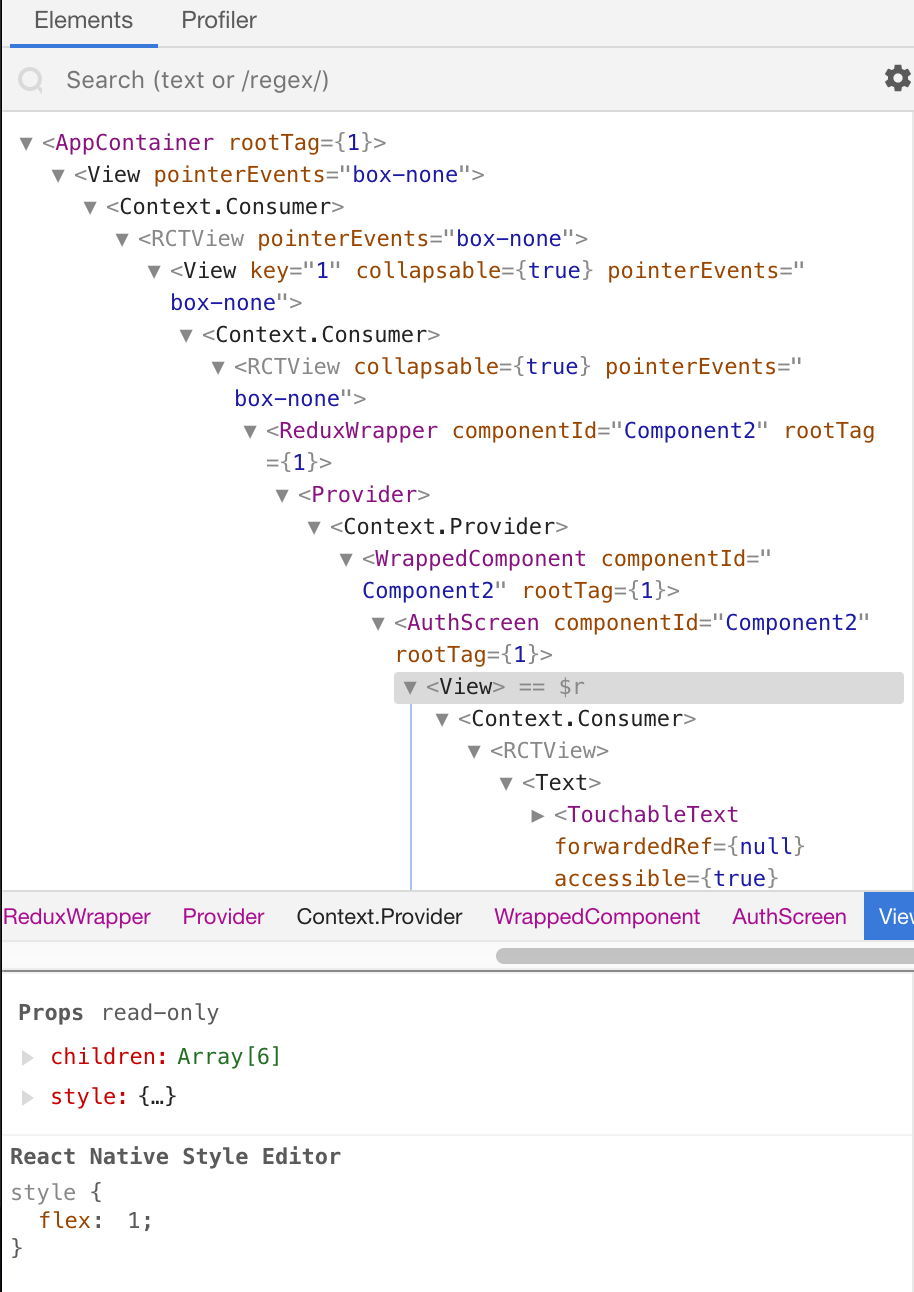
I think we're taking the same course too. Other people in the Q&A sections have reported this same behavior.
@git-hubber uploaded the same code I was going to.
 iamdavidmartin
on 23 Feb 2019
iamdavidmartin
on 23 Feb 2019
I'm taking the same course. The solution I have is to edit the RCTView tag nested inside the tag you're trying to target. That seems to take on all the styles I want to add. I'm not sure if that's a bug or if that is intended behavior.
<View>
  <Context.Consumer>
    <RCTView>
       ^ this one
 spacewaffle
on 11 Mar 2019
spacewaffle
on 11 Mar 2019
I had been using React native debugger for nearly a month now with no issues and just got hit with this "Props read-only" bug. Is there anything new on the issue? It really kills the usefulness of it.
 bmwertman
on 1 May 2019
bmwertman
on 1 May 2019
Facing the same issue. Any solution ?
 el-lsan
on 18 Jun 2019
el-lsan
on 18 Jun 2019
facing the same issue all the time, really annoying bug
 neomoto
on 11 Jul 2019
neomoto
on 11 Jul 2019
just commenting to this gets more traction hopefully. Yes the temporary fix works but i agree with others that i'll have weary of my saves, if there's a syntax error while native debugger is open, expo server will crash
 Deg5112
on 5 Sep 2019
Deg5112
on 5 Sep 2019
Related issues
 jan-happy
·
29Comments
jan-happy
·
29Comments
 inferusvv
·
26Comments
inferusvv
·
26Comments
 rikur
·
43Comments
rikur
·
43Comments
 sagark1510
·
37Comments
sagark1510
·
37Comments
 peggyrayzis
·
43Comments
peggyrayzis
·
43Comments
Most helpful comment
I'm taking the same course. The solution I have is to edit the RCTView tag nested inside the tag you're trying to target. That seems to take on all the styles I want to add. I'm not sure if that's a bug or if that is intended behavior.