React-native-debugger: Could not read from localStorage. SyntaxError: Unexpected token C in JSON at position 0
React Native Debugger app version: 0.8.0
React Native version: 0.55.1
Platform: iOS
Is real device of platform: Yes
Operating System: macOS
After the debugger updated to the latest version, I started getting this error (in console):

I'm using ejected react native and react native navigation, otherwise nothing out of the ordinary I guess
 EskelCz
All 11 comments
It’s from the new version of react-devtools, you can try to reset local storage and restart again.
 jhen0409
on 30 Sep 2018
jhen0409
on 30 Sep 2018
It's now on the release note.
jhen0409
on 30 Sep 2018
Worked, thanks
EskelCz
on 30 Sep 2018
clearing AsyncStorage does not work for me (rn 0.42), any other workaround?
if not, is there a way to disable auto-updates?
 smirea
on 1 Oct 2018
smirea
on 1 Oct 2018
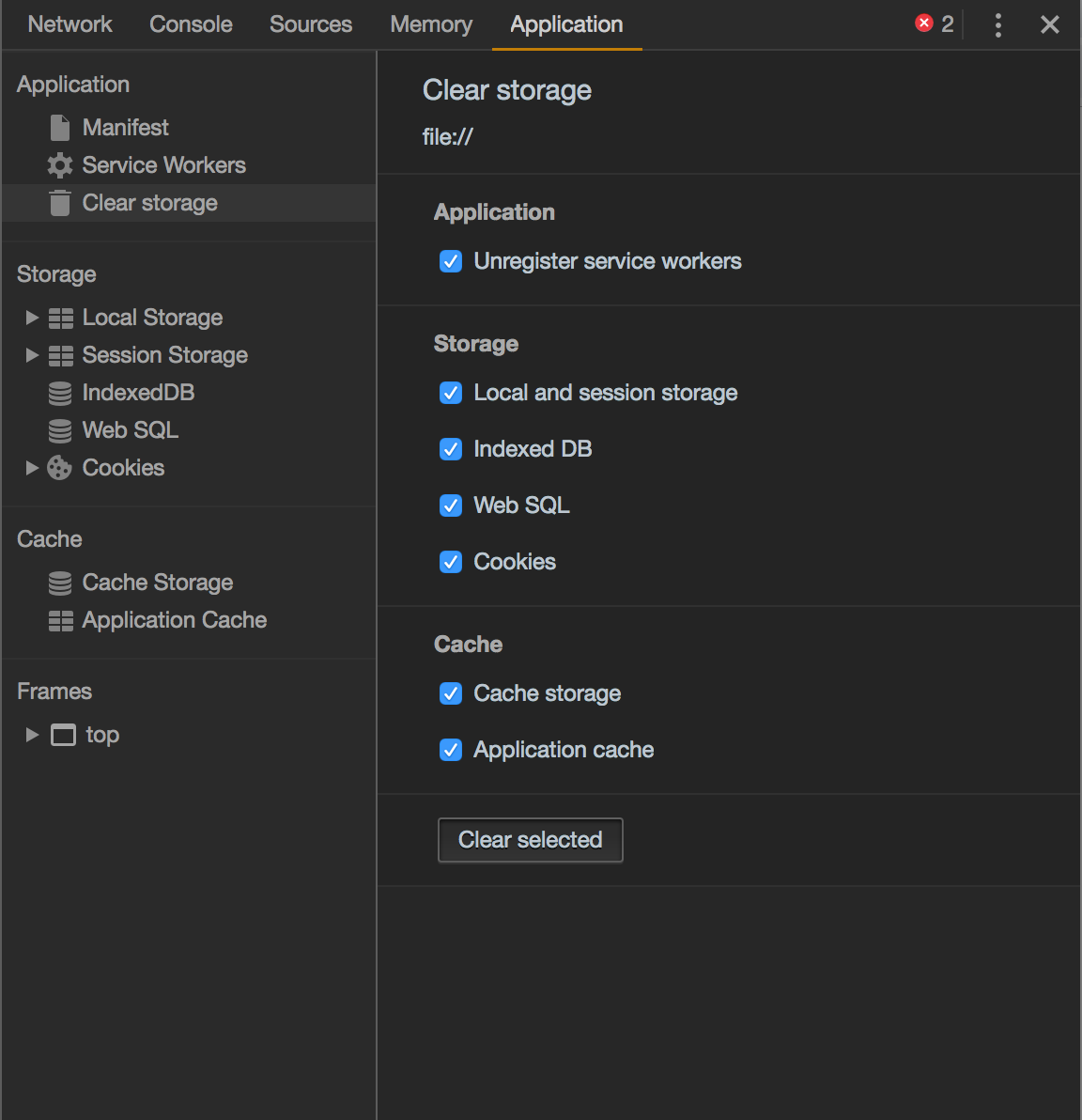
@smirea it's to clear the localStorage of Debugger, in Application tab.
 lucianomlima
on 1 Oct 2018
lucianomlima
on 1 Oct 2018
still no luck, I cleared Local Storage and a full "Clear Site Data".
Note: I'm getting the "Cannot parse JSON" message, but it's not prefixed by "Could not read from local storage"

smirea
on 2 Oct 2018
This is another error.
lucianomlima
on 2 Oct 2018
To make it clear for others, below is a screenshot showing where you need to go to clear local storage of React Native Debugger, which will fix this error. You do not need to clear the AsyncStorage of your app itself.
 jordanmkoncz
on 2 Oct 2018
jordanmkoncz
on 2 Oct 2018
@jordanmkoncz this doesn't fix the issue, I'm still getting an endless cycle of errors.
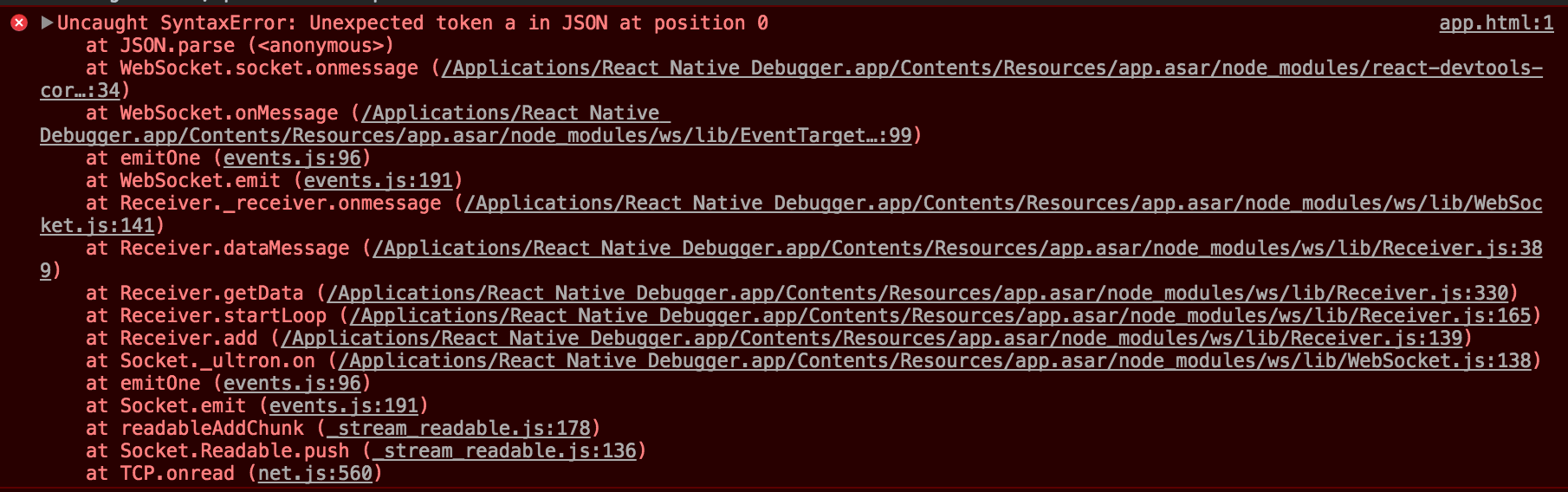
I'm running Xcode v9.3 (9E145) and React Native Debugger v0.8.0.
Btw, there's no option to ignore an upcoming Debugger update. Even if I install an older version, it updates itself on next app reboot.
 dargullin
on 2 Oct 2018
dargullin
on 2 Oct 2018
Please open an another issue with details for tracking the JSON.parse error of WebSocket message.
jhen0409
on 2 Oct 2018
@fronteed if you want a patch-work solution, you can download the source code for 7.10, open electron/update.js and put a return at the beginning of the function, you can then build it with scripts/package-macos.sh and just run that
sorry for the hack-job, but having your devtool force update in the middle of development is a cause for desperate measures
smirea
on 2 Oct 2018
Related issues
 ghasemikasra39
·
3Comments
ghasemikasra39
·
3Comments
 buncis
·
5Comments
buncis
·
5Comments
 Mathieuka
·
3Comments
Mathieuka
·
3Comments
 JodiWarren
·
3Comments
JodiWarren
·
3Comments
 khomyakov42
·
4Comments
khomyakov42
·
4Comments
Most helpful comment
@smirea it's to clear the localStorage of Debugger, in Application tab.