React-native-debugger: How to use with React Devtools?
I can't seem to get React Devtools to work in parallel with RNDebugger. I simply want to inspect DOM elements, but Devtools just says Waiting for React to connect.
So in an effort to debug, I tried reverting the RNDebugger script in my package.json:
  "scripts": {
    "postinstall": "rndebugger-open --revert",
    "start": "node node_modules/react-native/local-cli/cli.js start",
    "test": "jest",
    "devtools": "react-devtools"
  },
But this doesn't seem to stop the Debugger from opening each time. How can I turn RNDebugger off?
 alxvallejo
All 9 comments
Please provide more information for issue template asking.
I guess you're using Android, and the adb util doesn't working for you? (In case of RN ^0.43 + real device)
Also I'll check if rndebugger-open --revert doesn't work.
 jhen0409
on 18 Jun 2017
jhen0409
on 18 Jun 2017
@jhen0409 I'm not using Android, i'm using iOS Simulator.
I've found that the issue stems from Remote JS Debugging. If I enable remote js debugging, the React Native Debugger fires and i can use that tool, but I can't inspect elements and play with the CSS.
If I turn off Remote JS Debugging, the React Native Debugger stops listening and the React-Devtools electron instance fires up, but the app itself fails to load with no errors reported.
So, really, i can only use iOS simulator when remote js debugging is turned on. That's all i know right now.
alxvallejo
on 28 Jun 2017
If I turn off Remote JS Debugging, the React Native Debugger stops listening and the React-Devtools electron instance fires up, but the app itself fails to load with no errors reported.
Why the React inspector will fires up when you turn off Remote JS Debugging? It should be impossible, they should fires up together, as the screenshot.
If you mean you're using this package and RNDebugger together, we have already built-in the inspector to RNDebugger and set the random port, so it doesn't use 8097 port when you on Remote JS Debugging mode, and why you not use the RNDebugger built-in react-devtools?
Also, I can't reproduce the rndebugger-open --revert problem, it works for me, maybe I'll make some test cases for that.
jhen0409
on 28 Jun 2017
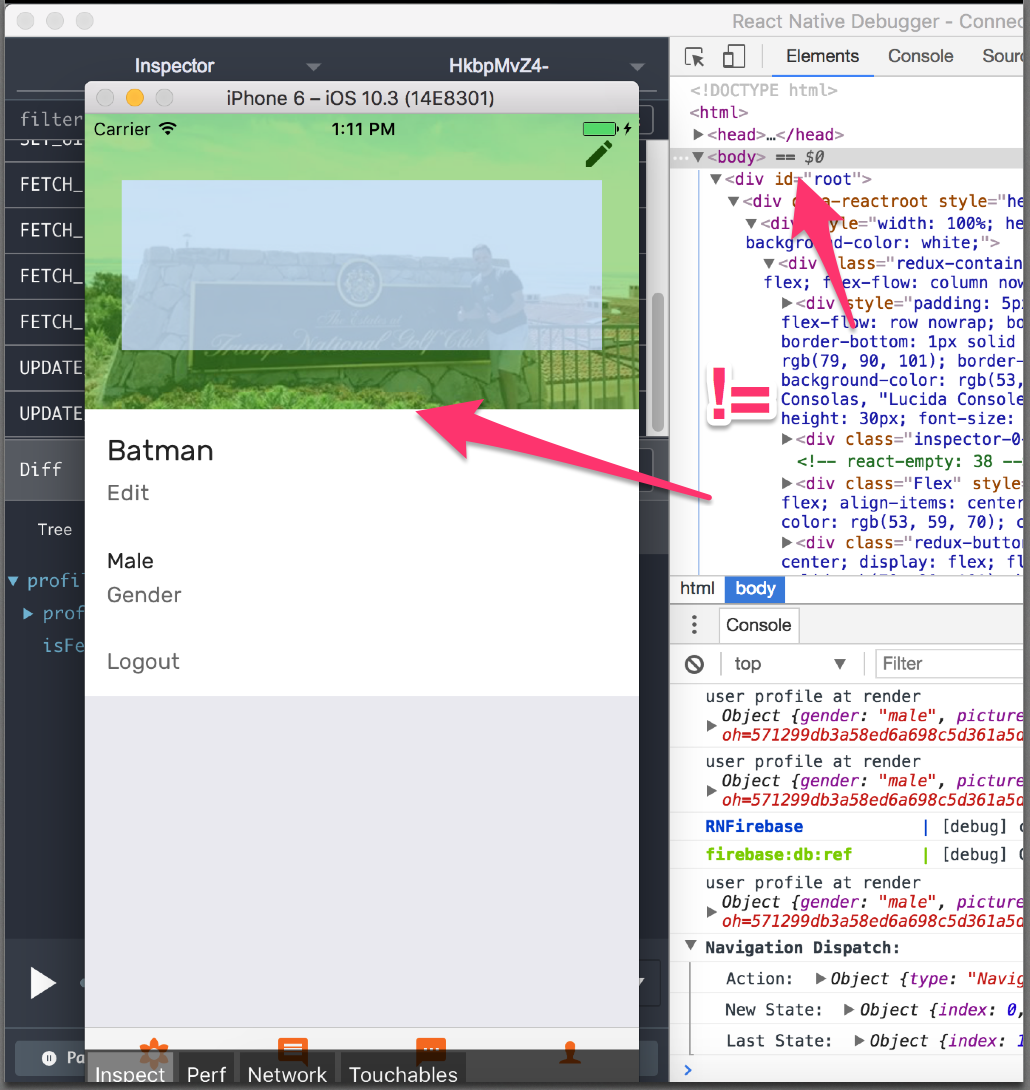
I don't get how to use the inspector in RNDebugger then, because it seems to not work with my device ...
alxvallejo
on 28 Jun 2017
The react-devtools should in redux-devtools below as the screenshot, you're using the elements inspector of browser (RNDebugger). Please open the React inspector:
CMD+OPTION+JView->Toggle React DevToolsin application menuToggle React DevToolsin context menu
Close this issue because this is misunderstanding.
jhen0409
on 29 Jun 2017
Honestly you might want to update the documentation then, the documentation specifically links to https://github.com/facebook/react-devtools/tree/master/packages/react-devtools#integration-with-react-native-inspector
alxvallejo
on 29 Jun 2017
We have the same usage with Integration with React Native Inspector section of react-devtools package, is it have something wrong? You should can see the React Native Inspector usage in the screenshot.
Anyway I'll update the documentation for clearly explain this. :)
jhen0409
on 29 Jun 2017
I just run my react native app in Android simulator,but can't inspect elements in simulator,also in devtools

 isbinge
on 31 Jan 2018
isbinge
on 31 Jan 2018
So Why,have anyone give me a answer please ?
isbinge
on 31 Jan 2018
Related issues
 jmschlmrs
·
34Comments
jmschlmrs
·
34Comments
 freerangenerd
·
17Comments
freerangenerd
·
17Comments
 blackxored
·
16Comments
blackxored
·
16Comments
 rikur
·
43Comments
rikur
·
43Comments
 maxhungry
·
50Comments
maxhungry
·
50Comments
Most helpful comment
So Why,have anyone give me a answer please ?