React-native-debugger: redux devtool doesn't get any data
Hi...
For some reason my redux devtool doesn't recieve any data. The JS developer tools and React Devtools works fine.
I am using the Apollo GraphQL redux middleware. Seems like that is the problem, but can't figure out how to fix or debug? Should the choice of middleware could be a problem for the redux messages in devtools?
I use the composeWithDevTools() arround the middleware.
Cheers
Peter
 DesignMonkey
All 14 comments
Could you provide an example to reproduce it?
I think Apollo middleware shouldn't be problem, it looks nothing special.
I use the composeWithDevTools() arround the middleware.
It's composeWithDevTools of redux-devtools-extension package? Make sure your RNDebugger version is 0.5.x, otherwise it doesn't found window.__REDUX_DEVTOOLS_EXTENSION_COMPOSE__.
 jhen0409
on 25 Nov 2016
jhen0409
on 25 Nov 2016
Sure,
Code example `
import { createStore, combineReducers, applyMiddleware, compose } from 'redux';
import { composeWithDevTools } from 'remote-redux-devtools';
import thunk from 'redux-thunk';
import {persistStore, autoRehydrate} from 'redux-persist'
import { ApolloProvider } from 'react-apollo';
import ApolloClient, { createNetworkInterface } from 'apollo-client';
...
this.networkInterface = createNetworkInterface({ uri: APOLLO_SERVER_URL });
this.client = new ApolloClient({
networkInterface: this.networkInterface,
});
console.log(window.__REDUX_DEVTOOLS_EXTENSION_COMPOSE__)
this.store = createStore(
combineReducers({
player,
user,
feed,
apollo: this.client.reducer(),
}),
{},
composeWithDevTools(
applyMiddleware(this.client.middleware()),
applyMiddleware(thunk),
autoRehydrate(),
)
);
`
My console inside the React Native Debugger (Electron App) i get the log:

So the console log debugger is running, but the redux isn't. And I have a store running, but the state is undefined inside React Native Debugger:

Am I doing something wrong? Thanks for your time :)
/Peter
DesignMonkey
on 25 Nov 2016
@DesignMonkey, remote-redux-devtools, by default, sends data via remotedev.io, while react-native-debugger uses a local server and already includes remote-redux-devtools inside. Just in case, you can open http://remotedev.io/local/ to see if you get your data there.
Basically, you should just use:
this.store = createStore(
  combineReducers({
    player,
    user,
    feed,
    apollo: this.client.reducer(),
  }),
  {},
-  composeWithDevTools(
+  window.__REDUX_DEVTOOLS_EXTENSION_COMPOSE__(
    applyMiddleware(this.client.middleware()),
    applyMiddleware(thunk),
    autoRehydrate(),
  )
);
 zalmoxisus
on 25 Nov 2016
zalmoxisus
on 25 Nov 2016
@zalmoxisus Thanks... that did the trick... removed the remote-redux-devtools from import and added, window.__REDUX_DEVTOOLS_EXTENSION_COMPOSE__ as the compose function :)
DesignMonkey
on 25 Nov 2016
Thanks @zalmoxisus -- worked for me and I got to remove a dependency.
 petermikitsh
on 3 Mar 2017
petermikitsh
on 3 Mar 2017
hmmmm I've been pointed that on README, what is the reason for misunderstanding it? 🤔
jhen0409
on 4 Mar 2017
@jhen0409 cuz that should have been explicitly mentioned on the remote-redux-devtools front page. @zalmoxisus please correct me if not. Or at least a link to subREADME
 ronanamsterdam
on 20 Jul 2017
ronanamsterdam
on 20 Jul 2017
I just had a hard time to find this too. @jhen0409, let me try to explain the path I followed:
- Here you show the correct form, to use "redux-devtools-extension": https://github.com/jhen0409/react-native-debugger/blob/master/docs/getting-started.md#use-redux-devtools-extension-api
- To install it, I went to Redux Devtools Extension docs: https://github.com/zalmoxisus/redux-devtools-extension
There on "Installation::4" and on "1.5 For React Native,..." it says I should actually use the REMOTE-redux-devtools. So I went there thinking "well, that first info told me to use redux-devtools-extension, but what I really need is remote-redux-devtools" and followed the instructions in there. And I did exactly as shown there. The wrong way.
So, IMHO, you should say that the person needs to use the remove-redux-devtools and that that form (window.__REDUX_DEVTOOLS_EXTENSION_COMPOSE__) is the one that should be used.
BTW, thanks for this great work!
 brunoreis
on 19 Aug 2017
brunoreis
on 19 Aug 2017
In fact window.__REDUX_DEVTOOLS_EXTENSION_COMPOSE__ will only be available if you start remote debugging. If it's stopped an error will be thrown. So checking is needed unless you want a red screen:
const middleware = applyMiddleware(pouchMiddleware);//pick your middleware flavors here
export default ( undefined === window.__REDUX_DEVTOOLS_EXTENSION_COMPOSE__) ?
createStore( reducers, middleware ) :
createStore(reducers,
window.__REDUX_DEVTOOLS_EXTENSION_COMPOSE__(
middleware
)
)
We could update the documentations to eliminate such misunderstanding. Maybe remove RNDebugger in remote-redux-devtools, and add link to redux-devtools-extension.
@brunoreis I guess you missing to read redux-devtools-integration.md? As Getting Started have mentioned the link.
jhen0409
on 19 Aug 2017
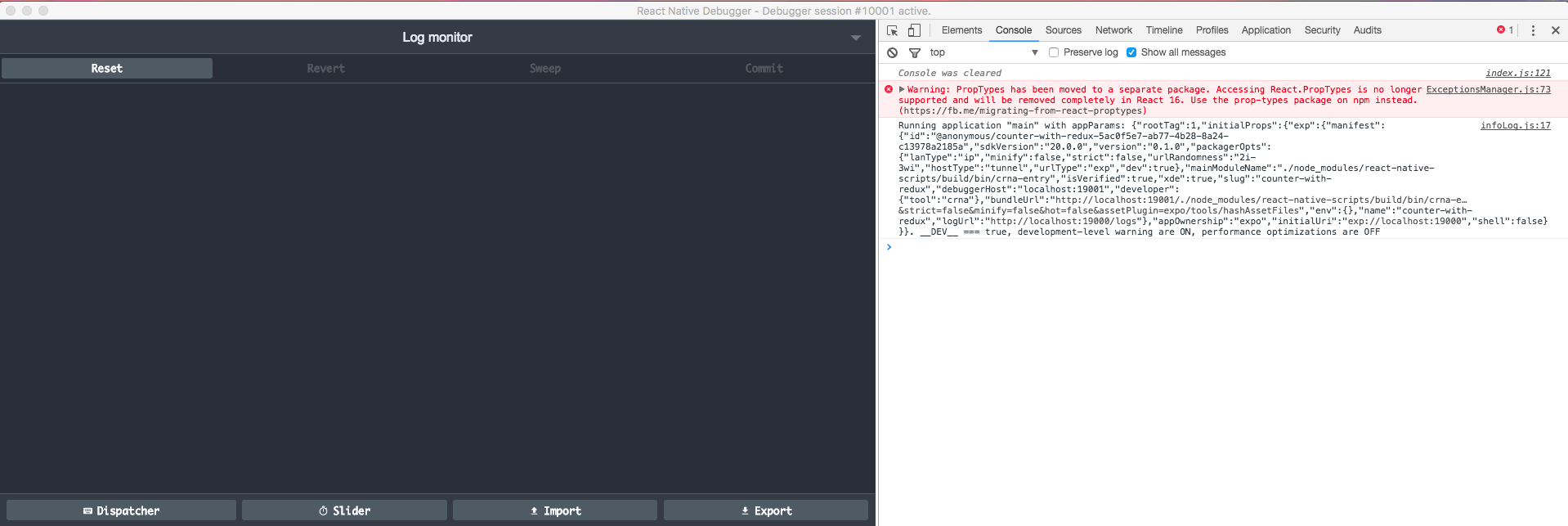
Just curious... if I'm getting an undefined on my console.log(window.__REDUX_DEVTOOLS_EXTENSION__);... am I missing some configuration?
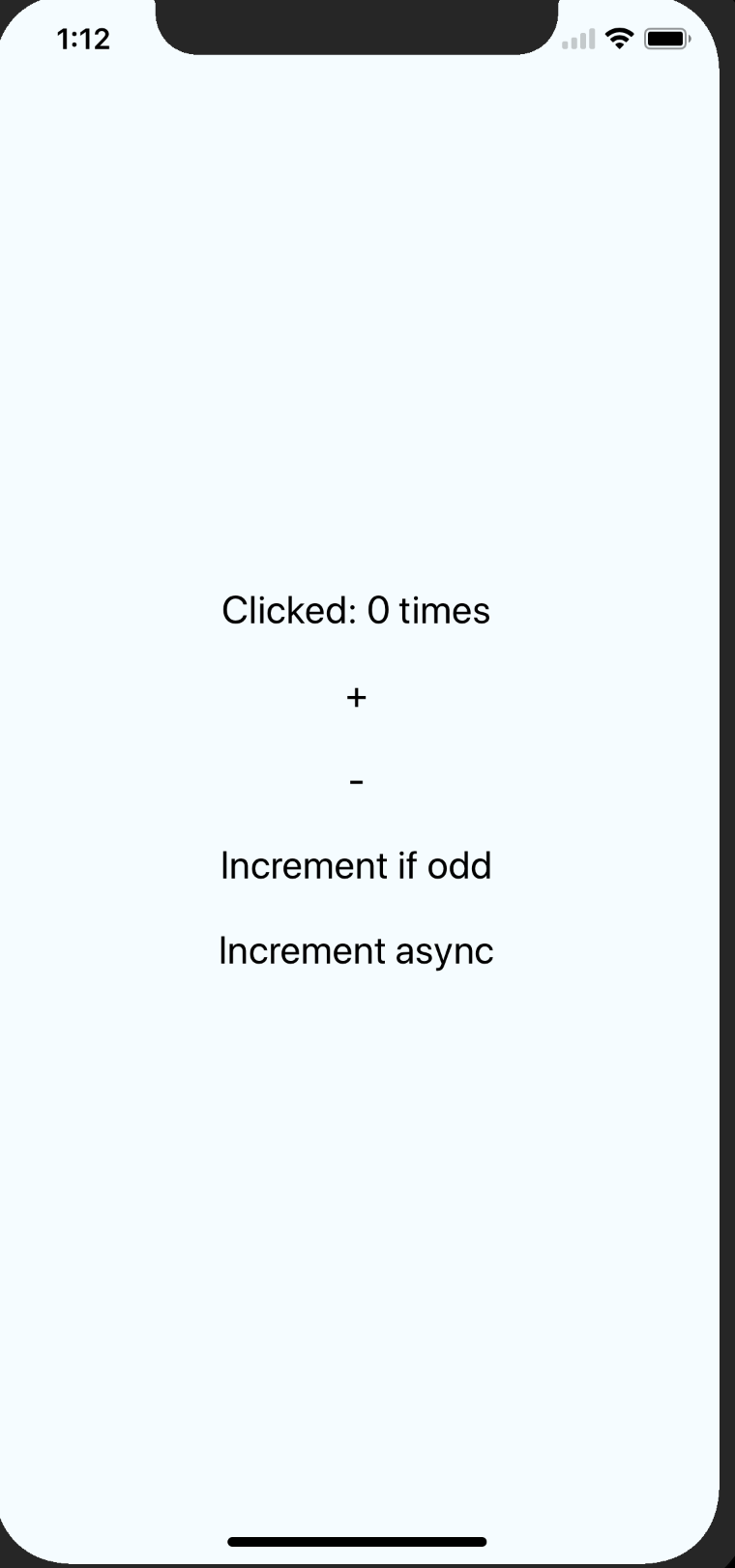
Using expo.
The console and react dev tools are working fine. I do it on the example files counter-with-redux as well and its not showing anything in the store...
 kkomaz
on 16 Oct 2017
kkomaz
on 16 Oct 2017
@kkomaz, what version of RNDebugger you're using? I just see the screenshot, it looks like the old version, remind you that it must be >= 0.5.0. (current: 0.7.11)
If you're using < 0.5.0 I must also say sorry, it haven't auto update feature until 0.5.0. :(
jhen0409
on 16 Oct 2017
@jhen0409
Thank you. It looked like there was some issues with my RNDebugger. :( I reinstalled via homebrew and it worked (install newest version)
kkomaz
on 16 Oct 2017
@DesignMonkey,
remote-redux-devtools, by default, sends data viaremotedev.io, whilereact-native-debuggeruses a local server and already includesremote-redux-devtoolsinside. Just in case, you can open http://remotedev.io/local/ to see if you get your data there.Basically, you should just use:
this.store = createStore(
  combineReducers({
    player,
    user,
    feed,
    apollo: this.client.reducer(),
  }),
  {},
-  composeWithDevTools(
+  window.__REDUX_DEVTOOLS_EXTENSION_COMPOSE__(
    applyMiddleware(this.client.middleware()),
    applyMiddleware(thunk),
    autoRehydrate(),
  )
);
This helped me. Thank you.
 sagunpandey
on 17 Sep 2018
sagunpandey
on 17 Sep 2018
Related issues
 MailosT
·
4Comments
MailosT
·
4Comments
 idrakimuhamad
·
3Comments
idrakimuhamad
·
3Comments
 jsdario
·
3Comments
jsdario
·
3Comments
 Mathieuka
·
3Comments
Mathieuka
·
3Comments
 danilobuerger
·
4Comments
danilobuerger
·
4Comments
Most helpful comment
@DesignMonkey,
remote-redux-devtools, by default, sends data viaremotedev.io, whilereact-native-debuggeruses a local server and already includesremote-redux-devtoolsinside. Just in case, you can open http://remotedev.io/local/ to see if you get your data there.Basically, you should just use: