React-native-code-push: How to build a releaseStaging apk?
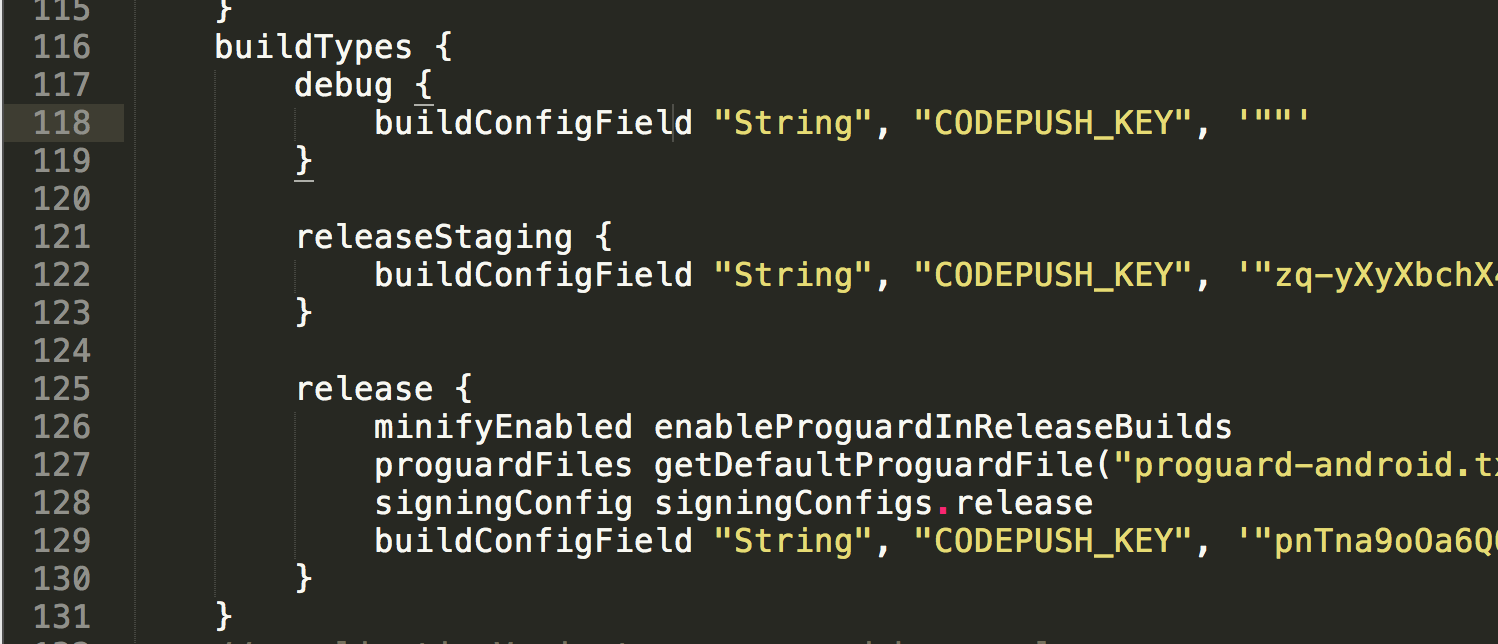
The apk build by do "Build => Generate signed apk => Choose releaseStaging" in Android Studio can not run in device. And I don't know how to build releaseStaging apk in command line, the release apk can be build using command "./gradlew assembleRelease".
By the way, code push already worked for our release apk.
Steps to Reproduce
- build apk using releaseStaging config in Android Studio.
- install apk on device.
- run app.
Expected Behavior
Run app ok.
Actual Behavior
App crash.
Environment
- react-native-code-push version: 2.1.0-beta
- react-native version: 0.44.3
- iOS/Android/Windows version: Android 5.1
- Does this reproduce on a debug build or release build? release
- Does this reproduce on a simulator, or only on a physical device? device
app/build.gradle
 jaggerwang
All 10 comments
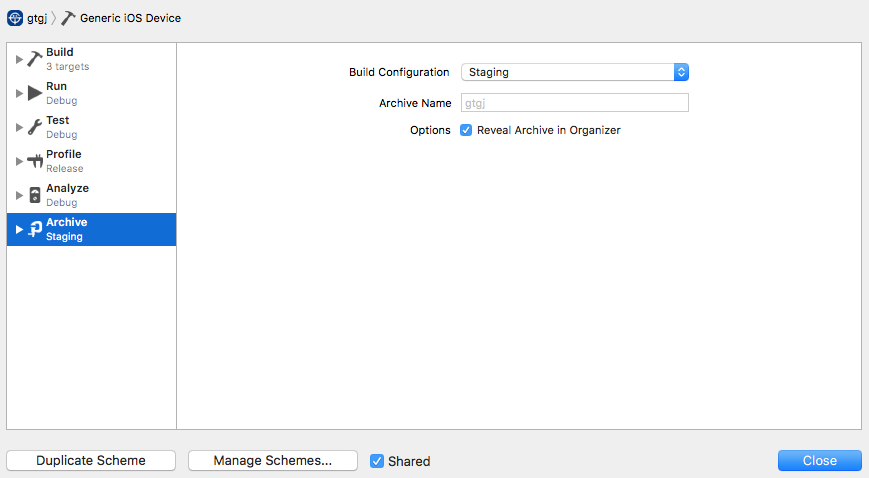
And build iOS staging package also failed. I'm using pods, it's ok to build with release config.


jaggerwang
on 8 Sep 2017
Hi @jaggerwang, thanks for reaching us.
To build your app in releaseStaging build type do the following:
- go to
androidfolder - execute
./gradlew assembleReleaseStagingcommand. It will produce/android/app/build/outputs/apk/app-releaseStaging-unsigned.apkfile. - Open Android Studio -> Build -> Generate signed apk -> Build Type: releaseStaging -> Finish. It will produce
/android/app/app-releaseStaging.apkfile
Here is Android sample app I've configured: rncp991.zip
For iOS please take a loot at this https://github.com/Microsoft/react-native-code-push/issues/893#issuecomment-317648454
 sergey-akhalkov
on 8 Sep 2017
sergey-akhalkov
on 8 Sep 2017
@sergey-akhalkov For android, your solution is not working for me. And I found another solution, set releaseStaging config to the same with release, except the code-push key.
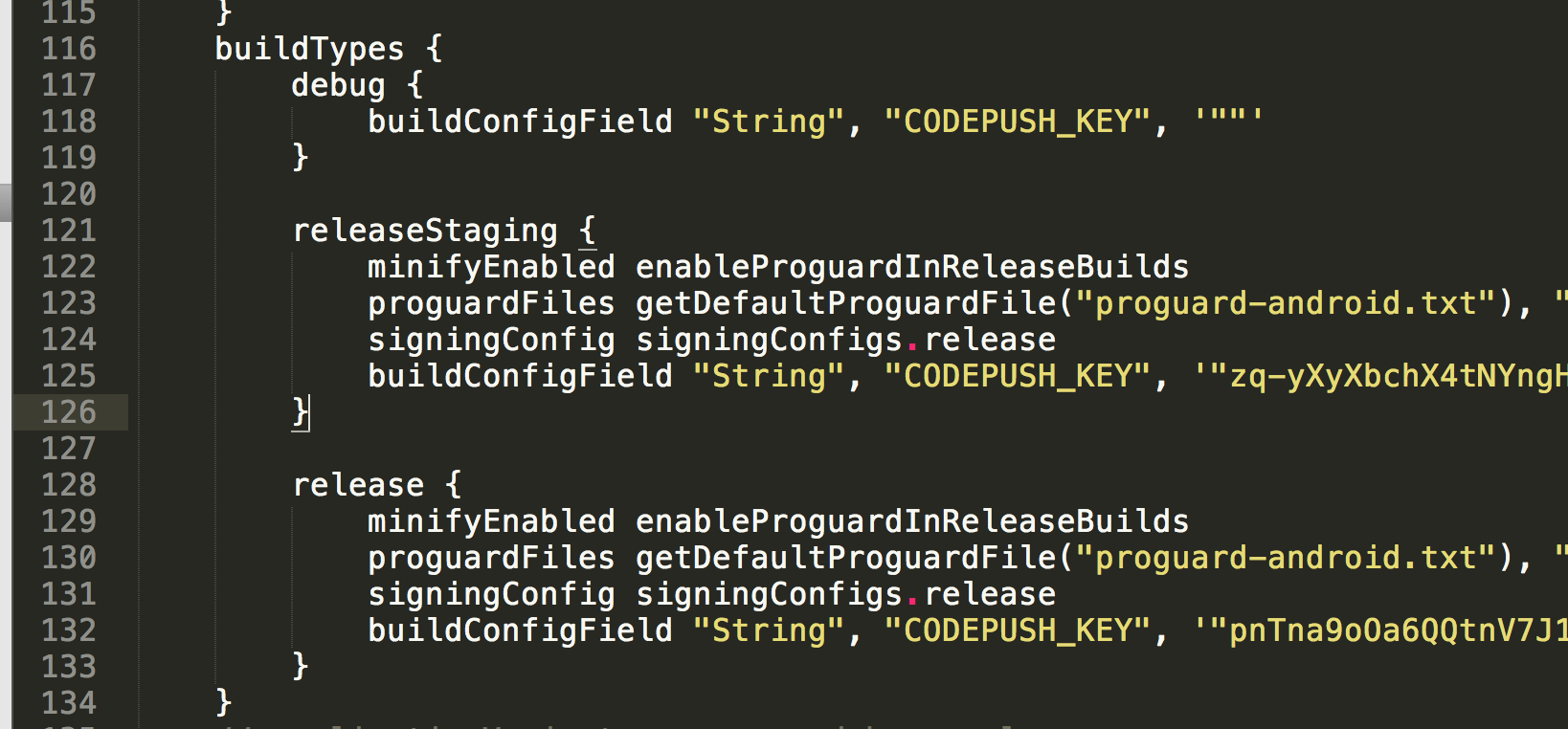
For iOS, I'm already did as your screenshot, and it not work for me. The staging config is copy from release, and config exactly as the "Multi-Deployment Testing" in README doc.
jaggerwang
on 9 Sep 2017
Hi @jaggerwang,
- Regarding Android - got it.
- Regarding iOS - have you downloaded the sample app (to verify if it works for you?) and paid attention to the second screenshot I made here https://github.com/Microsoft/react-native-code-push/issues/893#issuecomment-317648454 ?
sergey-akhalkov
on 11 Sep 2017
@sergey-akhalkov For iOS, it is still not working.
The "Build Locations" config.
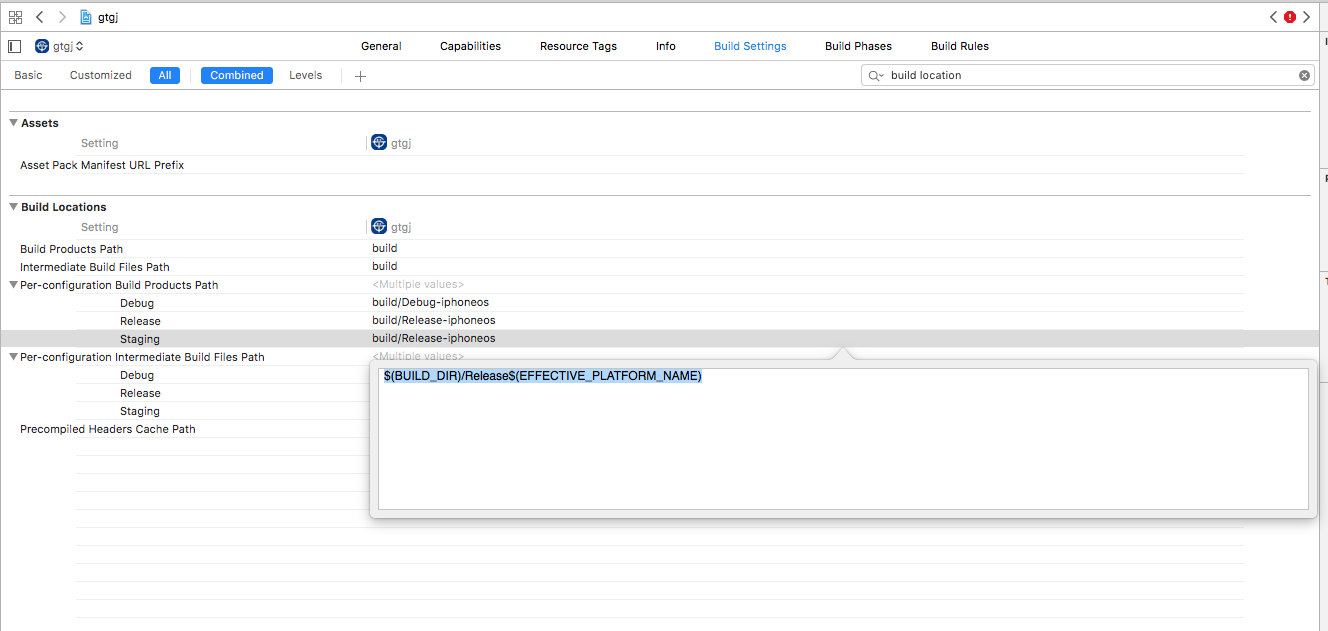
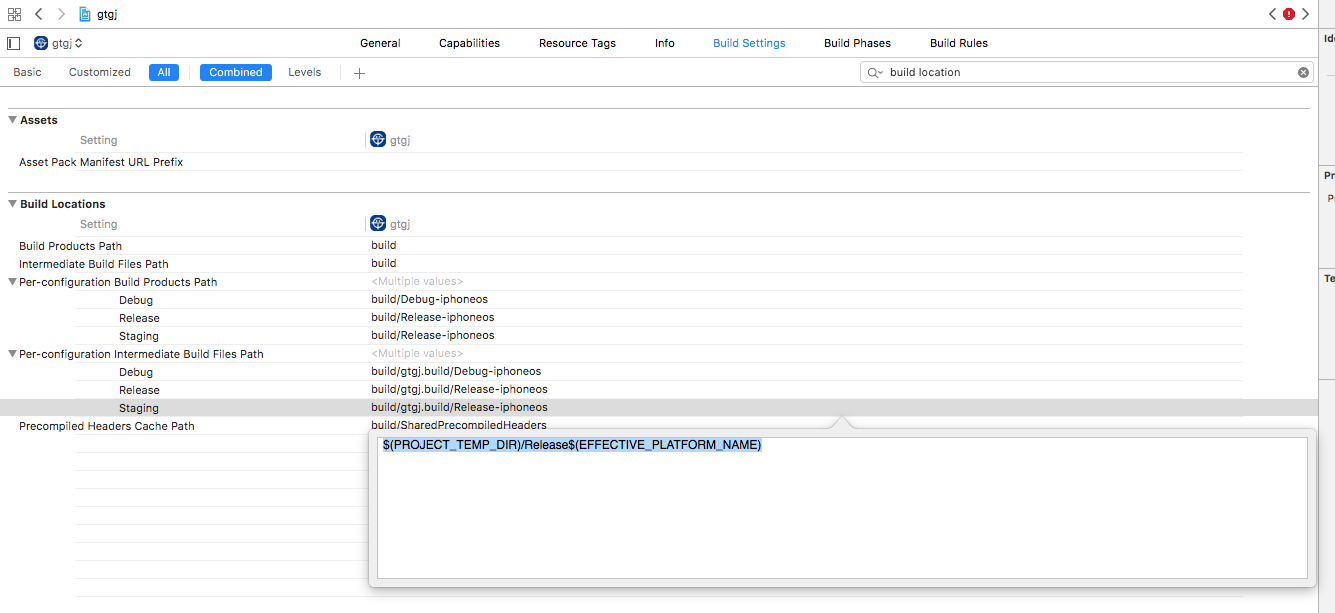
And there is no staging config in the sample app.

jaggerwang
on 12 Sep 2017
@jaggerwang, I've not changed Per-configuration Intermediate Build Files Path option, but Per-configuration Build Products Path, the same I've done for Pods project, please pay attention to the second screenshot from my comment. You could also try to download the sample app I've provided in the comment or share with me minimum version of your app so I could try to spend some time on it and probably fix the issue you have.
sergey-akhalkov
on 12 Sep 2017
@sergey-akhalkov Sorry, I'm not noticed than the config is against Pods project. I modified the config as follow, but still got error.
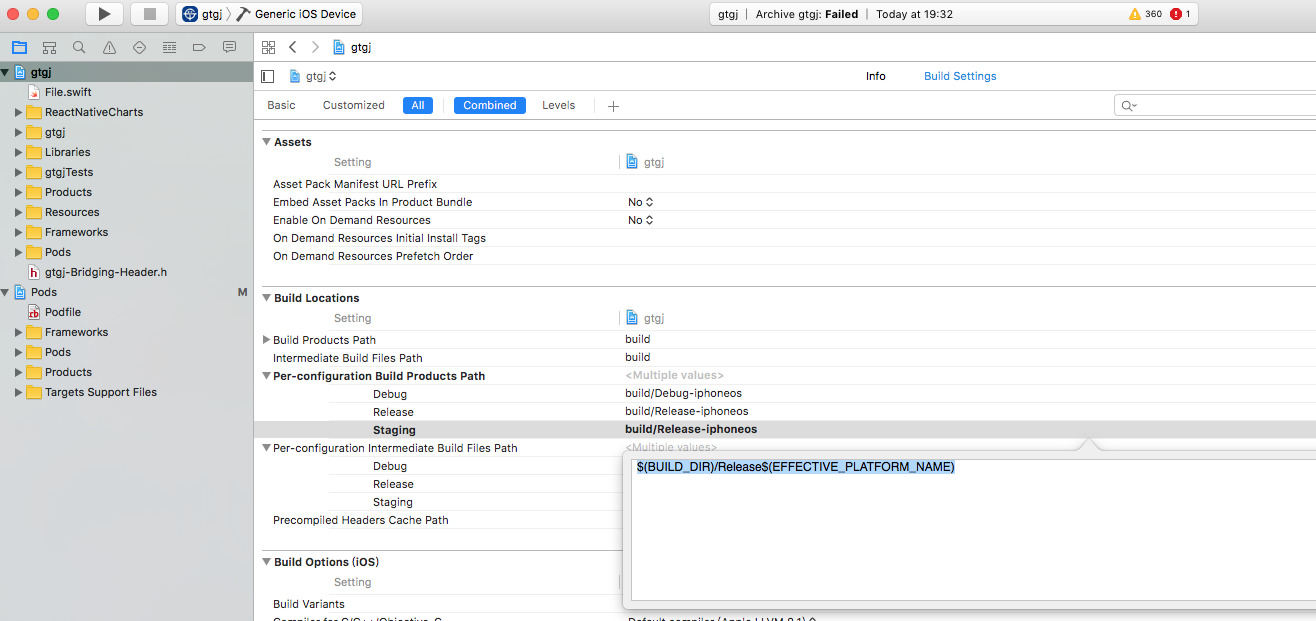
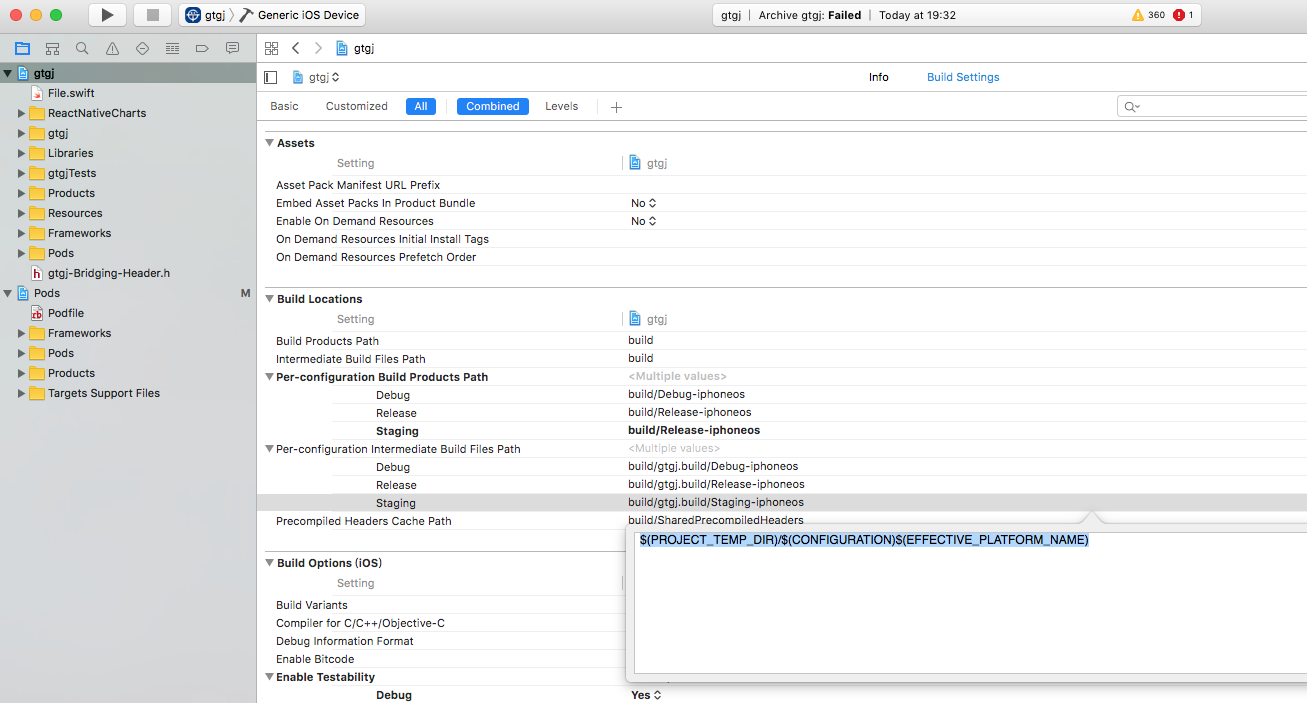
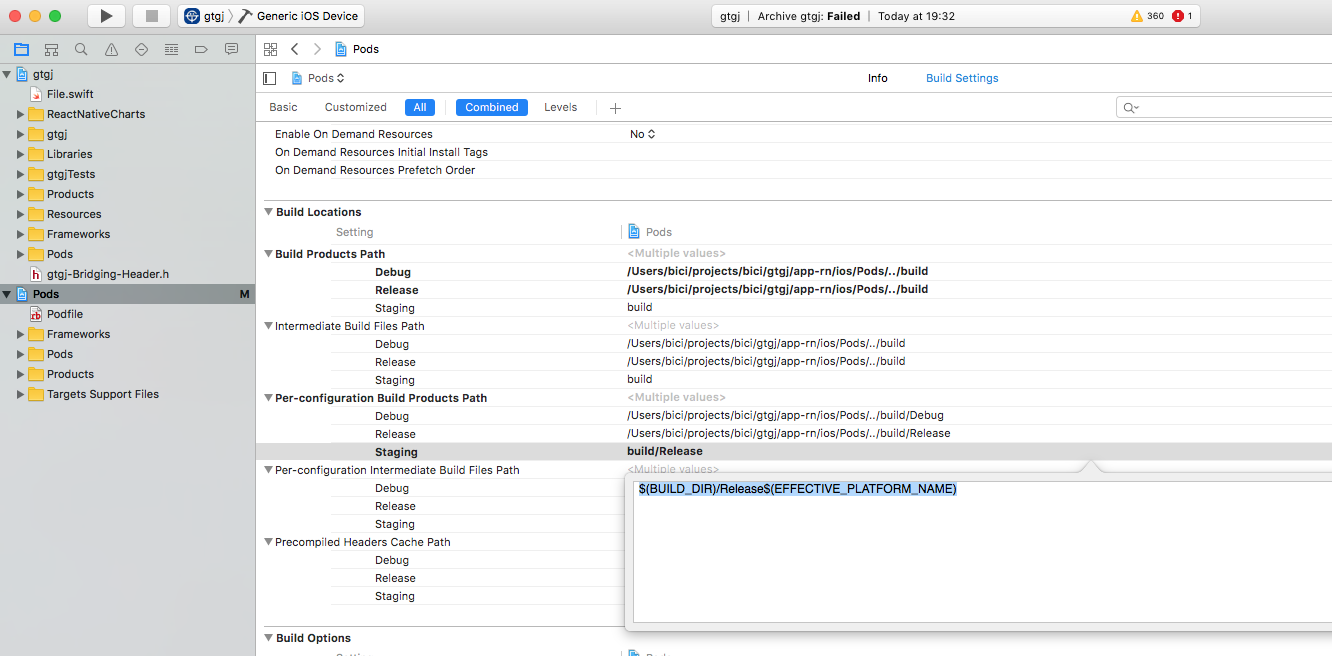
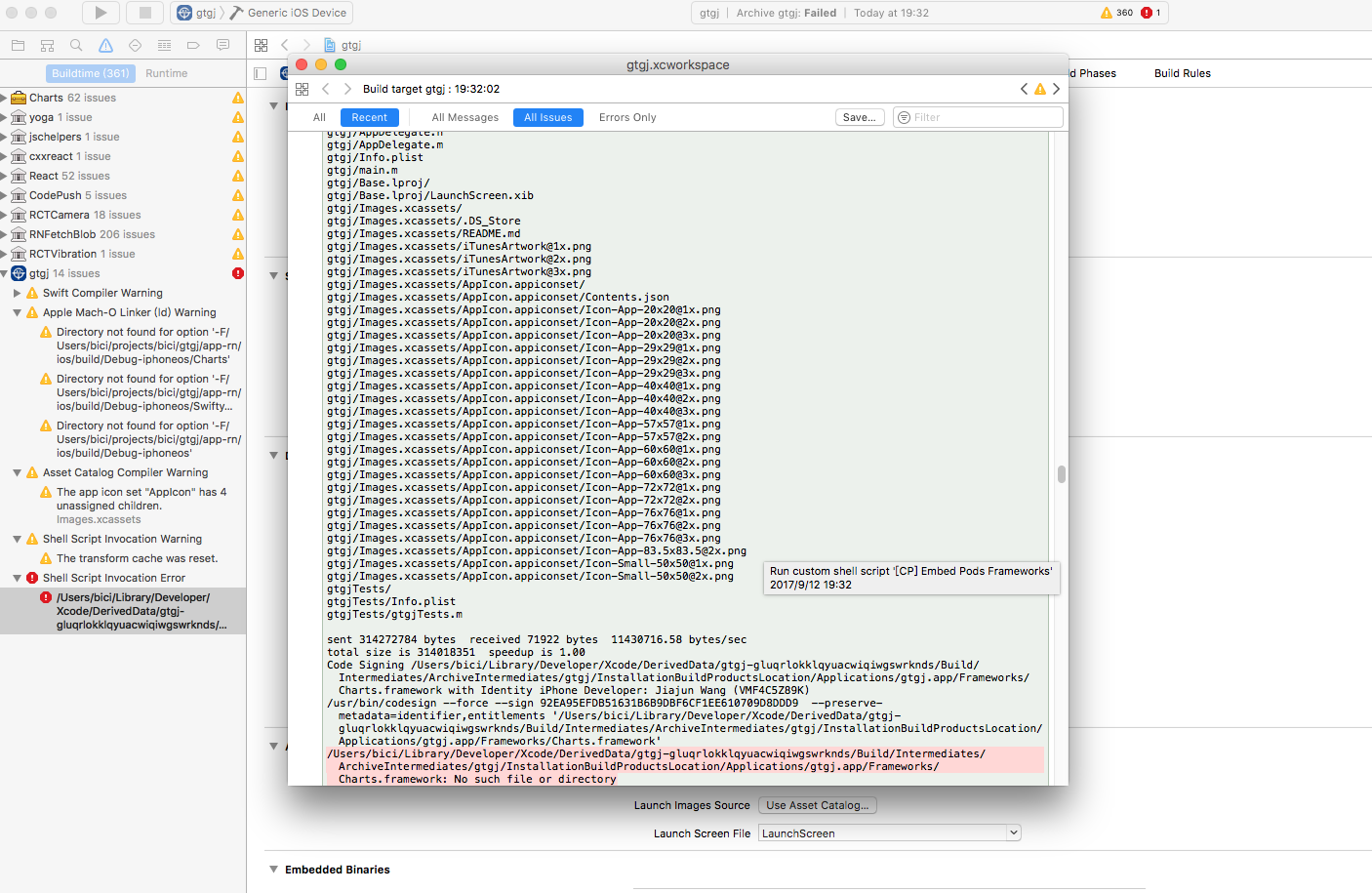
jaggerwang
on 12 Sep 2017
@jaggerwang, it's really hard to say what goes wrong here with the charts.framework you are using in your project without the real app. If you could share it with me - I could spend some time on it and try to fix the issue.
sergey-akhalkov
on 12 Sep 2017
Closing this, please feel free to reopen if you have source code or exact repro steps that could help me to reproduce the issue.
sergey-akhalkov
on 15 Sep 2017
 youngjuning
on 14 Nov 2018
youngjuning
on 14 Nov 2018
Related issues
 ninjz
·
4Comments
ninjz
·
4Comments
 cgerikj
·
3Comments
cgerikj
·
3Comments
 Phredward
·
3Comments
Phredward
·
3Comments
 osdnk
·
3Comments
osdnk
·
3Comments
 diegocouto
·
4Comments
diegocouto
·
4Comments
Most helpful comment
@sergey-akhalkov For android, your solution is not working for me. And I found another solution, set releaseStaging config to the same with release, except the code-push key.

For iOS, I'm already did as your screenshot, and it not work for me. The staging config is copy from release, and config exactly as the "Multi-Deployment Testing" in README doc.