React-native-code-push: Update did not finish loading the last time, rolling back to a previous version
Description
When i integrate the code push to my RN App, i could update my App first time(UI changed), but when i forced exit(press the android physical back button)to exit the app, and then open the app, the UI rollback.
How can i handle this case?
Reproduction
- Install the app to android device (Mi 5) by
$ react-native run-android
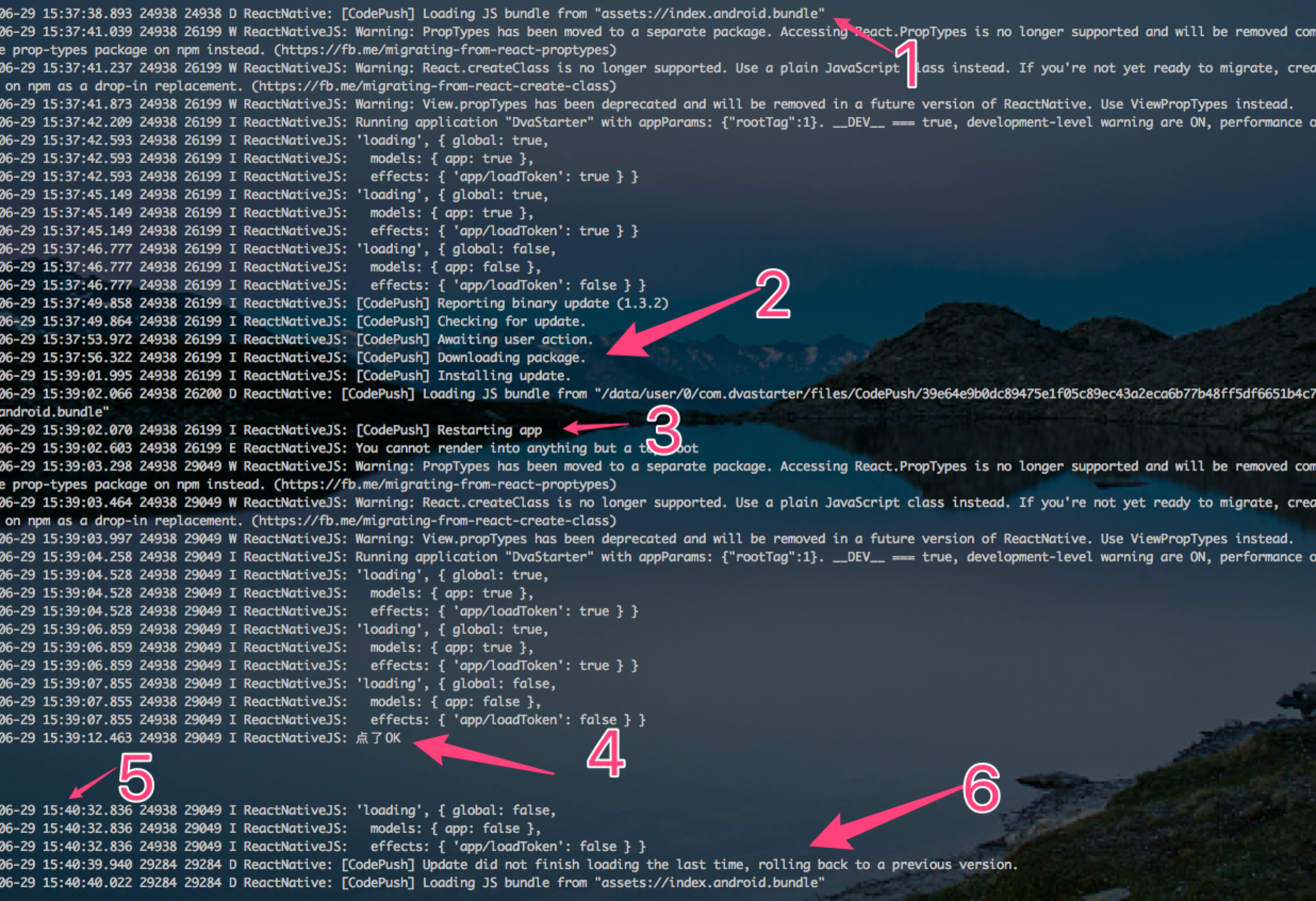
- open the app, the app will check the Version and then open a dialog to ask the user to update its App.
2.User click update, then download the package
3.Package download successful, then reload
4.the app check the Version, and then show the app is the latest one.
5.wait about 40s, then press the back button(physical back button, the app will forced exit)
6.open the app again, the version was roll back
Additional Information
"dependencies": {
    "axios": "^0.16.2",
    "color": "~0.11.1",
    "dva": "1.3.0-beta.4",
    "dva-loading": "^0.2.1",
    "jcore-react-native": "^1.1.0",
    "jpush-react-native": "1.6.0",
    "lodash": "^4.13.1",
    "mobile-center": "^0.6.0",
    "mobile-center-analytics": "^0.6.0",
    "mobile-center-crashes": "^0.6.0",
    "moment": "^2.18.1",
    "native-base": "^2.1.5",
    "path-to-regexp": "^1.7.0",
    "rc-form": "^1.3.4",
    "react": "16.0.0-alpha.12",
    "react-native": "^0.45.1",
    "react-native-code-push": "^3.0.0-beta",
    "react-native-datepicker": "^1.6.0",
    "react-native-eventemitter": "0.0.1",
    "react-native-i18n": "^2.0.1",
    "react-native-image-crop-picker": "^0.13.1",
    "react-native-looped-carousel": "^0.1.7",
    "react-native-picker": "^4.0.18",
    "react-native-splash-screen": "^2.1.0",
    "react-navigation": "^1.0.0-beta.11",
    "react-timer-mixin": "^0.13.3",
    "redux-logger": "^3.0.6",
    "redux-persist": "^4.8.0"
  },

- Android
- debug
- physical device Mi 5
 kala888
All 5 comments
Hi @kala888, thanks for reaching us. Please note, that CodePush updates should not be tested in debug mode, from official docs:
NOTE: CodePush updates should be tested in modes other than Debug mode. In Debug mode, React Native app always downloads JS bundle generated by packager, so JS bundle downloaded by CodePush does not apply.
To test your updates in debug mode you should:
- close React Native packager if exists
- add the following lines to your
app/build.gradlefile:
project.ext.react = [
        bundleInDebug: true
]
- open
projectRoot/androidfolder and perform there./gradlew assembleDebugcommand - close React Native packager if exists
- install produces apk file and open your app.
Please let me know if you have any questions.
 sergey-akhalkov
on 29 Jun 2017
sergey-akhalkov
on 29 Jun 2017
@sergey-akhalkov
Thanks for your tips, but i my this issue not in debug model, i used the following code before
$ ./gradlew aR installRelease
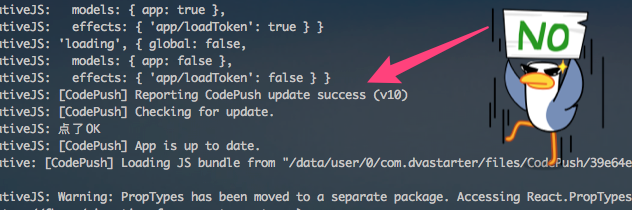
Oh, my fault,
add codePush to root component, it works fine now.
For DVA App
https://github.com/Microsoft/react-native-code-push#plugin-usage

kala888
on 29 Jun 2017
kala888
on 29 Jun 2017
@kala888, great! Thanks for the clarification)
sergey-akhalkov
on 29 Jun 2017
Related issues
 jaysig
·
3Comments
jaysig
·
3Comments
 DeDuckProject
·
3Comments
DeDuckProject
·
3Comments
 kevando
·
4Comments
kevando
·
4Comments
 chrisjrex
·
4Comments
chrisjrex
·
4Comments
 diegocouto
·
4Comments
diegocouto
·
4Comments
Most helpful comment