React-native-chart-kit: Show Y values over each dot (Line Chart)
Hi!
I'm working on a Line Chart with dots and I would like to render each dot's respective Y value over them. Can you please provide a decorator implementation to do so? I just need the values to be wrapped in a
Thanks in advance!
 mcama
mcama
All 5 comments
I'm not sure if this is a common pattern. I haven't had such a feature request so far. Try forking this repo. If you think you can make a great API for this, I'd welcome a PR.
 Hermanya
on 12 Nov 2019
Hermanya
on 12 Nov 2019
My bad. What I meant was that I would like to know if someone could point me in the right direction to use the decorator to render simple text over each dot of the chart. I mean something similar to this: https://github.com/indiespirit/react-native-chart-kit/issues/160 but rendering each respective dot's Y value over it:
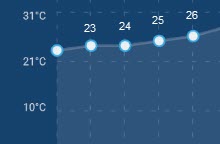
Thanks again.
mcama
on 12 Nov 2019
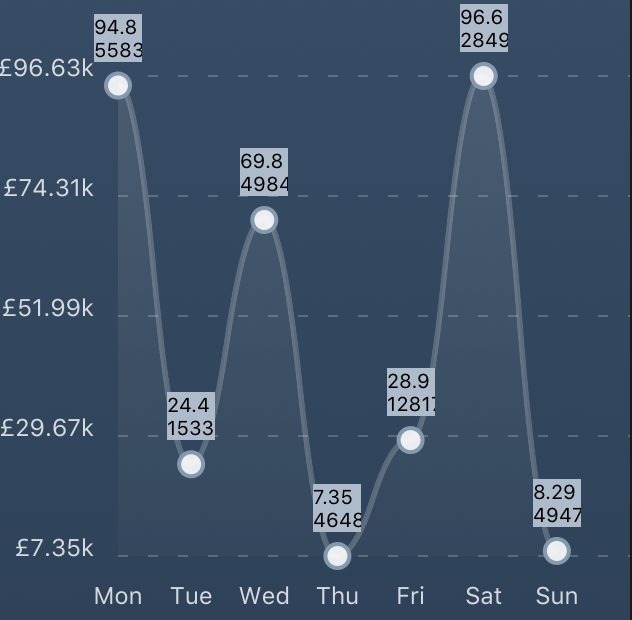
Just incase anyone looks at this in the future and wants a really quick and dirty way to do this, update your line graph as:
renderDotContent={({ x, y, index }) => {
            return (
              <View
                style={{
                  height: 24,
                  width: 24,
                  backgroundColor: "#abc",
                  position: "absolute",
                  top: y - 36, // <--- relevant to height / width (
                  left: x - 12, // <--- width / 2
                }}
              >
                <Text style={{ fontSize: 10 }}>{data[index]}</Text>
              </View>
            );
          }}
will produce something that looks like:
 Trashpants
on 20 Aug 2020
Trashpants
on 20 Aug 2020
In my case it worked this way
https://github.com/indiespirit/react-native-chart-kit/issues/285#issuecomment-717379714
 azuxx
on 27 Oct 2020
azuxx
on 27 Oct 2020
indexData is simpler
          renderDotContent={({x, y, indexData}) => (
            <View
              style={{
                position: 'absolute',
                top: y - 25,
                left: x - 8,
              }}>
              <Text style={{fontSize: 10}}>
                {indexData}
              </Text>
            </View>
          )}
 henrineken
on 30 Dec 2020
henrineken
on 30 Dec 2020
Related issues
 NS-BOBBY-C
·
5Comments
NS-BOBBY-C
·
5Comments
 uttampawar
·
3Comments
uttampawar
·
3Comments
 LillyBrainy
·
4Comments
LillyBrainy
·
4Comments
 vedika96
·
4Comments
vedika96
·
4Comments
 briaclg
·
4Comments
briaclg
·
4Comments
Most helpful comment
Just incase anyone looks at this in the future and wants a really quick and dirty way to do this, update your line graph as:
will produce something that looks like:
