React-native-camera: [Question] StyleSheet for Barcode Scanner
I'm working on BarcodeScanner screen. and i have no idea how to style my screen like this

My current screen is
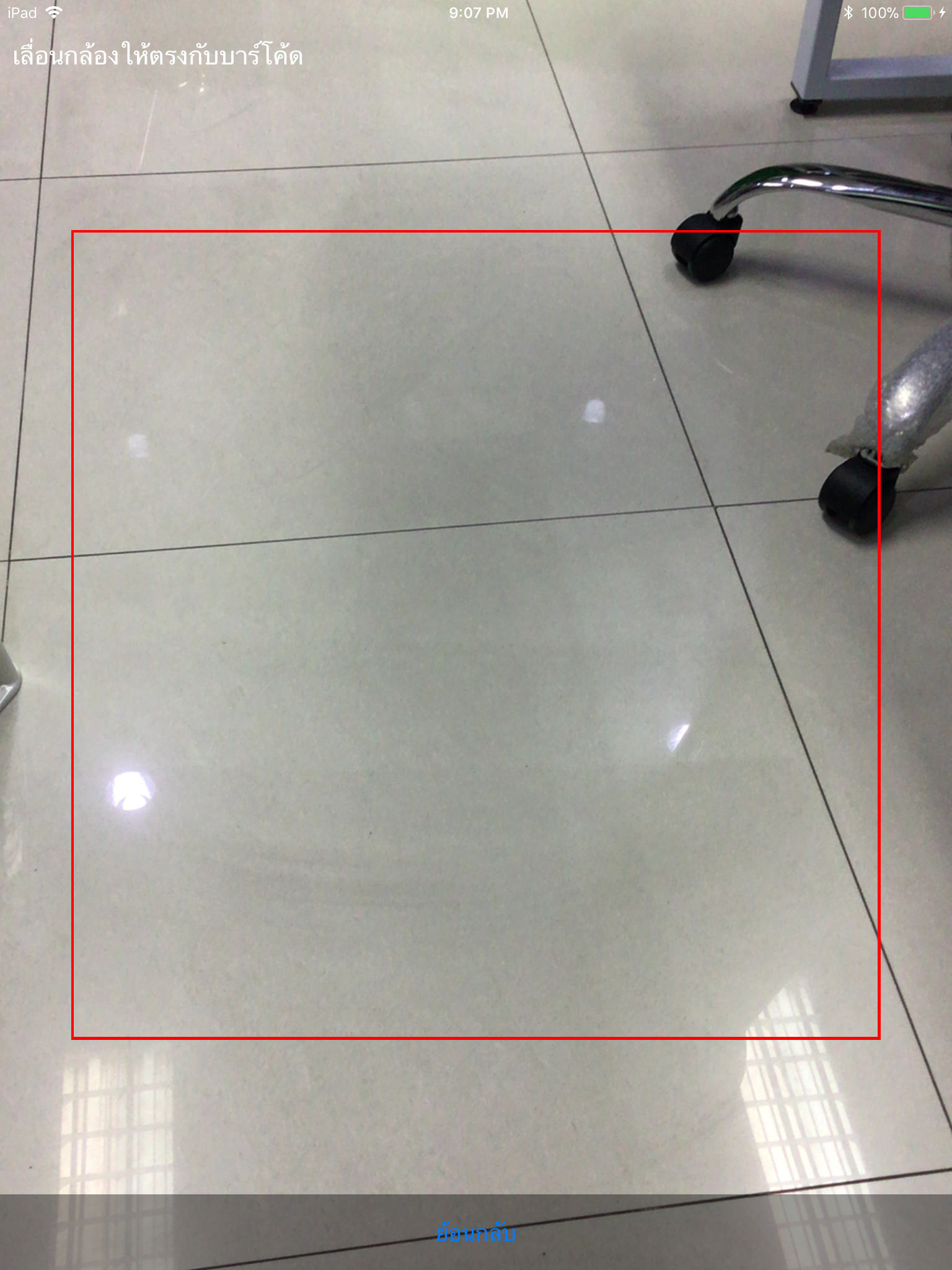
Some piece of my code:
constructor(props) {
    super();
    let { width } = Dimensions.get('window');
    this.maskLength = (width*85)/100; // 90% ของขนาดหน้าจอตามยาว
    this.checkingFolder = false;
}
render() {
    return (
        <Camera
            ref={cam => {
                this.camera = cam;
            }}
            style={styles.preview}
            aspect={Camera.constants.Aspect.fill}
            captureTarget={Camera.constants.CaptureTarget.disk}
            //torchMode='off'
            type={Camera.constants.Type.back}
            keepAwake={true}
            defaultOnFocusComponent
            clearWindowBackground={true}
            playSoundOnCapture={false}
            onBarCodeRead={this.onBarCodeRead} >

            <View style={[styles.overlay, styles.topOverlay]}>
                <Text style={[styles.scanScreenMessage, Platform.OS == 'ios' ? {marginTop: 20} : ""]}>เลื่อนกล้องให้ตรงกับบาร์โค้ด</Text>
            </View>
                    <View style={[styles.middleOverlay, { width: this.maskLength, height: this.maskLength }]}/>
            <View style={[styles.overlay, styles.bottomOverlay]}>
                 <Button style={styles.enterBarcodeManualButton} onPress={this.onBackButtonPress} title="ย้อนกลับ" />
            </View>
             </Camera>
    );
}

const styles = StyleSheet.create({
    preview: {
        flex: 1,
        justifyContent: 'center',
        alignItems: 'center',
    },
    overlay: {
        position: 'absolute',
        padding: 10,
        right: 0,
        left: 0,
        alignItems: 'center'
    },
    topOverlay: {
        top: 0,
        flex: 1,
        flexDirection: 'row',
        justifyContent: 'space-between',
        alignItems: 'center',
        backgroundColor: 'rgba(1,1,1,0)'
    },
    middleOverlay: {
        borderColor: "red",
        borderWidth: 2,
        backgroundColor: 'rgba(0,0,0,0.0)'
    },
    bottomOverlay: {
        bottom: 0,
        backgroundColor: 'rgba(0,0,0,0.4)',
        flexDirection: 'row',
        justifyContent: 'center',
        alignItems: 'center'
    },
    enterBarcodeManualButton: {
        padding: 15,
        backgroundColor: 'white',
        borderRadius: 40
    },
    scanScreenMessage: {
        fontSize: 20,
        color: 'white',
        textAlign: 'center',
        alignItems: 'center',
        justifyContent: 'center',
    }

});
Question
 chen2584
All 3 comments
Maybe something like this:

const styles = StyleSheet.create({
    overlay: {
        flex: 1,
        color: '#0003'
    } as ViewStyle,
    contentRow: {
        flex: 1,
        flexDirection: 'row',
    } as ViewStyle,
    content: {
        width: 300,
        height: 300,
    },
    scanline: {
        color: 'red',
        height: 1
    }
});

// (...)

render() {
    return (
        <RNCamera {...someProps}>
            <View style={styles.overlay}/>
            <View style={styles.contentRow}>
                <View style={styles.overlay}/>
                <View style={styles.content}>
                    <View style={styles.scanline}/>
                </View>
                <View style={styles.overlay}/>
            </View>
            <View style={styles.overlay}/>
        </RNCamera>
    );
}
As for the animation, You can try using react-native-animatable to achieve it.
Maybe something like this:
// This is the Scanline component
<Animatable.View
    style={styles.scanline}
    animation="slideInDown"
    iterationCount="infinite"
    direction="alternate"
/>
 Fconstant
on 23 Mar 2018
Fconstant
on 23 Mar 2018
❤4
Thanks for your idea @Fconstant
This is my completely code.
constructor(props) {
    super();
    let { width } = Dimensions.get('window');
    this.maskLength = (width*85)/100; // 90% ของขนาดหน้าจอตามยาว
}

render() {
        return (
            <Camera
                style={styles.preview}
                ref={cam => {
                    this.camera = cam;
                }}
                //style={styles.preview}
                aspect={Camera.constants.Aspect.fill}
                captureTarget={Camera.constants.CaptureTarget.disk}
                //torchMode='off'
                type={Camera.constants.Type.back}
                keepAwake={true}
                defaultOnFocusComponent
                clearWindowBackground={true}
                playSoundOnCapture={false}
                onBarCodeRead={this.onBarCodeRead} >

                <View style={styles.overlay}/>
                    <View style={[styles.contentRow, { height: this.maskLength }]}>
                        <View style={styles.overlay}/>

                        <View style={[styles.content, { width: this.maskLength, height: this.maskLength }]} />
                        <View style={styles.overlay}/>
                    </View>
                <View style={styles.overlay}/>
            </Camera>
        );
    }
}

const styles = StyleSheet.create({
    preview: {
        flex: 1
    },
    overlay: {
        flex: 1,
        backgroundColor: 'rgba(0,0,0,0.5)'
    },
    contentRow: {
    flexDirection: 'row',
    },
    content: {
    borderWidth: 3,
    borderColor: 'red'
    }
});
❤1
chen2584 does it only capture the inner area of the square box or the whole?
 haseebb
on 25 Sep 2019
haseebb
on 25 Sep 2019
Was this page helpful?
0 / 5 - 0 ratings
Related issues
 anotherstarburst
·
3Comments
anotherstarburst
·
3Comments
 drriguz
·
3Comments
drriguz
·
3Comments
 grkemtneri
·
3Comments
grkemtneri
·
3Comments
 weironghuang31
·
3Comments
weironghuang31
·
3Comments
 Fernando-Parise
·
3Comments
Fernando-Parise
·
3Comments
Most helpful comment
Maybe something like this:
As for the animation, You can try using react-native-animatable to achieve it.
Maybe something like this: