React-native-background-geolocation: Heartbeat event doesn't getting called in case of stationary location when app is killed.
Your Environment
- Plugin version: react-native-background-geolocation": "3.9.3" & react-native-background-fetch": "3.0.6"
- Platform: iOS and android
- OS version: 13.5
- Device manufacturer / model: iPhone SE (2nd gen)
- React Native version (
react-native -v): 0.62.2 Plugin config
```javascript
export const configureBackgroundGeoLocation = () => {
BackgroundGeolocation.ready(
{
desiredAccuracy: BackgroundGeolocation.DESIRED_ACCURACY_HIGH,
distanceFilter: stores.locationStore.fetchRadius || 10, //distance required for getting location update // Activity Recognition
stopTimeout: 1,
// Application config
debug: false, // <-- enable this hear sounds for background-geolocation life-cycle.
logLevel: BackgroundGeolocation.LOG_LEVEL_VERBOSE,
stopOnTerminate: false, // <-- Allow the background-service to continue tracking when user closes the app.
startOnBoot: true, // <-- Auto start tracking when device is powered-up.
locationAuthorizationRequest: 'Always',
heartbeatInterval: 60,
preventSuspend: true, //required for heartbeat event for ios,
foregroundService: true,
},
state => {
LOGGER.log(
'- BackgroundGeolocation is configured and ready: ',
state.enabled,
);if (!state.enabled) {
BackgroundGeolocation.start(function() {
LOGGER.log('- Start success');
});
}
},
);
BackgroundGeolocation.on('location', location => {
console.log('On location:', location);
location && getLocationInputAndSave(location);
});
/**
- this will get called whenever it has been elapsed 1 min and device is sationary i.e there is no change in location from last 1min
*/
BackgroundGeolocation.onHeartbeat(event => {
// You could request a new location if you wish.
BackgroundGeolocation.getCurrentPosition({
  samples: 1,
  persist: true,
}).then(location => {
  console.log('On heartbeat:', location);
  // location && getLocationInputAndSave(location);
});
});
## Expected Behavior
<!--- Tell us what should happen -->
We should get stationary data by calling the heartbeat event even if the app is killed.

## Actual Behavior
<!--- Tell us what happens instead -->
We are not getting stationary data when the app is killed although we are getting it when the app is in foreground or background state.

## Steps to Reproduce
<!--- reproduce this issue; include code to reproduce, if relevant -->
1.
2.
3.
4.

## Context
<!--- What were you trying to do? -->

## Debug logs
<!-- include iOS / Android logs
- ios XCode logs,
- use #getLog #emailLog methods (@see docs)
- Android: $ adb logcat -s TSLocationManager
-->
<details><summary>Logs</summary>

``` <!-- Syntax highlighting:  DO NOT REMOVE -->
PASTE_YOUR_LOGS_HERE
 Reenagrg100
All 25 comments
Hey @bajjajjrajjesh by chance did you face this kind of issue ever? I was seeing you have also opened another issue.
Reenagrg100
on 8 Jan 2021
Hi @Reenagrg100 I don't think I ever faced this issue. My question is why you want to get stationary data
 bajjajjrajjesh
on 8 Jan 2021
bajjajjrajjesh
on 8 Jan 2021
Thanks, @bajjajjrajjesh for getting back. Actually, my scenerio is something like that we are getting location updates based on distance filter( if a user is moving) and based on time (if a user is stationary). We want continuous data. I know in the case of stationary it will keep giving us the last fetched location till the time user changes his location only the timestamp will get changed here.
Reenagrg100
on 8 Jan 2021
Also, I'm not getting even moving data on android when the app is been killed. Any thoughts on it @bajjajjrajjesh?
Reenagrg100
on 8 Jan 2021
Is your app working when in foreground?
You can take a look at this
distanceFilter: stores.locationStore.fetchRadius || 10,
I am not sure but you may consider changing this to
distanceFilter: 10,
Additionally I am not using heartbeat for iOS, I left it on its default option what ever it is
If it still doesn't work I will share you a config to see if that works for you
bajjajjrajjesh
on 8 Jan 2021
@Reenagrg100 you should reach @christocracy for your issue as he is the best person to answer any of your question.
bajjajjrajjesh
on 8 Jan 2021
@bajjajjrajjesh Yeah, I'm getting proper data in both foreground and background and on iOS even in the killed state but not on android. Although, on iOS it takes 3-4 mins when the app goes to killed state in providing the next location updates. Did you also notice the same? But that's okay.
But on android, it's not providing at all even I waited for 10-15 mins.
distanceFilter: stores.locationStore.fetchRadius || 10,
No, that's not an issue, it's only I'm picking distance radius from the store and have kept 10 as default.
Reenagrg100
on 8 Jan 2021
@Reenagrg100 you should reach @christocracy for your issue as he is the best person to answer any of your question.
For sure thanks, I'm waiting for him to respond.
Reenagrg100
on 8 Jan 2021
Is your app working when in foreground?
You can take a look at this
distanceFilter: stores.locationStore.fetchRadius || 10,I am not sure but you may consider changing this to
distanceFilter: 10,Additionally I am not using heartbeat for iOS, I left it on its default option what ever it is
If it still doesn't work I will share you a config to see if that works for you
Got it man @bajjajjrajjesh , I needed to add enableHeadless:true in my config for android and I missed that. Got to know from https://github.com/transistorsoft/react-native-background-geolocation/wiki/Android-Headless-Mode.
Reenagrg100
on 8 Jan 2021
Hey @christocracy the issue which I have opened doesn't get solved yet. I was talking about the other issue above. Can you please help me with the issue which I have opened. ?
Reenagrg100
on 8 Jan 2021
iOS cannot fire the heartbeat event when the app is terminated. When an iOS app is terminated, everything stops. iOS has no such concept of "Headless" as Android does.
 christocracy
on 8 Jan 2021
christocracy
on 8 Jan 2021
on iOS, your app will automatically relaunch when the device moves ~200 meters, and tracking will resume.
christocracy
on 8 Jan 2021
Okay, so there is no way to get stationary location updates on iOS based on heartbeat interval? Any other way?
Reenagrg100
on 8 Jan 2021
Okay, so there is no way to get stationary location updates on iOS based on heartbeat interval?
When the iOS app is terminated, no -- It's impossible.
Any other way?
No. It's impossible.
christocracy
on 8 Jan 2021
Also, I'm using headless mode in android but little confused as it also emits "heartbeat" event as heartbeat interval does. So, how can we implement both.
As we need to register a headless task to get updates in headless mode. But, it will be working only in the killed state, then how can I get location updates in the foreground and background states based on heartbeat interval?
let BackgroundGeolocationHeadlessTask = async event => {
  let params = event.params;
  console.log('headless task');
  console.log('[BackgroundGeolocation HeadlessTask] -', event.name, params);

  switch (event.name) {
    case 'heartbeat':
      // Use await for async tasks
      let location = await BackgroundGeolocation.getCurrentPosition({
        samples: 1,
        persist: false,
      });
      console.log(
        '[BackgroundGeolocation HeadlessTask] - getCurrentPosition:',
        location,
      );
      break;
  }
};

BackgroundGeolocation.registerHeadlessTask(BackgroundGeolocationHeadlessTask);
- When your Android or iOS app is alive (either foreground or background), your
hearbeatevent arrives here:
BackgroundGeolocaiton.onHeartbeat((event) {
  console.log('[heartbeat]', event);
});
- When your Android app is terminated, your
heartbeatevents (and all events) arrive in your registered headless-task.
An Android app has 3 states:
- foreground
- background
- terminated.
"Headless" = terminated.
christocracy
on 8 Jan 2021
Got it. Thanks a lot for explaining it. @christocracy.
Reenagrg100
on 8 Jan 2021
I'll try and if it works successfully then will close the issue.
Reenagrg100
on 8 Jan 2021
I'm also seeing that heartbeat interval working fine in iOS but on android when the app goes to the background, it provides updates only for 5-6 mins if my heartbeat interval is 60secs, and after that onHeartbeat stops calling. and in the foreground for one heartbeat interval, I'm getting multiple updates( duplicate data) most of the time. @christocracy
Reenagrg100
on 8 Jan 2021

and sometimes I also got this error in OnLocation callback in case of heartbeat event. => android (background state)
Reenagrg100
on 8 Jan 2021
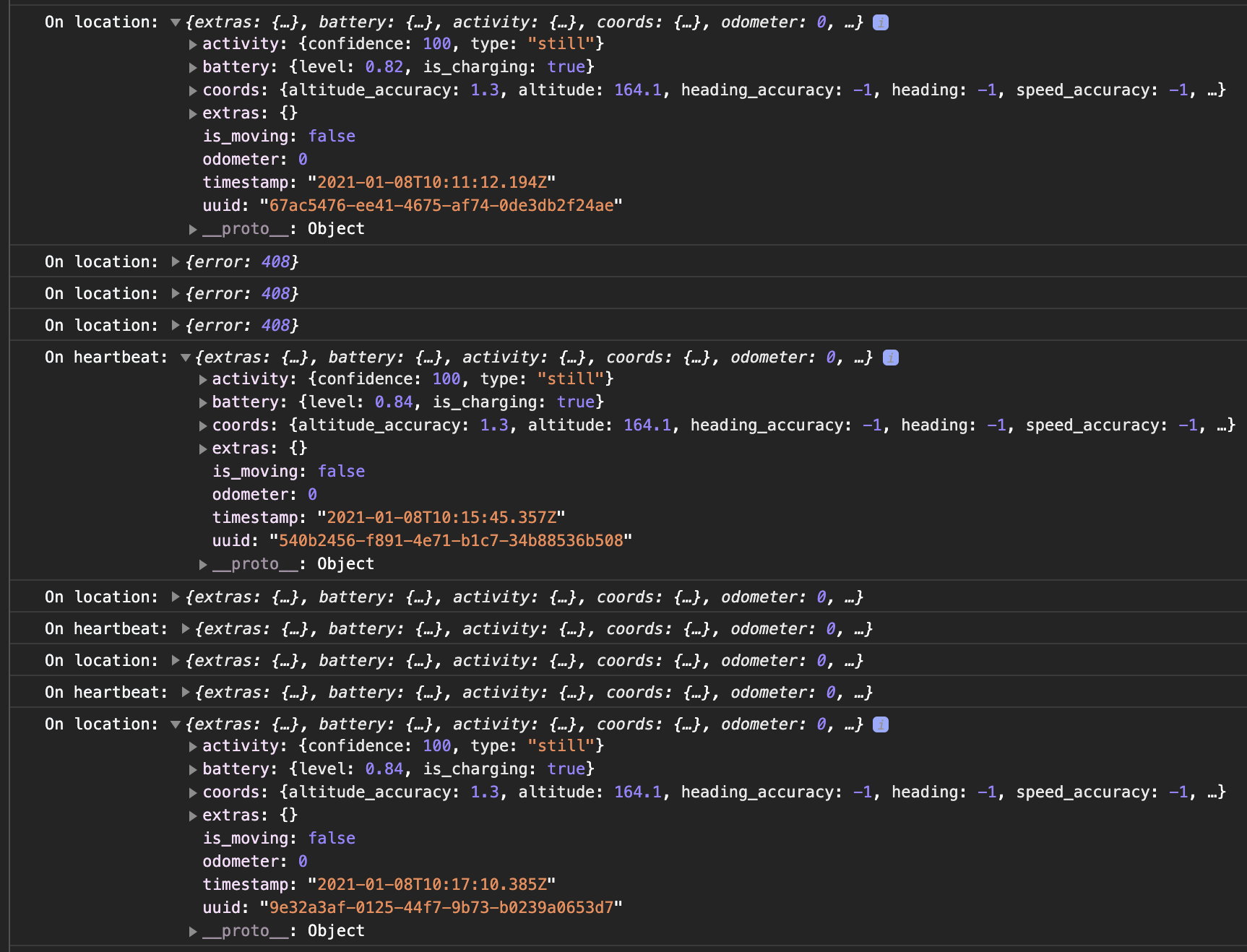
You can also follow this one to see the timestamp of all the updates.
Reenagrg100
on 8 Jan 2021
You're aware that the location provided to heartbeat event is simply the last known location? It is the same location provided to each fired event. The plugin does not turn on location services to fetch a new location with each event. This is documented in the api docs for then onHeartbeat event.
If you want a fresh location, see api docs getCurrentPosition.
christocracy
on 8 Jan 2021
I know but the heartbeat event doesn't getting called correctly. location would remain the same but timestamp will be changed. We need stationary updates as well. Also, I'm seeing 408 error many times when app is in background state. Why so? @christocracy
Reenagrg100
on 8 Jan 2021
- When your _Android_ or _iOS_ app is alive (either foreground or background), your
hearbeatevent arrives here:BackgroundGeolocaiton.onHeartbeat((event) { console.log('[heartbeat]', event); });
- When your _Android_ app is terminated, your
heartbeatevents (and all events) arrive in your registered headless-task.An Android app has 3 states:
- foreground
- background
- terminated.
"Headless" = terminated.
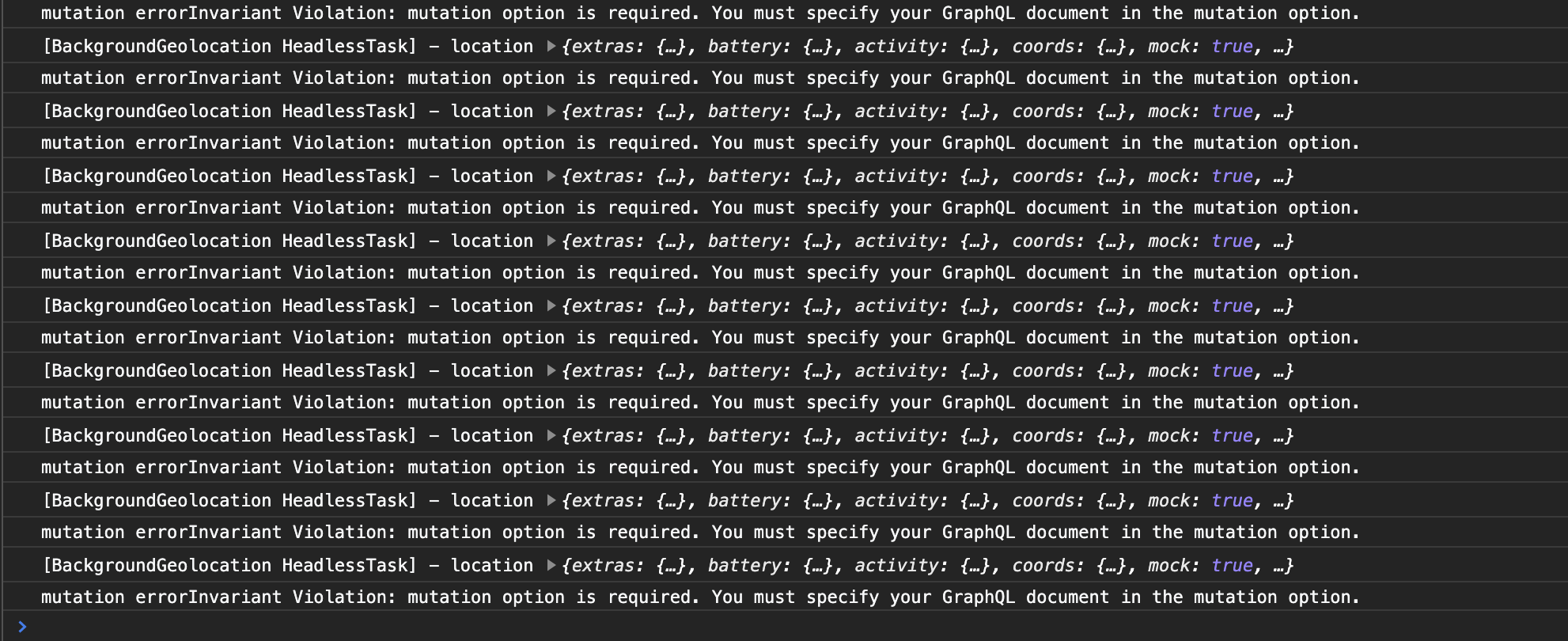
hey, @christocracy I just tested it in the same way as you explained to me but I'm seeing these kinds of logs in the killed state based on distance filter.
First thing, it's not going to the headless mode (headless callback) as it should be.
Secondly, it's throwing some internal error "mutation...".
Reenagrg100
on 8 Jan 2021
The plugin has nothing to do with GraphQL.
christocracy
on 8 Jan 2021
Related issues
 ca057
·
7Comments
ca057
·
7Comments
 Moveonit
·
5Comments
Moveonit
·
5Comments
 vishgoel007
·
3Comments
vishgoel007
·
3Comments
 jagrajSidhu
·
3Comments
jagrajSidhu
·
3Comments
 ramkey-akil
·
3Comments
ramkey-akil
·
3Comments