React-native-auth0: clearSession not work
clearSession can not logout, and not enter the success callback or error callback, no console execute.
auth0.webAuth.clearSession({federated: true}).then(() => console.log('success')).catch(() => console.log('error'));
 zhulichaoZW
All 12 comments
I've been trying to find a solution for this for a while as well.
I am presented with:
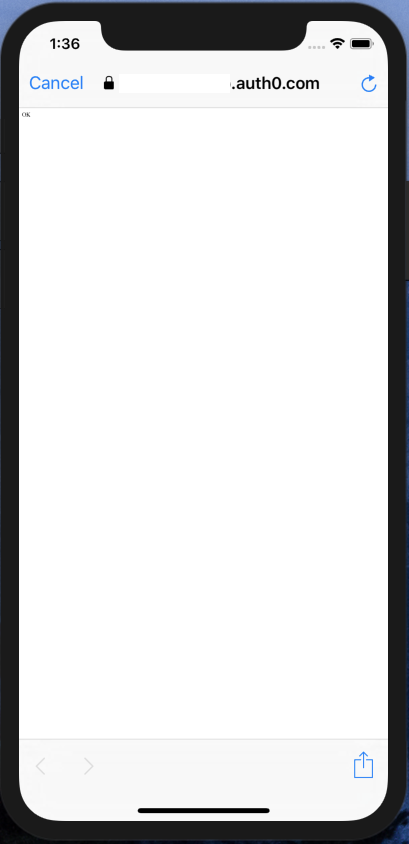
If I click cancel, I then get an error.

 ananova
on 21 Feb 2019
ananova
on 21 Feb 2019
Ah yes I see, in this case the operation was successful. However, the browser didn't close.
Can you try adding your Callback URL to the Allowed Logout URLs section of your application in the Auth0 Dashboard
 cocojoe
on 21 Feb 2019
cocojoe
on 21 Feb 2019
@zhulichaoZW I had a similiar problem where I was calling clearSession({}), I was able to fix the issue by adding the clientId as part of the parameters to clearSession
clearSession({clientId: "...."})
 reedyrm
on 22 Mar 2019
reedyrm
on 22 Mar 2019
Hey, this seems to be a regression in v1.4.0. I had the same problem when implementing it in my application, just a blank screen with "ok" displayed on it when trying to execute clearSession() on iOS.
I tried @cocojoe 's and @reedyrm 's possible solutions, but neither of those worked in my case.
I was able to fix this issue in my application by going back to the previous version (v1.3.1).
 yoo-hooo
on 1 Apr 2019
yoo-hooo
on 1 Apr 2019
I have the same problem and tried all @cocojoe 's @reedyrm 's and @delanoyejonathan 's solutions but none of them work for me. I also tried logging and seems like clearSession() is not returning anything, since the second log below does not print. I'd appreciate some help!
_onLogout = () => {
    console.log("This one logs")
      auth0.webAuth
        .clearSession({})
        .then(success => {
          console.log("This one does not")
          this.setState({ accessToken: null });
        })
        .catch(error => console.log(error));
  };
Edit:
I tried @reedyrm 's solution again and it worked!
 jhtomlee
on 10 Apr 2019
jhtomlee
on 10 Apr 2019
I had the same issue, tried combinations of all the above solutions and reverting to v1.3.1 was the only thing that worked for me. Thanks @delanoyejonathan
 wprk
on 16 Apr 2019
wprk
on 16 Apr 2019
It might also be worth noting that, in v1.4.0, the consent dialog appears before the web view @ananova showed. Ideally, this should not happen as the user has already consented to storing web data when authenticated and this action only removes stored data.

I was also able to resolve this issue by reverting to v1.3.1, where the alert is not presented
 alexpyoung
on 18 Apr 2019
alexpyoung
on 18 Apr 2019
@alexpyoung thanks for finding this. We are implementing this today and were not happy with the consent dialog. It happens on v1.4.0 but not v1.3.1
Not sure if this dialog will happen in all future releases after v1.4 ...?
 winseyli
on 18 Apr 2019
winseyli
on 18 Apr 2019
Implementing both @reedyrm and @cocojoe solutions fixed the issue in my case.
 factsfinder
on 12 May 2019
factsfinder
on 12 May 2019
I fixed this using all the tips in this thread (even downgrade). Something to note:
Note that if the clientID parameter is included, the returnTo URL that is provided must be listed in the Application's Allowed Logout URLs in the Auth0 dashboard. However, if the clientID parameter is not included, the returnTo URL must be listed in the Allowed Logout URLs at the account level in the Auth0 dashboard.
And it only started to work after I rebuilt the app
 BoKKeR
on 16 May 2019
BoKKeR
on 16 May 2019
The iOS redirection is fixed in the release 1.5.0. If this continue to happen, please re-open.
 lbalmaceda
on 23 Jul 2019
lbalmaceda
on 23 Jul 2019
I'm still getting this "error" in 2.3.0. Exact same issue as above, where there isn't a promise being returned as well as the "Sign in" dialog.
 drewdecarme
on 24 Mar 2020
drewdecarme
on 24 Mar 2020
Related issues
 dpogoda
·
9Comments
dpogoda
·
9Comments
 seanpatrickcatlin
·
6Comments
seanpatrickcatlin
·
6Comments
 a-jumping425
·
5Comments
a-jumping425
·
5Comments
 jhazucha
·
9Comments
jhazucha
·
9Comments
 Abdisalan
·
5Comments
Abdisalan
·
5Comments
Most helpful comment
It might also be worth noting that, in v1.4.0, the consent dialog appears before the web view @ananova showed. Ideally, this should not happen as the user has already consented to storing web data when authenticated and this action only removes stored data.
I was also able to resolve this issue by reverting to v1.3.1, where the alert is not presented