React-native-apple-authentication: Where to add the "authorisation callback URL"?
Hi,
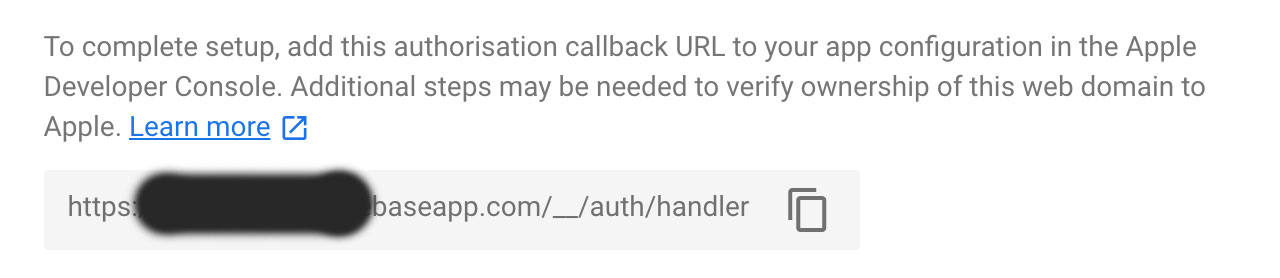
I can't find where in the Apple Developer Console I'm supposed to add the "authorization callback URL" given to me from Firebase:
The only thing shown in the dialog for "configuring" the login is this shit:
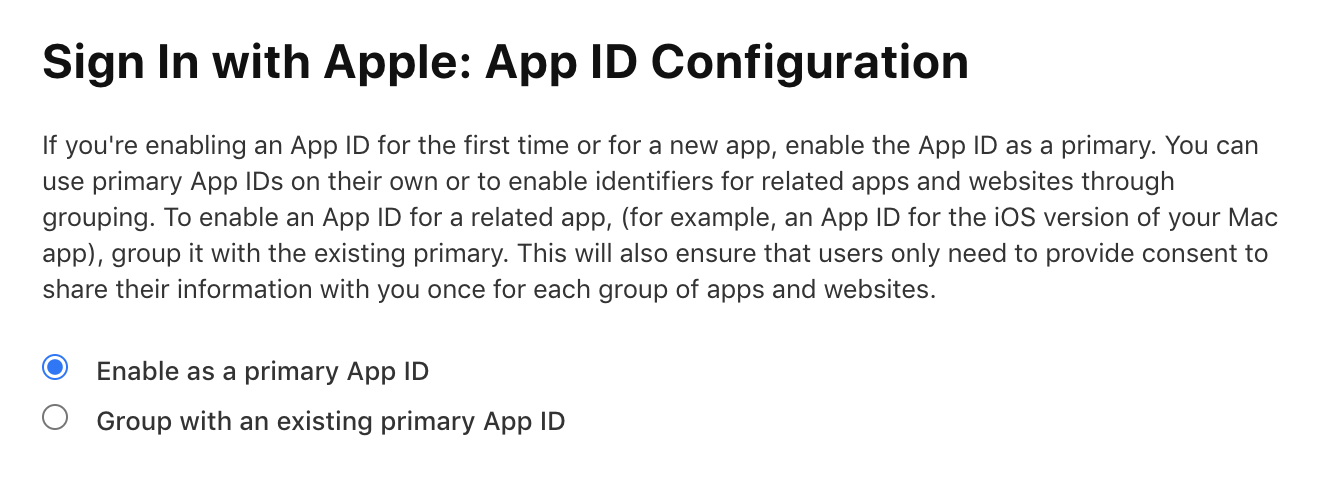
Can anybody point me in the right direction please?
Thanks!
 skizzo
>All comments
It's pretty poorly documented on Apple's part.
Open apple dev console to the resources list on "identifiers" at the left and "services ids" in the drop-down on the right (tricky!) https://developer.apple.com/account/resources/identifiers/list/serviceId
There you need to add a service id and in that service id you can enable sign in with apple, and in the configure box there you'll see this, where you can put it in
Because developing for the iOS platform is so fun and profitable that they have to force you to use their features or you will be locked out of their monopoly marketplace easy

 mikehardy
on 9 Jun 2020
mikehardy
on 9 Jun 2020
Related issues
 thinnakrit
·
3Comments
thinnakrit
·
3Comments
 bcbcbcbcbcl
·
8Comments
bcbcbcbcbcl
·
8Comments
 harrisrobin
·
3Comments
harrisrobin
·
3Comments
 vanminhnguyenbmt
·
7Comments
vanminhnguyenbmt
·
7Comments
 doublelam
·
9Comments
doublelam
·
9Comments
Most helpful comment
It's pretty poorly documented on Apple's part.
Open apple dev console to the resources list on "identifiers" at the left and "services ids" in the drop-down on the right (tricky!) https://developer.apple.com/account/resources/identifiers/list/serviceId
There you need to add a service id and in that service id you can enable sign in with apple, and in the configure box there you'll see this, where you can put it in
Because developing for the iOS platform is
so fun and profitable that they have to force you to use their features or you will be locked out of their monopoly marketplaceeasy