React-native-admob: "RNGADBannerView does not exist" error
Hello,
I've tried to use react-native-admob 2 beta but I'm getting this error.

I don't know what to do, could anyone please help me?
Before anyone asks; I had started with create-react-native-app command but before then using admob I ejected my app.
My dependencies are below.
"dependencies": {
"axios": "^0.17.1",
"expo": "^23.0.4",
"react": "16.0.0",
"react-native": "0.50.3",
"react-native-admob": "^2.0.0-beta.4",
"react-native-loading-spinner-overlay": "^0.5.2",
"react-native-render-html": "^3.5.2",
"react-navigation": "^1.0.0-beta.21",
"react-redux": "^5.0.6",
"redux": "^3.7.2",
"redux-promise": "^0.5.3",
"redux-saga": "0.16.0",
"redux-thunk": "^2.2.0"
}
 rafWork
All 10 comments
Looks like you forgot to “link” the project. Please check the installation section in the README
 koenpunt
on 18 Dec 2017
koenpunt
on 18 Dec 2017
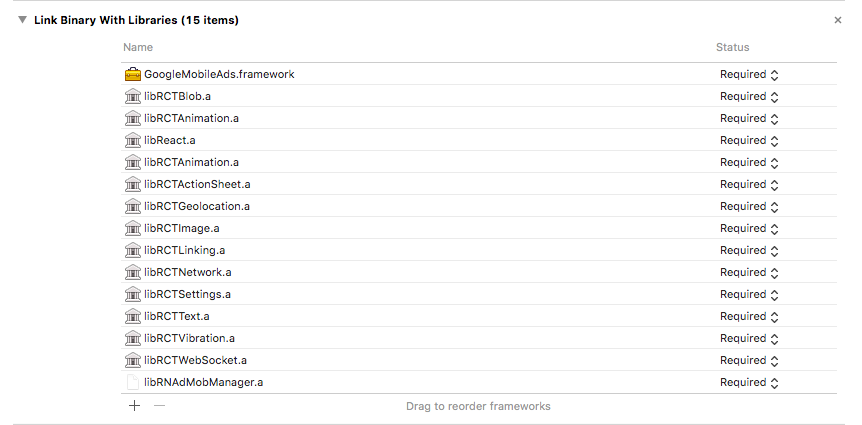
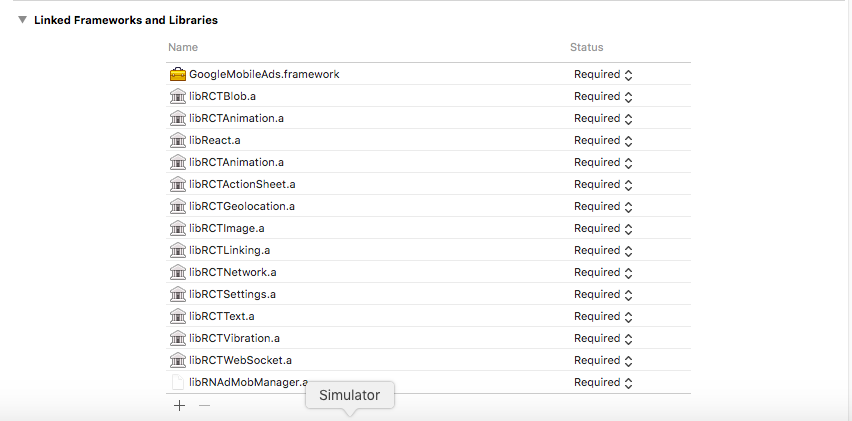
Maybe I've screwed up somehow but Xcode and terminal say that it is linked.

rafWork
on 18 Dec 2017
The icon of the library should not look like that actually..
Can you try to follow the manual linking steps and see if that solves it?
koenpunt
on 19 Dec 2017
I've thrown everything that I had and it worked :)
I've watched an youtube video before reading manual, that was a bad idea :/

rafWork
on 19 Dec 2017
Glad you figured it out. Going to close this now.
koenpunt
on 19 Dec 2017
Btw, you do not need to (should not) add the xcodeproj file to the linked libs
koenpunt
on 19 Dec 2017
Thank you! Last quick question, do I need to do anything with my Admob app Id like we should do on swift/xcode?
rafWork
on 19 Dec 2017
It works without, but I believe Google recommends it. To add it you should use the documented way; so just adding it to the AppDelegate for iOS, and using the respective way on Android too.
koenpunt
on 19 Dec 2017
I also face the same issue. I share a link, this issue mention here with the solution. It might be helpful to you.
Pls refer this link:
https://react-native-solutions.blogspot.com/2018/07/how-to-create-react-native-app-with.html
 Verma-Pooja
on 12 Jul 2018
Verma-Pooja
on 12 Jul 2018
me too...
 shinriyo
on 17 Sep 2018
shinriyo
on 17 Sep 2018
Related issues
 lydongray
·
4Comments
lydongray
·
4Comments
 kanekotic
·
6Comments
kanekotic
·
6Comments
 xencodes
·
5Comments
xencodes
·
5Comments
 danvass
·
6Comments
danvass
·
6Comments
 furkancelik
·
5Comments
furkancelik
·
5Comments