React-mapbox-gl: Cluster marker disappear when close to window boundaries
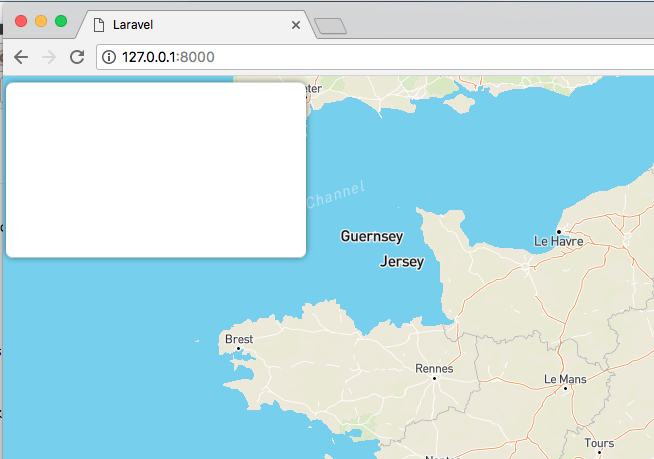
White box is a cluster marker. If I will move map 5px left, marker will be removed from dom.
Is there a way to remove the marker after it goes behind the screen?
 ScriptArtist
All 5 comments
Could you reproduce the bug using this boilerplate and attach the code?
 daniel-hauser
on 8 Jan 2019
daniel-hauser
on 8 Jan 2019
This bug is reproducing here http://alex3165.github.io/react-mapbox-gl/demos on html-cluster tab.
Move cluster circle to the window borders, and when it touches borders, circle will disappear.
Temporary fixed on production by adding:
.map {
    position: absolute !important;
    left: -150px;
    right: -150px;
    top: -150px;
    bottom: -150px;
}
It looks like normal behavior for me since large clusters are pretty rare.
Looks like a project specific problem, not sure that we have something to do with it (adding hidden parts of the map can imact logo, attribution and controls location).
@alex3165 what do you think?
daniel-hauser
on 9 Jan 2019
I have similar problem, but not only cluster will disappear, but also marker - if at least 1px touches borders, even coordinates are still on boundries (when you remove Cluster marker behavior is correct)
it is problematic for some UX, because it break you marker overview
 akiirii
on 9 Apr 2019
akiirii
on 9 Apr 2019
I suppose I ran into another flavour of this issue in https://github.com/alex3165/react-mapbox-gl/issues/867
 mrlubos
on 8 Jun 2020
mrlubos
on 8 Jun 2020
Related issues
 redbmk
·
4Comments
redbmk
·
4Comments
 DaveBathnes
·
3Comments
DaveBathnes
·
3Comments
 cyrilchapon
·
3Comments
cyrilchapon
·
3Comments
 spybaby1
·
4Comments
spybaby1
·
4Comments
 edv4rd0
·
3Comments
edv4rd0
·
3Comments