React-mapbox-gl: Render a large number of Features in a Layer simultaneously
I've been using this library for a few weeks and I like it a lot. I have a question regarding Marker vs Feature.
So, I can render ~800 Features on my map without any problem. However, as @benrudolph mentioned in #457 , rendering ~800 Markers on the map slows my browser to a crawl.
One problem with using a combination of Layer and Feature is that not all the features are rendered to the map simultaneously -- to see all 800 markers I have to zoom in very close and pan the map around. As you can see in the image below, if I'm zoomed out, only a small, seemingly random subset of the features I want to display are rendered.

I'd like to be able to render all 800 features on the map at once. If this isn't possible, this is a little surprising to me. Rendering this many markers to a map is a very common use case. I was able to do it years ago using Google Maps, as is demonstrated in the image below, without slowing the frame rate of the browser significantly.

Thank you for your help!
 kylebebak
All 12 comments
Hi !
Of course, never use markers if you don't need html to render your symbols.
Take a look at layer symbol style spec to change the default behavior of mapbox-gl, your use case is supported:
https://www.mapbox.com/mapbox-gl-js/style-spec#layers-symbol
 Wykks
on 28 Dec 2017
Wykks
on 28 Dec 2017
@Wykks
Thanks! Passing 'icon-size': true, to the layout prop of Layer did the trick.
While we're on the subject, I had another question: is there a way to style individual features within a layer, so they can be displayed with a different color/size/icon?
I know that it can be done by simply passing the custom HTML as the child of the Marker component. Below is an example of Marker's of varying size:
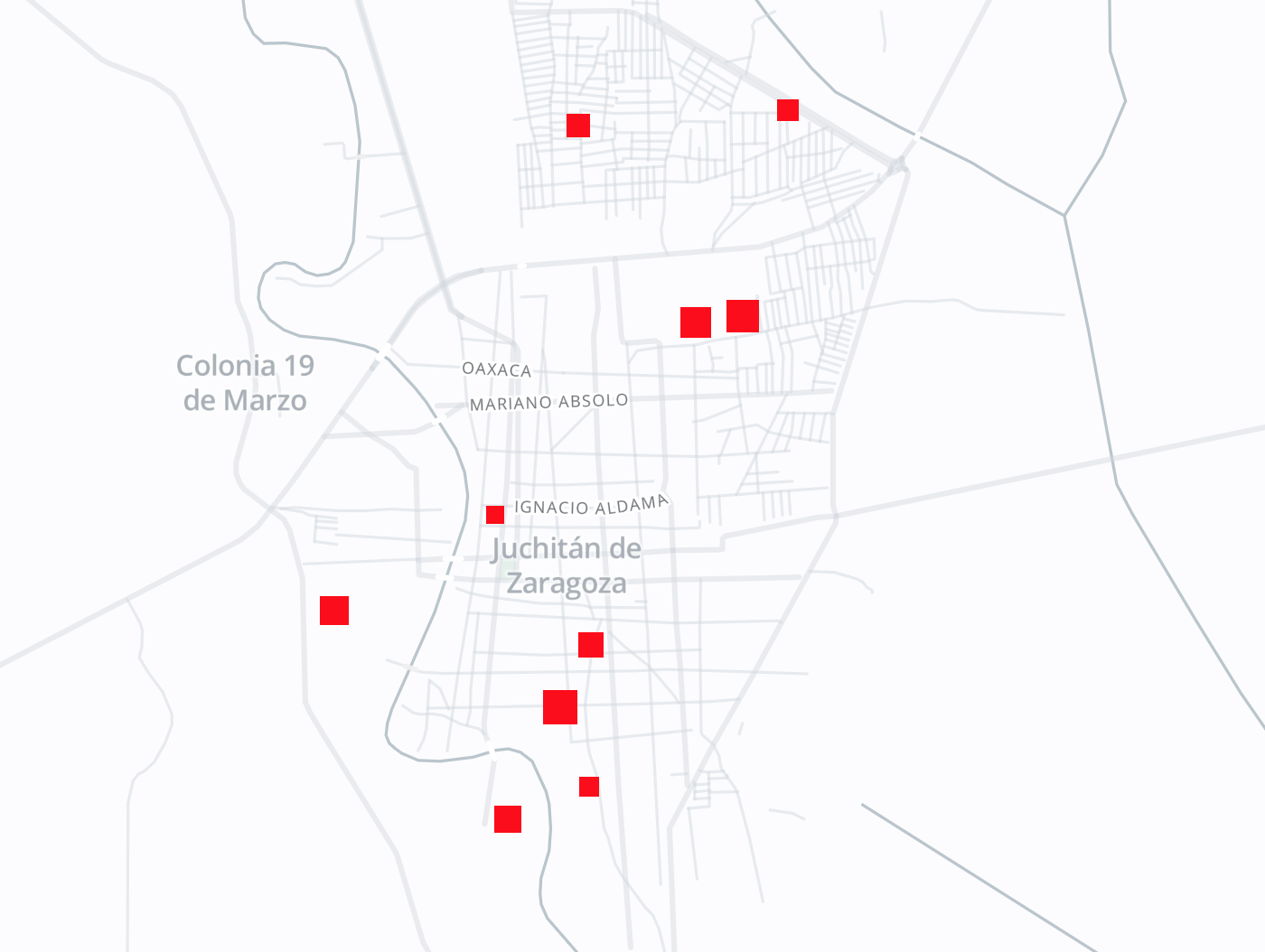
This seems to be the only way mentioned in the mapbox-gl-js docs for rendering custom markers. However, rendering even 100 of these markers destroys the frame rate, which makes this method useless for maps with many markers (it would be nice to update the docs to warn about this).
So, am I missing something? How might one style individual features, so that the map might contain 500+ markers of 5 or 10 different types?
Also, because this a basic use case, I think there should be an example in the docs showing how it can be done.
Thanks again!
kylebebak
on 28 Dec 2017
Hi @kylebebak I don't think there is any good solution for this use case 500+ markers of 5 / 10 different types. What I have done so far is to create 5 / 10 different layers.
Any PR welcome to add a warning in the doc specifying that Marker have bad performances when using 100+ of them (maybe even less, I haven't benchmarked it).
Same for an example, if you have any suggestion, we can discuss about it in a separated issue 👍
 alex3165
on 28 Dec 2017
alex3165
on 28 Dec 2017
You totally can display symbol in the same layer with different color/size/icon/...
It's the feature called data-driven styling. You have an example right here: https://www.mapbox.com/mapbox-gl-js/example/data-driven-circle-colors/
You can go even further with https://www.mapbox.com/mapbox-gl-js/style-spec/#expressions
Marker are needed when you cannot render what you want using mapbox style spec
Wykks
on 28 Dec 2017
@Wykks @alex3165
Hey guys, I created a video to help diagnose what might be happening.
Here's my code, it's totally standard. It is, in fact, the exact code Alex recommends for adding markers to map (wrap a bunch of features in a layer, instead of using the marker component).
render() {
    const {
      popup,
      features = [],
      onClickFeature,
      onEnterFeature,
      onLeaveFeature,
      coordinates,
    } = this.props

    const iconByScianGroup = {
      1: 'doctor-15',
      2: 'dog-park-15',
      3: 'drinking-water-15',
      4: 'embassy-15',
      5: 'entrance-15',
      6: 'fast-food-15',
      7: 'ferry-15',
      8: 'fire-station-15',
      9: 'fuel-15',
      10: 'garden-15',
    }

    const markers = features.map((f) => {
      const { scian_group: group, location: { lat, lng } } = f
      return (
        <Feature
          key={f.denue_id}
          coordinates={[lng, lat]}
          onClick={() => onClickFeature(f)}
          onMouseEnter={() => onEnterFeature(f)}
          onMouseLeave={() => onLeaveFeature(f)}
          properties={{ image: iconByScianGroup[group] || iconByScianGroup[1] }}
        />
      )
    })

    return (
      <Mapbox
        style="mapbox://styles/kylebebak/cjbr1wz8o7blj2rpbidkjujq2" // eslint-disable-line react/style-prop-object
        zoom={this.initialZoom}
        center={coordinates}
        containerStyle={{
          height: '100%',
          width: '100%',
        }}
      >
        {popup}
        <Layer
          type="symbol"
          id="marker"
          layout={{
            'icon-allow-overlap': true,
            'icon-image': '{image}',
          }}
        >
          {markers}
        </Layer>
        <ZoomControl style={zoomStyle} className={Styles.zoomControlContainer} />
      </Mapbox>
    )
  }
In another component, I have some code that creates a popup and passes it to this component as a prop. Rendering the Popup causes crazy stuff to happen.
Here's a video that shows what I'm talking about. There are at least 4 bugs going on here:
- map pans to a different location on hover
- features flicker
- many features disappear (and fail to reappear)
- hovering over a feature repeatedly fires the
onMouseEnterandonMouseLeavecallbacks (compare with this behavior)
I appreciate the hard work you're doing on this library, but I can't spend any more time working with react-mapbox-gl if basic use cases cause multiple show-stopping bugs. Please let me know if I should just forget about these React bindings and use the mapbox API...
kylebebak
on 29 Dec 2017
Humm there's a lot going on indeed.Your render function looks fine, except that you should avoid arrow function/bind inside render. That's probably one of your issues.
Could you reproduce theses issues using the webpackbin template attached in the readme? or by forking react-mapbox-gl-debug?
Wykks
on 29 Dec 2017
@Wykks @alex3165
Again, thanks for writing the library, but I can't continue to sink time into this. All of us know the issues I mentioned have nothing to do with an arrow function/bind inside render.
As for reproducing the issues, it's really easy. Just render some Feature's inside a map and throw a Popup in there.
You guys ought to reopen this issue, or split it into several issues. It seems like these problems are are due to react-mapbox-gl and not mapbox-gl-js.
kylebebak
on 30 Dec 2017
@Wykks I'm having very similar issues with onMouseEnter firing multiple times for popups on Features in a symbol Layer.
 hughlomas
on 16 Jul 2018
hughlomas
on 16 Jul 2018
I have a similar performance problem. We are looking to switch over from Leaflet to MapBoxGL. In leaflet, when I instantiate a new Marker class I'm able to give it an HTML element to render as the marker, and using the leafletmarkerclusterer library am able to cluster those html elements. From there we use plain old javascript to update the markers as we need to, and its lightning fast.
In previous iterations, we used angular to render our markers, which was extremely while panning, zooming, and even slower when loading (you're talking 9-10 seconds for a layer with 400 markers to appear, and during this time the user is blocked)
So, I think the performance issue here is that we are trying to render a react component for a marker, when a standard HTML element with plain old javascript would do the trick and be much, much faster. Is there/will there ever be a way to pass an html element into the cluster component instead of having to render a Marker component each time? I think that's why the performance hit is so large. Thanks
 tmcintire
on 25 Sep 2018
tmcintire
on 25 Sep 2018
@kylebebak @tmcintire What did you choose instead of this library? I need to render about 200 custom markers with hover and popup functionalities. What would do you suggest?
 bondom
on 30 Nov 2018
bondom
on 30 Nov 2018
Check out this demo: https://github.com/istarkov/google-map-thousands-markers
 compwright
on 14 Jul 2019
compwright
on 14 Jul 2019
Anyone wondering about the original question: the prop to now use to show all features regardless of overlap is "icon-ignore-placement" or "icon-allow-overlap"—they sounds pretty similar
 CSFlorin
on 4 Apr 2020
CSFlorin
on 4 Apr 2020
Related issues
 jonheslop
·
24Comments
jonheslop
·
24Comments
 pcraciunoiu
·
13Comments
pcraciunoiu
·
13Comments
 pronebird
·
19Comments
pronebird
·
19Comments
 iop280
·
21Comments
iop280
·
21Comments
 Beeze
·
15Comments
Beeze
·
15Comments
Most helpful comment
I have a similar performance problem. We are looking to switch over from Leaflet to MapBoxGL. In leaflet, when I instantiate a new Marker class I'm able to give it an HTML element to render as the marker, and using the leafletmarkerclusterer library am able to cluster those html elements. From there we use plain old javascript to update the markers as we need to, and its lightning fast.
In previous iterations, we used angular to render our markers, which was extremely while panning, zooming, and even slower when loading (you're talking 9-10 seconds for a layer with 400 markers to appear, and during this time the user is blocked)
So, I think the performance issue here is that we are trying to render a react component for a marker, when a standard HTML element with plain old javascript would do the trick and be much, much faster. Is there/will there ever be a way to pass an html element into the cluster component instead of having to render a
Markercomponent each time? I think that's why the performance hit is so large. Thanks