React-map-gl: Marker not anchoring correctly when zoomed
I am using standard template stuff to display some markers on a map, however when I zoom they move. Here is the instantiation the markers, as well as screen shots of the behaviour. I'm fairly certain the style sheet is being correctly imported as it appears under the page resources.
 <ReactMapGL

                mapStyle='mapbox://styles/mapbox/light-v9'
                {...this.state.viewport}

                onChangeViewport={this.onChangeViewport}
                mapboxApiAccessToken = 'xxxxxx'
>


                {this.state.nodes.map(x =>
                    <Marker latitude={x.lat} longitude={x.lng} anchor={"bottom-left"}>
                        <div className='mapMarkerStyle'/>
                    </Marker>
                )}

</ReactMapGL>


.mapMarkerStyle {
  background-image: url('pin.svg');
  background-size: cover;
  width: 50px;
  height: 50px;
  border-radius: 50%;
  cursor: pointer;
}
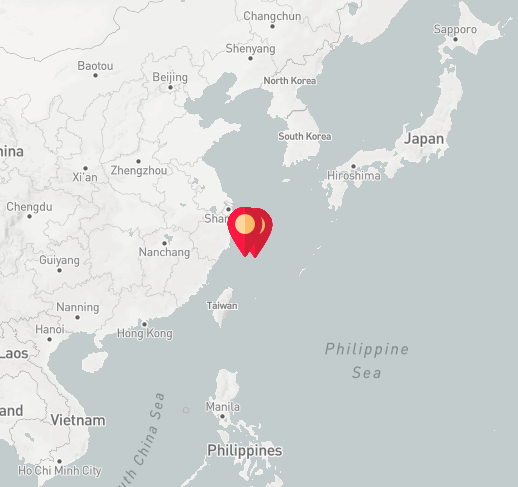
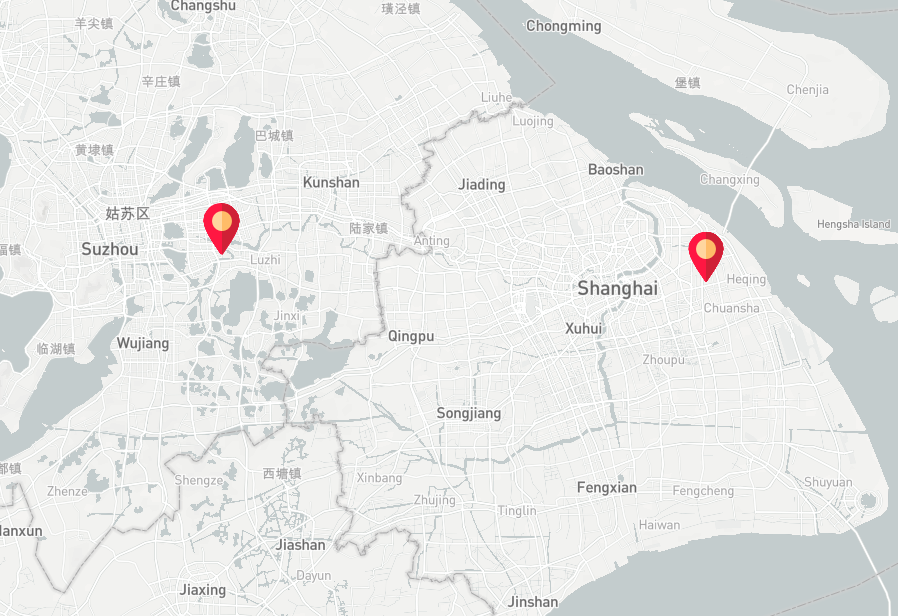
 ckalas
All 5 comments
What's happening is that the marker is being anchored in the top-left of the div (if you look closely, the top-left looks like its in pretty much the same location). What you need to do is set the offsetLeft to half the icon size and offsetTop to the full height of the icon, in order to set the anchor at the point of you marker icon. You can read more about it in the marker documentation
<Marker
  latitude={x.lat}
  longitude={x.lng}
  anchor={"bottom-left"}
  offsetLeft={-25}
  offsetTop={50}
>
  <div className='mapMarkerStyle'/>
</Marker>
Edit: Removed anchor={"bottom-left"} prop that wasn't doing anything.
 GunnarSturla
on 13 Sep 2018
GunnarSturla
on 13 Sep 2018
@GunnarSturla I don't see the anchor property in the uber docs, only the mapbox-gl-js docs. Does this mean it won't work? Because theoretically you should just be able to set the anchor as "bottom" and not have to set an offset.
 timendez
on 18 Jan 2019
timendez
on 18 Jan 2019
Right.. I must have mixed things up with the anchor, I don't think it's doing anything in there, and there's no code using it in marker.js.
The important bit in the code is the offsetLeft and offsetTop, they're essentially anchoring the icon to the bottom-center.
Sorry for the mix up, and thanks for noticing!
GunnarSturla
on 18 Jan 2019
Ok, good to know, thanks @GunnarSturla!
timendez
on 18 Jan 2019
In case it helps anyone, both of the offsets were supposed to be negative for me.
For example:
offsetTop={-50}
offsetLeft={-25}
 chasen-bettinger
on 6 Sep 2019
chasen-bettinger
on 6 Sep 2019
Related issues
 sudoStatus200
·
5Comments
sudoStatus200
·
5Comments
 xoddong
·
4Comments
xoddong
·
4Comments
 SethHamilton
·
3Comments
SethHamilton
·
3Comments
 liang3404814
·
3Comments
liang3404814
·
3Comments
 MattReimer
·
3Comments
MattReimer
·
3Comments
Most helpful comment
In case it helps anyone, both of the offsets were supposed to be negative for me.
For example:
offsetTop={-50}
offsetLeft={-25}