React-joyride: Gray background V2
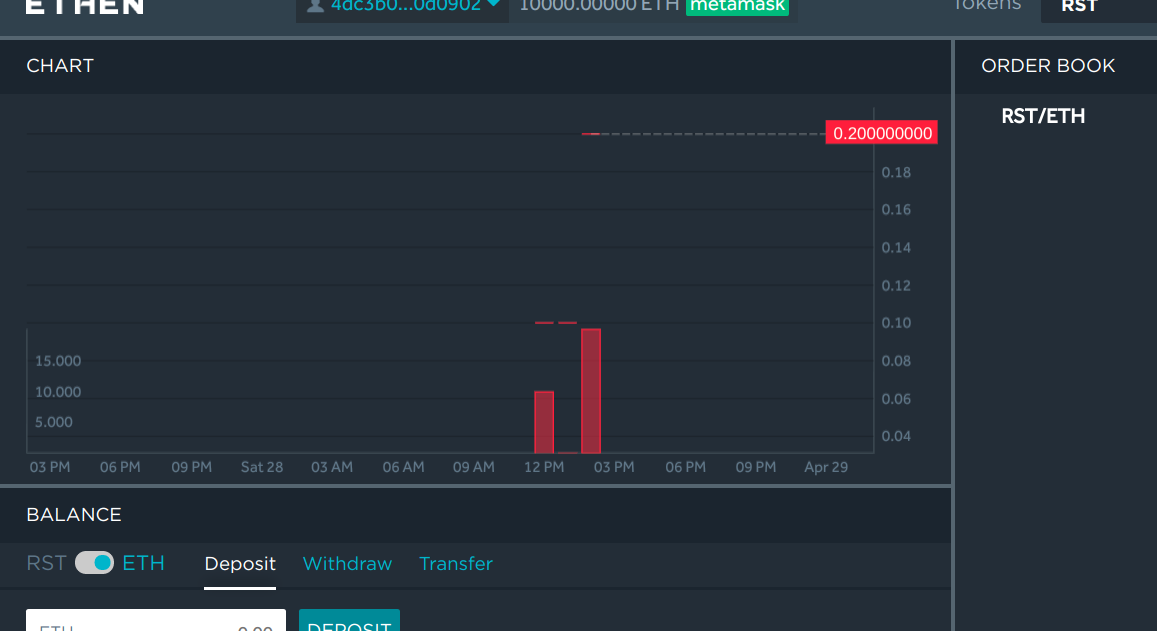
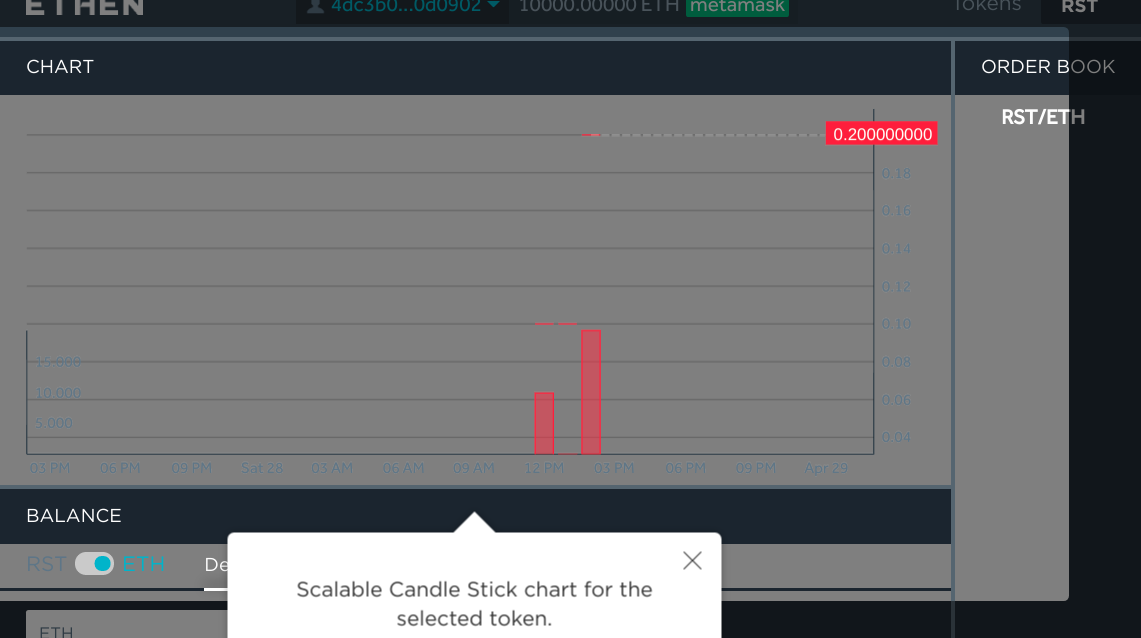
In some blocks i have gray background, but in other blocks with same background colors i don't (see image below), it seems strange. Do you have any idea what may cause this issue?
Without overlay
With overlay
 borovik96
All 11 comments
What do you mean with a gray background? The overlay?
I couldn't understand what's going on with the image you sent. Is it correct or not?
Maybe you're targeting the wrong element? Can you post an example in codesandbox?
 gilbarbara
on 3 May 2018
gilbarbara
on 3 May 2018
I updated images, now the problem should be more clear. I have tried to change backround-color of my page to other color, but result the same. It worked great in V1, will try to reproduce it in codesandbox
borovik96
on 4 May 2018
Please try to update to 2.0.0-10 and let me know if it works
gilbarbara
on 7 May 2018
Still reproduced with 2.0.0-10. have tried to reproduce behavor in codesandbox, but couldn't
borovik96
on 7 May 2018
It's impossible to know what is going on without seeing some code.
Review your steps and make sure you are not setting options you don't need to.
If you can reproduce this behavior on codesandbox, reopen the issue.
gilbarbara
on 7 May 2018
I had the same problem. In my case, it is when using react-joyride on react-table. I think it is a CSS issue.
I managed to replicate error: https://codesandbox.io/s/o5q6rnrz1q
It is grey in Chrome but displays correctly in Firefox.
 michalkow
on 18 May 2018
michalkow
on 18 May 2018
@michalkow Feel free to submit a PR
gilbarbara
on 18 May 2018
I am not that familiar with the CSS to solve the issue on my own. From what I understand overlay is using mix-blend-mode: hard-light; to display white spotlight? Can the way it is handled by different browsers be the issue?
michalkow
on 18 May 2018
@michalkow I really can't say. It seems like a weird interaction with form elements. Or the way react-table render things.
gilbarbara
on 18 May 2018
I solved it by setting white background on ReactTable, before no background color was set.
michalkow
on 18 May 2018
Nice, I will try to understand if it's a requirement to mix-blend-mode and add to the FAQ.
Thanks
gilbarbara
on 18 May 2018
Related issues
 kAleksei
·
5Comments
kAleksei
·
5Comments
 monsieurnebo
·
4Comments
monsieurnebo
·
4Comments
 snlhnk
·
5Comments
snlhnk
·
5Comments
 msalsas
·
3Comments
msalsas
·
3Comments
 pokonski
·
3Comments
pokonski
·
3Comments
Most helpful comment
I solved it by setting white background on ReactTable, before no background color was set.